
Introduction
This manual provides comprehensive instructions for the ZWP Replacement Voice Remote Control, designed for use with InfiniTV EVO PRO VISTAR TV Boxes. Please read this manual carefully to ensure proper setup and operation of your new remote control.

Image 1: Front view of the ZWP Replacement Voice Remote Control. This image displays the ergonomic design and button layout, including power, navigation, volume, channel, number pad, and dedicated app buttons.
Setup
- Battery Installation:
Locate the battery compartment on the back of the remote control. Open the cover and insert two AAA batteries, ensuring the positive (+) and negative (-) terminals align correctly with the markings inside the compartment. Close the battery cover securely.

Image 2: Illustration of the battery compartment and proper insertion of two AAA batteries. The remote requires two AAA 1.5V batteries, which are not included.
- Initial Use:
This remote control is designed to work immediately with compatible InfiniTV EVO PRO VISTAR TV Boxes without any programming. Once batteries are installed, it is ready for use.
Operating Instructions
The ZWP Replacement Voice Remote Control offers a range of functions for seamless control of your InfiniTV EVO PRO VISTAR TV Box.
- Power Button: Turns the TV Box on or off.
- Navigation Pad (Up, Down, Left, Right, OK): Used to navigate menus and select options.
- Volume Control (VOL+, VOL-): Adjusts the audio volume.
- Channel Control (CH+, CH-): Changes TV channels.
- Voice Control Button: Activates the voice command feature for hands-free operation (ensure your TV Box supports this feature).
- Number Pad (0-9): For direct channel input or other numerical selections.
- Dedicated App Buttons: Quick access buttons for popular streaming services such as Netflix, YouTube, and Amazon (AMZ).
- Menu/Guide Buttons: Accesses the main menu or program guide.
- Back Button: Returns to the previous screen or menu.

Image 3: Demonstrates the remote's long-range and multi-angle control capabilities, effective up to 26 feet and 120 degrees.

Image 4: Illustrates the quick response time and enhanced signal strength of the remote control, contributing to a smooth user experience.
Maintenance
- Cleaning: Use a soft, dry cloth to clean the remote control. Avoid using liquid cleaners or abrasive materials.
- Battery Replacement: Replace batteries when the remote's performance diminishes. Always replace both batteries at the same time with new ones.
- Storage: Store the remote in a cool, dry place away from direct sunlight and extreme temperatures.
- Durability: The remote is constructed from high-quality ABS material, designed for wear resistance and durability.

Image 5: Highlights the comfortable feel and durable ABS material construction of the remote, ensuring a long product life.
Troubleshooting
- Remote not responding:
- Ensure batteries are correctly installed and not depleted. Replace if necessary.
- Check for any obstructions between the remote control and the TV Box.
- Ensure you are within the effective operating range (up to 26 feet).
- Voice control not working:
- Verify that your InfiniTV EVO PRO VISTAR TV Box supports voice control functionality.
- Ensure the remote has a clear line of sight to the TV Box.
Specifications
| Feature | Detail |
|---|---|
| Model Number | EVO PRO |
| Brand | ZWP |
| Compatible Devices | InfiniTV EVO PRO VISTAR TV Box (Set Top Box) |
| Power Source | 2 x AAA Batteries (not included) |
| Material | High-quality ABS |
| Color | Black |
| Item Weight | 2.4 ounces |
| Package Dimensions | 10 x 3 x 1 inches |
| Special Feature | Ergonomic design |
| Max Number of Supported Devices | 1 |
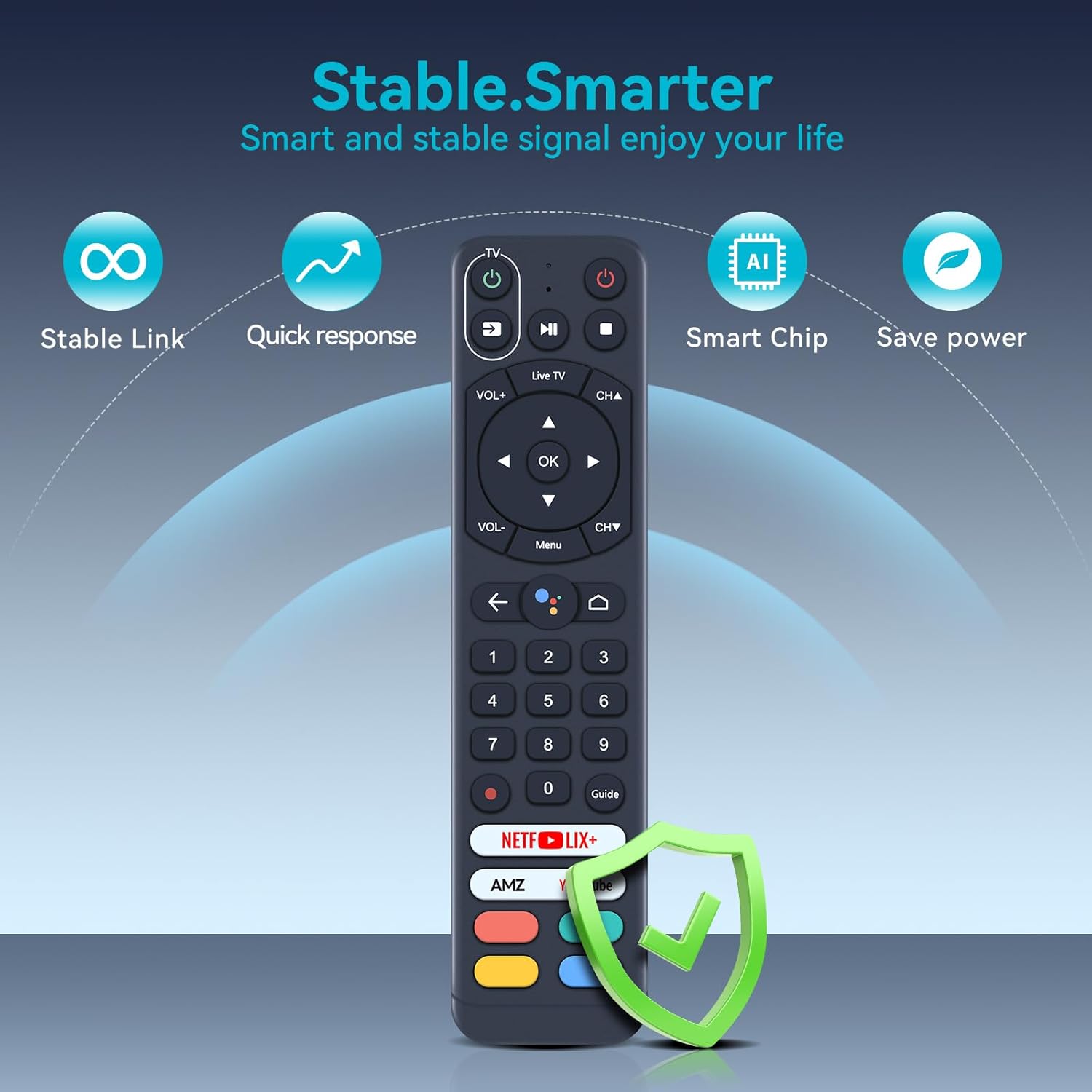
Image 6: Overview of the remote's core features, including stable link, quick response, smart chip technology, and power-saving capabilities.
Support
For any questions or assistance regarding your ZWP Replacement Voice Remote Control, please contact our customer support. We are committed to helping you resolve any issues you may encounter.