
Introduction
This manual provides comprehensive instructions for the ZWP Replacement Remote Control, designed for use with various Senville LETO Series Air Conditioner models. This remote control offers a direct replacement solution without the need for complex programming. Please read this manual thoroughly before use to ensure proper operation and longevity of your device.
Compatibility
This remote control is compatible with the following Senville LETO Series Air Conditioner models:
- SENL-09CD-16
- SENL-09CD/220/X
- SENL-12CD-16
- SENL-12CD/220/X
- SENL-18CD-16
- SENL-24CD-16
- SENL-30CD/X
- SENL-36CD-16
Ensure your air conditioner model is listed above for guaranteed compatibility.
Setup
Battery Installation
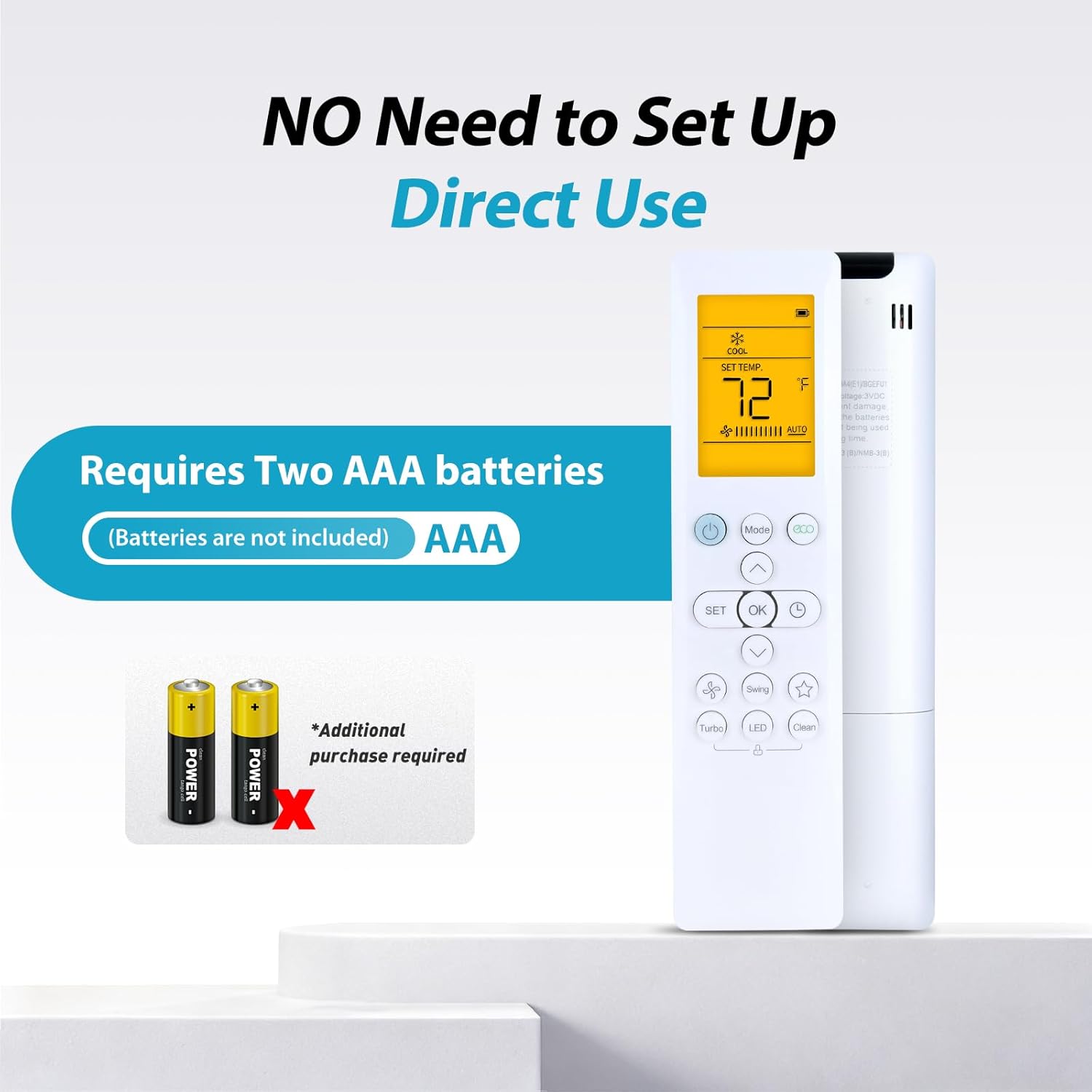
The ZWP Replacement Remote Control requires two AAA alkaline batteries (not included). Follow these steps to install the batteries:
- Locate the battery compartment cover on the back of the remote control.
- Slide the cover downwards or press the latch to open the compartment.
- Insert two AAA batteries, ensuring the positive (+) and negative (-) terminals align correctly with the markings inside the compartment.
- Slide the battery compartment cover back into place until it clicks securely.
No programming or setup is required after battery installation. The remote is ready for immediate use.

Operating Instructions
This remote control utilizes advanced infrared technology for stable and responsive communication with your air conditioner. It offers a long transmission distance and multi-angle control.
Basic Functions
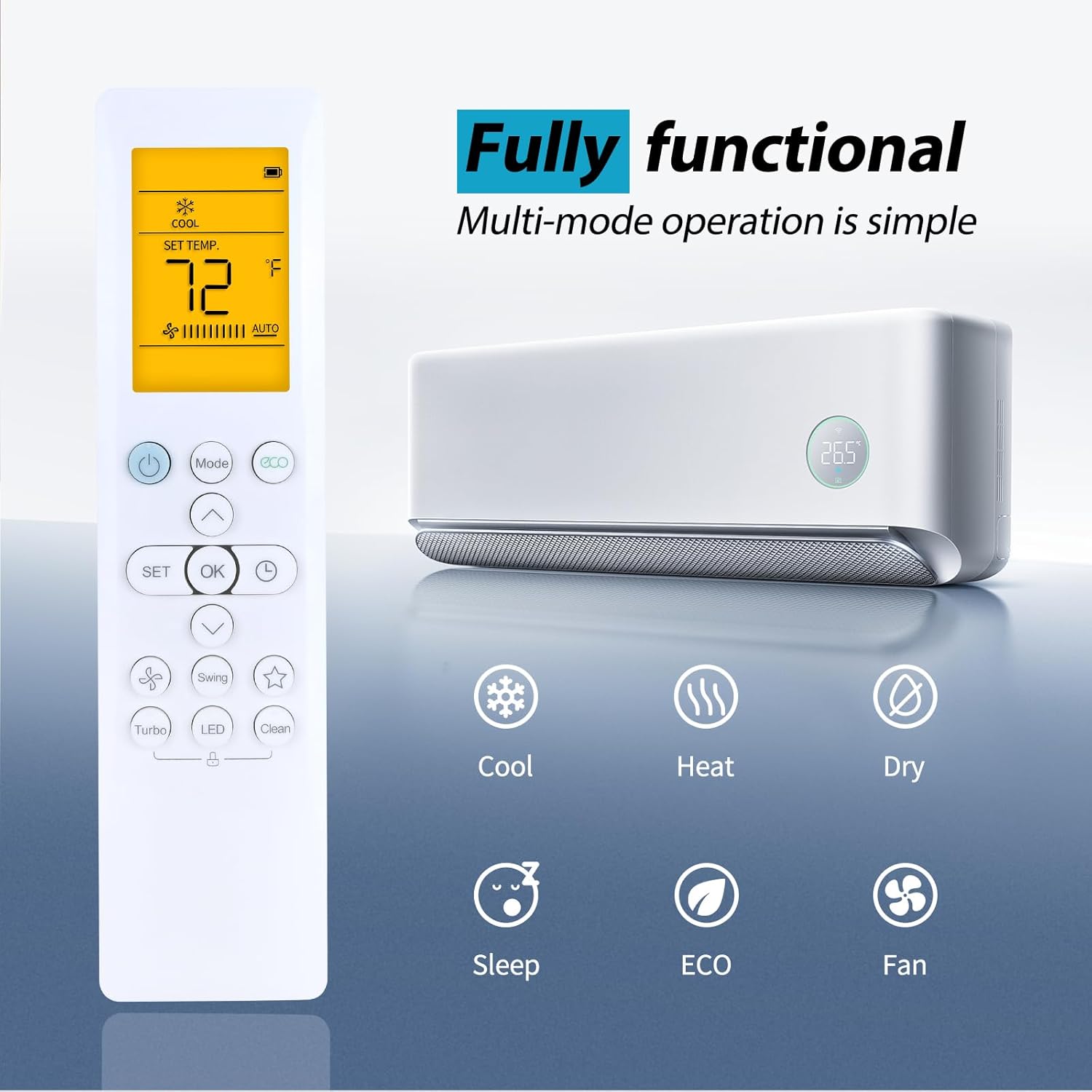
- Power Button: Press to turn the air conditioner ON or OFF.
- Mode Button: Cycle through available operating modes (Cool, Heat, Dry, Sleep, ECO, Fan).
- Temperature Adjustment: Use the Up and Down arrow buttons to increase or decrease the desired temperature.
- Fan Speed: Adjust the fan speed (if available on your AC model).
- Swing: Activate or deactivate the louver swing function.

LED Luminous Display
The remote control features an LED luminous display, ensuring that buttons and the screen are clearly visible even in low-light conditions. This eliminates the need to turn on room lights at night to operate your air conditioner.
Operating Modes
The remote supports multiple operating modes to suit your comfort needs:
- Cool: For cooling the room.
- Heat: For heating the room.
- Dry: For dehumidifying the room.
- Sleep: Adjusts temperature for comfortable sleep and energy saving.
- ECO: Energy-saving mode.
- Fan: Circulates air without heating or cooling.

Control Range
The remote control provides sensitive buttons and precise control over a long distance, up to 40 feet (approximately 12 meters) with a 180-degree multi-angle range, allowing you to operate your air conditioner from various positions within a room.

Maintenance
Cleaning
To clean the remote control, gently wipe its surface with a soft, dry cloth. Avoid using abrasive cleaners, solvents, or wet cloths, as these can damage the remote's finish or internal components.
Battery Replacement
Replace batteries when the remote's response becomes sluggish or the display dims. Always replace both AAA batteries simultaneously with new ones. Do not mix old and new batteries, or different types of batteries.
Storage
If the remote control will not be used for an extended period, remove the batteries to prevent leakage and potential damage to the device.
Troubleshooting
If you experience issues with your ZWP Replacement Remote Control, please refer to the following common solutions:
- Remote not responding:
- Check if the batteries are correctly inserted with the correct polarity.
- Replace old batteries with new AAA alkaline batteries.
- Ensure there are no obstructions between the remote control and the air conditioner's infrared receiver.
- Verify that your air conditioner model is listed in the compatibility section.
- Limited range or intermittent control:
- Ensure batteries are fresh.
- Reduce the distance between the remote and the air conditioner.
- Remove any potential sources of infrared interference.
If the problem persists after attempting these solutions, please refer to the Warranty and Support section for further assistance.
Specifications
| Feature | Detail |
|---|---|
| Model Number | RG10A4(D1) |
| Compatible Devices | Senville LETO Series Air Conditioners |
| Power Source | 2 x AAA Batteries (not included) |
| Material | High Quality ABS |
| Color | White |
| Dimensions (L x W x H) | 7.83 x 2.44 x 0.94 inches (approx. 19.9 x 6.2 x 2.4 cm) |
| Item Weight | 3.17 ounces (approx. 90 grams) |
| Technology | Infrared |
| Max Control Distance | 8 meters (approx. 26 feet) |
Warranty and Support
ZWP provides a 1-year warranty return service for this product. If you encounter any issues or have questions regarding your ZWP Replacement Remote Control, please contact the seller directly. They are committed to responding to inquiries within 12 hours to provide assistance.