
Introduction
This manual provides comprehensive instructions for the setup, operation, and maintenance of your ZWP Replacement Remote Control. This remote is designed to be compatible with Great World Electric Fireplace Heater models GW-6088TBT and GW-6078TBT. Please read this manual thoroughly before use to ensure proper functionality and to maximize your product's lifespan.
Product Overview
The ZWP Replacement Remote Control is a compact and ergonomic device designed for easy control of your compatible electric fireplace heater. It features dedicated buttons for power, heating, temperature/setting adjustment, dimming, and timer functions.

Figure 1: Front view of the ZWP Replacement Remote Control, showing all control buttons.
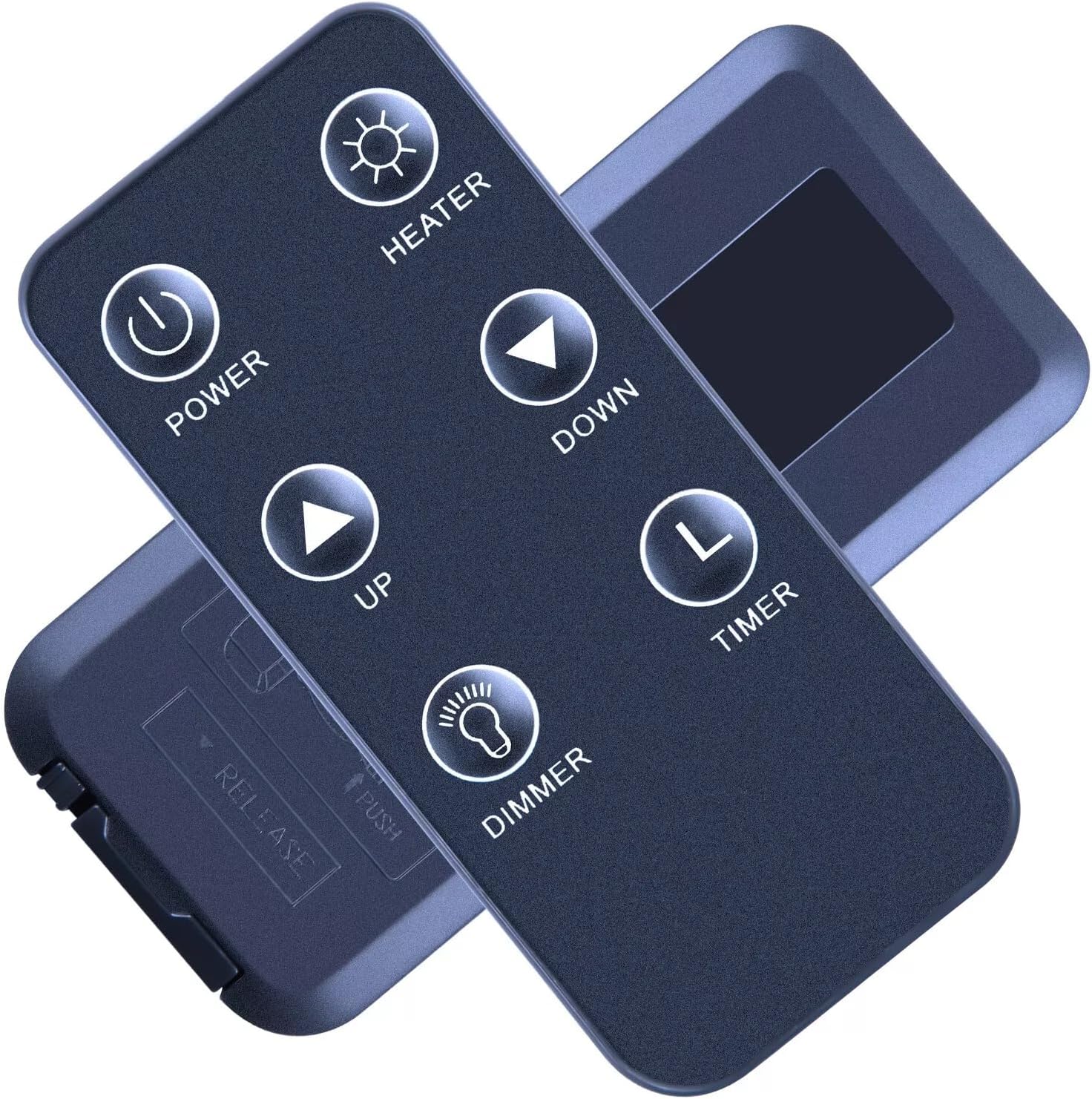
Figure 2: Rear view of the remote control, illustrating the battery compartment and release mechanism.
Setup
The remote control requires a CR2025 button battery (not included) for operation. No programming is required; simply install the battery, and the remote will be ready for use.
- Open the Battery Compartment: Locate the battery compartment on the back of the remote control. Gently push the "PUSH" tab and slide the battery tray out in the direction of "RELEASE".
- Insert Battery: Insert one CR2025 lithium button battery into the tray with the positive (+) side facing upwards, as indicated by the diagram inside the compartment.
- Close the Compartment: Slide the battery tray back into the remote until it clicks securely into place.

Figure 3: Detailed illustration of the battery installation process, showing the CR2025 battery and compartment.
Operating Instructions
Point the remote control directly at your Great World Electric Fireplace Heater to ensure proper signal transmission. The remote operates within a typical range of several feet.
- POWER Button (): Press to turn the fireplace heater ON or OFF.
- HEATER Button (): Activates or deactivates the heating function. This button may also cycle through different heat settings depending on your fireplace model.
- UP Button (): Increases temperature, flame intensity, or other adjustable settings.
- DOWN Button (): Decreases temperature, flame intensity, or other adjustable settings.
- DIMMER Button (): Adjusts the brightness of the flame effect. Press repeatedly to cycle through different dimmer levels.
- TIMER Button (): Sets or adjusts the operational timer for the fireplace heater. Refer to your fireplace heater's manual for specific timer functions.

Figure 4: Proper usage of the remote control, demonstrating how to point it towards the fireplace heater.
Maintenance
- Cleaning: Wipe the remote control with a soft, dry cloth. Do not use abrasive cleaners or solvents, as these may damage the surface or internal components.
- Battery Replacement: Replace the CR2025 battery when the remote's range decreases or it stops responding. Follow the battery installation steps outlined in the "Setup" section. Dispose of used batteries responsibly according to local regulations.
- Storage: If the remote will not be used for an extended period, it is recommended to remove the battery to prevent leakage and potential damage. Store the remote in a cool, dry place.
Troubleshooting
| Problem | Possible Cause | Solution |
|---|---|---|
| Remote not responding. | Dead or incorrectly installed battery. | Replace the CR2025 battery, ensuring correct polarity (+ side up). |
| Remote has limited range. | Weak battery. Obstruction between remote and fireplace. | Replace the battery. Ensure a clear line of sight to the fireplace heater's receiver. |
| Specific button not working. | Internal malfunction or debris. | Ensure the remote is clean. If the issue persists after battery replacement, contact customer support. |
Specifications
- Brand: ZWP
- Model Number: GW-6088TBT (Compatible with GW-6078TBT)
- Compatible Devices: Great World Electric Fireplace Heaters
- Power Source: 1 x CR2025 Lithium Button Battery (3V)
- Material: High-quality ABS
- Color: Black
- Dimensions: 3.54 x 1.65 x 0.35 inches (approx.)
- Item Weight: 0.634 ounces (approx.)

Figure 5: Physical dimensions of the ZWP Replacement Remote Control.
Warranty and Support
This product is designed for durability and reliable performance. While specific warranty details are not provided, for any questions, concerns, or issues regarding your ZWP Replacement Remote Control, please do not hesitate to contact the seller directly through the platform where you made your purchase. They are committed to assisting you with any problems you may encounter.
Please retain this manual for future reference.