
1. Introduction
Thank you for choosing the TheiaMo Arched LED Bathroom Mirror. This manual provides essential information for the safe installation, operation, and maintenance of your new mirror. Please read these instructions thoroughly before installation and retain them for future reference. Proper installation and care will ensure optimal performance and longevity of your product.
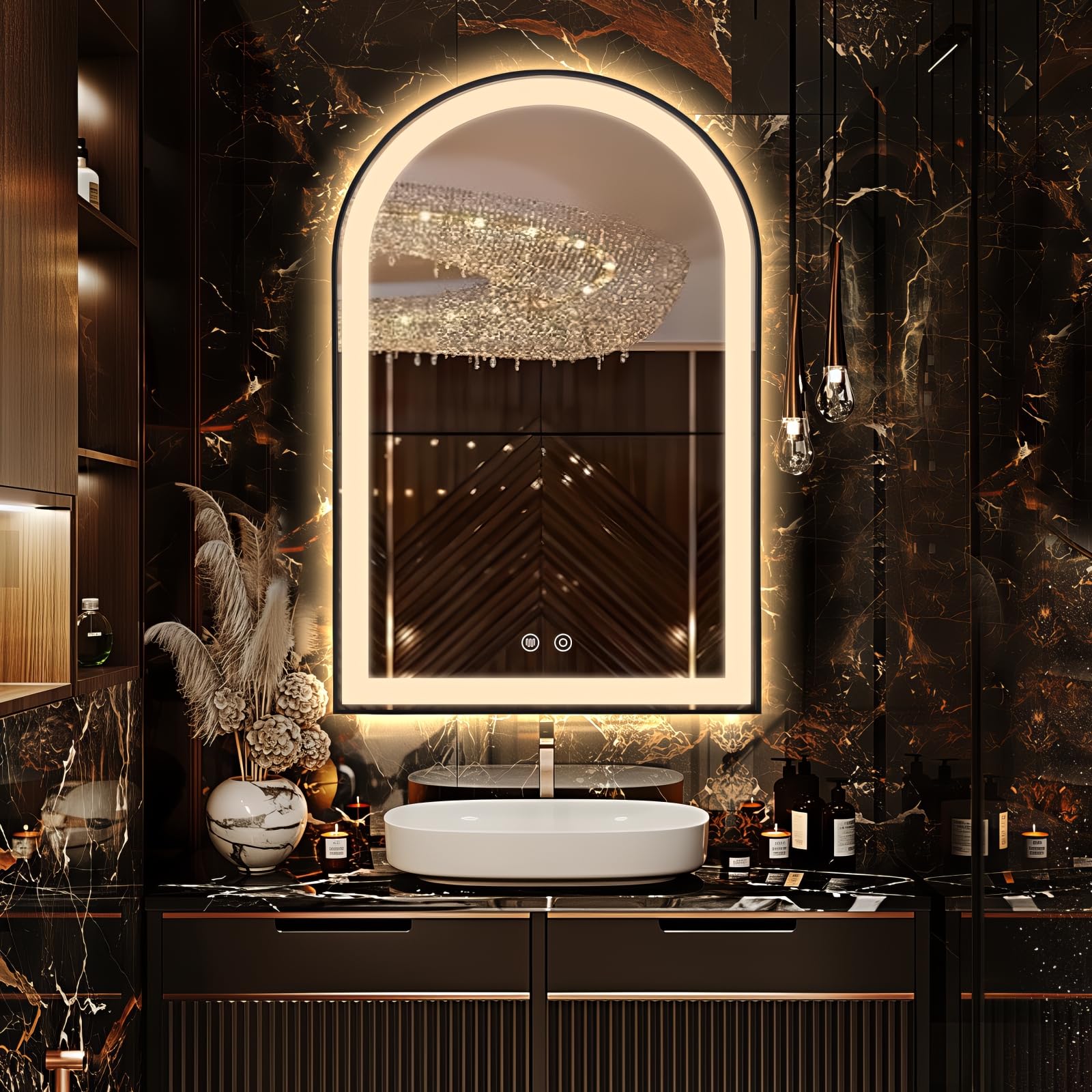
Figure 1: TheiaMo Arched LED Bathroom Mirror (24"L x 36"W)
2. Product Features
- Dimmable & Brushed Frame: Features a brushed aluminum frame for rust resistance and a modern design. Touch the round button for 3 seconds to change color temperature and long press to adjust brightness (10%-100%). Includes brightness memory function.
- Super Bright Front and Backlight: Equipped with a 120 LEDs/M high lumen light bar for clear reflection and ambient lighting. Offers over 50,000 hours of service life.
- Installation Options: Supports both plug-in and hardwired installation. Professional electrician recommended for hardwiring.
- IP65 Waterproof & Anti-Fog: Fully enclosed electrical components ensure safe use in wet bathroom environments. The anti-fog function clears the mirror automatically.
- HD & Tempered Glass: Constructed with 5mm HD eco-friendly copper-free silver glass for clear, distortion-free reflection. Features explosion-proof film for safety.

Figure 2: Frontlit and Backlit Illumination Comparison
3. Package Contents
Please check the package contents upon receipt. If any items are missing or damaged, contact customer support immediately.
- 1 x TheiaMo Arched LED Bathroom Mirror
- Mounting Hardware (screws, wall anchors)

Figure 3: Multi-Tier Protective Packaging
4. Safety Information
- Mirrors are fragile items; handle with extreme care during unpacking and installation.
- Always turn on/off the mirror light using the dedicated switch button on the mirror itself, not solely through a wall switch.
- This product is designed with explosion-proof film for enhanced safety, minimizing debris in case of breakage.
- Ensure the power supply is disconnected before any installation, maintenance, or cleaning procedures.
- If hardwiring, it is strongly recommended to have the installation performed by a qualified electrician.
5. Setup & Installation
The mirror offers two installation methods: plug-in or hardwired. Choose the method suitable for your bathroom setup.
5.1 Installation Options

Figure 4: Plug-in and Hardwire Options
5.2 Easy 3-Step Installation
Follow these steps for wall mounting:
- Drill Holes: Mark the desired mounting location. Drill holes in the wall and insert the provided wall anchors.
- Screw Screws: Screw the two mounting screws into the wall anchors, leaving a small portion exposed for hanging.
- Hang Mirror: Carefully hang the mirror onto the exposed screws. Ensure the mirror is securely seated and level.

Figure 5: 3-Step Installation Process
For a visual guide on installation and features, please watch the official product video:
Video 1: TheiaMo Arched LED Bathroom Mirror Overview and Features. This video demonstrates the mirror's design, lighting options, and touch controls.
6. Operating Instructions
Your TheiaMo LED mirror features intuitive touch controls for lighting and anti-fog functions.
6.1 Light Control (Color Temperature & Brightness)
- Power On/Off: Tap the power button icon on the mirror surface to turn the lights on or off.
- Change Color Temperature: With the lights on, short press the power button icon to cycle through 3 color temperatures (e.g., 3000K Warm, 4500K Natural, 6000K Cool White).
- Adjust Brightness: With the lights on, long press the power button icon to adjust the brightness from 10% to 100%. The mirror will remember your last brightness setting.

Figure 6: Light Control Interface
6.2 Anti-Fog Function
- Activate Anti-Fog: Tap the anti-fog button icon (usually a wavy lines symbol) on the mirror surface to activate the defogging function.
- Deactivate Anti-Fog: Tap the anti-fog button icon again to turn off the defogging function.

Figure 7: Anti-Fog Feature in Action
7. Maintenance
To keep your TheiaMo LED mirror in optimal condition, follow these maintenance guidelines:
- Cleaning the Mirror Surface: Use a soft, lint-free cloth and a non-abrasive glass cleaner. Spray the cleaner onto the cloth, not directly onto the mirror, to prevent liquid from seeping into the electrical components.
- Cleaning the Frame: Wipe the aluminum frame with a soft, damp cloth. Avoid harsh chemicals or abrasive materials that could damage the finish.
- Electrical Components: Ensure the mirror is unplugged or the power is turned off at the circuit breaker before cleaning any electrical parts. Do not spray water directly onto the mirror's back or electrical connections.
- Regular Inspection: Periodically check the mounting hardware for tightness and ensure all connections are secure.
8. Troubleshooting
If you encounter any issues with your mirror, refer to the following common problems and solutions:
| Problem | Possible Cause | Solution |
|---|---|---|
| Lights do not turn on. | No power supply; loose connection; faulty switch. | Check if the mirror is properly plugged in or hardwired. Ensure the wall switch (if applicable) is on. Verify connections. If issues persist, contact support. |
| Anti-fog function not working. | Anti-fog not activated; power issue. | Ensure the anti-fog button is pressed. Check if the mirror lights are on and receiving power. |
| Lights flicker or are dim. | Low power; loose connection; LED strip issue. | Ensure stable power supply. Check connections. Try adjusting brightness. If flickering continues, contact support. |
If these solutions do not resolve the issue, please contact TheiaMo customer support for further assistance.
9. Specifications
| Feature | Detail |
|---|---|
| Brand | TheiaMo |
| Model | B0DHZ72NK3 |
| Product Dimensions | 24"L x 36"W |
| Shape | Arched |
| Frame Material | Aluminum |
| Frame Color | Black |
| Mirror Material | 5mm HD Eco-friendly Copper-free Silver Glass |
| Lighting Type | Frontlit and Backlit LED (120 LEDs/M) |
| Color Temperature | 3 adjustable settings (e.g., 3000K, 4500K, 6000K) |
| Brightness | Dimmable (10%-100%) with memory function |
| Waterproof Rating | IP65 |
| Additional Features | Anti-Fog, Explosion Proof, UL Listed |
| Mounting Type | Wall Mount (Plug-in / Hardwired) |

Figure 8: Mirror Dimensions and Features
10. Warranty & Support
TheiaMo is committed to providing high-quality products and excellent customer service.
- 2-Year Warranty: Your mirror is covered by a 2-year warranty for structural integrity.
- Return-Free Replacement: In case of damaged items, send photos to customer support for immediate new shipment.
- 24/7 Dedicated Support: Round-the-clock assistance is available for product inquiries and support.

Figure 9: TheiaMo Customer Support Information