
Introduction
This manual provides comprehensive instructions for the installation, operation, and maintenance of your MISONDA Android 15 Car Stereo. Please read this manual thoroughly before installation and use to ensure proper function and safety. Keep this manual for future reference.
Applicable Car Models: This car stereo is designed for Mazda 6 GH Rui Wing models from 2007, 2008, 2009, 2010, 2011, and 2012. Please verify your vehicle's year and console compatibility before proceeding with installation.
1. Setup and Installation
1.1 Package Contents
Before installation, ensure all components listed below are present in your package:
- Android Car Stereo Unit (9-inch IPS screen)
- Power Adapter
- RCA Cable A & B
- USB Cable
- GPS Antenna
- Radio Antenna
- External Microphone
- Rear Camera (LED HD night vision, 170° ultra-wide angle, IP68 waterproof)
- Install Brackets
- Canbus Decoder
- User Manual
- Warranty Card

Image 1.1: Illustration of all components included in the MISONDA Android 15 Car Stereo package, such as the main unit, wiring harnesses, antennas, and accessories.
1.2 Dimensions and Frame
The main unit features a 9-inch IPS screen. A custom frame is provided to ensure a seamless fit into your Mazda 6 GH dashboard.

Image 1.2: Top section shows the 9-inch display unit and its custom frame. The bottom section illustrates the dashboard appearance before and after the MISONDA car stereo installation in a Mazda 6 GH (2007-2012).
1.3 Wiring and Power Connection
Important Safety Notes:
- The car stereo operates on 12V DC. Connecting to a voltage higher than 12V may damage the unit.
- Always use the provided power cables to connect the car stereo. Do not attempt to plug the original car's socket directly into the unit if it does not match.
- When testing the car stereo, connect the red and yellow wires together to the positive side of a 12V power supply, and the black wire to the negative side.
Amplifier Connection: If your car has an external power amplifier and you experience no sound after installation, locate the amplifier's power cable and connect it to the 12V ACC cable of the car stereo. This ensures the amplifier receives power to function correctly.
The "reverse" input cable is equipped with two small antennas to amplify Bluetooth and WiFi signals for improved reception.
2. Operating Instructions
2.1 System Overview
The MISONDA car stereo runs on the latest Android 15 operating system, featuring an Octa-Core A53 processor at 2.5 GHz, 6GB LPDDR4 RAM, and 128GB EMMC storage for smooth performance and ample space for applications.

Image 2.1: Visual representation of the MISONDA car stereo's core specifications, highlighting the Android version, 6GB RAM, 128GB storage, and 2.5GHz Octa-Core processor.
2.2 Wireless CarPlay and Android Auto
Connect your smartphone wirelessly via Bluetooth to access Apple CarPlay or Android Auto. This allows you to use navigation, make calls, send messages, and enjoy music directly from your phone's interface displayed on the car stereo screen.
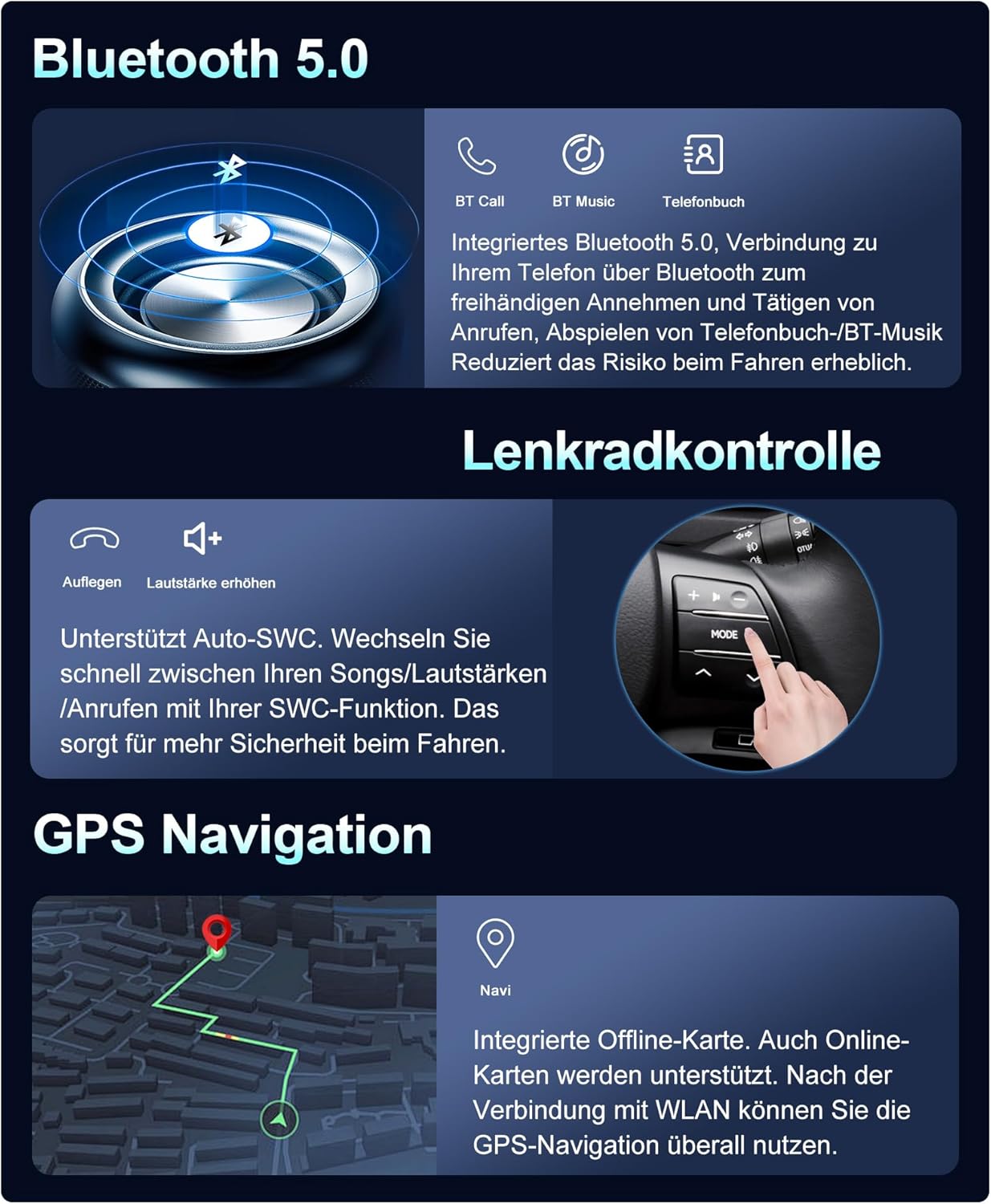
Image 2.2: Displays the user interface for Wireless CarPlay and Android Auto, showing common applications like Maps, Phone, Messages, and Music. It also indicates Bluetooth and USB connection options.
2.3 Bluetooth 5.0 Connectivity
The integrated Bluetooth 5.0 module supports A2DP and hands-free calling. Connect your phone to make and receive calls, stream music, and download your phonebook, enhancing safety by minimizing distractions while driving.
2.4 DSP 64-Band Equalizer
Experience superior audio quality with the built-in DSP (Digital Signal Processor) featuring a 64-band equalizer. This allows for detailed sound adjustments, optimizing audio output to suit your preferences and vehicle acoustics. The system supports digital optical and coaxial signal output, as well as 5.1 channels.
2.5 Built-in WiFi and Online Features
Connect to the internet via WiFi or a mobile hotspot. This enables you to download your favorite apps (e.g., YouTube, Spotify), watch online videos, use online map navigation, and browse the internet directly from the head unit.
2.6 Split-Screen and Mirror Link
The split-screen function allows you to view two applications simultaneously, such as GPS navigation and music playback, for enhanced convenience. Mirror Link functionality enables you to display your smartphone's screen directly on the car stereo.
2.7 GPS Navigation
Utilize the integrated GPS for offline navigation. When connected to WiFi or a hotspot, you can also access online maps and navigation applications compatible with the Play Store.
2.8 FM/RDS Radio
The radio receiver supports FM and RDS (Radio Data System). Enjoy your favorite stations with 18 preset options and automatic or manual search functions. FM frequency range: 87.5 ~ 108 MHz.
2.9 Steering Wheel Control (SWC)
Control essential functions like switching songs, adjusting volume, and managing hands-free calls directly from your steering wheel. This feature enhances driving safety and convenience.
2.10 Rear View Camera Input
The system supports a rear view camera input. When the vehicle is in reverse, the rear environment is automatically displayed on the large screen, aiding in safer and easier parking, especially at night or in rainy conditions.

Image 2.3: A composite image showcasing various features of the MISONDA car stereo, including Bluetooth 5.0, Steering Wheel Control, GPS Navigation, DSP 64 Equalizer, Built-in WiFi, Split-Screen, Mirror Link, Fast Boot, and optional DAB+ and 360 Camera functionalities.
2.11 Optional Functions (Requires Additional Purchase)
- DAB+ (Digital Audio Broadcasting): Supports external DAB+ modules (ASIN: B0C5X4QKV6). Enjoy high-quality digital audio broadcasts with a wider selection of radio programs, clear sound, and no interference.
- 360 Camera: The unit supports connection to a 360-degree camera system for a comprehensive view around your vehicle.
3. Maintenance
To ensure the longevity and optimal performance of your MISONDA car stereo, follow these maintenance guidelines:
- Screen Cleaning: Use a soft, lint-free cloth to gently wipe the screen. For stubborn smudges, slightly dampen the cloth with water or a screen-safe cleaner. Avoid harsh chemicals or abrasive materials.
- Software Updates: Periodically check for system software updates to ensure you have the latest features and security enhancements. Updates can typically be found in the system settings menu.
- Environmental Conditions: Avoid exposing the unit to extreme temperatures, direct sunlight for prolonged periods, or excessive moisture.
- Cable Connections: Periodically check all cable connections to ensure they are secure and free from damage. Loose connections can lead to intermittent issues.
4. Troubleshooting
This section addresses common issues you might encounter with your MISONDA car stereo.
4.1 No Sound Output
- Check Amplifier Connection: If your vehicle has a factory or aftermarket power amplifier, ensure its power cable is correctly connected to the 12V ACC cable of the car stereo. An unpowered amplifier will result in no sound.
- Volume Level: Verify that the volume is not muted or set to a very low level.
- Audio Source: Confirm that the correct audio source (e.g., Radio, Bluetooth, USB) is selected.
- Speaker Connections: Inspect speaker wiring for any loose or incorrect connections.
4.2 Unit Does Not Power On
- Power Connections: Ensure the red (ACC) and yellow (B+) power wires are correctly connected to a 12V power source, and the black (Ground) wire is securely connected to a chassis ground.
- Fuse Check: Check the fuse on the car stereo's power cable and your vehicle's fuse box. Replace any blown fuses with one of the same amperage.
- Voltage: Confirm that the car's electrical system is providing 12V.
4.3 GPS Signal Issues
- Antenna Placement: Ensure the GPS antenna is mounted in a location with a clear view of the sky, free from obstructions.
- Antenna Connection: Verify that the GPS antenna is securely connected to the car stereo.
- Map Data: Ensure your offline map data is up-to-date or that you have a stable internet connection for online maps.
4.4 Bluetooth/WiFi Connectivity Problems
- Antenna Connection: Ensure the small antennas on the "reverse" input cable are properly connected, as they amplify Bluetooth and WiFi signals.
- Device Pairing: For Bluetooth, ensure your device is in pairing mode and within range.
- Hotspot/Router: For WiFi, verify that your hotspot or router is active and providing a strong signal.
5. Specifications
| Feature | Specification |
|---|---|
| Model Name | BX-5E7 |
| Model Number | BX-5E7-D04-128G |
| Operating System | Android 15 |
| Processor | Octa-Core A53, 2.5 GHz |
| RAM | 6GB LPDDR4 |
| Internal Storage | 128GB EMMC |
| GPU | IMG GE8300 |
| Screen Size | 9 Inches |
| Display Type | IPS LCD Capacitive Touchscreen |
| Radio Chip | TDA 7786 (FM/RDS) |
| Amplifier IC | 7850 |
| DSP Chip | AKM7739 (64-band equalizer) |
| Connectivity | Bluetooth 5.0, Wi-Fi, USB |
| Navigation | Integrated GPS (supports offline/online maps) |
| Audio Output Mode | Stereo |
| Special Features | Wireless CarPlay, Android Auto, Split-Screen, Mirror Link, Steering Wheel Control, Rear Camera Input |
| Power Supply | 12V DC |
6. Warranty and Support
Your MISONDA car stereo comes with the following warranty and support:
- Warranty: 1-year warranty from the date of purchase.
- Returns: 60-day refund policy.
- Replacements/Repairs: Beyond 60 days, replacement or repair services are available.
- Technical Support: Professional technical support is provided to assist with any questions or issues you may encounter. Please refer to your warranty card or product packaging for contact information.