1. Introduction
Thank you for choosing the MegaPC Mini Gaming Desktop Phantom Series. This compact yet powerful mini PC is designed to deliver exceptional performance for gaming, professional workloads, and everyday use. Equipped with an AMD Ryzen 9 6900HX processor, high-speed DDR5 memory, and NVMe SSD storage, it offers a seamless computing experience. This manual provides essential information on setting up, operating, maintaining, and troubleshooting your new device.
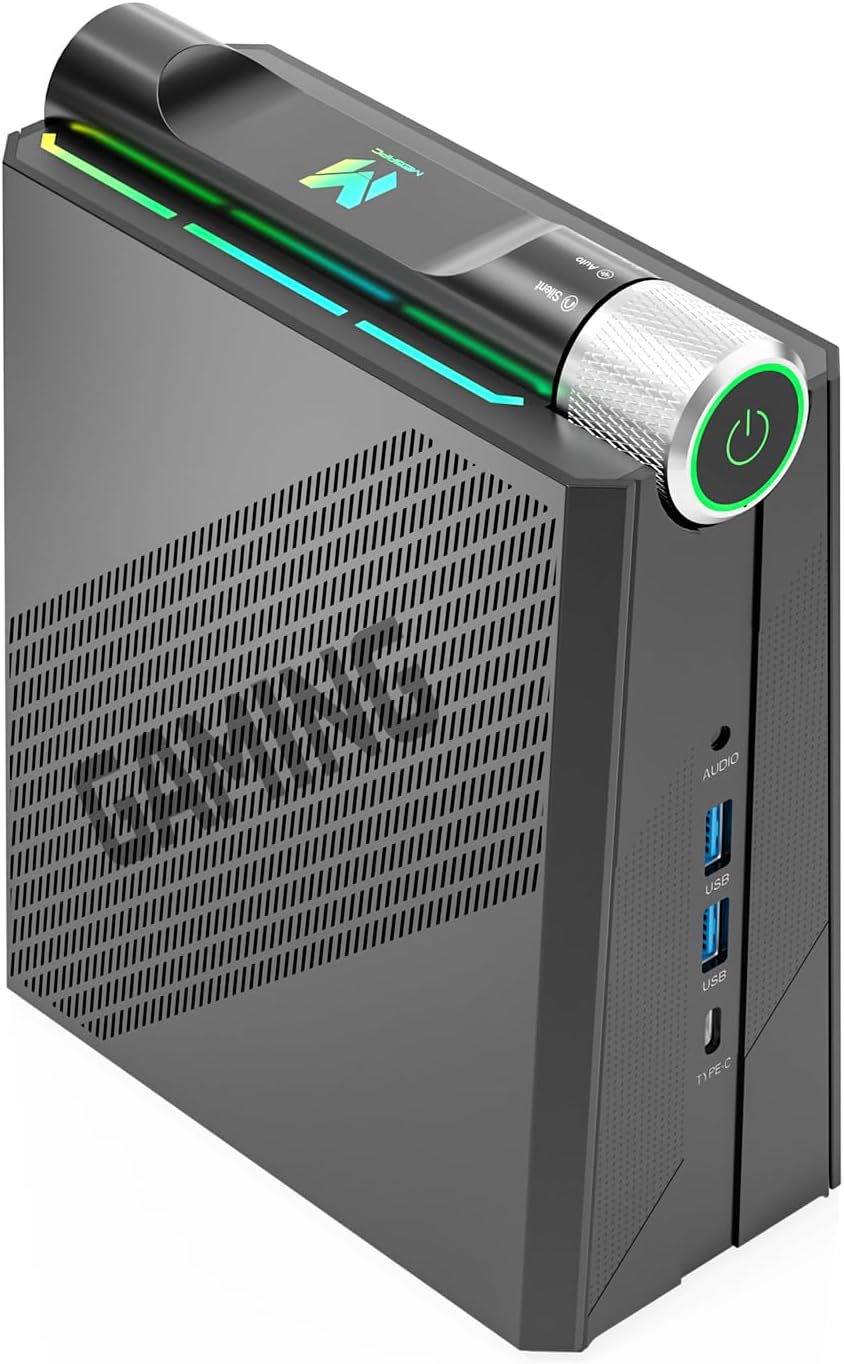
Image: The MegaPC Mini Gaming Desktop, showcasing its compact design and front-facing ports.
2. Package Contents
Please verify that all items are present in the package:
- MegaPC Mini Gaming Desktop Phantom Series
- Power Cord
- User Manual (this document)
3. Setup Guide
Follow these steps to set up your MegaPC Mini Gaming Desktop:
- Connect Peripherals: Connect your monitor(s) to the HDMI or USB-C ports. Connect your keyboard, mouse, and other USB devices to the available USB ports.
- Connect to Network: For wired internet, connect an Ethernet cable to the RJ45 port. For wireless internet, ensure your Wi-Fi network is available during initial setup.
- Connect Power: Plug the power cord into the DC power input on the mini PC, then plug the other end into a power outlet.
- Power On: Press the power button located on the top of the device. The system will boot up.
- Initial Windows Setup: Follow the on-screen instructions to complete the Windows 11 Pro setup, including language, region, network connection, and user account creation.
4. Operating Instructions
4.1 Performance Modes
The MegaPC Phantom Series features three customizable performance modes to optimize your experience for different scenarios. These modes adjust the fan noise and power consumption (TDP) from 25W to 45W.
- Silent Mode: Reduces fan noise to approximately 30dB, ideal for light office work or home theater use where quiet operation is paramount.
- Auto Mode: Balances performance and noise, suitable for general office tasks and multi-tasking.
- Performance Mode: Maximizes power for high-end gaming, demanding professional applications, and intensive workloads.
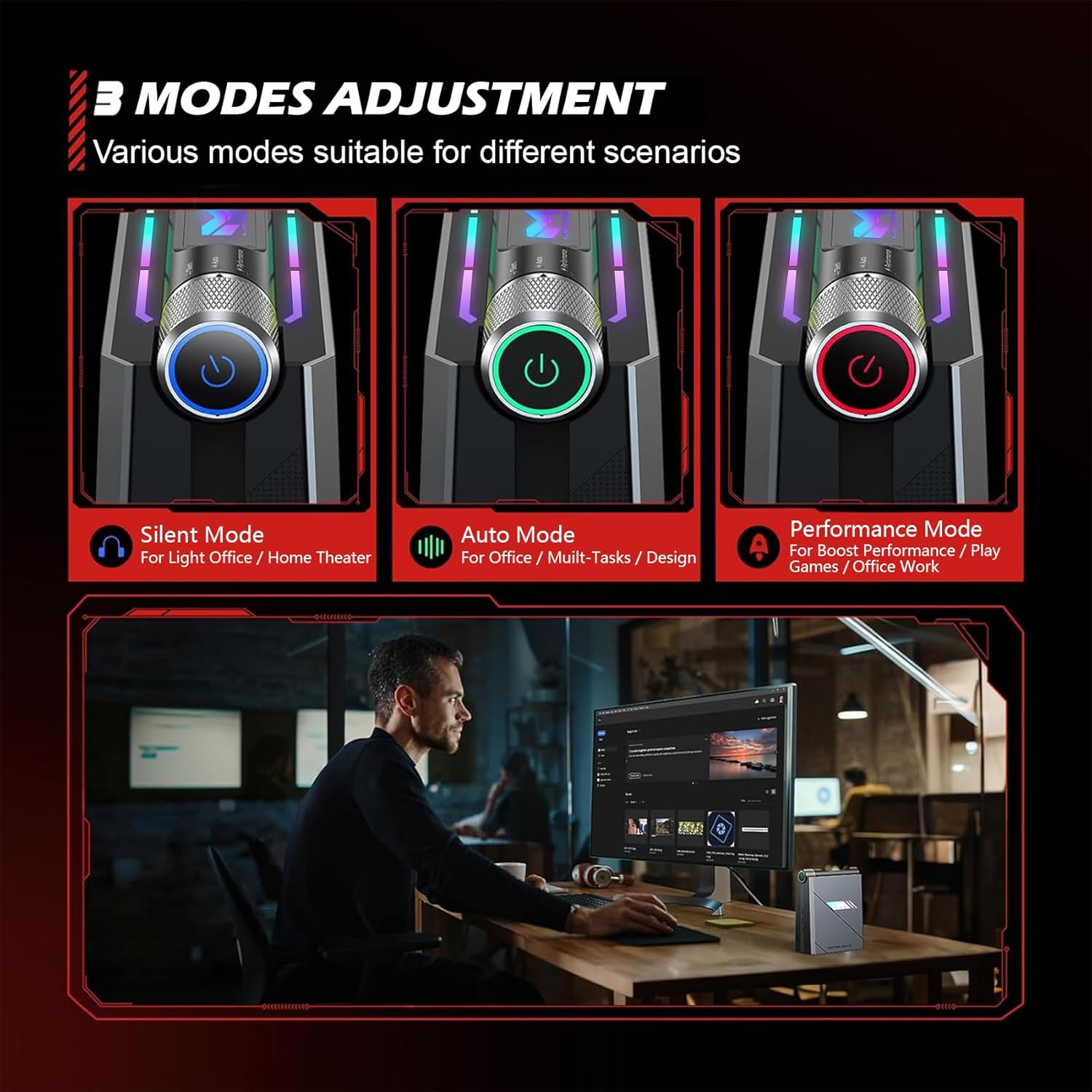
Image: Visual representation of the three performance modes (Silent, Auto, Performance) with corresponding power button colors and suggested uses.
4.2 Display Setup
The MegaPC Mini Gaming Desktop supports triple 4K display output, providing an immersive visual experience for multitasking or entertainment. Connect up to two monitors via HDMI 2.0 (4K@60Hz) and one via the full-function USB-C port (DisplayPort 4K@60Hz).
4.3 Advanced Connectivity
Stay connected with the latest wireless and wired technologies:
- WiFi 6: Enjoy faster and more stable wireless internet connections.
- Bluetooth 5.2: Connect wireless peripherals such as keyboards, mice, and headphones with improved range and stability.
- Gigabit Ethernet (RJ45): Provides reliable 10M/100M/1000M wired network access for high-speed data transfers and online gaming.
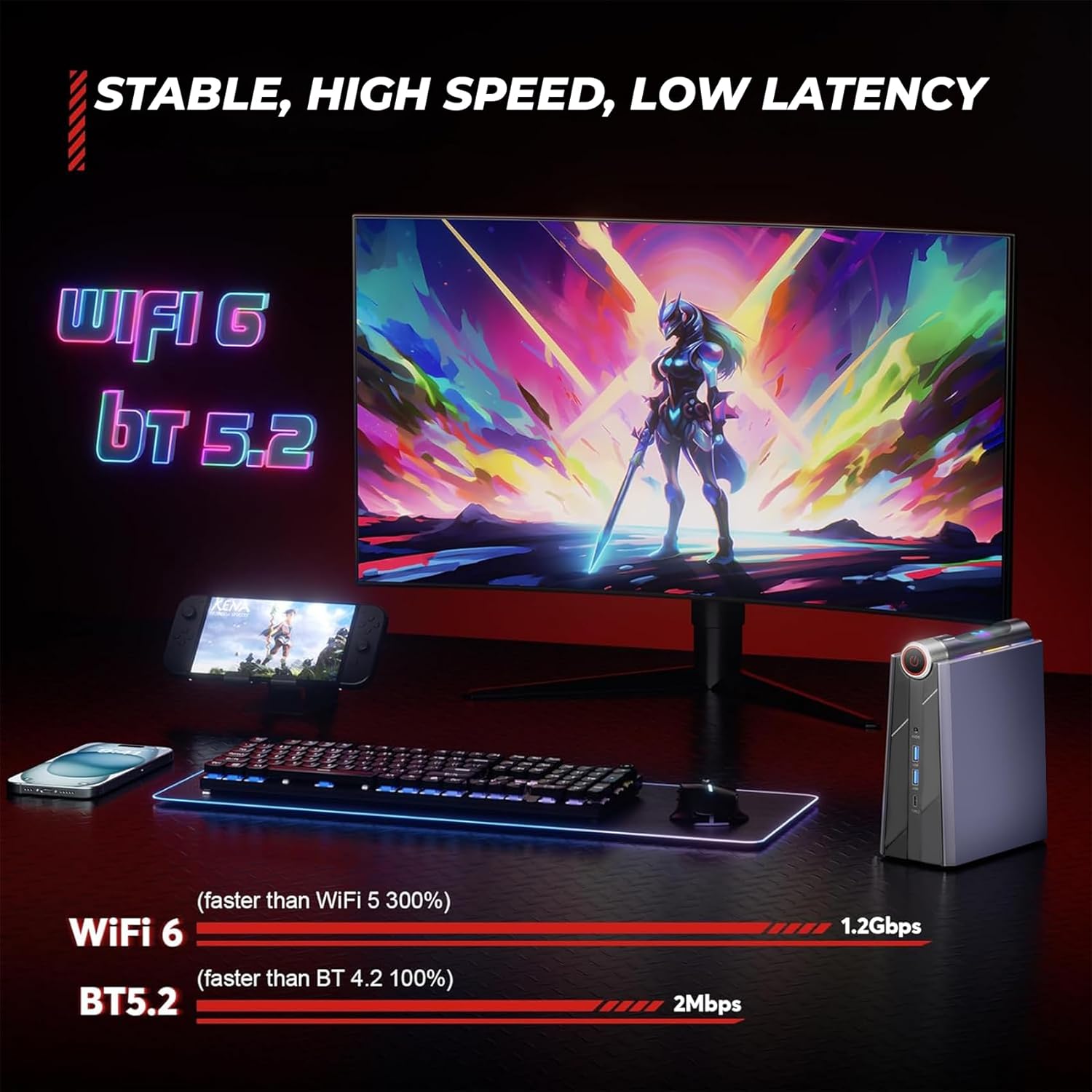
Image: Depiction of stable, high-speed, low-latency connectivity with WiFi 6 and Bluetooth 5.2, showing a gaming setup.
4.4 RGB Lighting Effects
The MegaPC Mini Gaming Desktop features customizable RGB lighting effects. You can switch between various modes such as Auto, ON, Breathe, Cycle, and Rainbow to personalize your setup. For advanced control and software downloads, please refer to the official MegaPC website.

Image: The MegaPC Mini Gaming Desktop showcasing its dynamic RGB lighting effects.
5. Hardware Overview & Upgradeability
5.1 Processor
At the core of the Phantom Series is the powerful AMD Ryzen 9 6900HX processor. This CPU features 8 cores and 16 threads, with a max turbo frequency of 4.9GHz, providing exceptional performance for demanding applications and gaming.

Image: Diagram highlighting the AMD Ryzen 9 6900HX processor, its core/thread count, turbo frequency, and TDP.
5.2 Memory and Storage
The system comes equipped with fast DDR5 RAM and an NVMe SSD for rapid data access and loading times. The design allows for easy upgrades:
- RAM: Expandable up to 64GB via 2 x SO-DIMM DDR5 slots.
- NVMe SSD: Fully upgradeable with 1 x M.2 2280 NVMe/NGFF (PCIe4.0x4 SSD) slot.
- SATA SSD: Supports 2.5" SATA SSD for additional storage expansion.
The magnetic design allows for one-step disassembly, providing quick access to memory slots and storage bays for upgrades.

Image: The MegaPC Mini Gaming Desktop with its side panel magnetically opened, revealing the accessible RAM and SSD slots for easy upgrades.
5.3 Ports and Interfaces
The mini PC offers a comprehensive set of ports for versatile connectivity:
| Port Type | Quantity | Description |
|---|---|---|
| HDMI 2.0 | 2 | Supports 4K@60Hz display output. |
| USB 3.2 Gen1 | 4 | High-speed data transfer (5Gbps). |
| USB-C (Full Function) | 1 | Supports data transfer (10Gbps) and DisplayPort 4K@60Hz. |
| Gigabit Ethernet (RJ45) | 1 | 10M/100M/1000M network connection. |
| Audio In & Out | 1 | 3.5mm jack for headphones/microphone. |
| DC Power Input | 1 | For connecting the power adapter. |
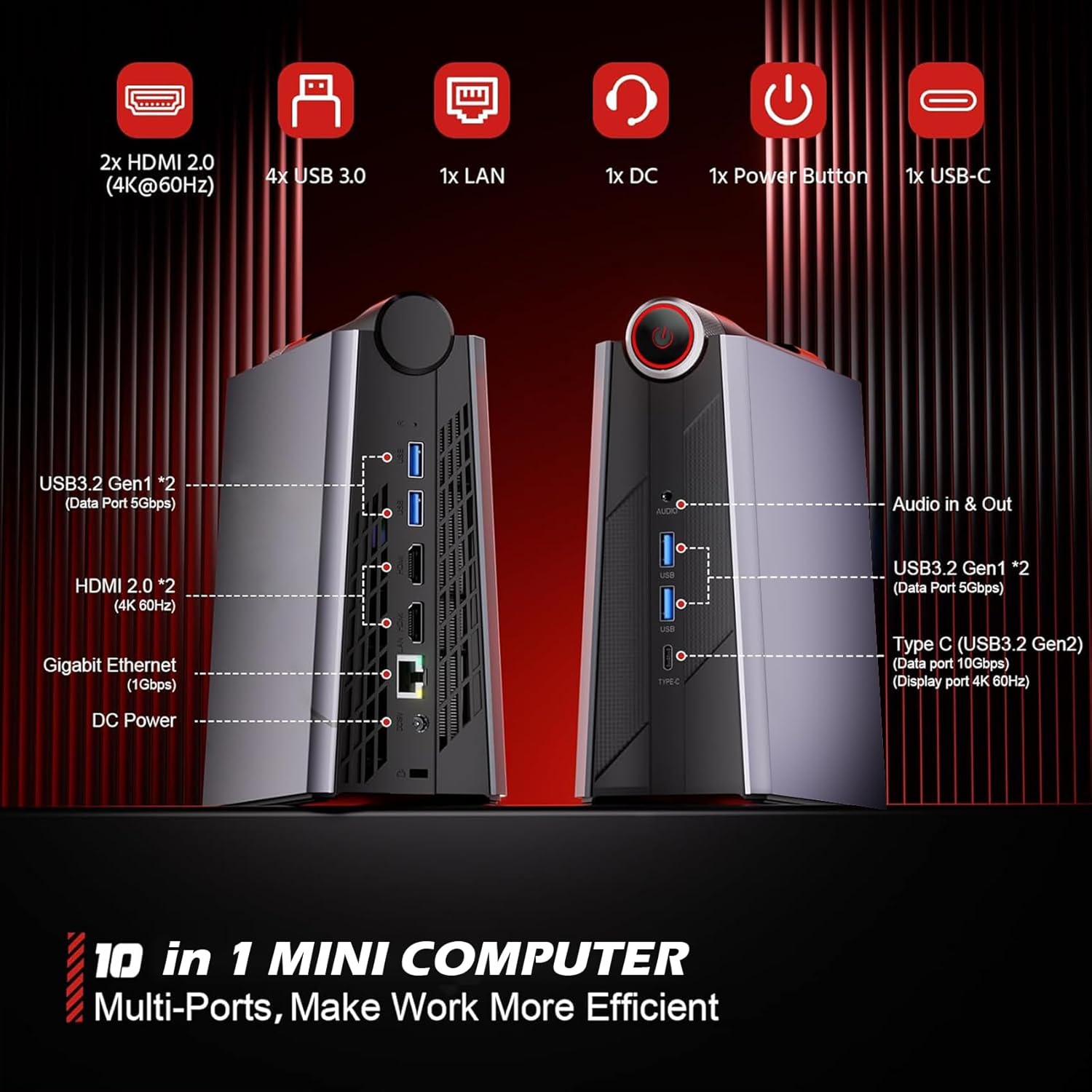
Image: Front and rear views of the MegaPC Mini Gaming Desktop, labeling all available ports and interfaces.
6. Maintenance
Proper maintenance ensures the longevity and optimal performance of your mini PC:
- Cleaning: Regularly clean the exterior with a soft, dry cloth. Use compressed air to clear dust from vents and ports to ensure proper airflow and prevent overheating.
- Software Updates: Keep your operating system (Windows 11 Pro) and drivers updated to the latest versions for security and performance improvements.
- Environmental Conditions: Operate the mini PC in a well-ventilated area, away from direct sunlight, excessive heat, humidity, and dust.
- Safe Shutdown: Always shut down the system properly through the operating system to prevent data corruption.
7. Troubleshooting
If you encounter issues with your MegaPC Mini Gaming Desktop, refer to the following common problems and solutions:
| Problem | Possible Cause | Solution |
|---|---|---|
| No power/System won't turn on | Power cable loose, power outlet issue, power adapter fault. | Check power connections, try a different outlet, ensure power adapter is functioning. |
| No display output | Monitor cable loose, incorrect input selected on monitor, driver issue. | Ensure display cables are securely connected, select correct input on monitor, try a different cable or monitor. Update graphics drivers if possible. |
| Wi-Fi/Bluetooth not working | Drivers not installed, Wi-Fi/Bluetooth disabled, signal interference. | Check Device Manager for driver status, ensure Wi-Fi/Bluetooth is enabled in Windows settings, move closer to router or reduce interference. |
| System running slow/overheating | Excessive background processes, dust accumulation, insufficient ventilation. | Close unnecessary applications, clean dust from vents, ensure proper airflow around the device. Switch to Performance Mode if needed. |
If the problem persists after trying these solutions, please contact MegaPC customer support.
8. Specifications
Detailed technical specifications for the MegaPC Mini Gaming Desktop Phantom Series:
| Feature | Specification |
|---|---|
| Processor | AMD Ryzen 9 6900HX (8 Cores, 16 Threads, up to 4.9GHz) |
| Graphics Coprocessor | Integrated Graphics |
| RAM | DDR5 (Expandable up to 64GB) |
| Storage | NVMe SSD (Expandable up to 4TB), supports 2.5" SATA SSD |
| Operating System | Windows 11 Pro |
| Max Screen Resolution | 3840 x 2160 (4K) |
| Connectivity | WiFi 6, Bluetooth 5.2, 10M/100M/1000M RJ45 Ethernet |
| USB Ports | 4x USB 3.0, 1x USB-C (Full Function) |
| Video Output | 2x HDMI 2.0, 1x USB-C (DisplayPort) |
| Audio | 1x Audio In & Out (3.5mm) |
| Item Weight | 1.84 pounds |
| Color | Black |
| Model Number | I7-12 |
| First Available Date | June 4, 2024 |
9. Warranty and Support
MegaPC is committed to providing high-quality products and excellent after-sales service. Your MegaPC Mini Gaming Desktop Phantom Series comes with the following support:
- Warranty: A 12-month warranty is provided from the date of purchase. Please retain your proof of purchase for warranty claims.
- Customer Support: 24-hour customer support is available to assist you with any inquiries or issues.
- Contacting Support: For assistance, please log in to your Amazon buyer account, find your order, and click 'Get Help' to reach our support team.


