
1. Introduction
The pealiritansemen 10000W Pure Sine Wave Power Inverter is designed to convert 12V/24V/48V DC battery power into stable 120V AC household power. This device provides a clean and reliable power output, making it suitable for a wide range of applications, from powering sensitive electronics in your home or office to operating appliances in your car, RV, or during outdoor activities. Its robust design and multiple protection features ensure safe and efficient operation.

Image 1.1: The pealiritansemen 10000W Pure Sine Wave Power Inverter providing power for outdoor use.
2. Safety Information
Please read and understand all safety instructions before installing or operating the inverter. Failure to follow these instructions may result in electric shock, fire, serious injury, or property damage.
- Ventilation: Ensure the inverter is installed in a well-ventilated area. Do not block ventilation openings.
- Environment: Keep the inverter away from water, moisture, direct sunlight, heat sources, and flammable materials.
- Connections: Always connect the inverter to a battery with the correct voltage (12V, 24V, or 48V DC) as specified for your inverter model. Incorrect voltage can damage the unit.
- Polarity: Observe correct polarity when connecting to the battery. Reverse polarity will damage the inverter.
- Grounding: Ensure the inverter is properly grounded according to local electrical codes.
- Servicing: Do not attempt to open or service the inverter yourself. There are no user-serviceable parts inside. Refer all servicing to qualified personnel.
- Children: Keep the inverter out of reach of children.
- Load Capacity: Do not exceed the rated power output of the inverter. Overloading can cause damage to the inverter and connected appliances.
3. Setup and Installation
Follow these steps to properly set up your pealiritansemen Pure Sine Wave Power Inverter.
- Choose a Location: Select a dry, cool, and well-ventilated area for installation. Ensure there is sufficient space around the inverter for air circulation.
- Prepare the Battery: Ensure your battery system matches the input voltage of your inverter (e.g., for the 10000W model, typically 24V or 48V DC). Turn off all loads connected to the battery.
- Connect DC Cables:
- Connect the positive (+) terminal of the inverter to the positive (+) terminal of the battery using the provided pure copper cable.
- Connect the negative (-) terminal of the inverter to the negative (-) terminal of the battery using the provided pure copper cable.
- Ensure all connections are tight and secure to prevent loose connections and overheating.
- Grounding: Connect the inverter's grounding terminal to a proper earth ground.
- Initial Power-Up: Once DC connections are secure, switch on the inverter. The LCD display should illuminate, showing input voltage and other parameters.
- Connect AC Appliances: After confirming the inverter is operating correctly, plug your AC appliances into the universal output sockets on the inverter.
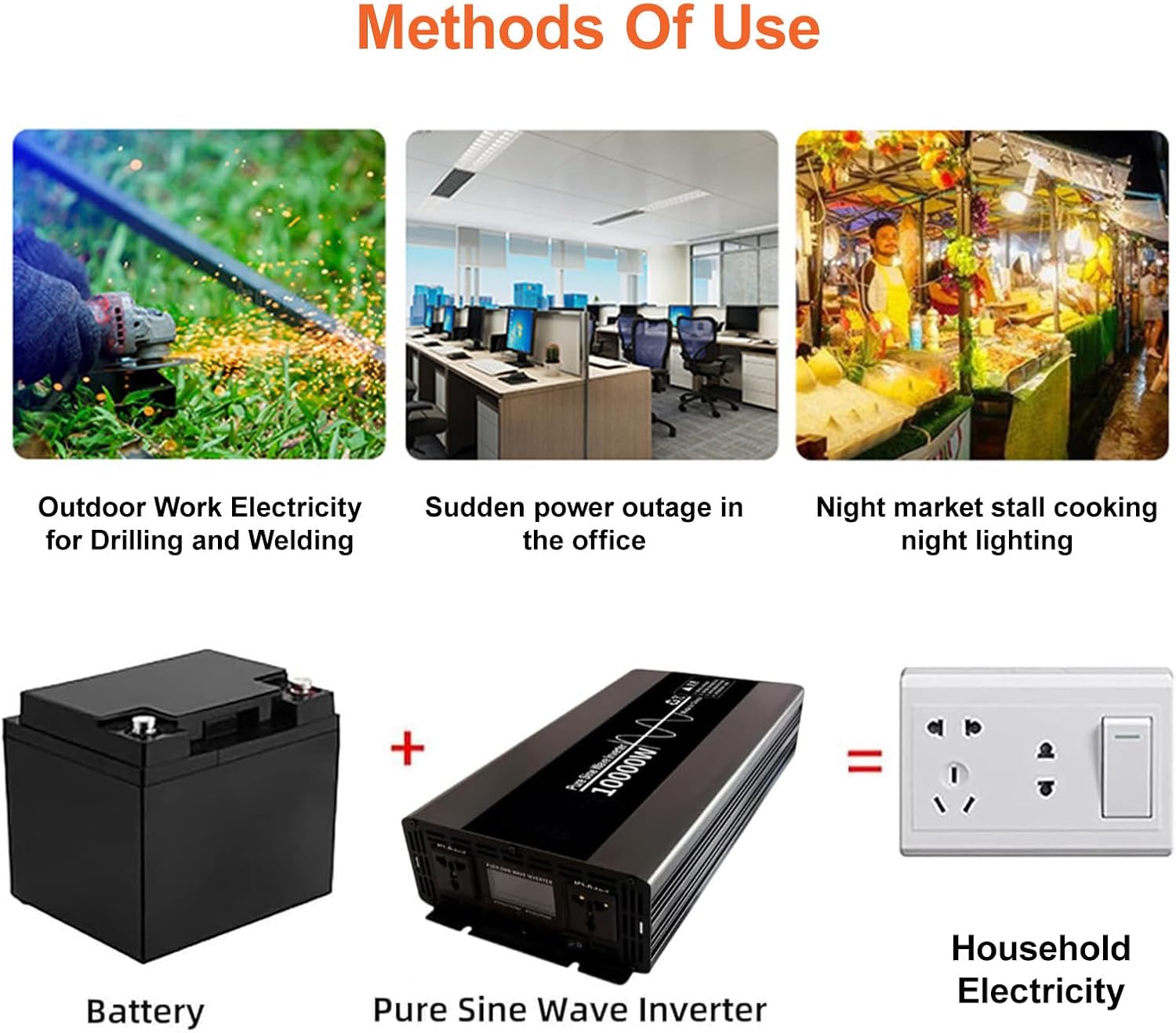
Image 3.1: Basic connection diagram: Battery to Inverter to Household Electricity.
4. Operating Instructions
The inverter features an LCD display and universal output sockets for ease of use.
4.1 LCD Display Overview
The LCD screen provides real-time information about the inverter's operating status.

Image 4.1: LCD Display and Control Panel.
- Input Voltage: Displays the current DC voltage from your battery.
- Output Voltage: Shows the AC output voltage provided by the inverter.
- Output Frequency: Indicates the AC output frequency (e.g., 50Hz or 60Hz).
- Load Power: Displays the current power consumption of connected appliances.
- Battery Status: Provides an indication of the battery charge level.
- Error Codes: In case of a fault, specific error codes will be displayed to assist in troubleshooting.
- Universal Sockets: Two multi-function AC output sockets are provided for connecting various appliances.
- Power Switch: Used to turn the inverter ON or OFF.
4.2 Connecting Appliances
Once the inverter is powered on and operating normally, you can connect your AC appliances to the universal sockets. Ensure the total power consumption of all connected appliances does not exceed the inverter's rated power (5000W for the 10000W peak model).

Image 4.2: Examples of appliances compatible with the inverter.
5. Maintenance
Regular maintenance ensures the longevity and optimal performance of your inverter.
- Cleaning: Keep the inverter clean and free from dust and debris. Use a dry, soft cloth for cleaning. Do not use liquid cleaners.
- Ventilation: Periodically check that the ventilation openings are not obstructed.
- Connections: Regularly inspect all DC and AC connections to ensure they are tight and free from corrosion. Loose connections can lead to power loss or overheating.
- Storage: If storing the inverter for an extended period, ensure it is disconnected from the battery and stored in a cool, dry place.
6. Troubleshooting
The inverter is equipped with multiple protection features to ensure safe operation. If you encounter an issue, refer to the LCD display for error codes and the following common troubleshooting steps.

Image 6.1: Inverter's built-in protection mechanisms.
| Problem | Possible Cause | Solution |
|---|---|---|
| No output power / Inverter not turning on |
|
|
| Inverter shuts down during operation |
|
|
| LCD displays an error code | Internal fault or specific protection triggered. | Note the error code and refer to the manufacturer's support for specific guidance. Try resetting the inverter by turning it off and on. |
7. Specifications
Technical specifications for the pealiritansemen 10000W Pure Sine Wave Power Inverter.
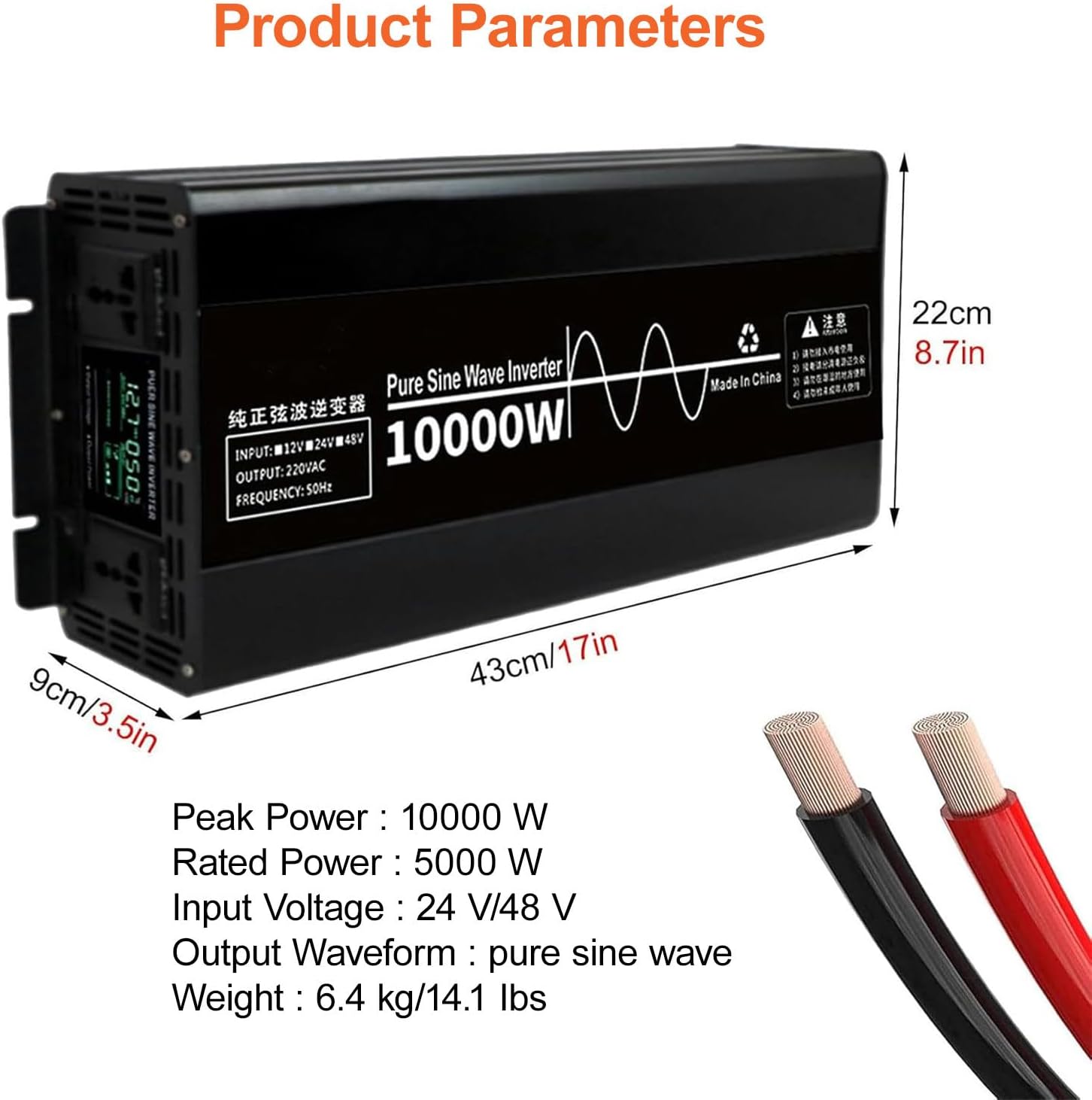
Image 7.1: Product dimensions and key parameters.
| Feature | Description |
|---|---|
| Model | 10000W |
| Brand | pealiritansemen |
| Output Waveform | Pure Sine Wave |
| Input Voltage | 12V/24V/48V DC (Specific model may vary, 10000W typically 24V/48V) |
| Peak Power | 10000 W |
| Rated Power | 5000 W |
| Output Sockets | 2 Universal AC Sockets |
| Material | Aluminum Alloy Shell |
| Weight (10000W) | 6.4 kg / 14.1 lbs |
| Protection Features | Short Circuit, Under Voltage, Over Voltage, Overload, High Temperature, Overcurrent |
| Display | LCD (Input/Output Voltage, Battery Status, Error Codes) |
8. Warranty and Support
For warranty information, technical support, or any questions regarding your pealiritansemen Pure Sine Wave Power Inverter, please contact the seller or manufacturer directly. Refer to your purchase documentation for specific warranty terms and contact details.