
Introduction
Thank you for choosing the THREEKEY TK-TZH103 Qi2 15W Magnetic Wireless Charging Station. This manual provides essential information for the proper setup, operation, and maintenance of your device. Please read these instructions carefully before use to ensure optimal performance and safety.
Product Overview
The THREEKEY TK-TZH103 is a versatile charging station designed for magnetic wireless charging of compatible devices. It features a detachable design, allowing use as a stand or individual charging pad. Key features include Qi2 15W fast charging, 180° rotation, and dual-sided magnets for secure device placement.
Package Contents
- 1 x THREEKEY TK-TZH103 Charging Station (includes stand and detachable charging pad)
- 1 x USB Type-C to Type-C Cable (5ft 60W)
- 1 x Magnetic Ring (for non-MagSafe compatible cases)

Image: The THREEKEY TK-TZH103 Charging Station, showcasing its stand, detachable charging pad, and included USB-C cable. A phone is shown magnetically attached to the charging pad.
Setup Instructions
- Unpack Components: Carefully remove all items from the packaging.
- Assemble the Stand: The charging pad is designed to attach magnetically to the stand. Ensure the stand is placed on a stable, flat surface.
- Connect Power: Insert one end of the provided USB Type-C cable into the charging pad and the other end into a compatible USB power adapter (not included). For optimal 15W fast charging, use a power adapter that supports Power Delivery (PD) with at least 15W output.
- Optional Magnetic Ring Installation: If your phone case is not MagSafe compatible, attach the included magnetic ring to the back of your phone case according to the ring's instructions to enable magnetic attachment.
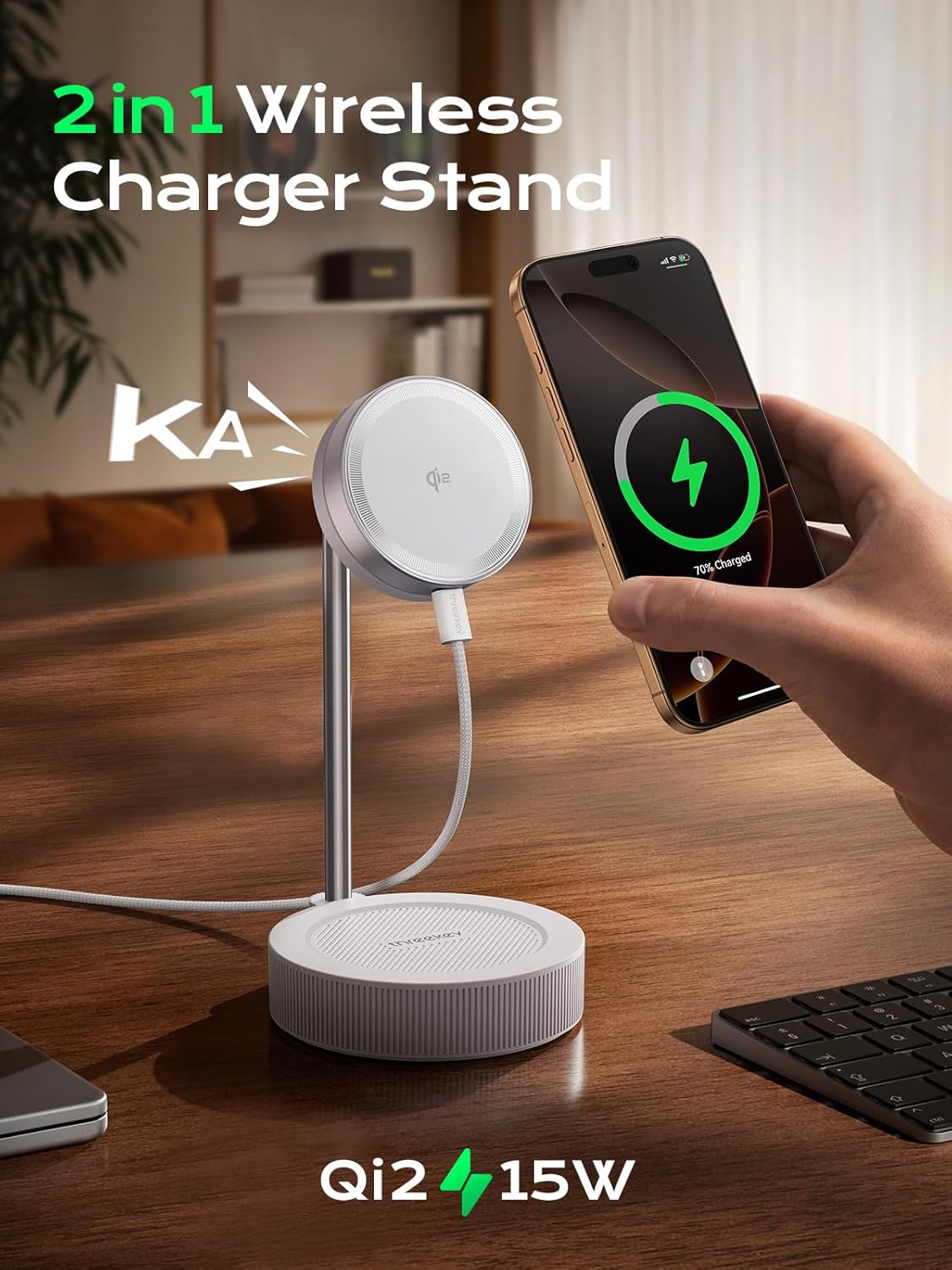
Image: The charging station configured as a 2-in-1 stand, demonstrating how the charging pad integrates with the stand for combined functionality.
Operating Instructions
Charging a Smartphone
- Ensure the charging station is connected to a power source.
- Align your MagSafe-compatible iPhone (12 series or newer) or a phone with a magnetic ring/case to the charging pad. The strong magnets will securely attach your device.
- Charging will begin automatically. The charging pad supports 15W wireless fast charging for compatible iPhones.
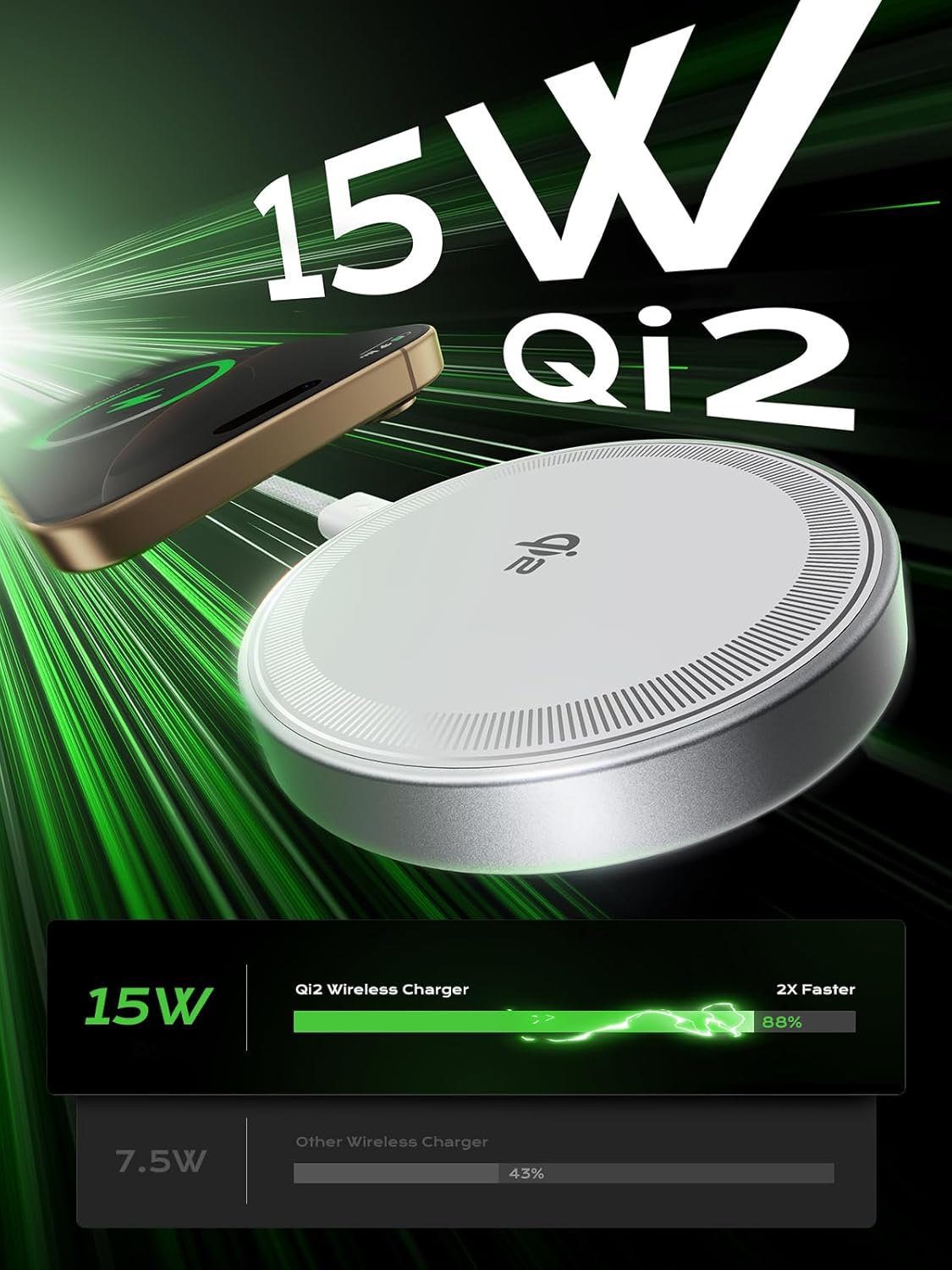
Image: An illustration highlighting the Qi2 15W fast charging capability, showing a phone being charged wirelessly.
Using the 180° Rotation Feature
- The charging pad can be rotated 180 degrees to adjust the viewing angle of your phone.
- Gently rotate the charging pad to your desired orientation (portrait or landscape). This allows for comfortable viewing during video calls, media consumption, or using StandBy mode.

Image: The charging stand demonstrating its 360-degree adjustable feature, allowing for various viewing angles and ergonomic positioning.
Dual-Sided Magnetism and Detachable Use
- The charging pad features dual-sided magnets, ensuring a strong and stable connection to your device and the stand.
- The charging pad can be detached from the stand for individual use as a portable wireless charger. Simply pull the charging pad away from the stand.
- The base of the stand also functions as a charging area for AirPods (4/3/2 Pro) or other Qi-compatible earbuds. Place your earbuds case on the base for wireless charging.
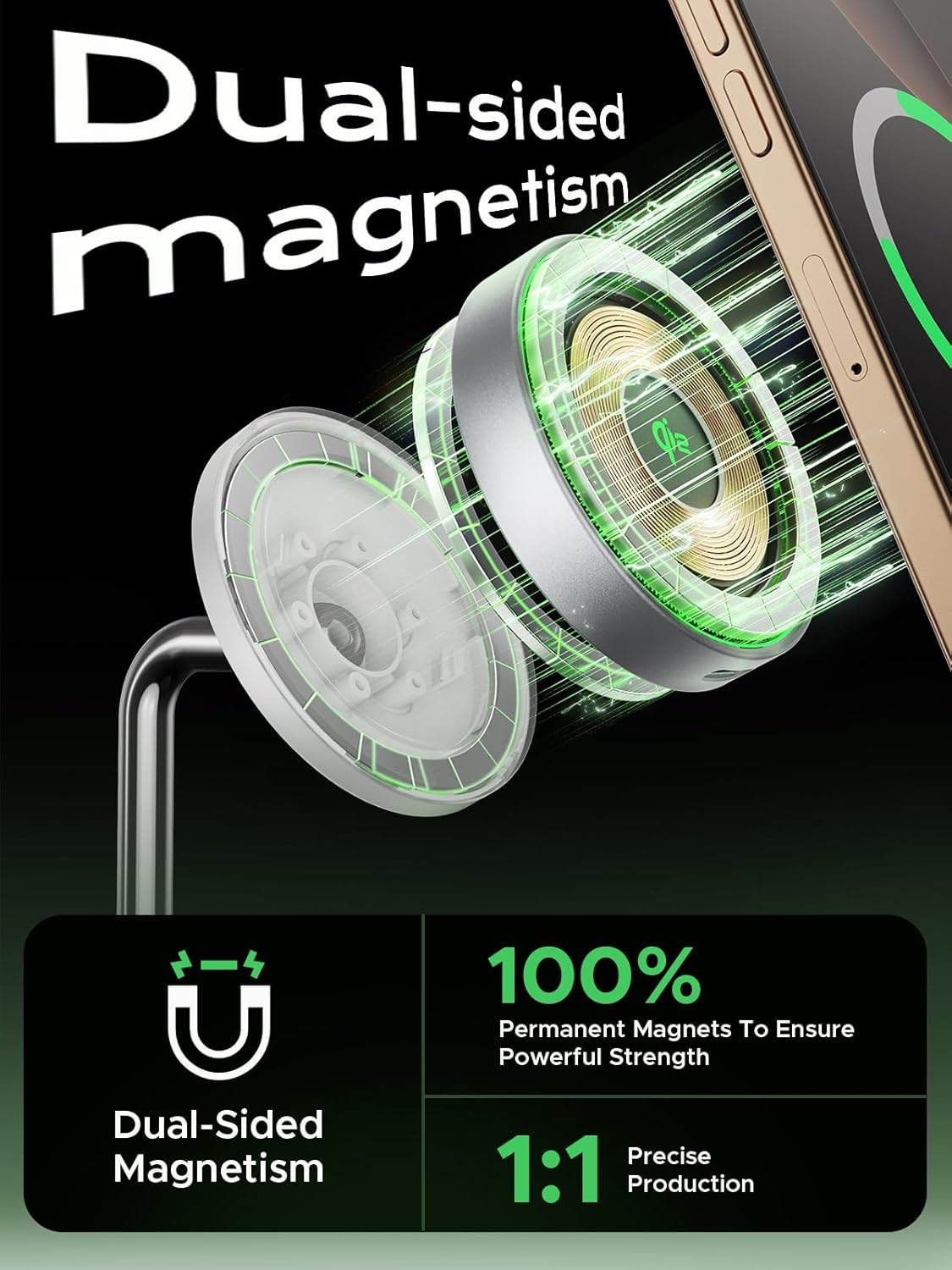
Image: An illustration detailing the dual-sided magnetism of the charging pad, highlighting its strong and precise magnetic connection.
Safety and Protection Features
The THREEKEY TK-TZH103 charging station incorporates multiple safety mechanisms to protect your devices and ensure reliable operation:
- Intelligent Temperature Control: Equipped with an NTC sensor and multi-layer heat dissipation structure, including high thermal conductivity graphene material, to prevent overheating.
- Overheating Protection: Automatically regulates temperature during charging.
- Overvoltage Protection: Safeguards against excessive voltage input.
- Overcurrent Protection: Prevents damage from excessive current.
- Short Circuit Protection: Protects against electrical shorts.
- Foreign Object Detection (FOD): Detects metallic objects on the charging surface to prevent hazards.
- Trickle Charging Mode: When the battery reaches 80%, the charger automatically switches to a trickle current mode to prevent overconsumption and prolong battery life.

Image: An internal view illustration of the charging pad, highlighting the NTC chip and various protection features like overheating, overvoltage, and foreign object detection.
Maintenance
To ensure the longevity and optimal performance of your charging station, follow these maintenance guidelines:
- Cleaning: Disconnect the charger from the power source before cleaning. Use a soft, dry cloth to wipe the surface. Avoid using abrasive cleaners, solvents, or harsh chemicals.
- Storage: When not in use for extended periods, store the charging station in a cool, dry place away from direct sunlight and extreme temperatures.
- Cable Care: Avoid bending or crimping the USB cable excessively. Do not pull the cable to disconnect; always grasp the connector.
Troubleshooting
If you encounter issues with your THREEKEY TK-TZH103 charging station, refer to the table below for common problems and solutions.
| Problem | Possible Cause | Solution |
|---|---|---|
| Device not charging | 1. Not properly aligned 2. Foreign object detected 3. Incompatible power adapter 4. Phone case too thick or not MagSafe compatible | 1. Realign device on the charging pad. 2. Remove any metallic objects between the device and charger. 3. Use a PD-compatible power adapter (15W or higher). 4. Remove the phone case or use the provided magnetic ring. |
| Slow charging | 1. Power adapter insufficient 2. Background apps on device 3. Device temperature | 1. Ensure using a PD-compatible 15W or higher power adapter. 2. Close unnecessary apps on your device. 3. Charging speed may reduce if device is too hot. |
| Device or charger overheating | 1. Foreign object detected 2. Poor ventilation 3. Environmental temperature too high | 1. Remove any foreign objects. 2. Ensure adequate airflow around the charger. 3. Use in a cooler environment. The charger has built-in temperature protection. |
| Phone droops or does not hold securely | 1. Magnetic connection not strong enough 2. Stand's ball joint is loose | 1. Ensure phone case is MagSafe compatible or magnetic ring is properly installed. Avoid overly thick cases. 2. If the stand's ball joint is loose, contact customer support. |
Specifications
| Feature | Detail |
|---|---|
| Model Number | TK-TZH103 |
| Brand | THREEKEY |
| Wireless Charging Output | 15W (Qi2 Certified) |
| Input Voltage | 15 Volts |
| Amperage | 20 Amps |
| Connector Type | USB Type-C |
| Compatible Devices | Smartphones (iPhone 12/13/14/15/16 Series), AirPods (4/3/2 Pro), Mag-Safe cases |
| Special Feature | MagSafe Compatible, 180° Rotation, Dual-Sided Magnets, Detachable Design, Intelligent Temperature Control |
| Product Dimensions | 5 x 3.4 x 8 inches |
| Item Weight | 1.06 pounds |
Warranty and Support
THREEKEY offers a 24-month warranty for the TK-TZH103 Charging Station. This warranty covers manufacturing defects and ensures reliable performance under normal use.
If you experience any issues with your product or require assistance, please contact THREEKEY customer service. Our team is available 24/7 to provide support and resolve any concerns you may have.
For customer service, please refer to the contact information provided on the product packaging or the official THREEKEY website.
