
KAPEYDESI Captain 600
KAPEYDESI Captain 600 Wireless Gaming Headset
Model: Captain 600
Introduction
This manual provides detailed instructions for the setup, operation, and maintenance of your KAPEYDESI Captain 600 Wireless Gaming Headset. Please read this manual thoroughly before using the product to ensure optimal performance and longevity.

Image: The KAPEYDESI Captain 600 Wireless Gaming Headset, showcasing its design along with the included USB dongle and 3.5mm audio cable.
What's in the Box
Verify that all the following items are included in your package:
- 1 x KAPEYDESI Captain 600 Gaming Headset
- 1 x Detachable Noise Cancelling Microphone
- 1 x Type-C Charging Cable
- 1 x USB Transmitter (2.4GHz Wireless Dongle)
- 1 x 3.5mm Audio Cable
- 1 x User Manual (this document)
Product Features
Versatile Connectivity
The Captain 600 offers three connection modes for broad compatibility:
- 2.4GHz Wireless: Utilizes a USB dongle for low-latency, stable connection up to 49 feet. Ideal for PS5, PS4, PC, and Mac.
- Bluetooth 5.3: For wireless connection to smartphones, tablets, and other Bluetooth-enabled devices.
- 3.5mm Wired: Provides universal compatibility with devices like Xbox Series consoles (microphone supported), and Nintendo Switch (microphone not supported).

Image: A visual representation of the headset's multiple connection options, including 2.4GHz wireless, Bluetooth 5.3, and 3.5mm wired modes for various gaming platforms and devices.
High-Fidelity Audio
Equipped with 50mm dynamic drivers, the headset delivers clear and immersive audio with a frequency response up to 20 KHz and low latency (≤20ms) for precise sound localization in games.

Image: An exploded diagram illustrating the internal audio components of the headset, including the 50mm drivers and ear cushion design for sound quality and comfort.
Noise-Canceling Microphone
The detachable omnidirectional microphone features Environmental Noise Cancellation (ENC) technology, reducing background noise for clear communication with teammates.

Image: A detailed view of the detachable microphone, highlighting its Environmental Noise Cancellation (ENC) capability for clear voice transmission.
Extended Battery Life
Enjoy over 50 hours of continuous use on a single charge. A full charge takes approximately 3 hours via the Type-C charging cable.

Image: The headset accompanied by icons representing its Type-C charging, over 50 hours of battery life, and fast charging capabilities.
Comfort and Portability
The headset features a lightweight, foldable design (approximately 10 ounces / 0.47 kg) with memory foam leatherette ear and head pads, and an adjustable headband for comfortable extended gaming sessions.
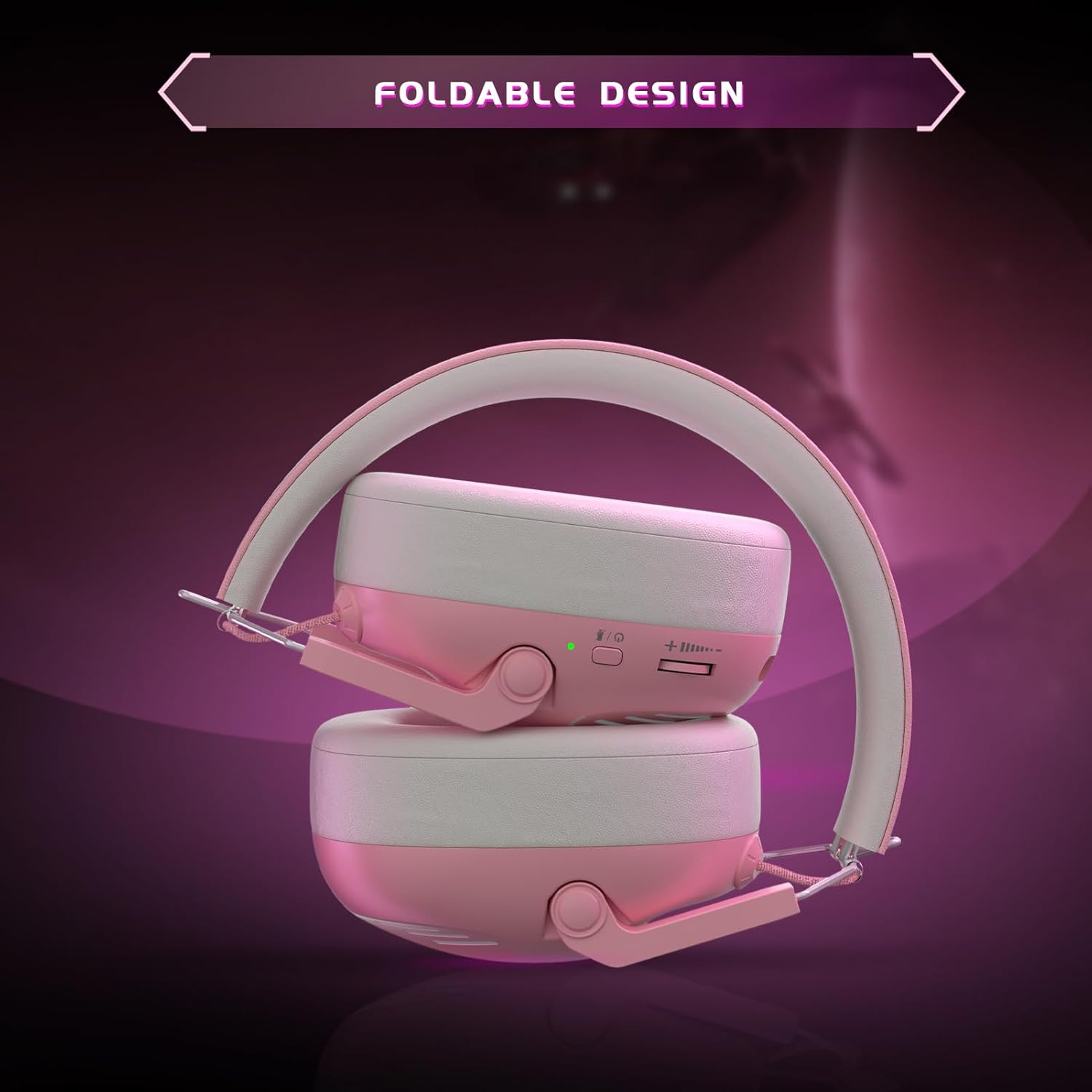
Image: The headset in its folded configuration, demonstrating its portable design for easy storage and transport.
Setup Instructions
Charging the Headset
- Connect the included Type-C charging cable to the headset's charging port.
- Connect the other end of the cable to a USB power source (e.g., computer USB port, USB wall adapter).
- The LED indicator on the headset will show charging status. A full charge takes approximately 3 hours.
Connecting via 2.4GHz Wireless (USB Dongle)
This mode is recommended for PS5, PS4, PC, and Mac for optimal low-latency performance.
- Insert the USB transmitter (dongle) into an available USB port on your gaming console or computer.
- Power on the headset by pressing and holding the power button until the LED indicator lights up.
- The headset and dongle should automatically pair. The LED on both devices will indicate a successful connection (refer to LED indicator section for details).
- On your device, ensure the audio output is set to the 'KAPEYDESI Captain 600' or 'USB Headset'.
Connecting via Bluetooth 5.3
This mode is suitable for smartphones, tablets, and other Bluetooth-enabled devices.
- With the headset powered off, press and hold the power button for approximately 5-7 seconds until the LED indicator flashes rapidly (usually blue and red), indicating pairing mode.
- On your device, go to Bluetooth settings and search for available devices.
- Select 'KAPEYDESI Captain 600' from the list to connect.
- Once connected, the LED indicator on the headset will show a steady blue light.
Connecting via 3.5mm Wired Cable
This mode provides universal compatibility and is required for Xbox Series consoles (microphone supported) and Nintendo Switch (microphone not supported).
- Ensure the headset is powered off.
- Connect one end of the 3.5mm audio cable to the headset's 3.5mm jack.
- Connect the other end of the cable to the 3.5mm audio port on your controller or device.
- The headset will operate in passive wired mode. No battery power is required for audio, but the microphone may require power depending on the device.
Operating Instructions
Power On/Off
- Power On: Press and hold the power button for 2 seconds. The LED indicator will light up.
- Power Off: Press and hold the power button for 3 seconds. The LED indicator will turn off.
Volume Control
- Use the volume roller/buttons located on the headset to adjust the audio output level.
Microphone Usage
- Attach the detachable microphone to the designated port on the headset.
- Ensure the microphone is positioned correctly for clear voice pickup.
- Use the microphone mute button (if present) on the headset to toggle microphone functionality.
- Note: Microphone functionality is not supported when connected to Nintendo Switch via 3.5mm cable.
Maintenance and Care
- Cleaning: Use a soft, dry cloth to clean the headset. Do not use abrasive cleaners or solvents.
- Storage: Store the headset in a cool, dry place away from direct sunlight and extreme temperatures. The foldable design allows for compact storage.
- Battery Care: To prolong battery life, avoid fully discharging the headset frequently. Charge it regularly, even if not in use for extended periods.
- Avoid Water: Do not expose the headset to water or excessive moisture.
Troubleshooting
No Sound / Low Volume
- Ensure the headset is powered on and fully charged.
- Check the volume level on both the headset and your connected device.
- Verify that the correct audio output device is selected in your device's sound settings (e.g., 'KAPEYDESI Captain 600' or 'USB Headset').
- If using 2.4GHz wireless, ensure the USB dongle is securely inserted and paired.
- If using Bluetooth, ensure the headset is paired and connected to your device.
- If using the 3.5mm cable, ensure it is fully inserted into both the headset and the device.
Microphone Not Working
- Ensure the microphone is securely attached to the headset.
- Check if the microphone mute button on the headset is disengaged.
- Verify that the correct input device is selected in your device's sound settings.
- Note: The microphone is not supported when connected to Nintendo Switch via 3.5mm cable.
- For Xbox Series, ensure you are using the 3.5mm wired connection.
Connectivity Issues
- 2.4GHz: Try re-inserting the USB dongle. If issues persist, try a different USB port.
- Bluetooth: Unpair the headset from your device and attempt to pair again. Ensure no other Bluetooth devices are causing interference.
- Ensure the headset is within the effective range of the wireless connection (up to 49 feet for 2.4GHz, 10 meters for Bluetooth).
Specifications
| Feature | Detail |
|---|---|
| Model Name | Captain 600 Wireless Gaming Headset |
| Connectivity Technology | 2.4GHz Wireless, Bluetooth 5.3, 3.5mm Wired |
| Audio Driver Size | 50 mm |
| Frequency Response | 20 KHz |
| Audio Latency | ≤20 Milliseconds (2.4GHz) |
| Bluetooth Range | 10 Meters |
| Battery Life | 50+ Hours |
| Charging Time | 3 Hours (Type-C) |
| Microphone | Detachable Omnidirectional with ENC |
| Weight | 0.47 Kilograms (approx. 10 ounces) |
| Compatible Devices | PS5, PS4, PC, Mac, Smartphones, Tablets, Nintendo Switch (audio only), Xbox Series (wired only) |
Customer Support
For any questions, technical assistance, or issues not covered in this manual, please contact KAPEYDESI customer support. Our dedicated after-sales team is committed to resolving customer issues promptly and effectively.
Please refer to the product packaging or the official KAPEYDESI website for the most current contact information.
Related documentsCaptain 600

Ask a question about this manual
Ask about setup, troubleshooting, compatibility, parts, safety, or missing instructions. Manuals+ will review the question and use this page’s manual context to help answer it.