
1. Introduction
Thank you for choosing the iClever OWS01 Kids Bluetooth 5.4 Air Conduction Open Ear Headphones. These headphones are designed to provide a safe, comfortable, and high-quality audio experience for children, allowing them to remain aware of their surroundings while enjoying music or educational content. This manual will guide you through the setup, operation, and maintenance of your new headphones.
2. Package Contents
Please verify that all items are present in the package:
- iClever OWS01 Air Conduction Open Ear Headphones
- USB-C Charging Cable
- User Manual (this document)

3. Product Overview
The iClever OWS01 headphones feature a lightweight, flexible design with intuitive controls. The open-ear design rests comfortably outside the ear canal, ensuring hygiene and environmental awareness.


Key Components:
- Ear Hooks: Designed to sit securely over the ears without entering the ear canal.
- Control Panel: Located on the side, featuring power, volume, and playback buttons.
- USB-C Charging Port: For recharging the internal battery.
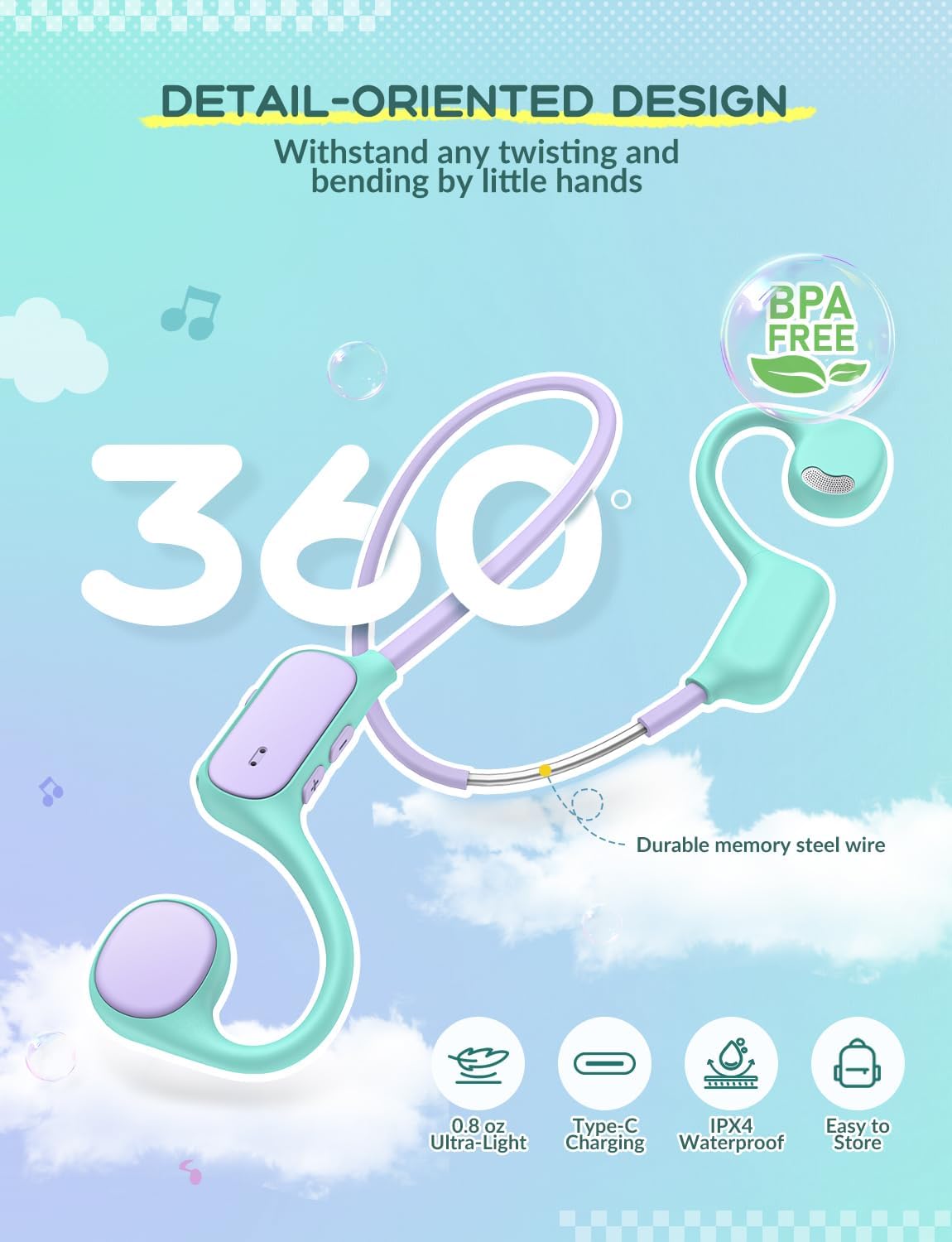
- Flexible Neckband: Connects the two ear units, made with memory steel wire for durability and comfort.
4. Setup
4.1 Charging the Headphones
- Locate the USB-C charging port on the control panel of the headphones.
- Connect the provided USB-C cable to the charging port.
- Plug the other end of the USB-C cable into a compatible USB power adapter (not included) or a computer's USB port.
- The LED indicator light will illuminate during charging and turn off when fully charged.

4.2 Bluetooth Pairing
- Ensure the headphones are fully charged.
- Press and hold the Power button on the control panel until the LED indicator flashes blue and red, indicating pairing mode.
- On your device (smartphone, tablet, laptop, etc.), enable Bluetooth and search for available devices.
- Select "iClever OWS01" from the list of available devices.
- Once connected, the LED indicator will show a solid blue light or flash blue slowly.
The headphones will automatically attempt to reconnect to the last paired device when powered on.
5. Operating Instructions
5.1 Power On/Off
- Power On: Press and hold the Power button for approximately 3 seconds until the LED indicator lights up.
- Power Off: Press and hold the Power button for approximately 5 seconds until the LED indicator turns off.
5.2 Volume Control
- Increase Volume: Press the '+' button.
- Decrease Volume: Press the '-' button.
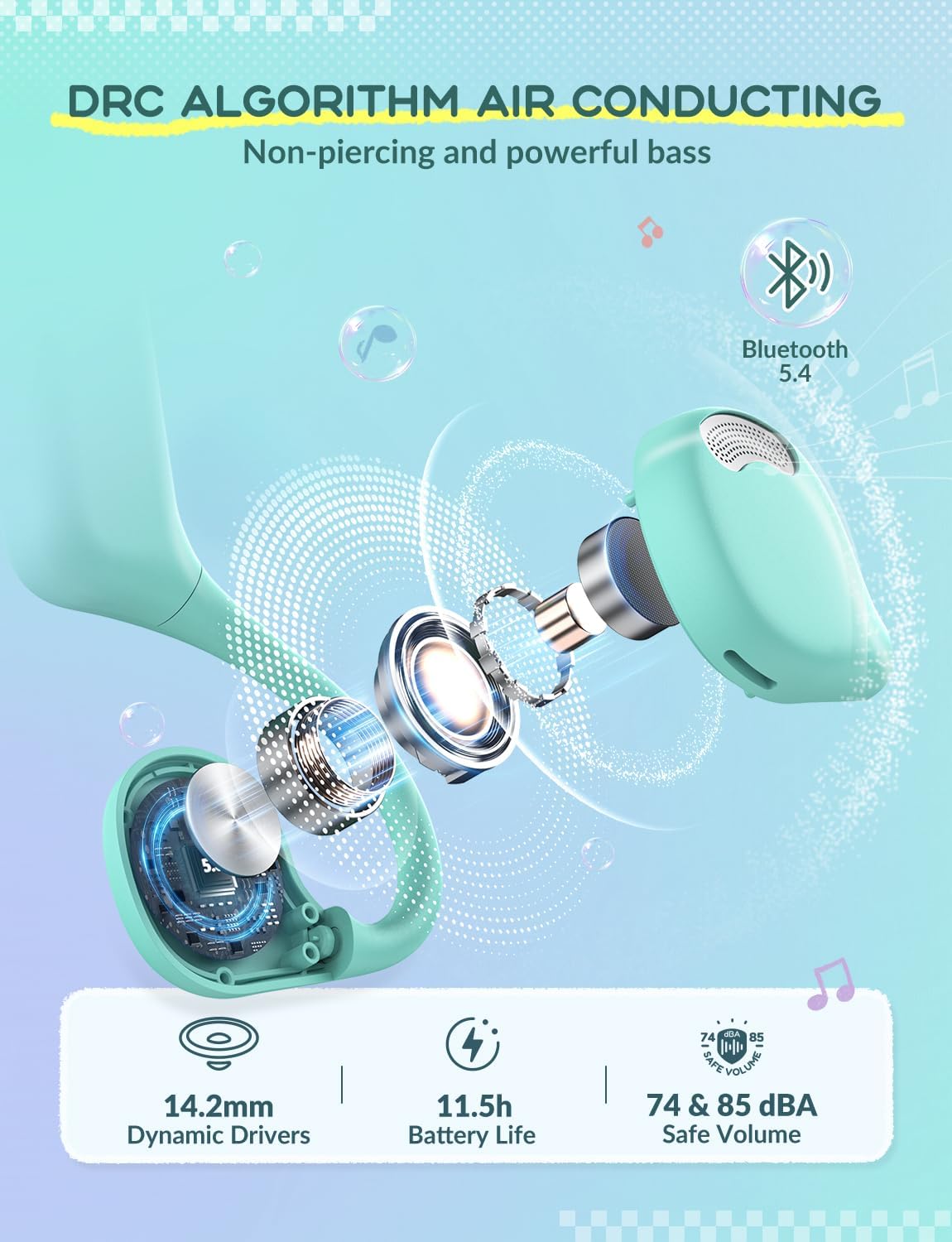
The headphones feature a safe volume limit of 74&85 dBA to protect children's hearing.
5.3 Playback Control
- Play/Pause: Short press the Power button.
- Next Track: Press and hold the '+' button.
- Previous Track: Press and hold the '-' button.
5.4 Call Management
- Answer/End Call: Short press the Power button.
- Reject Call: Press and hold the Power button for 2 seconds.
6. Maintenance
Proper maintenance ensures the longevity and optimal performance of your headphones.
- Cleaning: Wipe the headphones with a soft, dry cloth. Avoid using harsh chemicals or abrasive materials.
- Storage: Store the headphones in a cool, dry place away from direct sunlight and extreme temperatures. The flexible design allows for easy storage without deformation.
- Water Resistance: The headphones are IPX4 rated, meaning they are resistant to splashing water from any direction. Do not submerge them in water.
- Durability: The memory steel wire in the neckband allows for 360° bending without deformation, making them resilient to typical child handling.
7. Troubleshooting
| Issue | Possible Cause | Solution |
|---|---|---|
| Cannot power on | Low battery | Charge the headphones fully. |
| Cannot pair with device | Headphones not in pairing mode; Bluetooth off on device; Device too far. | Ensure headphones are in pairing mode (flashing red/blue LED). Turn on Bluetooth on your device. Move device closer to headphones. |
| No sound | Volume too low; Device not connected; Media paused. | Increase headphone and device volume. Reconnect Bluetooth. Play media on your device. |
| Intermittent connection | Interference; Device too far. | Move away from other wireless devices. Keep device within 10 meters of headphones. |
8. Specifications
| Feature | Detail |
|---|---|
| Model Name | OWS01 |
| Connectivity Technology | Wireless (Bluetooth) |
| Bluetooth Version | 5.4 |
| Ear Placement | Open Ear |
| Audio Driver Type | Dynamic Driver (14.2mm) |
| Safe Volume Limit | 74 & 85 dBA |
| Material | Thermoplastic Elastomer (TPE) |
| Item Weight | 0.08 Kilograms (2.82 ounces) |
| Control Method | Physical Buttons |
| Compatible Devices | Smartphones, Laptops, Tablets, PCs, Smartwatches |
| Special Features | Volume Control, 360° Bending, Ultra-Light, IPX4 Water Resistant |
9. Warranty and Support
iClever products come with a standard manufacturer's warranty. For detailed warranty information, please refer to the warranty card included in your product packaging or visit the official iClever website.
For technical support, troubleshooting assistance, or any product-related inquiries, please contact iClever customer service through their official website or the contact information provided in your product documentation.
Online Support: www.iclever.com


