
1. Product Overview
The SAROSORA UBPET Automatic Cat Wet Food Feeder, Model SA_AF1, is designed to provide fresh, portioned meals for your cat throughout the day. Featuring advanced semiconductor refrigeration technology, it keeps wet food fresh for extended periods. The feeder includes five meal compartments and a programmable timer for up to four fixed-time meals, ensuring your pet maintains a healthy and regular eating schedule.

Image: The UBPET Automatic Cat Feeder, showcasing its thoughtful design and key features.
2. Important Safety Instructions
- Read all instructions carefully before use and retain for future reference.
- Ensure the feeder is placed on a stable, level surface, away from direct sunlight or heat sources.
- Do not immerse the main unit in water or any other liquid. Only the food tray and lid are washable.
- Keep the feeder away from walls or obstructions to ensure proper ventilation for the cooling system. Maintain at least 4 inches of clearance.
- Unplug the feeder before cleaning or when not in use.
- Do not allow pets to chew on the power cord.
- Ensure your pet's collar does not have any dangling tags or accessories that could get caught in the rotating mechanism.
- This appliance is for indoor use only.
3. Product Components
Familiarize yourself with the parts of your automatic feeder:

Image: Main components of the UBPET Automatic Cat Feeder.
- Main Unit Base: Contains the motor, cooling system, and control panel.
- Food Tray: Divided into five compartments for meals. Made from food-grade PP material.
- Lid: Covers the food tray, with an opening for one meal compartment.
- Power Adapter: For connecting the feeder to an electrical outlet.
4. Initial Setup
- Unpack: Carefully remove all components from the packaging.
- Clean: Wash the food tray and lid with warm, soapy water, then rinse thoroughly and dry completely before first use. The main unit base should only be wiped with a damp cloth.
- Assemble: Place the clean food tray onto the main unit base, ensuring it sits correctly. Then, place the lid on top.
- Power On: Connect the power adapter to the feeder and plug it into a wall outlet.
- Activate: Long press the "snow button" (snowflake icon) for 3 seconds to turn on the device. The display will illuminate.
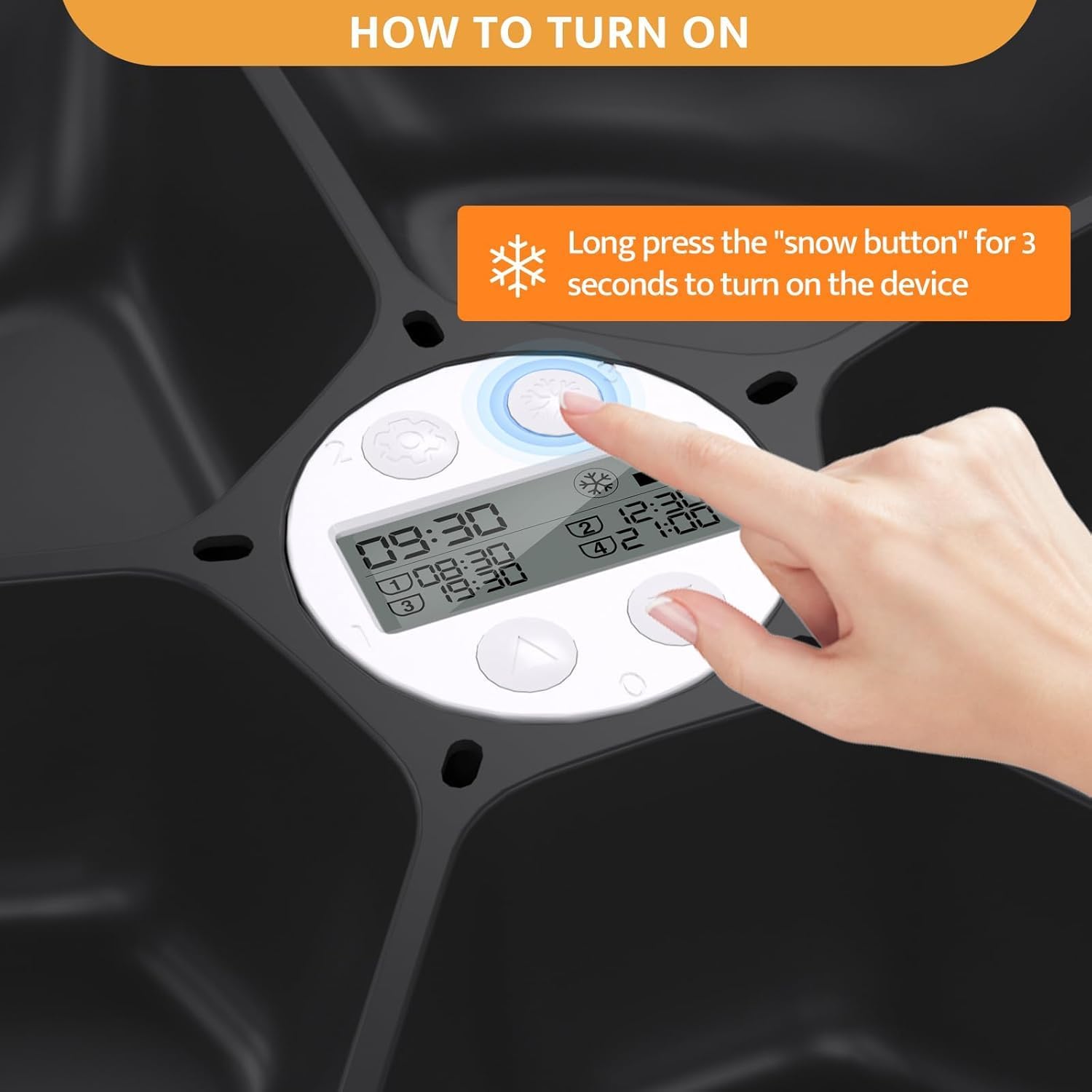
Image: Activating the feeder by pressing the snowflake button.
5. Operating Instructions
5.1. Setting the Time and Feeding Schedule
The feeder allows for one immediate meal and up to four fixed-time meals per day, lasting for 1 to 4 consecutive days depending on the number of meals set.
- Set Current Time: Refer to the on-screen display. Use the control buttons to set the current time accurately.
- Program Meal Times: Access the meal setting mode. You can program up to four specific times for meals (e.g., 08:30, 12:30, 19:30, 21:00).
- Determine Number of Meals: The feeder can provide 1, 2, 3, or 4 meals per day.
- Setting 1 meal time: Feeder runs once a day for 4 days.
- Setting 2 meal times: Feeder runs twice a day for 2 days.
- Setting 3 meal times: Feeder runs three times a day for 1 day.
- Setting 4 meal times: Feeder runs four times a day for 1 day.
- Fill Compartments: Fill the food tray compartments with the desired food. Each compartment holds approximately 330g of pet food.
- Important Note on Meal Order: The feeder rotates clockwise. Ensure the first meal to be dispensed is positioned at the open compartment. If you need to set a meal for a time that has already passed in the current day, the feeder will dispense it on the next cycle.
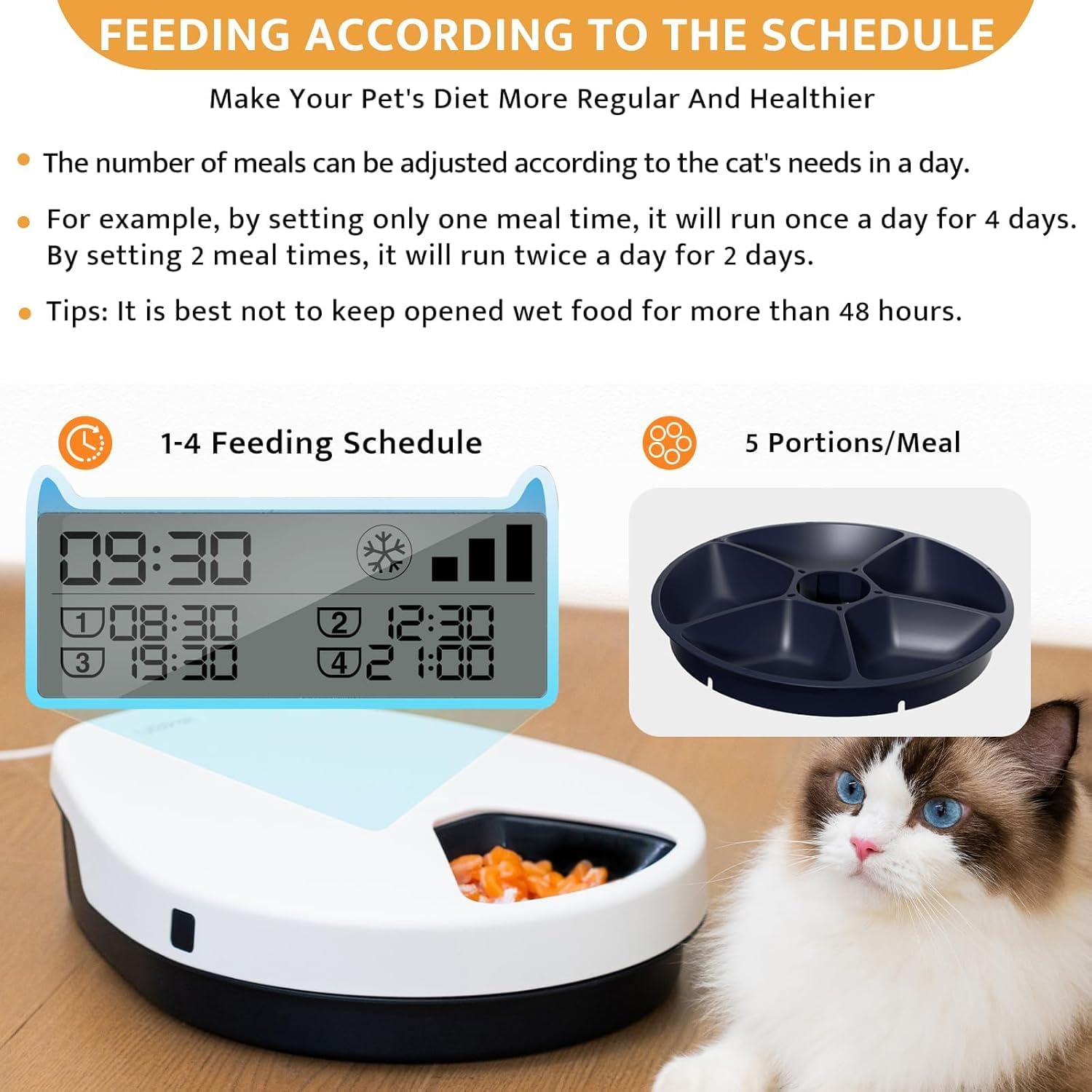
Image: Display showing programmed feeding schedule and meal portions.
5.2. Using the Cooling Function
The feeder's semiconductor refrigeration system helps keep wet food fresh.
- Freshness Duration: Keeps canned food fresh for 1-4 days, cooked meat for 1-2 days, and raw meat for 1 day.
- Temperature Control: Features three levels of temperature setting, maintaining food temperature between 13°C and 23°C (55°F - 73°F).
- Activation: The cooling function can be turned on or off via the control panel. Refer to the display for the cooling indicator (snowflake icon).

Image: Illustration of the semiconductor cooling technology.
6. Food Compatibility
This automatic feeder is versatile and can accommodate various types of pet food and supplements:
- Wet food
- Dry food
- Medication
- Milk
- Freeze-dried food
Each compartment is designed to hold approximately 330g of food, meeting your pet's daily nutritional needs.
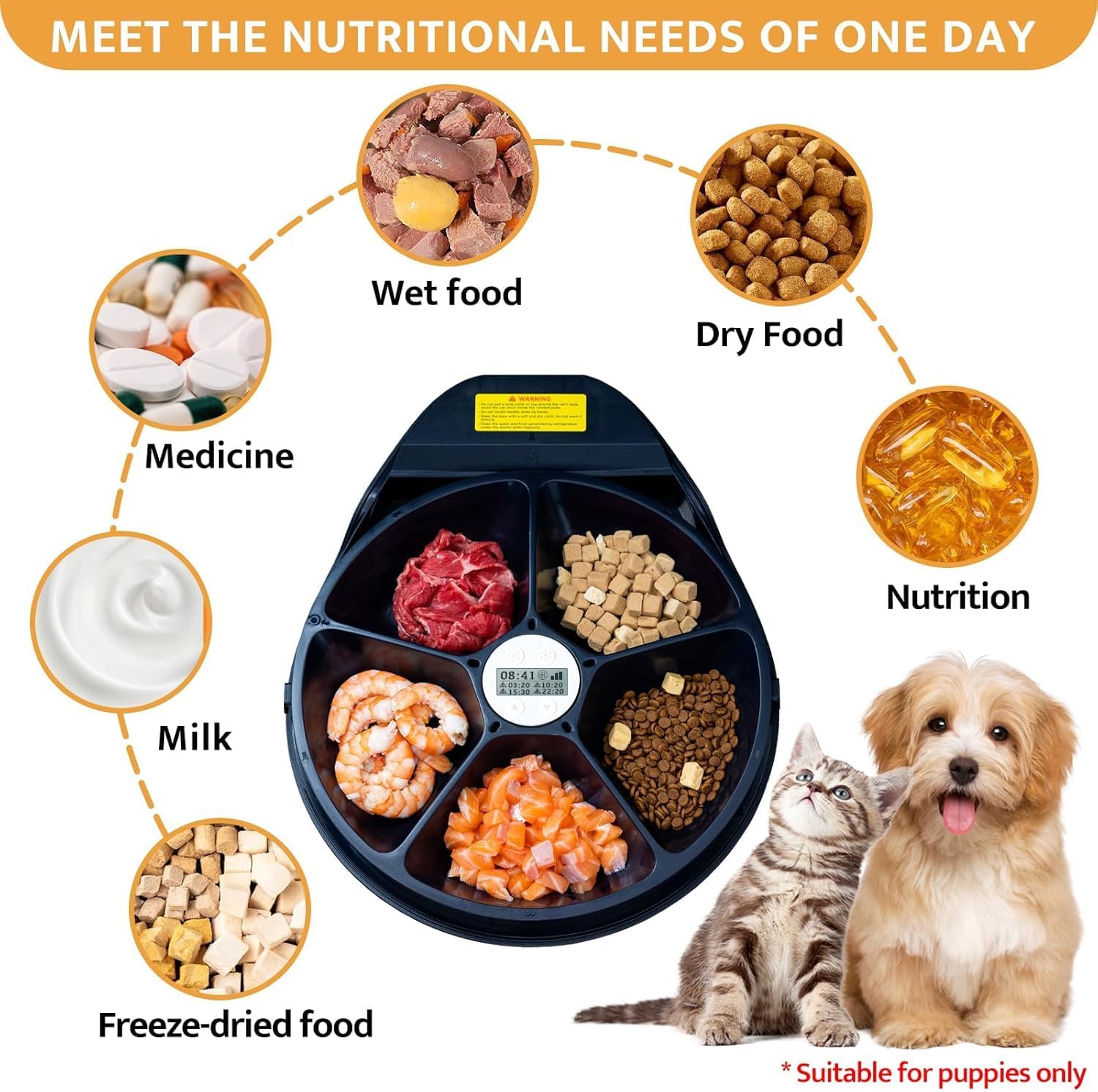
Image: Examples of various food types suitable for the feeder.
7. Maintenance and Cleaning
Regular cleaning ensures hygiene and extends the life of your feeder. The food tray and lid are removable and dishwasher safe for easy cleaning.
- Disassemble: Unplug the feeder. Remove the lid and then lift out the food tray.
- Clean Tray and Lid: Wash the food tray and lid by hand with warm, soapy water or place them in the dishwasher. Rinse thoroughly to remove all soap residue.
- Clean Base Unit: Wipe the main unit base with a soft, damp cloth. Do not use abrasive cleaners or immerse the base in water. Ensure no water enters the electronic components.
- Dry: Ensure all parts are completely dry before reassembling.
- Reassemble: Place the dry food tray back into the base, aligning it correctly. Then, replace the lid.

Image: Removable components for easy cleaning.
8. Troubleshooting Guide
| Problem | Possible Cause | Solution |
|---|---|---|
| Feeder does not turn on. | Not plugged in; power outage; device not activated. | Ensure power adapter is securely plugged in. Check power outlet. Long press the snowflake button for 3 seconds to activate. |
| Cooling function not working effectively. | Poor ventilation; cooling function off; ambient temperature too high. | Ensure at least 4 inches of clearance around the feeder for proper airflow. Check if the cooling function is activated on the control panel. Operate in a suitable room temperature environment. |
| Food tray misalignment or incorrect meal dispensing. | Tray not properly seated; internal gear misalignment. | Ensure the food tray is correctly aligned and fully seated in the base. If issues persist, power off the unit, remove the tray, and re-seat it carefully, ensuring the first meal compartment aligns with the dispensing opening. |
| Feeder stops working after a short period. | Power interruption; internal malfunction. | Check power connection. Try unplugging and re-plugging the unit. If the problem persists, contact customer support. |
9. Technical Specifications
| Feature | Detail |
|---|---|
| Model Number | SA_AF1 |
| Brand | SAROSORA |
| Item Weight | 1.83 Kilograms (4.03 Pounds) |
| Product Dimensions (LxWxH) | 4 x 2 x 4 inches (Main Unit) |
| Material | Polypropylene (Food Tray) |
| Cooling Technology | Semiconductor Refrigeration |
| Temperature Range | 13°C to 23°C (55°F - 73°F) |
| Meal Compartments | 5 (approx. 330g each) |
| Feeding Schedule | Up to 4 fixed-time meals over 1-4 days |
| Target Species | Cat |
10. Warranty and Customer Support
10.1. Warranty Information
This product is covered by a warranty provided by SAROSORA. Please refer to the warranty documentation included with your purchase for specific terms and conditions.
10.2. Customer Support
If you have any questions, concerns, or require assistance with your SAROSORA UBPET Automatic Cat Wet Food Feeder, please contact our customer service team. Your satisfaction is our priority.
Contact information can typically be found on the product packaging or the official SAROSORA website.