
Donerton I66
Donerton Wireless Earbuds User Manual
Model: I66
Introduction
Thank you for choosing Donerton Wireless Earbuds. This manual provides detailed instructions on how to set up, operate, and maintain your earbuds to ensure optimal performance and longevity. Please read this manual carefully before using the product and keep it for future reference.
What's in the Box
- Charging Case x 1
- Wireless Earbud (L & R) x 2
- Replacement Ear Caps x 4 (S, M, L sizes)
- Type-C Charging Cable x 1
- Instruction Book x 1
Product Overview
The Donerton Wireless Earbuds (Model I66) are designed for a superior audio experience with advanced Bluetooth 5.4 technology, noise cancellation, and a comfortable ergonomic fit. The charging case features an LED power display for convenience.

Image: Donerton Wireless Earbuds in their charging case, showing the digital LED power display indicating 100% charge. The earbuds themselves are white with a subtle fingerprint icon indicating touch control areas.

Image: A person wearing the Donerton earbuds, highlighting their ergonomic design. Insets show a detailed ear canal fit diagram, water droplets on an earbud indicating IP7 waterproofing, and different ear tip sizes (S, M, L).
Setup Guide
1. Initial Charging
Before first use, ensure the earbuds and charging case are fully charged.
- Place both earbuds into the charging case.
- Connect the Type-C charging cable to the charging port on the case and a USB power source.
- The LED display on the case will show the charging progress. A full charge takes approximately 1.5 hours for the case.
- The earbuds provide 6-8 hours of playback on a single charge, and the case provides an additional 37 hours, totaling 45 hours.

Image: Visual representation of the 45-hour total playtime, showing 1.5 hours for full charge, USB-C fast charge, and 6-8 hours for earbuds. The image also highlights the LED power display for both earbuds (L/R) and the charging case.
2. Pairing with Your Device
The earbuds feature one-step pairing for quick and easy connection.
- Open the charging case. The earbuds will automatically power on and enter pairing mode.
- On your device (smartphone, tablet, laptop), go to Bluetooth settings and turn Bluetooth on.
- Search for "I66" in the list of available devices and select it to connect.
- Once connected, you will hear a confirmation tone, and the earbuds will be ready for use.
- For subsequent uses, simply open the case, and the earbuds will automatically reconnect to the last paired device.

Image: Demonstrates the one-step pairing process: open the case to auto-power on and connect, close to auto-disconnect and power off. Also shows the "I66" device name in a phone's Bluetooth settings.

Image: Illustrates the benefits of Bluetooth 5.4 technology, including increased connection range (50%), stable connection (75%), and transfer speed range (100%).
Operating Instructions
Smart Touch Controls
The earbuds feature highly sensitive touch sensors for easy control of various functions. The touch area is located on the outer surface of each earbud.
Image: Displays the various smart touch control functions: Answer Call, Hang Up Call, Volume -, Volume +, Play/Pause, Previous Track, Next Track, and Siri/Voice Assistant activation.
| Action | Function |
|---|---|
| Single Tap (L/R) | Play/Pause music, Answer/End call |
| Double Tap (Left Earbud) | Volume Down |
| Double Tap (Right Earbud) | Volume Up |
| Triple Tap (Left Earbud) | Previous Track |
| Triple Tap (Right Earbud) | Next Track |
| Long Press (2 seconds) | Reject Call, Activate Voice Assistant (Siri, Google Assistant) |
Audio Quality and Calls
The earbuds feature 13mm dynamic drivers for rich audio and CVC algorithm for clear calls.

Image: An exploded view of an earbud showing the internal components, emphasizing the 13mm dynamic drivers, deep bass capabilities, and Hi-Fi stereo sound.
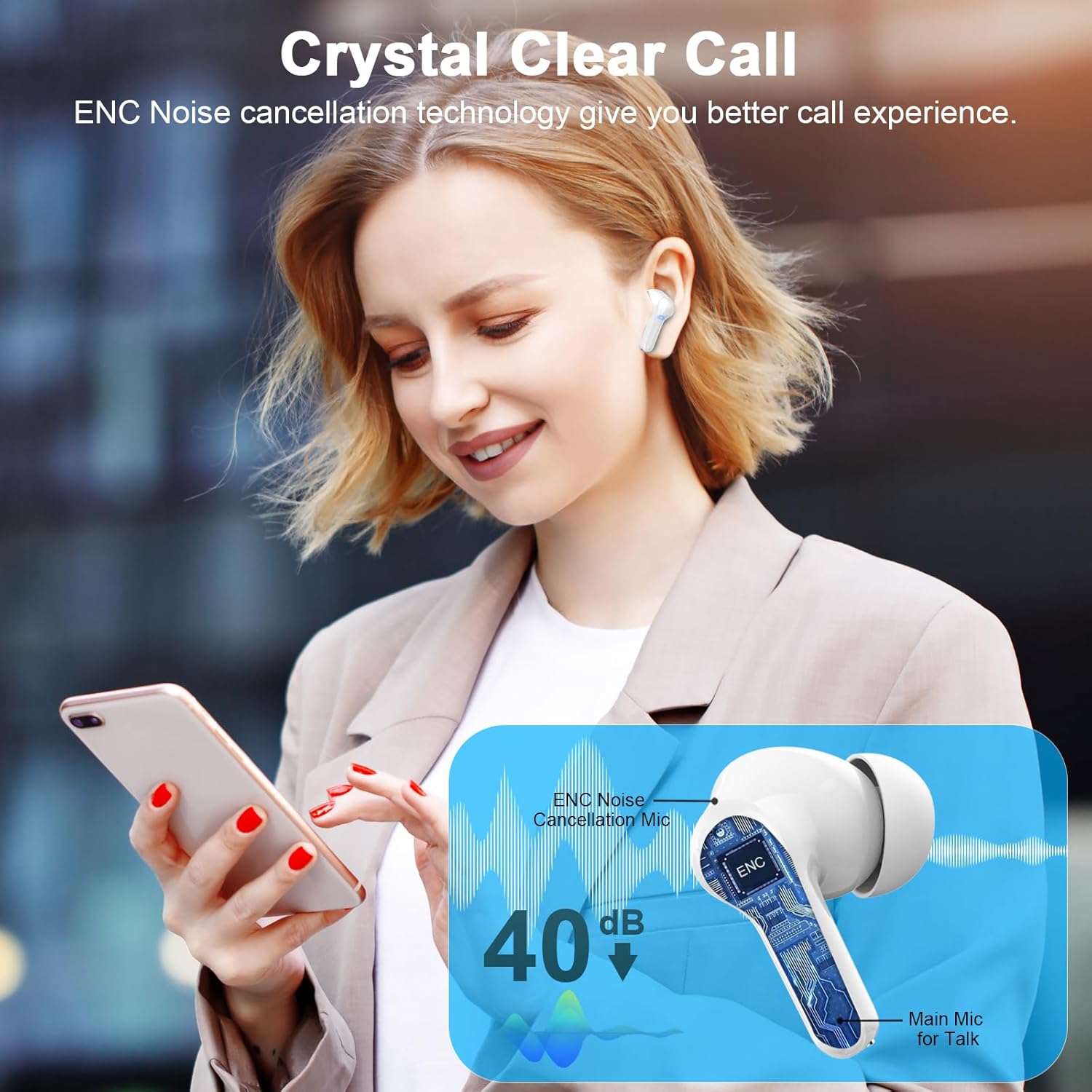
Image: A person using the earbuds while on a call, with an overlay illustrating the ENC (Environmental Noise Cancellation) technology and the placement of the main microphone for clear voice pickup, reducing noise by 40dB.
Maintenance and Care
- Cleaning: Regularly clean the earbuds and charging case with a soft, dry, lint-free cloth. Do not use harsh chemicals or abrasive materials. Gently remove any earwax or debris from the ear tips and speaker mesh using a small brush or cotton swab.
- Storage: When not in use, store the earbuds in their charging case to protect them from dust and damage. Store in a cool, dry place away from direct sunlight and extreme temperatures.
- Water Resistance: The earbuds are IP7 waterproof, meaning they are protected against temporary immersion in water. However, they are not designed for swimming or showering. Avoid exposing the charging case to water. Ensure earbuds are dry before placing them back in the charging case to prevent damage.
- Battery Care: To prolong battery life, avoid fully discharging the earbuds and charging case frequently. Charge them regularly, even if not in constant use.
Troubleshooting
| Problem | Possible Solution |
|---|---|
| Earbuds not pairing/connecting |
|
| Only one earbud working |
|
| Low volume or poor sound quality |
|
| Charging case not charging |
|
Specifications
| Feature | Detail |
|---|---|
| Model Name | I66 |
| Brand | Donerton |
| Connectivity Technology | Wireless (Bluetooth) |
| Bluetooth Version | 5.4 |
| Bluetooth Range | 15 Meters |
| Audio Driver Type | Dynamic Driver |
| Audio Driver Size | 13 Millimeters |
| Battery Life (Earbuds) | 6-8 hours (single charge) |
| Total Playtime with Case | Up to 45 hours |
| Charging Time (Case) | Approx. 1.5 hours (USB-C) |
| Control Type | Touch Control |
| Noise Control | Sound Isolation, ENC Noise Cancellation (for calls) |
| Water Resistance Level | IP7 Waterproof |
| Earbud Weight (Single) | 3.9g |
| Compatible Devices | iOS 9.0+/Android 5.0+ devices with Bluetooth 5.0+ (Tablets, Laptops, Phones) |
| Color | Cloud White |
Customer Support
For any questions, issues, or support needs regarding your Donerton Wireless Earbuds, please contact our customer service team. You can often find support information on the official Donerton website or through the retailer where you purchased the product.
Please have your model number (I66) and purchase details ready when contacting support.
Note: Specific warranty details may vary by region and retailer. Please refer to your purchase documentation for warranty information.
Related documentsI66


Ask a question about this manual
Ask about setup, troubleshooting, compatibility, parts, safety, or missing instructions. Manuals+ will review the question and use this page’s manual context to help answer it.