
1. Product Overview
This ACEMO protective case is designed to provide robust protection for your compatible iPad models. It features a multi-layer construction, an integrated screen protector, a functional butterfly kickstand, a built-in pencil holder, and a detachable shoulder strap for enhanced portability.
1.1 Compatibility
This case is compatible with the following iPad models:
- iPad 10th Generation 10.9 inch (2022 Release) - Models: A2696, A2757, A2777
- iPad (A16) 11th Generation 11 inch (2025 Release) - Models: A3355, A3356
Please verify your iPad model number before installation. The model number is typically found on the back of your iPad.
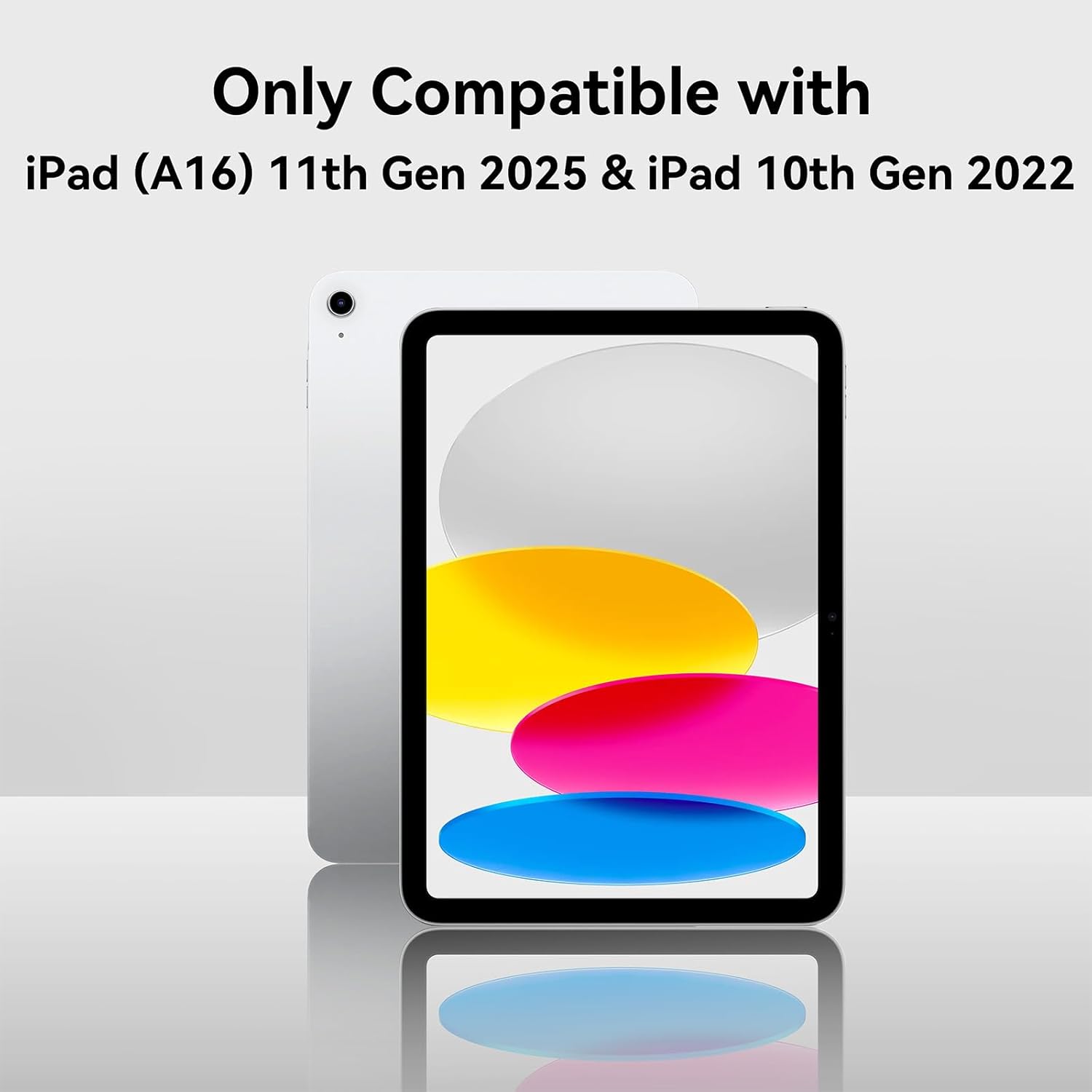
Figure 1.1: Visual confirmation of compatible iPad models.
1.2 Package Contents
- 1 x ACEMO Butterfly Stand Case (Front Hard PC Bumper, Silicone Back Cover)
- 1 x 9H Tempered Glass Screen Protector
- 1 x Detachable Shoulder Strap
2. Setup and Installation
Follow these steps to properly install your iPad into the ACEMO protective case.
2.1 Disassembling the Case
- Carefully separate the silicone outer layer from the hard plastic inner frame.
- Detach the front hard PC bumper from the silicone back cover.
2.2 Screen Protector Installation
The case includes a 9H tempered glass screen protector. Install it onto your iPad screen before placing the iPad into the case.
- Clean your iPad screen thoroughly with the provided cleaning kit (if included) to remove dust and smudges.
- Align the screen protector carefully with the iPad screen, ensuring the cutouts match the camera and home button (if applicable).
- Gently press the center of the screen protector, allowing it to adhere to the screen. Smooth out any bubbles towards the edges.
2.3 iPad Installation into the Case
- Place your iPad (with the screen protector installed) into the front hard PC bumper. Ensure all edges are securely seated.
- Carefully wrap the silicone back cover around the hard PC bumper, starting from one side and working your way around. Ensure all ports, buttons, and camera cutouts align correctly.
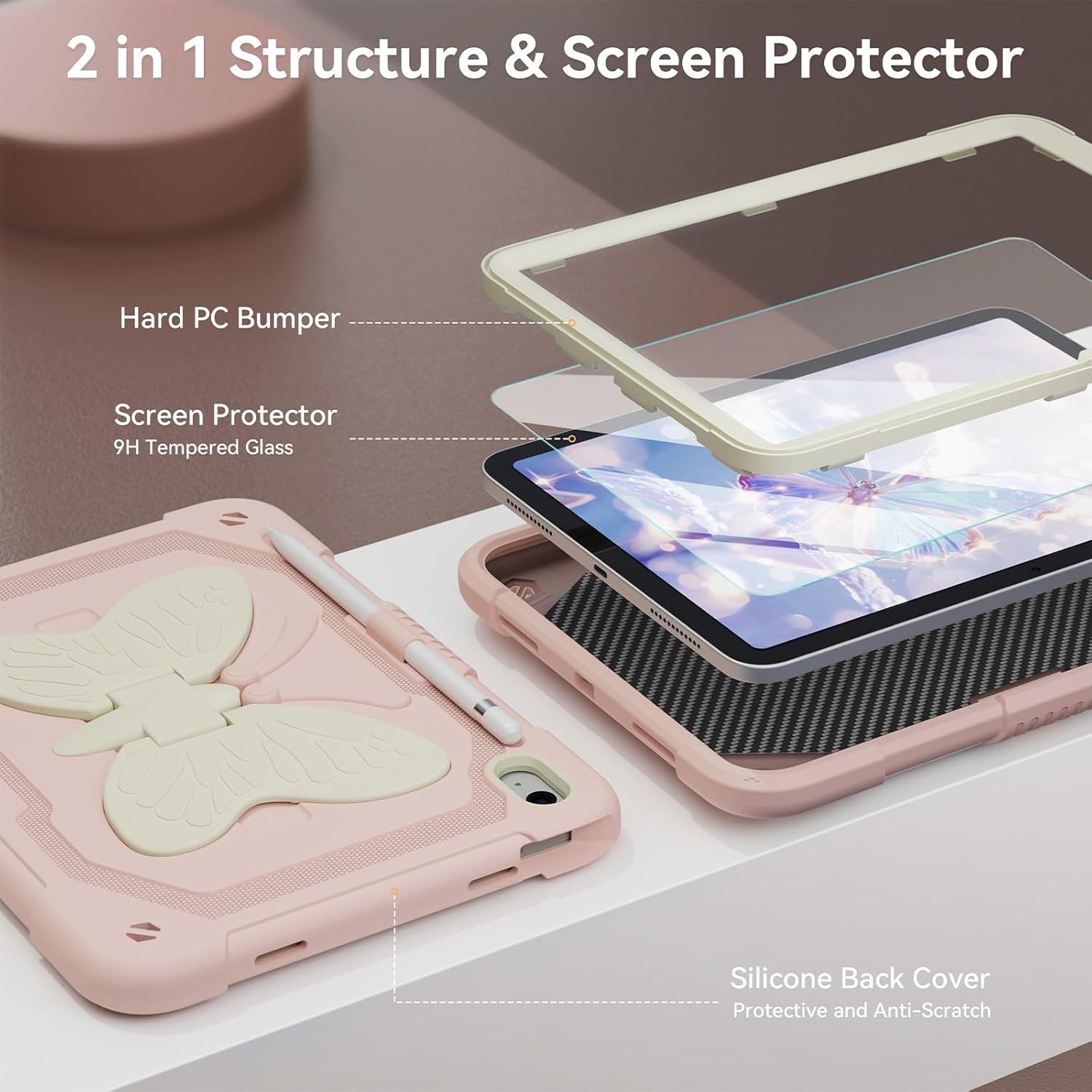
Figure 2.1: Components of the 2-in-1 protective case and screen protector.
2.4 Attaching the Shoulder Strap
- Locate the attachment points on the corners of the case.
- Thread the clips of the shoulder strap through the designated loops on the case.
- Adjust the strap length to your preference using the buckle.
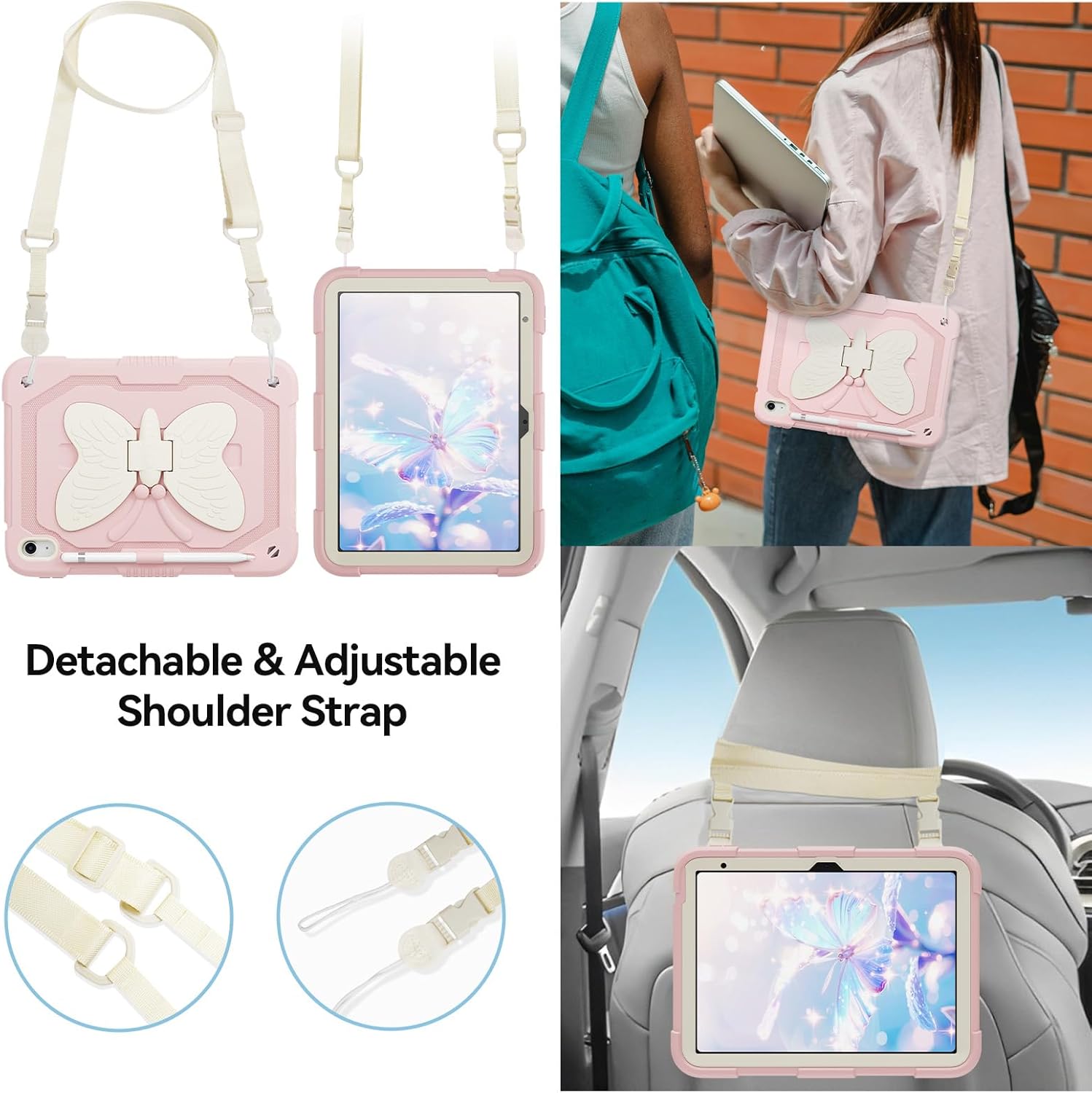
Figure 2.2: Attaching and using the detachable and adjustable shoulder strap.
3. Operating Instructions
This section details the use of the case's features.
3.1 Using the Butterfly Kickstand
The integrated butterfly-shaped kickstand allows for hands-free viewing and typing.
- Viewing Angle: Gently pull out the butterfly wings until they lock into position. This provides an upright angle suitable for watching videos or video calls.
- Typing Angle: Adjust the kickstand to a lower angle for a comfortable typing or drawing position.
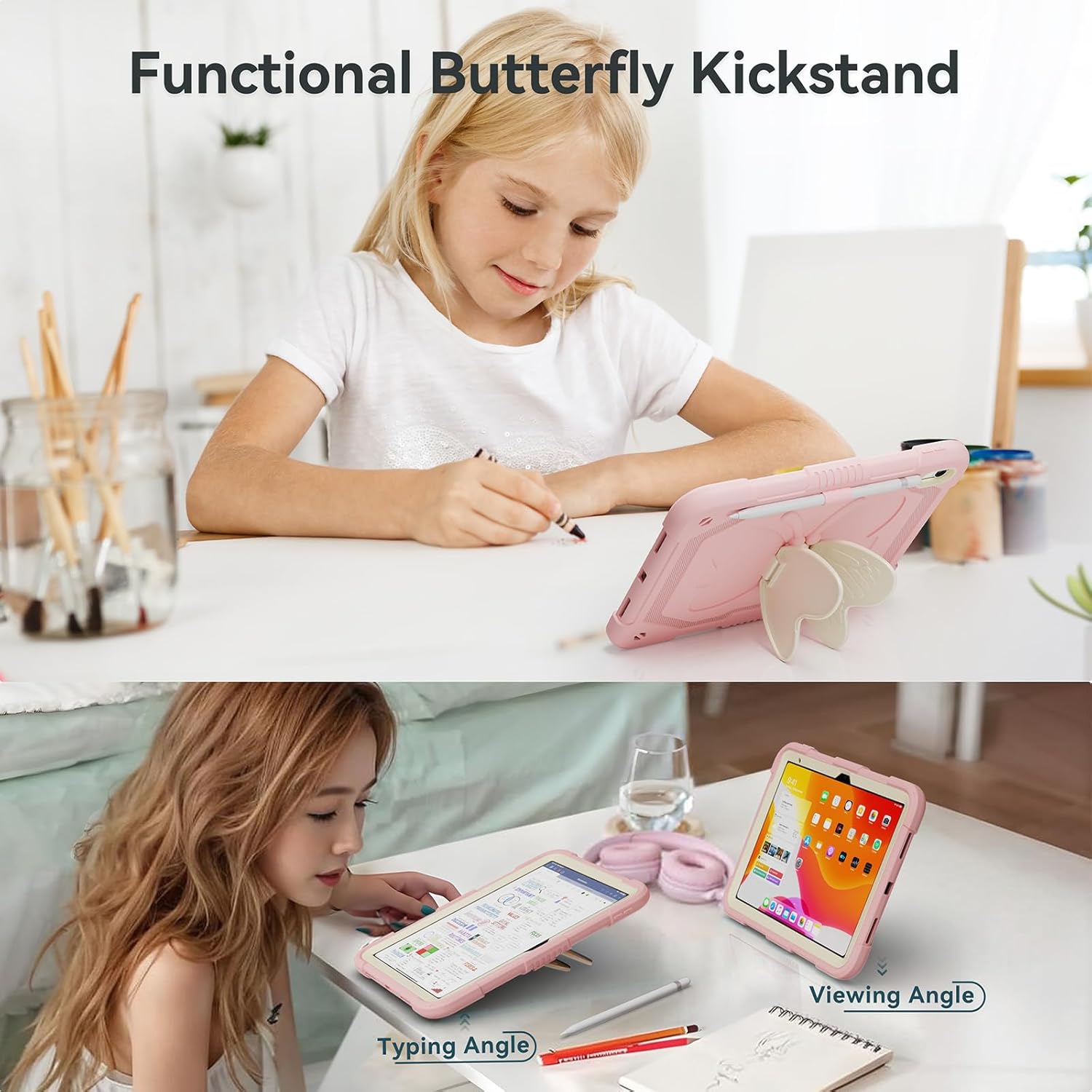
Figure 3.1: Utilizing the butterfly kickstand for various angles.
3.2 Using the Shoulder Strap
The detachable shoulder strap offers convenient portability and hands-free use.
- Carrying: Wear the iPad over your shoulder or cross-body for easy transport.
- Car Headrest Mount: The strap can be used to hang the iPad on a car headrest for rear-seat entertainment. Ensure it is securely fastened.
3.3 Pencil Holder
A dedicated slot is provided for storing your Apple Pencil or a compatible stylus.

Figure 3.2: Integrated pencil holder.
3.4 Port Access and Camera Protection
The case is designed with precise cutouts for all ports, buttons, and the camera, ensuring full functionality without removing the case.


Figure 3.3: Camera protection and charging port access.
4. Maintenance
Proper care will extend the life and appearance of your ACEMO case.
- Cleaning the Case: Wipe the silicone and hard plastic parts with a soft, damp cloth. For stubborn dirt, a mild soap solution can be used, followed by wiping with a clean, damp cloth and air drying. Avoid harsh chemicals or abrasive cleaners.
- Cleaning the Screen Protector: Use a microfiber cloth to gently wipe the screen protector. For smudges, a screen cleaner spray designed for electronics can be used.
- General Care: Avoid exposing the case to extreme temperatures or direct sunlight for prolonged periods, as this may affect material integrity and color.
5. Troubleshooting
This section addresses common issues you might encounter.
- Issue: Screen protector has bubbles after installation.
Solution: Minor bubbles often disappear within 24-48 hours. For larger bubbles, gently lift the nearest edge of the screen protector and re-apply, pushing the air out with a soft card. Ensure the screen is dust-free before re-application. - Issue: Case does not fit snugly.
Solution: Double-check that your iPad model is compatible with this case (refer to Section 1.1). Ensure the iPad is correctly seated within the hard PC bumper and the silicone layer is fully wrapped around all edges. - Issue: Kickstand feels loose or unstable.
Solution: Ensure the butterfly wings are fully extended and locked into their designated positions. If the issue persists, inspect for any debris or damage that might be preventing proper engagement. - Issue: Shoulder strap detaches easily.
Solution: Verify that the strap clips are securely fastened through the case loops. Ensure the clips are fully closed and not damaged.
6. Specifications
| Feature | Detail |
|---|---|
| Brand | ACEMO |
| Model Number | HDZJ-10th 10.9 |
| Compatible Devices | iPad 10th Generation 10.9 inch (2022), iPad (A16) 11th Generation 11 inch (2025) |
| Material | Hard PC Bumper, Silicone Back Cover, 9H Tempered Glass Screen Protector |
| Special Features | Heavy Duty Protection, Kickstand, Lanyard (Shoulder Strap), Screen Protector, Shockproof |
| Item Weight | 1.37 pounds (approximately 0.62 kg) |
| Package Dimensions | 11.46 x 8.74 x 1.93 inches (approximately 29.1 x 22.2 x 4.9 cm) |
7. Warranty and Support
For warranty information or technical support, please contact ACEMO directly through their official channels or the retailer where the product was purchased.
You can visit the ACEMO store for more product information and support: ACEMO Store on Amazon