
ANCEL DS200
ANCEL DS200 OBD2 Scanner User Manual
Model: DS200 | Brand: ANCEL
Introduction
The ANCEL DS200 is an advanced all-systems OBD2 scanner designed for comprehensive vehicle diagnostics and maintenance. It offers a wide range of functions including full system diagnosis, over 15 reset services, and full OBD2 capabilities. This manual provides detailed instructions for setting up, operating, maintaining, and troubleshooting your DS200 scanner.

Image: The ANCEL DS200 OBD2 Scanner, showcasing its display and diagnostic cable.
1. Setup and Initial Use
1.1 What's in the Box
Upon unboxing your ANCEL DS200, verify that all components are present:
- 1* DS200 OBD2 Scanner
- 1* Diagnostic Cable
- 1* USB Type C Charging Cable
- 1* Protection Box

Image: A visual representation of the ANCEL DS200 scanner, diagnostic cable, USB-C charging cable, and protection box.
1.2 Unboxing and First Connection
Follow these steps to prepare your DS200 for its first use:
- Remove the DS200 scanner and accessories from the protection box.
- Connect the diagnostic cable to the OBD2 port on your vehicle. Ensure a secure connection to prevent issues. The device only supports vehicles made since 1996 with OBDII 16-PIN Sockets; OBD1 vehicles are not covered.
- Connect the other end of the diagnostic cable to the DS200 scanner.
- The device will power on automatically once connected to the vehicle's OBD2 port.
- For optimal performance and compatibility, connect the device to Wi-Fi, especially when using special functions.
Video: An unboxing demonstration of the ANCEL DS200 scanner, showing its components and initial setup.
1.3 AutoVIN Feature
The DS200 features Fast AutoVIN technology, which automatically retrieves detailed vehicle information. This eliminates manual entry, saving time and improving accuracy.
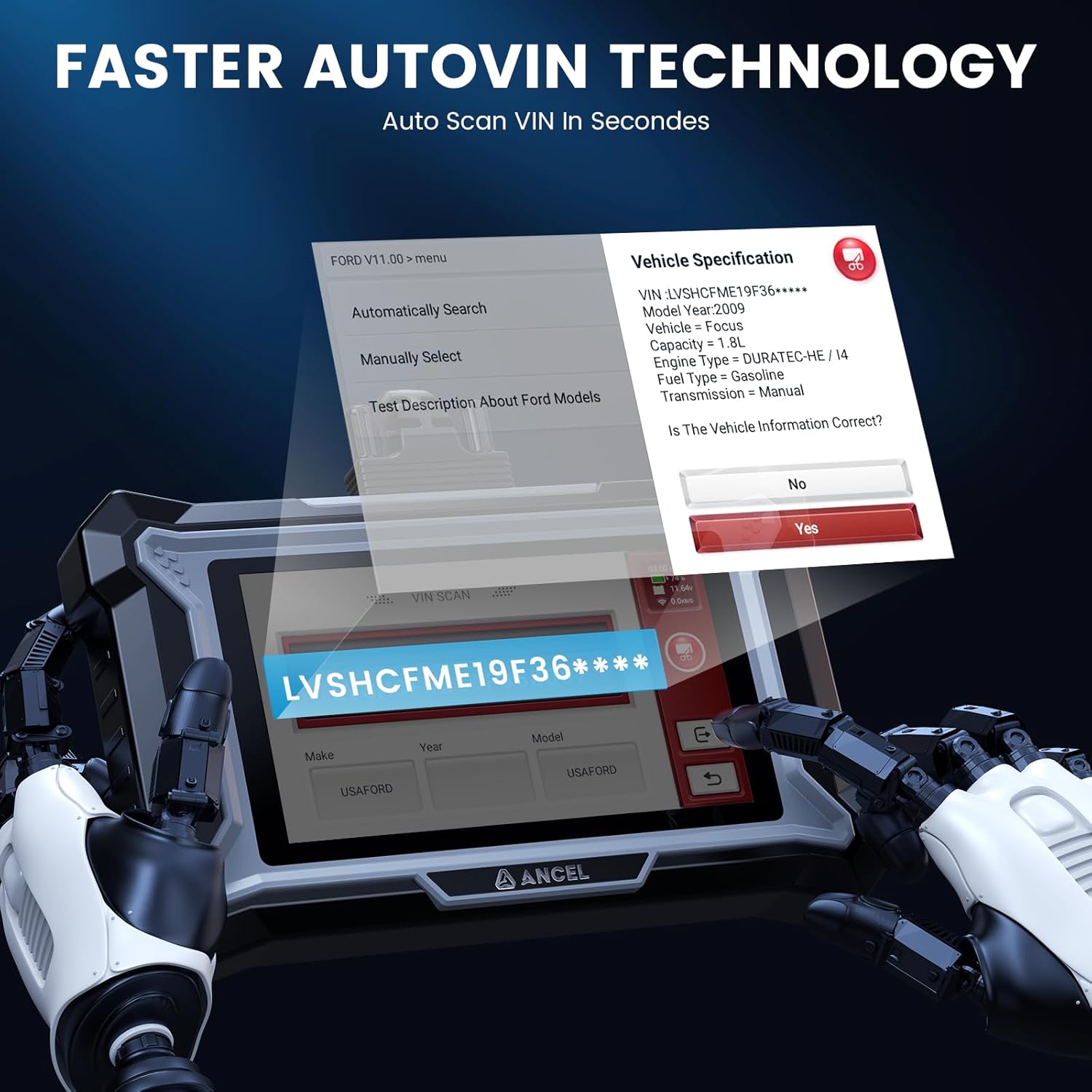
Image: A visual of the ANCEL DS200 screen displaying the AutoVIN feature, automatically identifying vehicle specifications.
2. Operating Instructions
2.1 All Systems Diagnosis
The DS200 provides in-depth diagnostics for all available vehicle modules, including Engine, ABS, SRS, Transmission, ESP, SAS, and more. This allows for comprehensive safety and performance checks.

Image: An illustration showing the ANCEL DS200 performing all system diagnostics on a vehicle, highlighting various modules like Engine, Transmission, ABS, EPB, and SRS.
Video: A demonstration of the ANCEL DS200 performing an all-systems diagnosis on a vehicle.
2.2 Full OBD2 Functions
The scanner offers complete OBD2 capabilities, including reading and erasing fault codes, on-board monitoring, DTC lookup, and displaying vehicle information. It also features a one-click I/M readiness function for quick emission checks.
- Read Codes: Retrieve Diagnostic Trouble Codes (DTCs) from the vehicle's computer.
- Clear Codes: Erase DTCs after repairs are completed. Note: Codes can only be cleared once the underlying fault has been repaired.
- I/M Readiness: Check the readiness of the emission-related monitors.
- Live Data: View real-time data streams from various sensors. The DS200 supports 4-in-1 live data graphs for detailed analysis.
- Freeze Frame: Capture a snapshot of vehicle conditions when a fault code is set.
- Component Test: Perform specific tests on vehicle components.

Image: The ANCEL DS200 screen showing various full OBD2 functions, including reading codes, clearing codes, I/M readiness, live data, and DTC library.
Video: A short preview demonstrating how to check I/M Readiness using the ANCEL DS200.
Video: A brief guide on how to clear all system fault codes using the ANCEL DS200.

Image: A graphical representation of 4-in-1 live data streams displayed on the ANCEL DS200, showing various vehicle parameters simultaneously.
2.3 One-Click Features
The DS200 simplifies operations with one-click functions for software updates, feedback, chat support, screenshots, diagnostic video recording, and generating email reports.
Video: A detailed overview of the one-click features available on the ANCEL DS200 OBD2 Scanner.

Image: A visual guide to the one-click features of the ANCEL DS200, including screenshot, recording, and email/report generation.
3. Maintenance and Reset Services
The ANCEL DS200 offers over 15 free hot reset services to assist with common vehicle maintenance tasks. Please note that the availability of these functions may vary by car model and year.

Image: A graphic illustrating the range of 15+ hot reset services offered by the ANCEL DS200, such as ABS Bleeding, Battery Matching, Oil Reset, and SAS Reset.
- ABS Bleeding: Helps purge air from the brake system for proper operation and optimal performance. This is crucial when replacing brake fluid or servicing brake components.
- SAS Reset: Resets the Steering Angle Sensor to ensure proper steering alignment.
- Gearbox Relearn: Adapts the transmission control unit to new components or after repairs.
- Battery Registration: Ensures proper compatibility and charging for new battery installations.
- AdBlue Reset: Recalibrates the urea injection system for diesel vehicles.
- Oil Reset: Resets the oil change reminder and oil life monitoring system.
- Throttle Relearn: Resets the throttle body position after cleaning or replacement.
- DPF Regen Reset: Initiates or resets the Diesel Particulate Filter regeneration process.
- TPMS Reset: Resets the Tire Pressure Monitoring System.
- Injector Coding: Programs new injector codes into the ECU for precise fuel delivery.
- Brake Pad Reset: Resets the electronic parking brake (EPB) system after brake pad replacement.
- EGR Adaption: Adapts the Exhaust Gas Recirculation valve.
- Air/Fuel Ratio Reset: Adjusts the air/fuel mixture for optimal engine performance.
- Gear Learn: Performs crankshaft position sensor adaptive learning.
- NOX Sensor Reset: Resets the Nitrogen Oxide sensor.
3.1 ABS Bleeding
Air in the ABS system can compromise braking performance. The DS200 assists in bleeding the brake system to ensure stable and reliable braking, especially after fluid replacement or component servicing.

Image: A diagram explaining the ABS Bleeding process, showing how the ANCEL DS200 helps expel air for optimal brake performance.
Video: A short preview demonstrating the ABS Bleeding function of the ANCEL DS200.
3.2 SAS Reset
If your car's steering is off-course, the SAS Reset function helps reassess and calibrate the steering column alignment for improved driving stability.
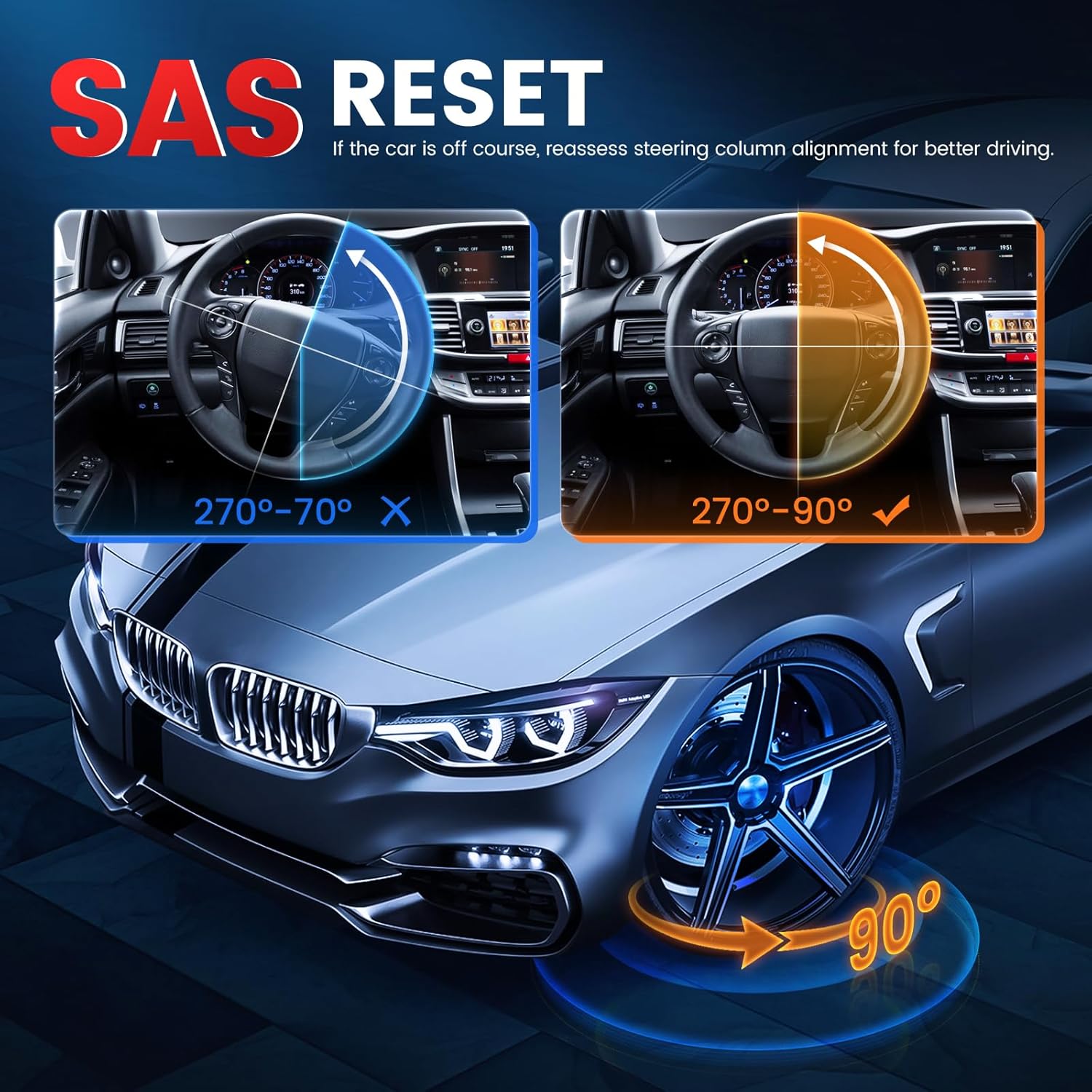
Image: A visual representation of the SAS Reset function, showing the correct and incorrect steering angle alignments.
3.3 Battery Registration
This function ensures proper compatibility between a new battery and the vehicle's ECU, optimizing performance, extending lifespan, and ensuring efficient charging.
Video: A demonstration of the battery registration process using the ANCEL DS200.
3.4 Electronic Throttle Adaption
Used when replacing or cleaning the throttle body, resetting the ECU, or addressing engine performance issues. It ensures smooth engine operation, improves fuel efficiency, enhances throttle response, and reduces emissions by recalibrating the throttle position.
Video: A guide on performing Electronic Throttle Adaption with the ANCEL DS200.
4. Troubleshooting and Important Notes
- Fault Code Clearing: Fault codes can only be cleared after the underlying fault has been repaired. Clearing codes without addressing the issue will result in the codes reappearing.
- Function Compatibility: Special reset and system functions vary for different car models and modules. If you are unsure about compatibility for your specific vehicle, please consult before purchase.
- OBD2 Connection Issues: Poor contact of the OBD2 interface may lead to the scanner failing to work. Ensure the diagnostic cable is securely connected to both the vehicle's OBD2 port and the DS200 scanner.
- Software Updates: Ensure your device is updated to the latest software version for improved compatibility and functionality. Connect to Wi-Fi for free lifetime updates.
5. Product Specifications
| Feature | Detail |
|---|---|
| Brand | ANCEL |
| Model | DS200 |
| Item Weight | 2.07 pounds |
| Product Dimensions | 9.45 x 8.27 x 2.36 inches |
| Operating System | Android 6.0 |
| Battery | Built-in 1500mAh |
| Processor | Quad-core |
| Screen | 5-inch Touchscreen |
| Connectivity | 2.4 GHz WiFi |
| Supported Vehicles | OBDII 16-PIN Sockets (since 1996) |

Image: A detailed view of the ANCEL DS200's hardware and software specifications, including its 1500mAh battery, quad-core CPU, RAM, ROM, touchscreen size, and Wi-Fi capabilities.

Image: The back of the ANCEL DS200 device, displaying its model number and serial number (988975200307).
6. Warranty and Support
6.1 Lifetime Free Updates
The ANCEL DS200 comes with lifetime free software updates. This ensures your tool always has the latest vehicle compatibility and functions without additional costs.
6.2 Fast Live Chat Support
For immediate assistance, the DS200 includes a "Customer Service" button for instant online chat. This provides real-time feedback and quick issue resolution. General issues receive 24-hour machine feedback, while specific problems can be escalated to online customer service.

Image: A comparison graphic highlighting the benefits of fast online chat support over remote support, emphasizing privacy and efficiency.
Related documentsDS200


Ask a question about this manual
Ask about setup, troubleshooting, compatibility, parts, safety, or missing instructions. Manuals+ will review the question and use this page’s manual context to help answer it.