
1. Product Overview
The Qaba 12V Ride On Truck is a battery-powered electric car designed for children, offering an adventurous and safe driving experience. It features dual motors for powerful performance and a large-charge battery providing up to 60 minutes of ride time. The truck is equipped with four spring-loaded suspension wheels and a slow start function to ensure a smooth ride on various surfaces. It offers three adjustable speeds and can be controlled by parents via remote or by the child for independent driving. Interactive features include a single start button, USB connectivity, music options, a horn, and LED headlights for a realistic play experience.

Figure 1: Front view of the Qaba 12V Ride On Truck in pink, showcasing its LED headlights and robust design.
2. Safety Information
No specific warnings are applicable beyond general toy safety guidelines. Always supervise children during operation. Ensure the product is used on appropriate surfaces and away from hazards. The recommended age for use is 36 months to 8 years. Maximum weight capacity is 66 lbs.
3. Setup and Assembly
Assembly of the Qaba 12V Ride On Truck is required. Please follow the detailed instructions provided in the separate assembly guide included with your product. Ensure all components are securely fastened before first use.
3.1. Initial Charge
Before the first use, fully charge the included 12V battery. Refer to the charging instructions in the assembly guide for proper procedure and charging times. An initial charge typically takes 8-12 hours.
4. Operating Instructions
4.1. Starting the Vehicle
Press the single start button located on the dashboard to power on the truck. You will hear engine sounds upon activation.
Video 1: Demonstrates starting the vehicle, activating lights, and playing music. This video shows the dashboard controls and the vehicle's interactive features.
4.2. Driving Controls
- Foot Pedal: Press the foot pedal to accelerate. Release to brake.
- Steering Wheel: Turn the steering wheel to control direction.
- Speed Selection: Use the speed switch on the dashboard to select between slow, medium, and fast speeds (1.9 to 3.1 mph). The slow start function ensures a gradual acceleration.

Figure 2: Illustration of the smooth driving experience, highlighting the slow start feature and spring suspension for comfort on various terrains.
4.3. Remote Control Operation
The truck can be controlled by an adult using the included remote control. This allows for parental supervision and intervention. The remote control distance is approximately 98.4 ft (30 m).
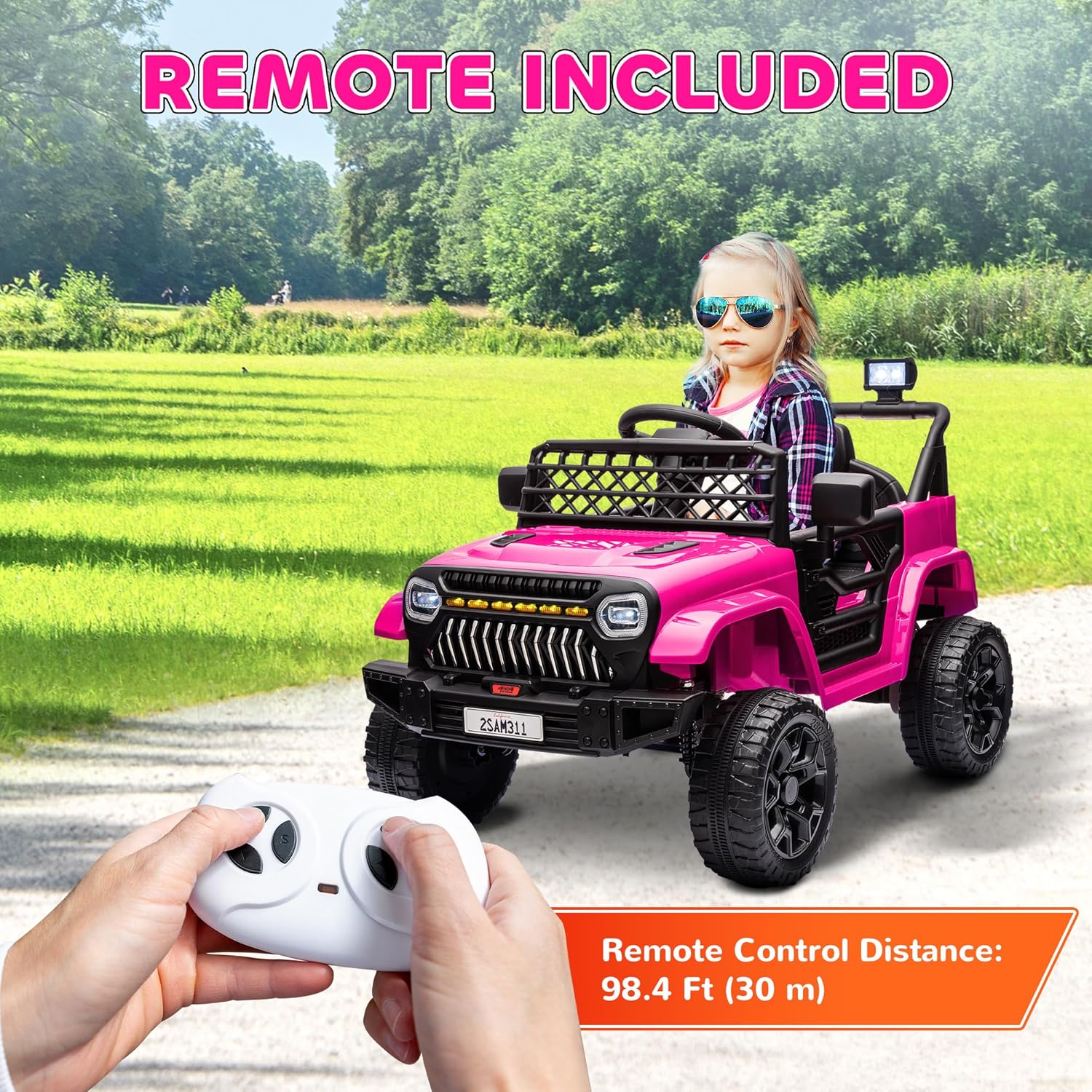
Figure 3: The remote control for the Qaba 12V Ride On Truck, enabling parental control over the vehicle's movement.
4.4. Interactive Features
- Music: The truck includes built-in music options. Use the controls on the dashboard to play or change tracks.
- USB Connectivity: Connect a USB device to play your own music through the truck's speakers.
- Horn: Press the horn button on the steering wheel for a realistic sound effect.
- LED Headlights: The headlights illuminate when the truck is powered on, adding to the realistic driving experience.

Figure 4: Detail of the steering wheel and dashboard, showing the controls for the horn and music functions.
5. Maintenance
- Cleaning: Wipe the vehicle with a damp cloth. Do not use harsh chemicals or abrasive cleaners.
- Battery Care: Recharge the battery after each use. If storing for an extended period, charge the battery fully every 30 days to prolong its lifespan. Do not overcharge.
- Storage: Store the vehicle in a dry, cool place away from direct sunlight and moisture.
- Inspection: Regularly check all nuts, bolts, and fasteners to ensure they are tight. Inspect wheels and suspension for any damage.
6. Troubleshooting
| Problem | Possible Cause | Solution |
|---|---|---|
| Vehicle does not move. | Battery is low or dead. Loose battery connection. Power switch off. | Charge the battery. Check battery terminals and connections. Ensure power switch is ON. |
| Vehicle runs slowly. | Low battery. Overloaded vehicle. Used on rough terrain. | Recharge battery. Reduce weight. Use on smoother surfaces. |
| No sound from horn/music. | Volume too low. USB device not properly connected. | Increase volume. Reconnect USB device. |
| Remote control not working. | Remote batteries dead. Not paired correctly. | Replace remote batteries. Refer to assembly guide for pairing instructions. |
7. Specifications
| Feature | Detail |
|---|---|
| Product Dimensions | 37.4" L x 24.6" W x 25.6" H (95 x 62.5 x 65 cm) |
| Item Weight | 28 pounds |
| Model Number | 370-380V80PK |
| Recommended Age | 36 months - 8 years |
| Battery | 12V (included) |
| Weight Capacity | 66 lbs |
| Speed Options | 3 (1.9 to 3.1 mph) |
| Remote Control Distance | 98.4 ft (30 m) |

Figure 5: Detailed dimensions of the Qaba 12V Ride On Truck.
8. Warranty and Support
For warranty information or technical support, please contact the manufacturer, Aosom LLC, or the seller, Aosom Direct. Retain your proof of purchase for any warranty claims. Contact details can typically be found on the product packaging or the seller's website.