
Jebao DCW-70
Jecod Jebao DCW Bluetooth Submersible Vario Cross Flow Wave Maker Pump
Model: DCW-70 | Brand: Jebao
Product Overview
The Jecod Jebao DCW-70 is a versatile Bluetooth-enabled submersible wave maker pump designed for both saltwater and freshwater aquariums. It features an advanced control system that allows for easy setup and programming via a dedicated mobile application on iOS and Android devices, as well as manual control.
Key features include:
- Bluetooth connection for APP control.
- Manual and APP control system with a visual LCD display.
- 3D large rotation angle for adjustable water output direction.
- Super quiet motor operation.
- Master and slave mode for wireless control of multiple units.
- Automatic power-off protection when no water is detected, ensuring pump safety.
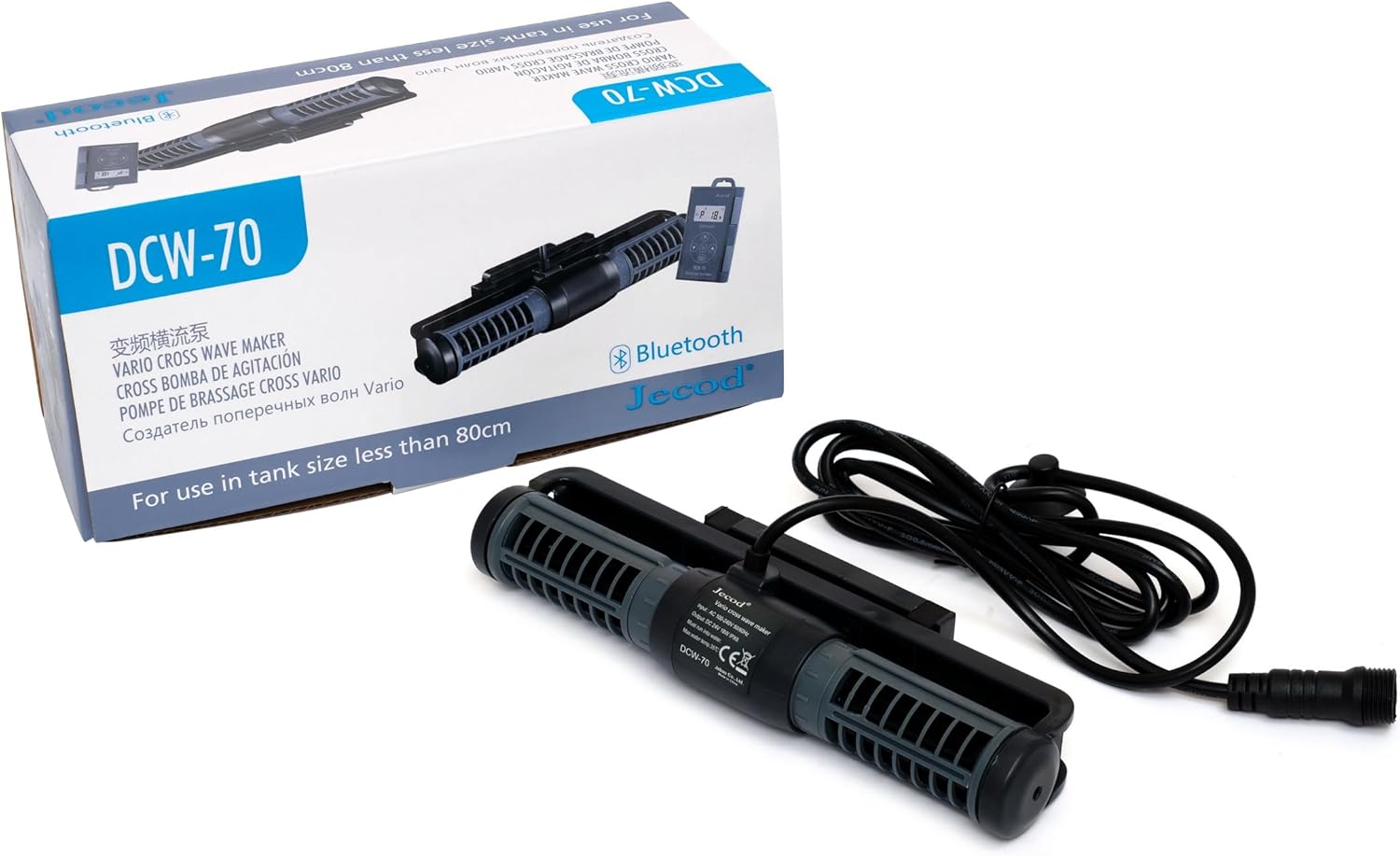
Figure 1: The Jecod Jebao DCW-70 wave maker pump, its controller, and original packaging.
Included Components
Before beginning installation, please ensure all components are present and undamaged.
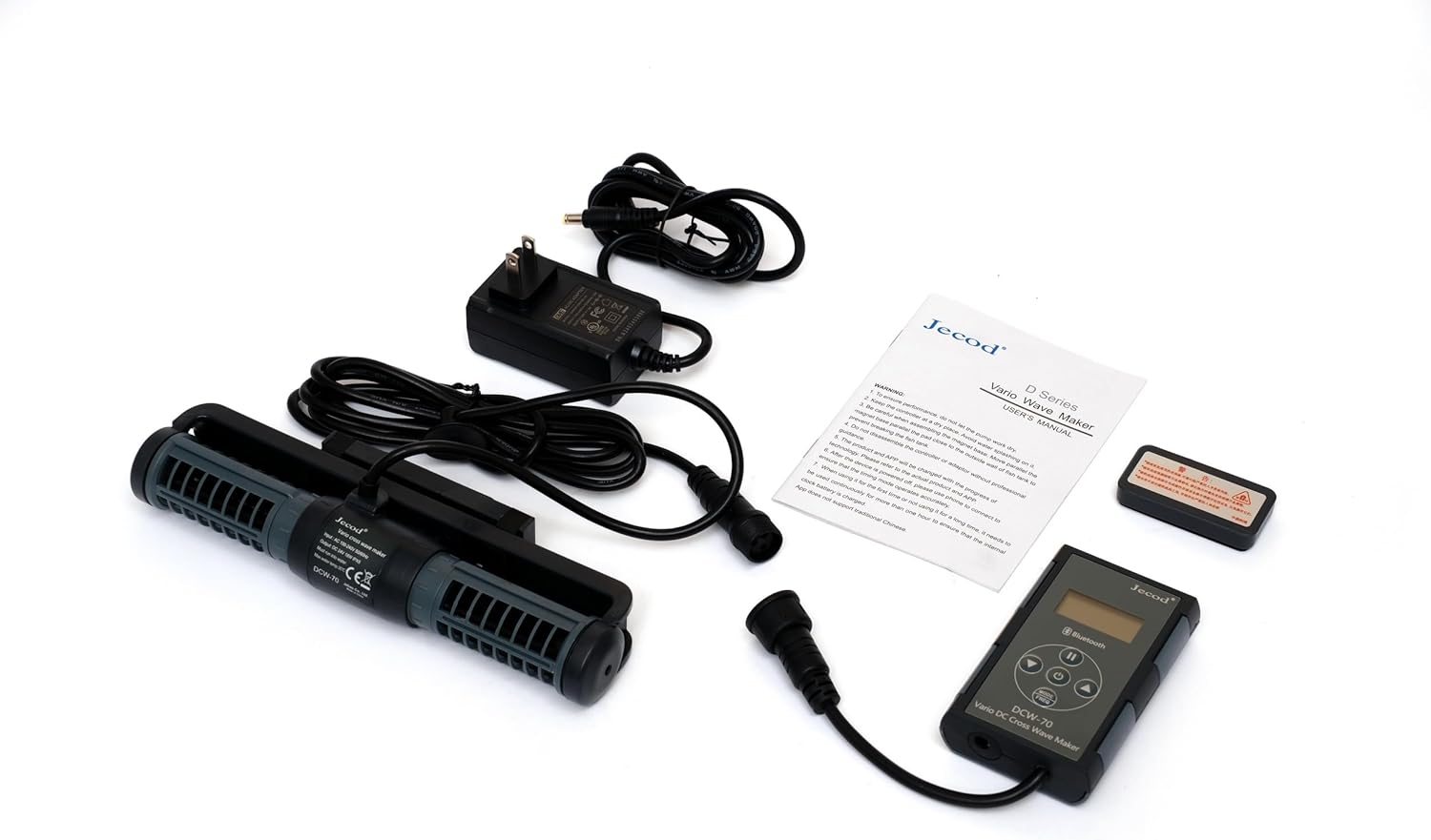
Figure 2: All components included with the DCW-70 pump: the wave maker pump unit, the control unit, the power adapter, and the user manual.
- Jecod Jebao DCW-70 Wave Maker Pump Unit
- Control Unit with LCD Display
- Power Adapter (100V-240V 50/60Hz, DC 24V 18W)
- User Manual
Setup and Installation
- Placement: Position the wave maker pump inside your aquarium. The pump is fully submersible. Ensure it is placed in an area that allows for optimal water circulation without disturbing substrate or delicate aquatic life. The 3D rotation angle allows for precise water flow direction.

Figure 3: The pump unit with its magnetic mounting bracket for secure attachment to aquarium glass.
- Mounting: Use the integrated magnetic mount to secure the pump to the aquarium glass. Place the pump unit inside the tank and align the external magnet on the outside of the glass. Ensure a firm and stable attachment.
- Controller Connection: Connect the pump unit's cable to the control unit. Ensure the connection is secure and watertight.
- Power Connection: Connect the power adapter to the control unit, then plug the power adapter into a standard electrical outlet (100V-240V, 50/60Hz).
- Initial Power On: Once connected, the control unit's LCD display will illuminate. The pump will perform a brief self-test.
Operating Instructions
Manual Control
The control unit allows for direct adjustment of pump settings. Refer to the buttons on the controller for mode selection, flow intensity adjustment, and on/off functions. The LCD display will show current settings.
Bluetooth APP Control
For advanced control and programming, download the official Jecod/Jebao app from your device's app store (available for iOS and Android). Follow these steps to connect and operate:
- Download App: Search for "Jecod" or "Jebao" in the App Store (iOS) or Google Play Store (Android) and install the official application.
- Enable Bluetooth: Ensure Bluetooth is enabled on your mobile device.
- Pairing: Open the app. The app will automatically search for nearby DCW pumps. Select your DCW-70 from the list to pair. A quick, one-second connection is typical.
- Control Modes: Within the app, you can select various wave-making modes, adjust flow rates (925 to 1850 GPH for DCW-70), set schedules, and configure master/slave modes for multiple pumps.

Figure 4: Illustration of the Bluetooth connectivity and typical water flow patterns created by the wave maker pump within an aquarium environment.
- 3D Water Direction: Manually adjust the pump's orientation on its mount to direct the water flow as desired within the tank.
Maintenance
Regular maintenance ensures optimal performance and longevity of your Jecod Jebao DCW-70 pump.
- Cleaning: Periodically remove the pump from the aquarium and disassemble it carefully to clean the impeller and pump housing. Use a soft brush and clean water to remove any algae, detritus, or mineral buildup. Do not use harsh chemicals.
- Impeller Inspection: Inspect the impeller for any signs of wear or damage. A worn impeller can reduce performance and increase noise. Replace if necessary.
- Cable and Connections: Check all cables and connections for fraying, kinks, or corrosion. Ensure all connections remain secure and dry (outside the tank).
- Water Level: The pump features automatic power-off protection upon no water. Ensure the pump is always fully submerged during operation to prevent dry running and potential damage. If the pump stops, check the water level first.
Troubleshooting
| Problem | Possible Cause | Solution |
|---|---|---|
| Pump not turning on / No power |
|
|
| Reduced flow / Weak output |
|
|
| Excessive noise or vibration |
|
|
| Bluetooth connection issues |
|
|
Specifications
| Attribute | Detail |
|---|---|
| Brand | Jebao |
| Model Number | DCW-70 |
| Color | Black |
| Material | Stainless Steel, Plastic |
| Style | Submersible |
| Power Source | Corded Electric |
| Voltage | 24 Volts (DC) |
| Item Weight | 1.9 pounds |
| Package Dimensions | 10.5 x 5 x 4 inches |
| Assumed Flow Rate (DCW-70) | 925 to 1850 GPH |
Warranty and Support
For warranty information, technical support, or service inquiries, please contact Jebao customer service directly or refer to the official Jebao website. Keep your purchase receipt as proof of purchase.
While specific warranty terms are not detailed here, extended protection plans may be available for purchase from retailers. Please consult your point of purchase for details on additional protection options.
For the latest product information and updates, visit the official Jebao website: www.jebao.com
Related documentsDCW-70


Ask a question about this manual
Ask about setup, troubleshooting, compatibility, parts, safety, or missing instructions. Manuals+ will review the question and use this page’s manual context to help answer it.