
Introduction
This manual provides essential instructions for the installation, operation, and maintenance of your AYNEFY replacement dustbin for the C101 Robot Vacuum Cleaner. Please read this manual carefully before use to ensure proper function and longevity of the product. This dustbin is designed to maintain the optimal cleaning performance of your C101 robot vacuum.
Product Overview
The AYNEFY replacement dustbin is constructed from durable ABS material, ensuring stable and reliable performance. It features a high capacity design to effectively collect dirt, dust, and debris without leakage, contributing to a cleaner home environment. This dustbin is specifically designed for compatibility with the C101 Robot Vacuum Cleaner.
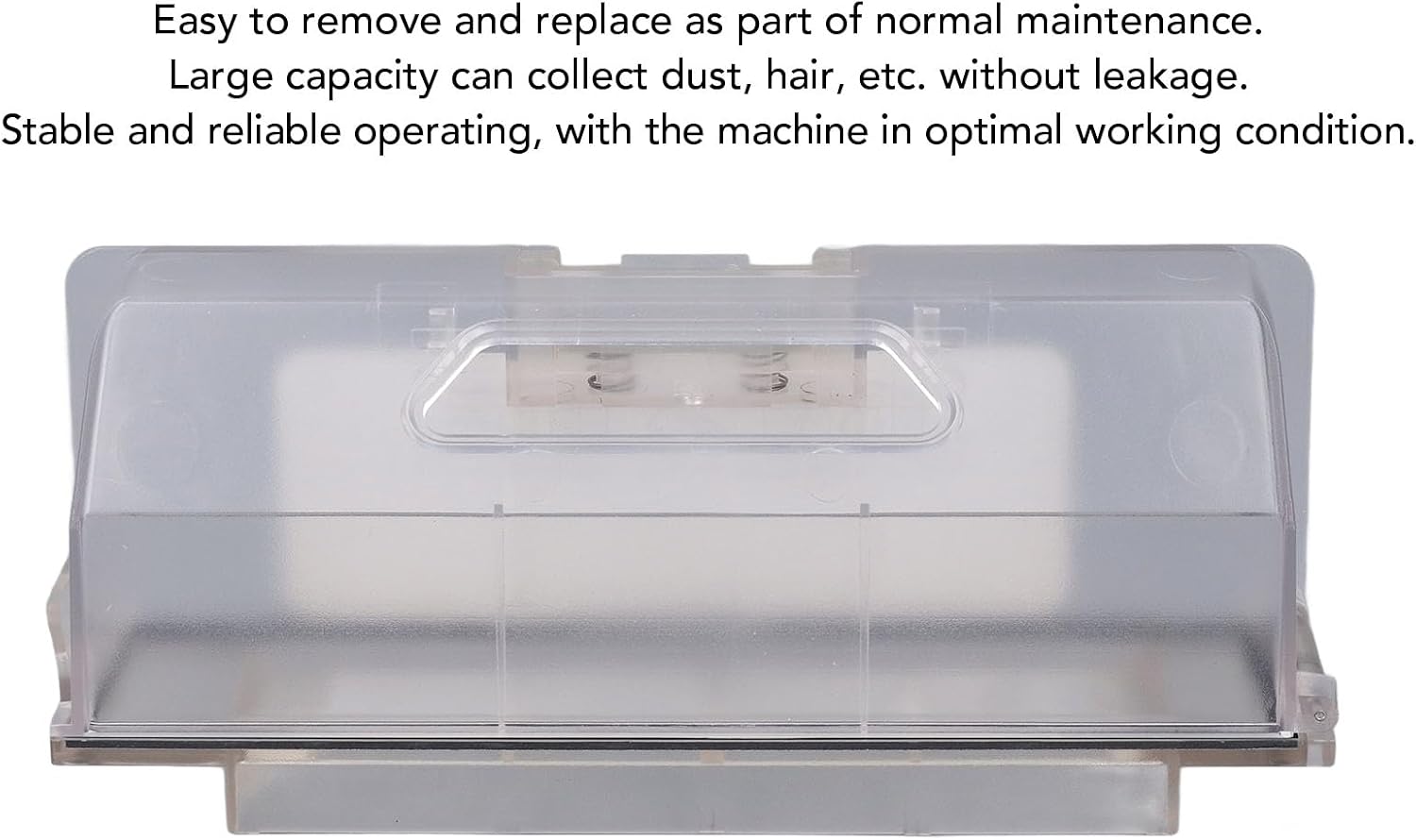
Image 1: Front view of the AYNEFY C101 Robot Vacuum Cleaner Dustbin. This image highlights its easy removal and replacement, large capacity for collecting dust and hair without leakage, and its role in maintaining stable and reliable operation for the machine.

Image 2: Angled view of the AYNEFY C101 Robot Vacuum Cleaner Dustbin, showing its transparent casing and overall design.
Installation
Follow these steps to properly install the replacement dustbin into your C101 Robot Vacuum Cleaner:
- Ensure the robot vacuum cleaner is powered off and disconnected from its charging base.
- Locate the dustbin compartment on your C101 robot vacuum. Refer to your robot vacuum's original manual if needed.
- Carefully remove the old dustbin by pressing any release buttons or latches.
- Align the new AYNEFY dustbin with the compartment opening.
- Gently push the dustbin into place until it clicks securely. Ensure it is fully seated to prevent dust leakage and ensure proper suction.

Image 3: Illustration showing the process of inserting the dustbin into the robot vacuum cleaner's designated compartment.
Operation
Once the dustbin is correctly installed, the C101 Robot Vacuum Cleaner can be operated as usual. The dustbin will collect dirt, dust, and debris during the cleaning cycles. For optimal performance, ensure the dustbin is not overfilled before each cleaning session.
Maintenance
Regular maintenance of the dustbin is crucial for maintaining the suction power and efficiency of your C101 Robot Vacuum Cleaner. Clean the dustbin after each use or when it appears full.
- Remove the Dustbin: Power off the robot vacuum. Press the release button to detach the dustbin from the robot.
- Empty the Dustbin: Open the dustbin lid and carefully empty its contents into a waste bin.
- Clean the Filter: If your dustbin includes a filter, remove it and gently tap it to dislodge dust. If washable, rinse it under running water and allow it to air dry completely before reinserting.
- Rinse the Dustbin: Rinse the dustbin under running water to remove any remaining debris. Ensure all parts are thoroughly cleaned.
- Dry Completely: Allow the dustbin and filter to air dry completely before reassembling and reinstalling them into the robot vacuum. Do not expose to direct sunlight or use heat to dry.

Image 4: Visual guide illustrating the steps for removing, emptying, and cleaning the dustbin and its filter components.
Troubleshooting
If you encounter issues with your AYNEFY C101 Robot Vacuum Cleaner Dustbin, consider the following:
- Dustbin Not Fitting: Ensure the dustbin is correctly aligned with the compartment and that no debris is obstructing its insertion. Verify it is the correct model for the C101 robot vacuum.
- Reduced Suction/Dust Collection: The dustbin may be full, or the filter might be clogged. Empty the dustbin and clean the filter as described in the Maintenance section.
- Dust Leakage: Check that the dustbin is securely latched in place and that there are no cracks or damage to the dustbin itself. Ensure the filter is properly seated.
Specifications
| Item Type | Vacuum Cleaner Dust Bin Box |
| Material | ABS (Acrylonitrile Butadiene Styrene) |
| Weight | Approx. 180g / 6.35oz |
| Application | For C101 Robot Vacuum Cleaner |
| Part Number | AYNEFYtvfgepmgx8 |

Image 5: Diagram showing the approximate dimensions of the dustbin: 200mm (7.87in) in length and 85mm (3.34in) in height.
Warranty and Support
This product is a replacement part. For specific warranty information regarding this AYNEFY dustbin, please refer to the purchase documentation or contact the retailer directly. For further assistance or inquiries, please contact AYNEFY customer support through their official channels or the platform where the product was purchased.