
Keychron Q3 HE
Keychron Q3 HE QMK Wireless Custom Mechanical Keyboard User Manual
Model: Q3 HE
Product Overview
The Keychron Q3 HE is an 80% layout wireless QMK custom mechanical keyboard, featuring Hall Effect Gateron 2.0 magnetic switches. This keyboard is designed for enhanced gaming performance and typing customization, offering dynamic rapid triggering and adjustable actuation points.
Crafted from durable 6063 aluminum, the keyboard body provides stability and a premium feel. It supports versatile connectivity options including 2.4 GHz wireless, Bluetooth 5.1, and wired USB-C.
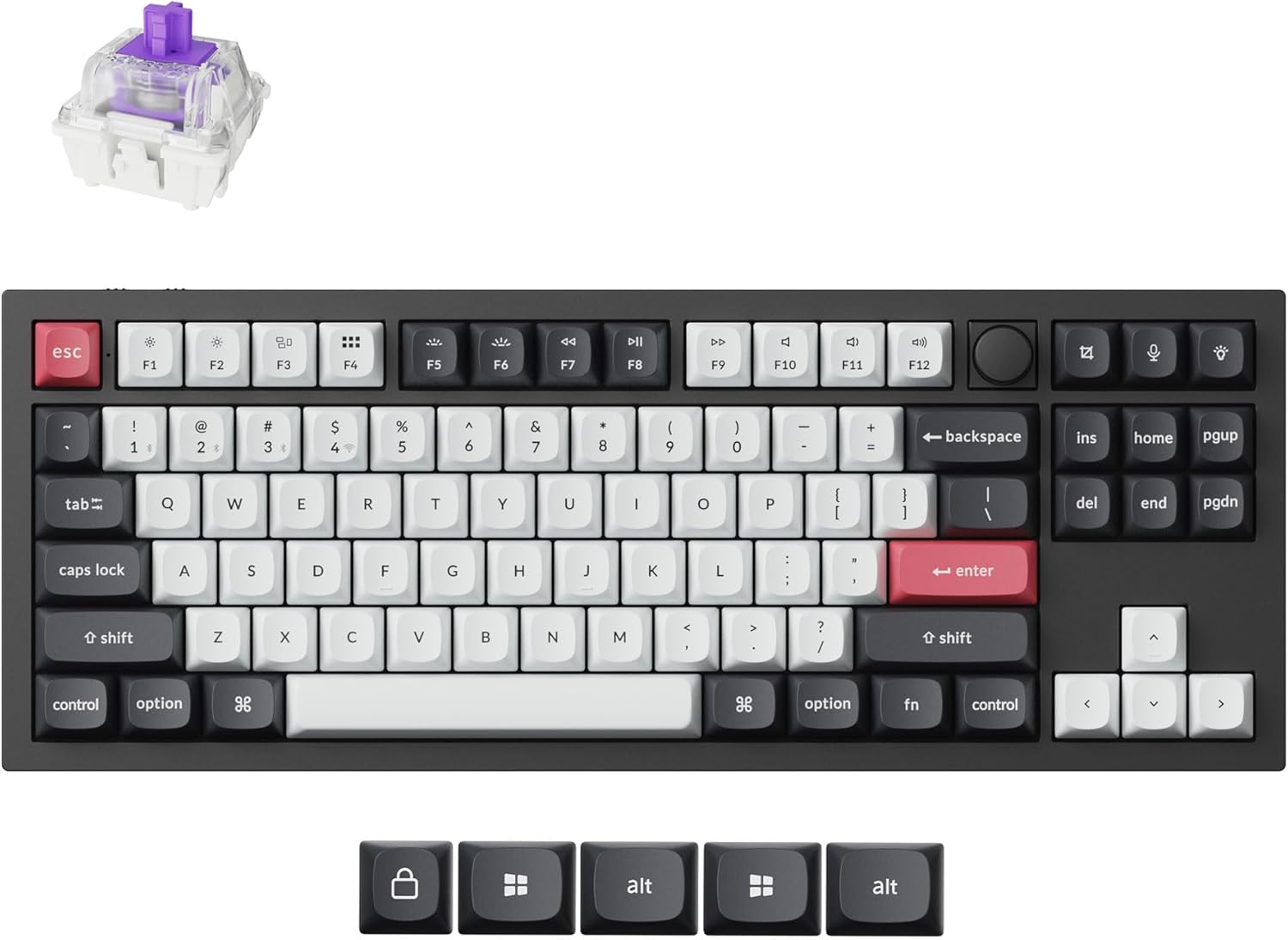
Image: The Keychron Q3 HE keyboard in Carbon Black, showcasing its 80% layout with a knob, along with a detached Gateron magnetic switch.
Setup Guide
1. Connectivity Options
- 2.4 GHz Wireless: For optimal gaming performance, connect via the included 2.4 GHz receiver. This provides a rapid 1000 Hz polling rate.
- Bluetooth 5.1: Connect up to three devices (computer, phone, tablet) simultaneously. Switch between devices seamlessly.
- Wired USB-C: Use the provided USB-C cable for a direct wired connection and to charge the keyboard.
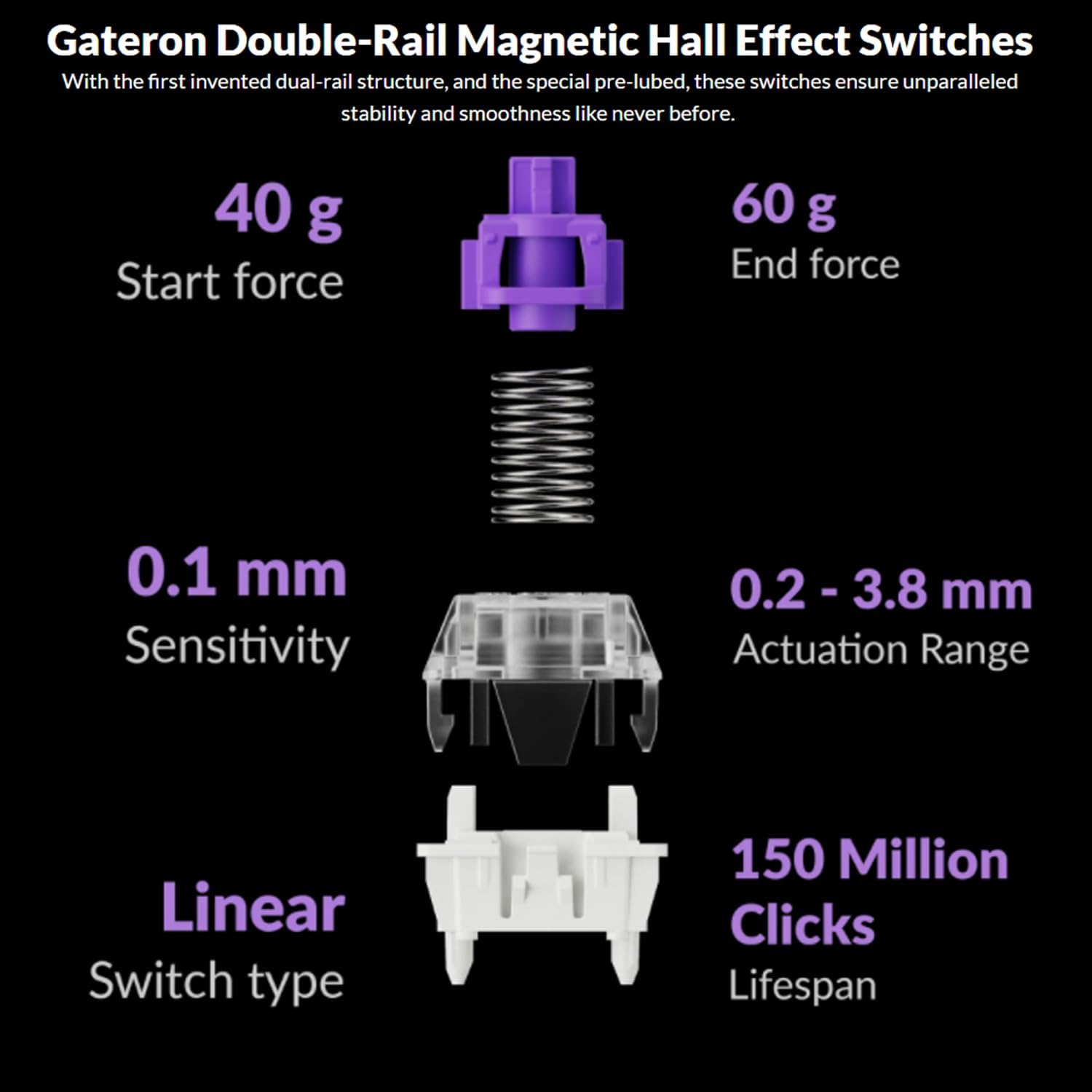
Image: The Keychron Q3 HE keyboard demonstrating its ability to connect to and switch between a laptop, tablet, and smartphone, highlighting its multi-device compatibility.
2. Operating System Switch
The keyboard supports both Mac and Windows operating systems. Locate the OS switch on the back or side of the keyboard and set it to your desired operating system (Mac/Win) for proper key mapping.
3. Initial Charging
Before first use, it is recommended to fully charge the keyboard using the USB-C cable. The 4000 mAh battery provides up to 100 hours of usage at the lowest brightness setting.
Operating Instructions
1. Programmable Knob
The integrated knob can be customized for various functions such as volume control, zoom, or brush size adjustment. Its functionality can be remapped using the Keychron Launcher web application.
2. QMK/VIA Customization
The Q3 HE is fully programmable with QMK/VIA firmware. Use the Keychron Launcher web app to:
- Remap keys to your preference.
- Adjust actuation points for Gateron magnetic switches.
- Create personalized macro commands.
- Set custom shortcuts and key combinations.

Image: Screenshot of the Keychron Launcher web application, illustrating the interface for customizing keymaps, actuation points, and other settings for the Q3 HE keyboard.
3. Gateron Double-Rail Magnetic Hall Effect Switches
These switches offer precise feedback with a sensitivity of 0.1 mm. Key features include:
- Adjustable Actuation Points: Customize the actuation depth from 0.2 mm to 3.8 mm to suit your typing or gaming style.
- Dynamic Rapid Triggering: Allows for faster key presses and releases, ideal for competitive gaming.
- Dual-Rail Structure: Ensures enhanced stability and smoothness for each keystroke.
- Pre-lubed: Switches come pre-lubed from the factory for optimal performance.

Image: An exploded diagram detailing the components and specifications of the Gateron Double-Rail Magnetic Hall Effect Switches, including sensitivity, actuation range, and lifespan.
Maintenance
1. Cleaning Your Keyboard
To clean the keyboard, disconnect it from power. Use a soft, lint-free cloth slightly dampened with water or a mild cleaning solution. For keycaps, you can remove them and clean them separately. Use compressed air to remove dust and debris from between the keys.
2. Hot-Swappable Switches
The Q3 HE features hot-swappable magnetic switches, allowing for easy replacement or customization without soldering. Use the provided switch puller tool to carefully remove switches. Align new switches correctly before pressing them into place.
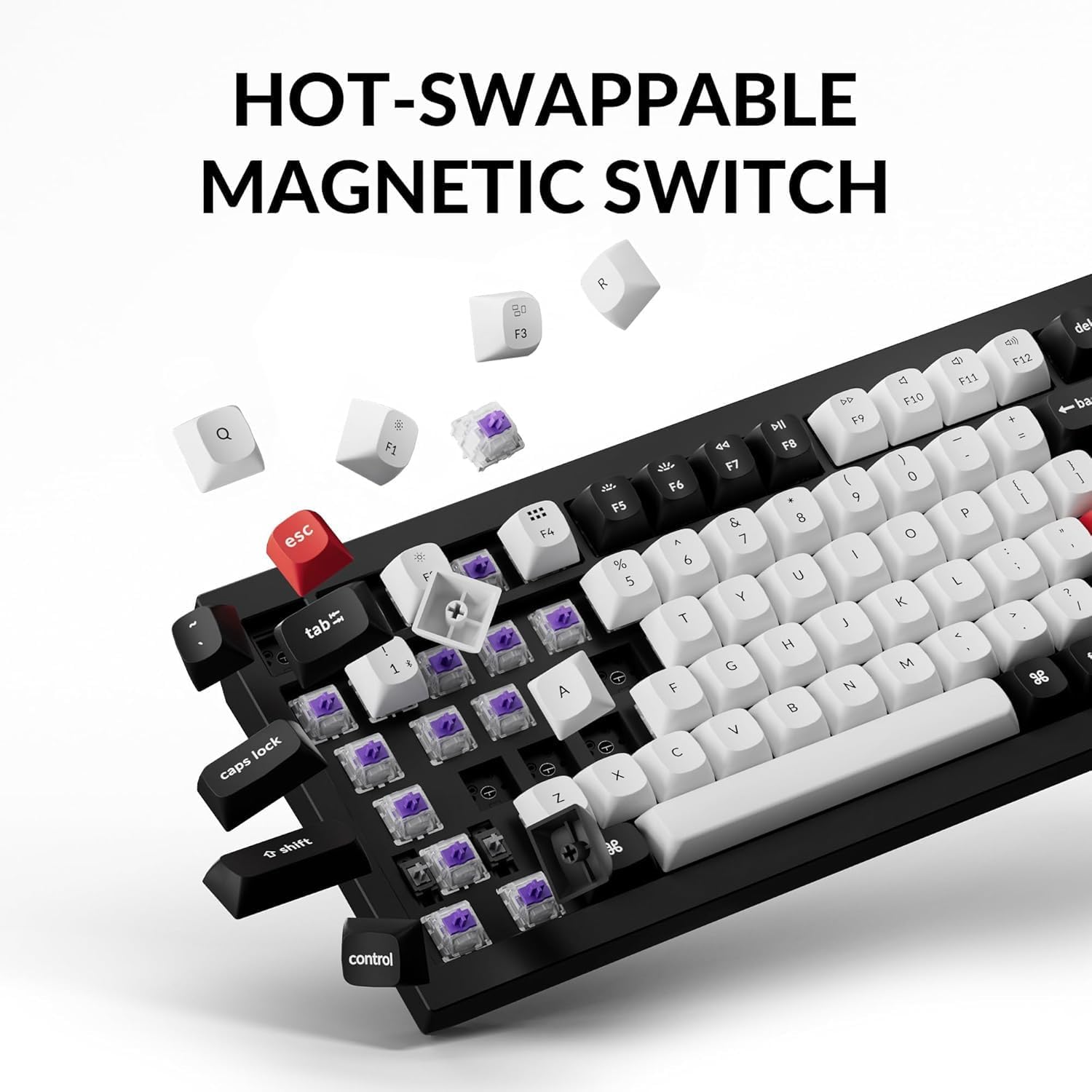
Image: A close-up view of the Keychron Q3 HE keyboard with several keycaps and magnetic switches removed, illustrating the hot-swappable feature for easy customization or replacement.
Troubleshooting
- Keyboard not responding: Ensure the keyboard is charged. Check the connectivity mode (2.4 GHz, Bluetooth, Wired) and ensure it matches your device's connection. Try reconnecting the USB cable or re-pairing Bluetooth.
- Keys not registering: Verify that the magnetic switches are properly seated. If a specific key is not working, try swapping its switch with a known working one to diagnose if the issue is with the switch or the PCB.
- Bluetooth connectivity issues: Ensure the keyboard is in Bluetooth mode and discoverable. Remove previous pairings from your device and try pairing again. Ensure no other strong wireless signals are interfering.
- RGB backlight not working: Check the keyboard's lighting settings via the Keychron Launcher software. Ensure the battery level is sufficient.
- Firmware Update: If experiencing persistent issues, check the Keychron website for the latest firmware updates for the Q3 HE model and follow the provided instructions carefully.
Specifications
| Feature | Detail |
|---|---|
| Brand | Keychron |
| Model | Q3 HE |
| Keyboard Description | Mechanical |
| Connectivity Technology | 2.4 GHz Wireless, Bluetooth 5.1, Wired (USB-C) |
| Switches | Gateron Double-Rail Magnetic Hall Effect Switches |
| Actuation Range | 0.2 - 3.8 mm (Adjustable) |
| Sensitivity | 0.1 mm |
| Polling Rate (2.4 GHz) | 1000 Hz |
| Layout | 80% (TKL) with Knob |
| Number of Keys | 87 |
| Special Feature | Hot-Swappable, Programmable Knob, RGB Backlit |
| Compatible Devices | PC (Mac, Windows) |
| Battery | 4000 mAh Lithium Ion (Included) |
| Battery Life | Up to 100 hours (lowest brightness) |
| Material | 6063 Aluminum Body |
| Item Weight | 5.46 pounds |
| Package Dimensions | 16.06 x 8.03 x 2.8 inches |
| ASIN | B0DHVMRQK8 |
| Country of Origin | China |
| Date First Available | September 24, 2024 |
Warranty and Support
Warranty Information
For specific warranty details, please refer to the warranty card included with your product or visit the official Keychron website. Protection plans may also be available for purchase separately.
Customer Support
For technical assistance, troubleshooting, or general inquiries, please visit the Keychron support page or contact their customer service directly. Keep your product's model number (Q3 HE) and ASIN (B0DHVMRQK8) ready when contacting support.
You can find more information and support resources on the official Keychron website: www.keychron.com
Related documentsQ3 HE


Ask a question about this manual
Ask about setup, troubleshooting, compatibility, parts, safety, or missing instructions. Manuals+ will review the question and use this page’s manual context to help answer it.