
1. Important Safety Instructions
Before operating the WELLFIT Home Treadmill, please read all instructions carefully. Keep this manual for future reference. Failure to follow these instructions may result in injury or damage to the product.
- Always place the treadmill on a flat, stable surface.
- Ensure adequate clearance around the treadmill (at least 2 feet on sides and rear).
- Keep children and pets away from the treadmill during operation.
- Use the safety key at all times. Attach the clip to your clothing before starting your workout.
- Consult a physician before starting any new exercise program.
- Do not operate the treadmill if it has a damaged cord or plug, or if it is not working properly.
- Maximum user weight capacity is 450 lbs.
2. Setup and Assembly
The WELLFIT Home Treadmill Model T24-1 requires some assembly. Please follow the steps below carefully. It is recommended to have two people for assembly.
2.1 Unpacking
- Carefully remove all components from the packaging.
- Verify all included components are present: Power Cord, Tool Kit, User Manual, Safety Key, Lubricant.
- Place all parts on a clear, flat surface.
2.2 Assembly Steps
Refer to the assembly guide video for detailed visual instructions.
Video: WELLFIT TM024 Heavyduty Treadmill Assembly Guide. This video provides step-by-step instructions for assembling your WELLFIT Home Treadmill Model T24-1.
General Assembly Notes:
- Attach the uprights to the base frame using the provided hardware.
- Secure the console to the top of the uprights.
- Connect any necessary cables as indicated in the video.
- Ensure all screws and bolts are tightened securely before use.
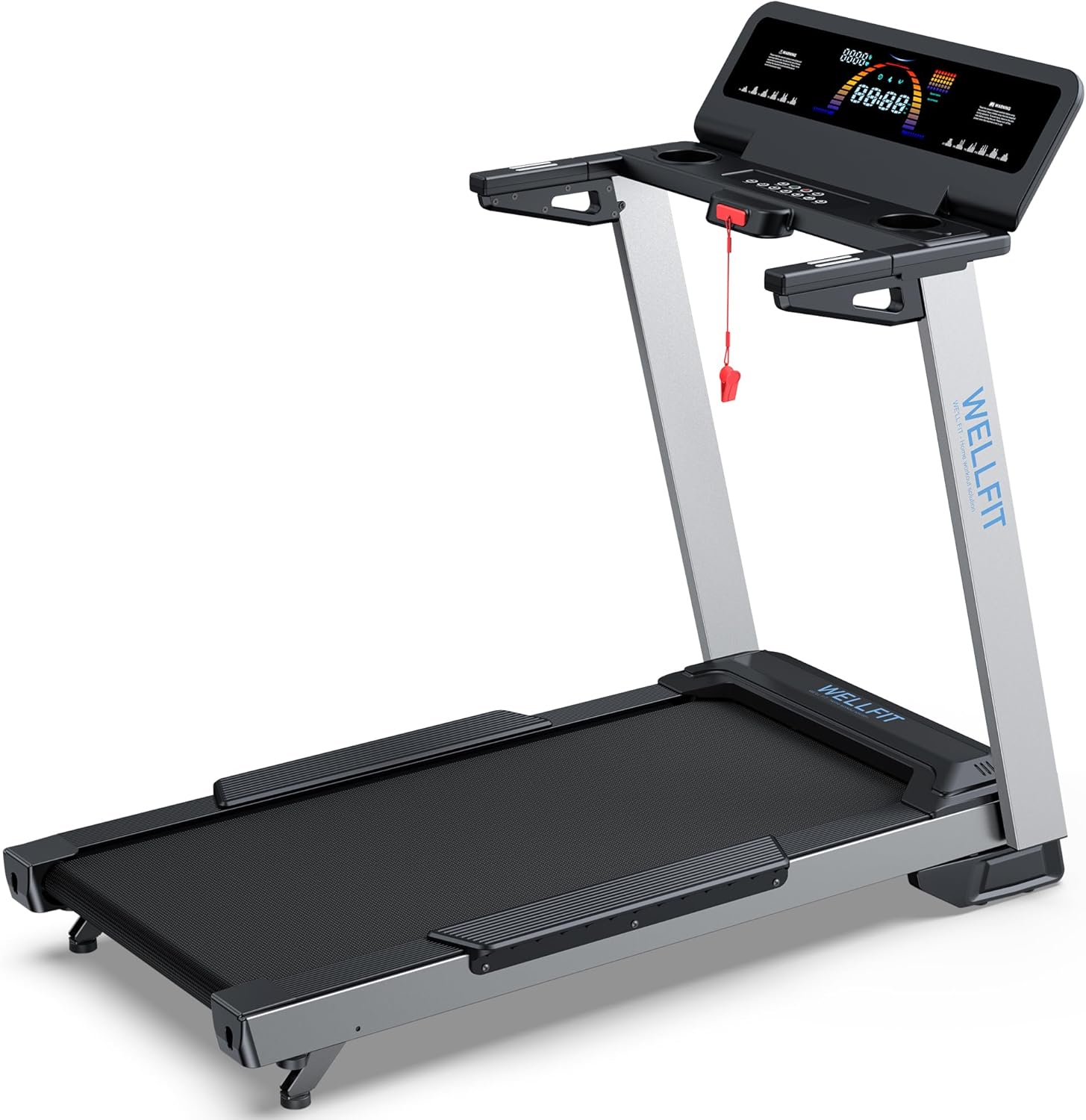
Image: Overview of the WELLFIT Home Treadmill Model T24-1, showing its general structure and components.
3. Operating Instructions
This section details how to operate your WELLFIT Home Treadmill for an effective workout.
3.1 Console Overview
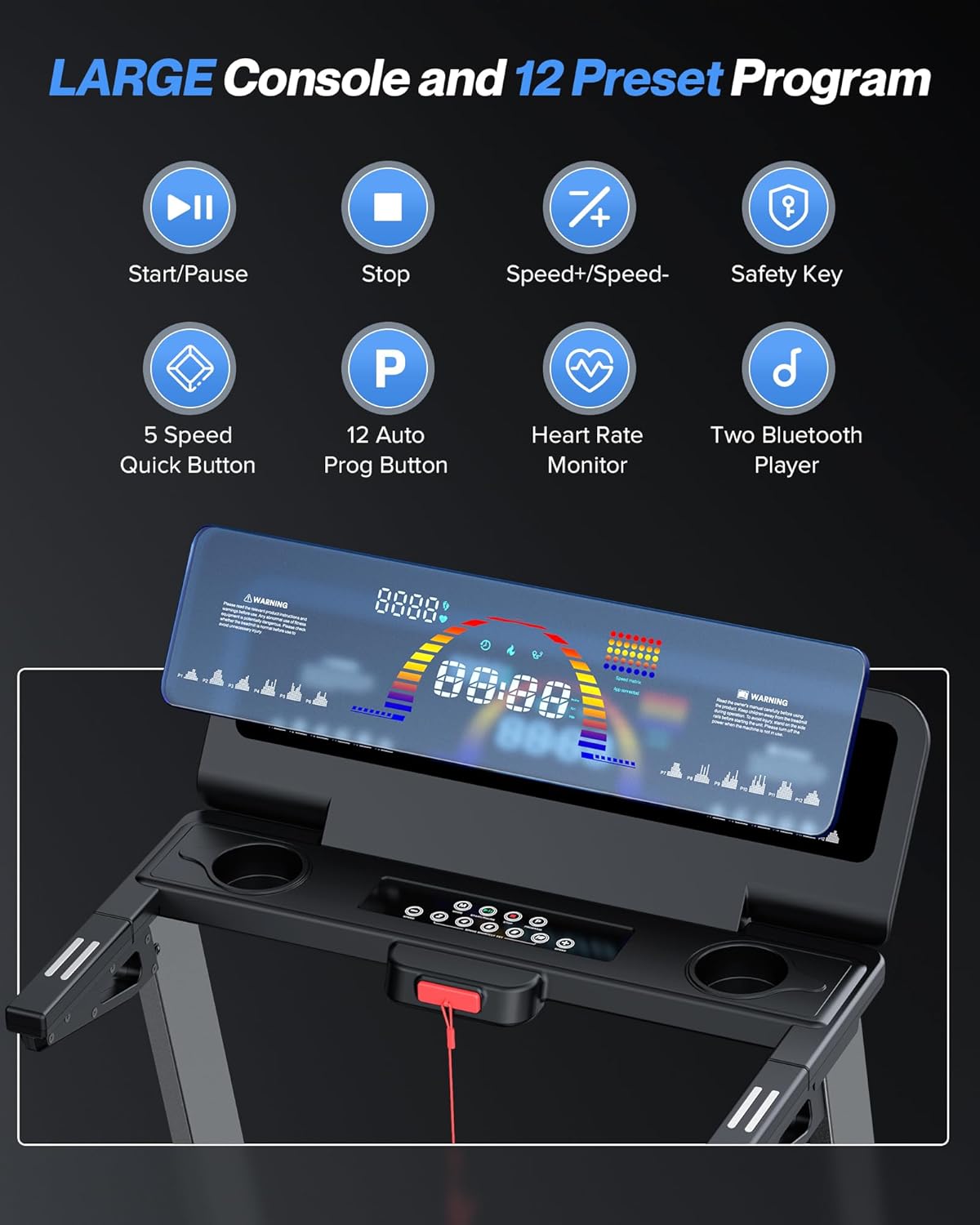
Image: Close-up of the treadmill console, highlighting the display and control buttons.
The console features an LED display and 11 function keys for controlling your workout. The display shows speed, time, distance, calories, heart rate, and steps.
- Start/Pause Button: Initiates or temporarily stops the running belt.
- Stop Button: Halts the running belt and ends the workout.
- Speed +/- Buttons: Adjusts the running belt speed from 1.0 to 10 MPH.
- Quick Speed Buttons: Pre-set buttons for instant speed changes (e.g., 4, 6, 8, 10 MPH).
- Program (P) Button: Selects from 12 pre-set workout programs.
- Safety Key Slot: Insert the safety key here to enable treadmill operation.
3.2 Starting a Workout
- Ensure the treadmill is plugged into a grounded outlet.
- Attach the safety key clip to your clothing and insert the safety key into its slot on the console.
- Step onto the side rails of the treadmill.
- Press the Start button. The belt will begin moving at a low speed.
- Carefully step onto the running belt and adjust the speed using the Speed +/- buttons or quick speed buttons.
3.3 Adjusting Incline
The treadmill features a manual incline system, allowing adjustment from 0% to 5% incline.

Image: Illustration of the manual incline adjustment mechanism at the rear of the treadmill.
- To adjust the incline, stop the treadmill and carefully lift the rear of the unit.
- Adjust the rear foot pads to the desired incline level (0% or 5%).
- Ensure the treadmill is stable before resuming your workout.
3.4 Heart Rate Monitoring
The treadmill is equipped with handrail pulse sensors to monitor your heart rate.
Video: WELLFIT Heavyduty Treadmill Product Introduction. This video demonstrates various features, including the heart rate monitor.
- Grip both handrail pulse sensors firmly during your workout.
- Your heart rate will be displayed on the LED console.
3.5 Bluetooth Connectivity & APP
Connect your device via Bluetooth to the treadmill for music playback and smart APP control.
- Bluetooth Audio: Pair your smartphone or tablet with the treadmill's Bluetooth to play music through the dual high-quality speakers.
- Smart APP Control: Download the WELLFIT smart APP (or compatible apps like Zwift, Kinomap) to control the treadmill, track progress, and access additional training programs.
- The console's display angle can be adjusted for better viewing of your device.
4. Maintenance
Regular maintenance ensures the longevity and optimal performance of your treadmill.
4.1 Cleaning
- Wipe down the console and other surfaces with a damp cloth after each use.
- Avoid using abrasive cleaners or solvents that may damage the finish.
4.2 Lubrication
The running belt requires periodic lubrication to reduce friction and extend its lifespan. Lubricant is included with your treadmill.
- Turn off and unplug the treadmill.
- Loosen the running belt tension bolts slightly to lift the belt.
- Apply a small amount of the provided lubricant evenly under the center of the running belt.
- Tighten the running belt tension bolts.
- Run the treadmill at a low speed for a few minutes to distribute the lubricant.
- Refer to the user manual for specific lubrication frequency recommendations.
4.3 Belt Adjustment
If the running belt slips or drifts to one side, it may need adjustment. Consult the full user manual for detailed instructions on belt tensioning and centering.
5. Troubleshooting
This section addresses common issues you might encounter with your treadmill.
| Problem | Possible Cause | Solution |
|---|---|---|
| Treadmill does not power on. | Power cord not connected; Safety key not inserted; Circuit breaker tripped. | Ensure power cord is securely plugged in. Insert the safety key. Check household circuit breaker. |
| Running belt slips. | Belt tension too loose; Belt needs lubrication. | Adjust belt tension (refer to manual). Lubricate the running belt. |
| Unusual noise during operation. | Loose components; Belt misalignment; Motor issue. | Check all assembly bolts for tightness. Adjust belt alignment. If noise persists, contact customer support. |
| Heart rate monitor not reading. | Hands not firmly on sensors; Dry hands. | Ensure firm contact with both sensors. Moisten hands slightly if dry. |
If you encounter an issue not listed here or if solutions do not resolve the problem, please contact WELLFIT customer support.
6. Product Specifications
| Feature | Detail |
|---|---|
| Brand | WELLFIT |
| Model Name | T24-1 |
| Motor Horsepower | 4.0 HP (Peak) |
| Speed Range | 1.0 - 10 MPH |
| Maximum Weight Capacity | 450 Pounds |
| Running Area | 45"L x 20"W |
| Incline Levels | 2 (0% and 5% manual) |
| Product Dimensions | 52.28"D x 27.68"W x 42.76"H |
| Folded Size | 45"L x 20"W x 12"H |
| Item Weight | 94.2 Pounds |
| Material | Alloy Steel |
| Display Type | LED |
| Connectivity | Bluetooth |
| Programs | 12 Preset Programs |
| Special Features | Heart Rate Monitor, Music Player, Water Bottle Holder, Wheeled, Smart APP Compatibility, Shock Absorbent |

Image: Diagram showing the dimensions of the WELLFIT Home Treadmill Model T24-1.

Image: Close-up of the treadmill running belt, indicating its length and width, and the safety foot rail width.
7. Warranty Information
The WELLFIT Home Treadmill Model T24-1 comes with the following warranty:
- Frame Warranty: 2 Years
- Motor Warranty: 1 Year
Please retain your proof of purchase for warranty claims. The warranty covers manufacturing defects under normal use conditions. For full warranty terms and conditions, refer to the official WELLFIT website or contact customer support.
8. Customer Support
For any questions, assistance, or technical support regarding your WELLFIT Home Treadmill, please contact us:
- Email: support@uswellfit.com
- Online Service: 24-Hour Online Service available.
Please have your model number (T24-1) and purchase information ready when contacting support.


