
1. Introduction
This manual provides instructions for the proper installation, operation, and maintenance of your Gaciron R03 Wired Remote Control. This accessory is designed to enhance the usability of compatible Gaciron front bike lights by providing convenient control over light functions.
2. Safety Information
- Ensure the remote control cable is securely routed and does not interfere with bicycle steering, braking, or other moving parts.
- Do not attempt to disassemble or modify the remote control. This may void the warranty and cause malfunction.
- The remote control is IPX6 waterproof, meaning it is protected against high-pressure water jets. Avoid submerging it in water.
- Keep out of reach of children.
3. Package Contents
Verify that all items are present in the package:
- 1 x Gaciron R03 Wired Remote Control (Cable Control)
Note: This product is an accessory and requires a compatible Gaciron front bike light for operation.
4. Product Overview
The Gaciron R03 Wired Remote Control features a compact design with a single control button and a USB-C connector for compatibility with Gaciron bike lights.
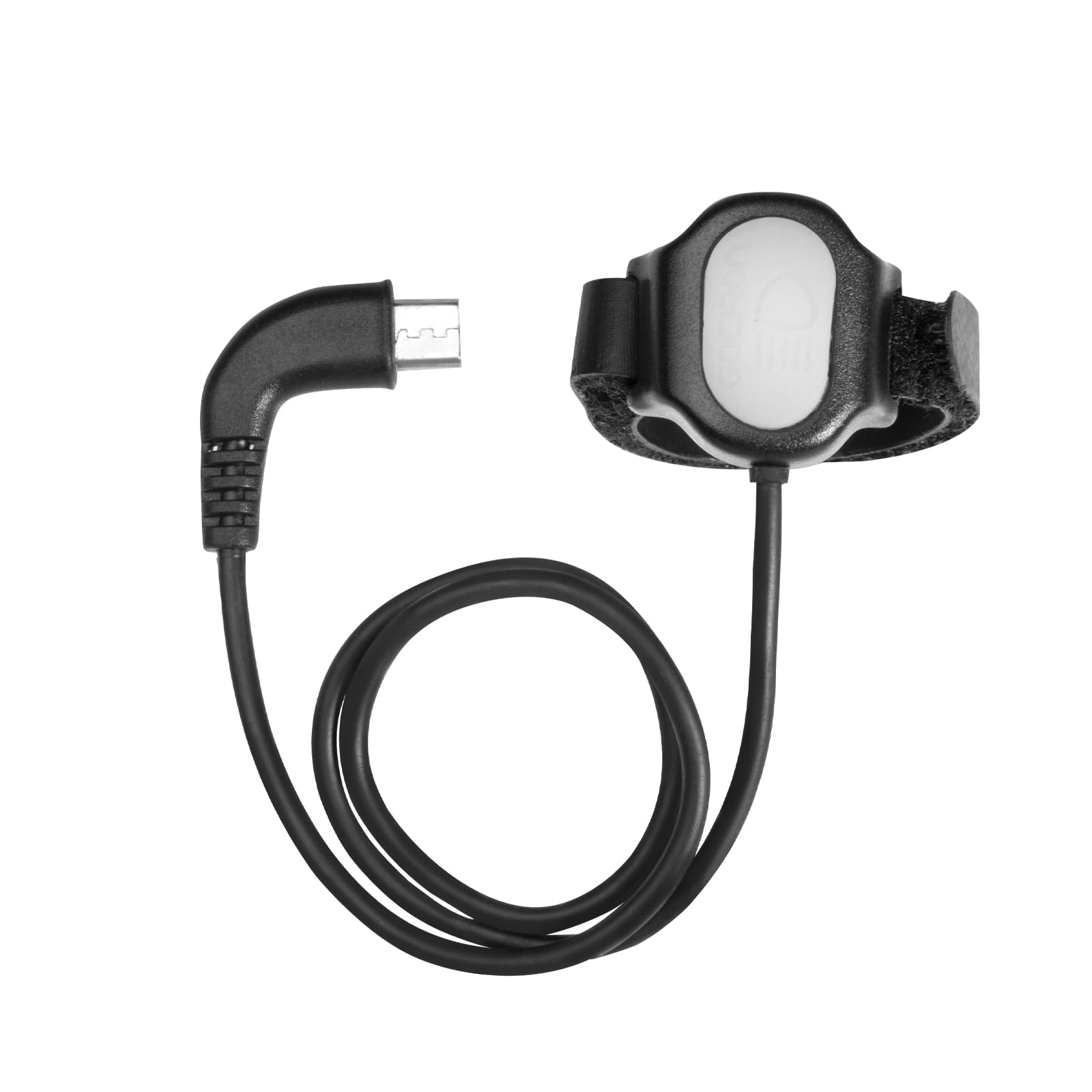
Figure 1: Gaciron R03 Wired Remote Control. This image shows the remote control unit, highlighting its single button and the USB-C connector at the end of the cable.
5. Setup and Installation
Follow these steps to install the Gaciron R03 Wired Remote Control:
- Mounting the Remote: Secure the remote control unit to your bicycle handlebar using the integrated strap or clamp. Position it within easy reach of your thumb or finger without obstructing your grip on the handlebar.
- Connecting to Bike Light: Locate the USB-C port on your compatible Gaciron front bike light. Insert the USB-C connector of the R03 remote control cable firmly into this port.
- Cable Management: Route the cable neatly along your handlebar and frame, securing it with cable ties if necessary, to prevent it from snagging or interfering with bike operation. Ensure there is enough slack for handlebar movement.

Figure 2: Example of Gaciron R03 remote control installation. This image illustrates the remote control mounted on a bicycle handlebar and its cable connected to a Gaciron front bike light.
6. Operating Instructions
Once connected, the Gaciron R03 remote control allows you to operate your Gaciron front bike light conveniently. The specific functions controlled by the button may vary depending on the connected Gaciron bike light model.
- Single Press: Typically cycles through different brightness modes (e.g., Low, Medium, High, Flash).
- Double Press: May activate a special mode such as a warning flash or switch between main modes.
- Long Press: Usually turns the bike light ON or OFF.
Refer to the instruction manual of your specific Gaciron front bike light for detailed information on how it interacts with the R03 remote control.
7. Maintenance
- Cleaning: Wipe the remote control with a soft, damp cloth. Do not use harsh chemicals or abrasive cleaners.
- Storage: When not in use for extended periods, store the remote control in a cool, dry place away from direct sunlight.
- Cable Inspection: Periodically check the cable for any signs of wear, cuts, or damage. If damage is found, discontinue use and replace the unit.
8. Troubleshooting
- Remote not responding:
- Ensure the USB-C connector is fully inserted into the bike light's port.
- Verify that your Gaciron bike light is powered on and compatible with the R03 remote control.
- Check the cable for any visible damage.
- Intermittent control:
- Ensure the connection is secure and free from dirt or debris.
- Avoid excessive bending or pulling of the cable.
9. Specifications
| Model | R03 |
| Compatibility | Gaciron Front Bike Lights with USB-C remote control port |
| Connector Type | USB-C |
| Waterproof Rating | IPX6 |
| Material | Plastic |
| Weight | Approximately 10 Grams |
10. Warranty and Support
Gaciron products are manufactured to high-quality standards. For warranty information, technical support, or service inquiries, please refer to the official Gaciron website or contact your authorized dealer. Please retain your proof of purchase for warranty claims.
