Introduction
Welcome to the EMotorad T-Rex Pro MTB E-Bike user manual. This guide provides essential information for the safe assembly, operation, maintenance, and troubleshooting of your new electric bicycle. Please read this manual thoroughly before your first ride to ensure optimal performance and safety.

Image: The EMotorad T-Rex Pro MTB E-Bike in Deep Purple, showcasing its design and features.
Setup and Initial Assembly
Your EMotorad T-Rex Pro E-Bike comes partially assembled. Follow these steps for initial setup. If you require assistance, EMotorad offers virtual guided installation support.
What's in the Box:
- Electric Cycle
- Charger
- Battery
- Tool Kit
Assembly Steps:
- Unpacking: Carefully remove all components from the packaging. Inspect for any shipping damage.
- Handlebar Installation: Attach the handlebar to the stem, ensuring all bolts are securely tightened.
- Front Wheel Installation: Install the front wheel, ensuring the disc brake rotor is correctly aligned within the caliper.
- Pedal Attachment: Attach the pedals. Note that pedals are typically marked 'L' for left and 'R' for right, and thread in opposite directions.
- Seat Post Adjustment: Insert the seat post and adjust the seat height for comfortable riding posture. Ensure the quick-release lever is securely fastened.
- Battery Installation: Insert the removable battery into its designated slot on the frame. Ensure it clicks into place securely.
- Initial Charge: Before first use, fully charge the battery using the provided charger. Refer to the "Battery Charging" section for details.
- Pre-Ride Safety Check: Perform a thorough safety check, including brakes, tire pressure, and all bolted connections.

Image: Illustration of virtual guided installation support available for EMotorad E-Bikes, offering assistance with assembly and diagnosis.
Operating Your E-Bike
Battery Charging:
The 36V 13Ah removable battery requires 5-7 hours for a full charge. Connect the charger to the battery and then to a power outlet. The indicator on the charger will show charging status. Disconnect once fully charged.
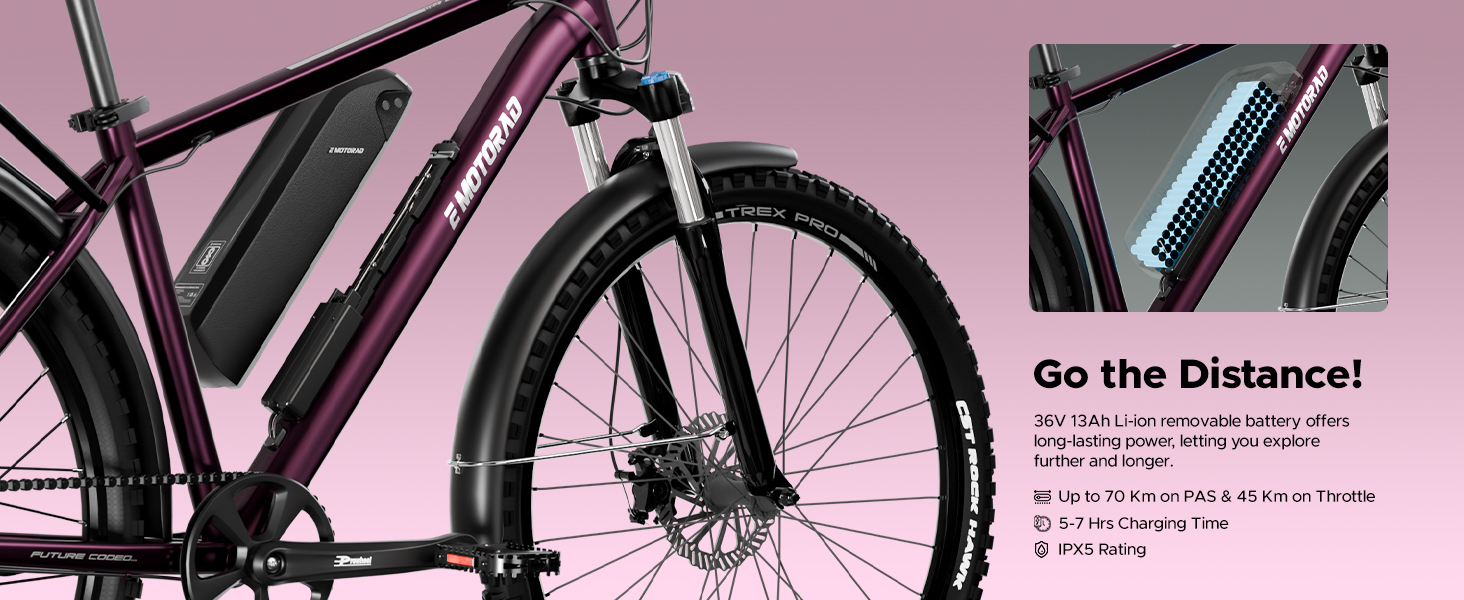
Image: The 36V 13Ah removable battery integrated into the E-Bike frame, highlighting its charging time of 5-7 hours.
Dynamic Handlebar and Integrated Display:
The T-Rex Pro features a dynamic handlebar with an integrated display. This display provides real-time information such as speed, battery levels, and trip data. Familiarize yourself with the display controls before riding.

Image: The integrated digital display on the handlebar, showing current speed, battery charge, and pedal assist level.
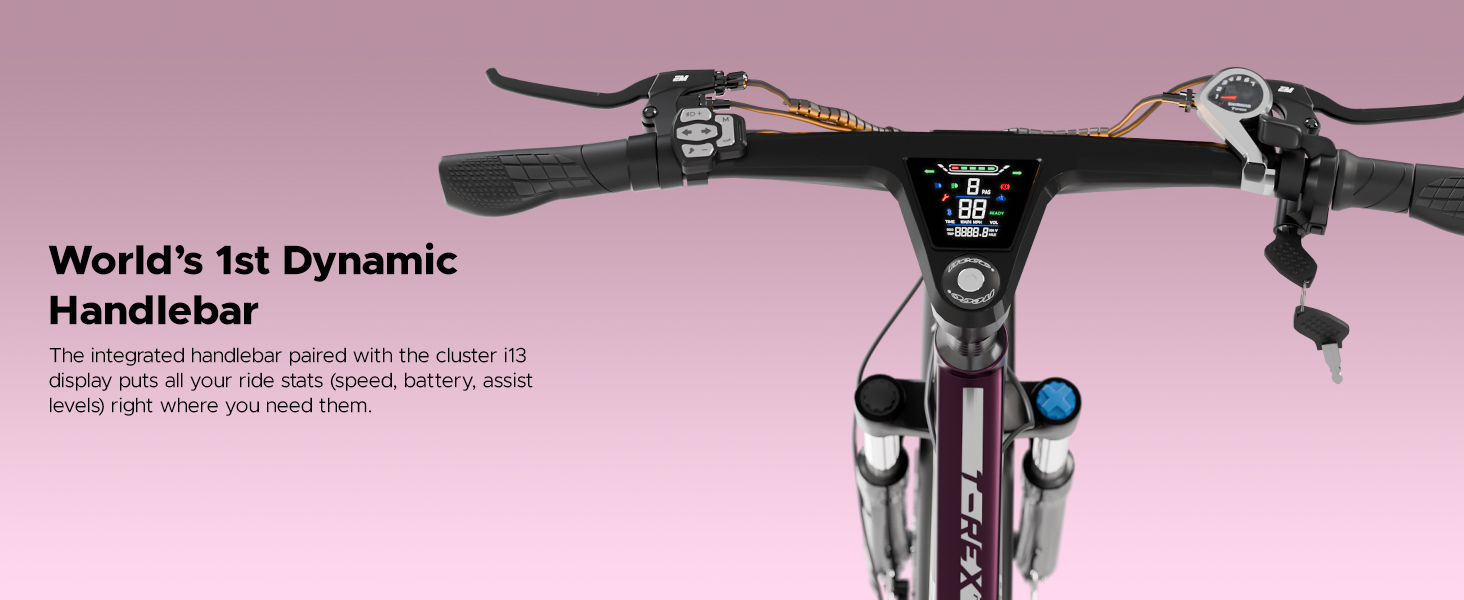
Image: The dynamic handlebar with its integrated display, providing essential ride statistics directly to the rider.
Lights and Indicators:
The E-Bike is equipped with integrated front and rear lights, including indicators. The front light offers high and low beam settings for varied visibility conditions. The rear light includes brake light and hazard mode functions for enhanced safety.

Image: Detailed view of the integrated LED front light and the multi-function LED rear light with indicators.
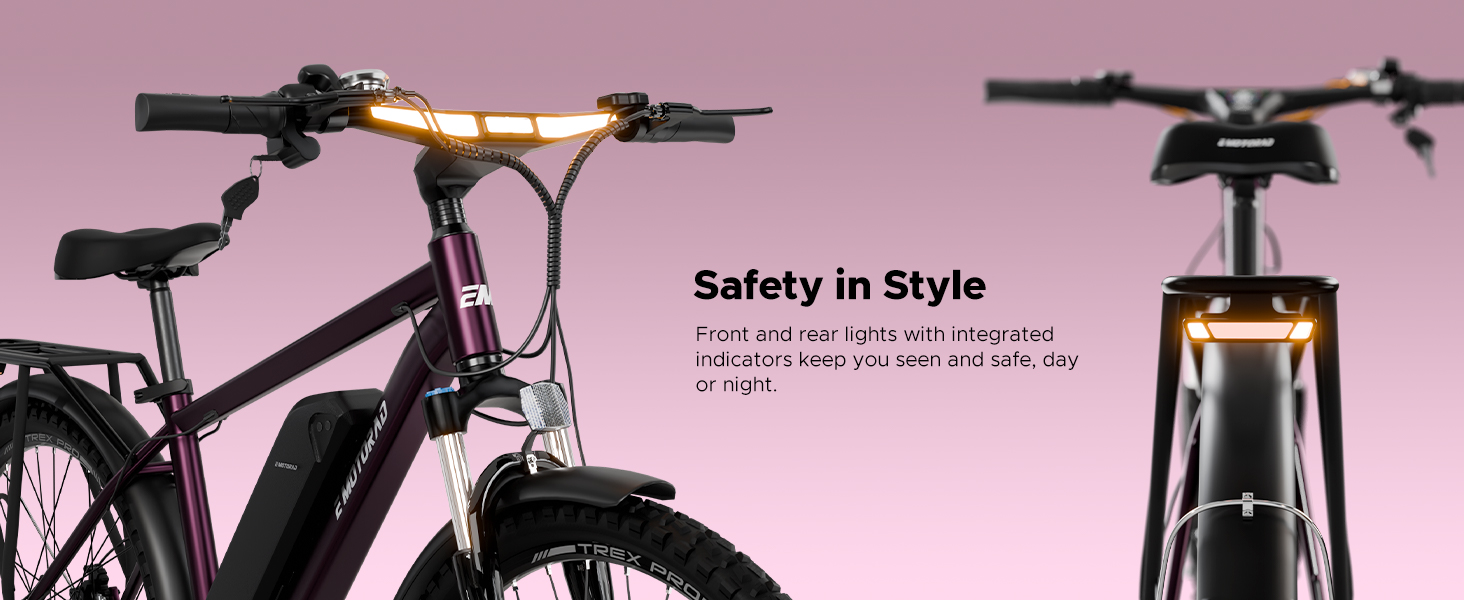
Image: The E-Bike's integrated front and rear lighting system, designed for visibility and safety day or night.
Gear Shifting and Pedal Assist:
The E-Bike features a 7-speed Shimano Altus derailleur for smooth gear changes. Utilize the twist grip shifter to select appropriate gears for varying terrain. The 5-level pedal assist system (PAS) provides electric assistance as you pedal, extending your range and reducing effort.

Image: The 7-speed Shimano Altus gear system and the 5-level pedal assist feature, indicating smooth power delivery.
Maintenance
Regular maintenance ensures the longevity and safe operation of your EMotorad T-Rex Pro E-Bike.
- Tire Pressure: Check tire pressure before each ride. Maintain recommended pressure for optimal performance and safety.
- Brakes: Regularly inspect brake pads for wear and ensure brake levers provide firm and responsive stopping power. Adjust or replace as needed.
- Chain Lubrication: Keep the chain clean and lubricated to ensure smooth gear changes and prevent wear.
- Battery Care: Store the battery in a cool, dry place. Avoid fully discharging the battery frequently. Charge regularly, even if not in use, to maintain battery health.
- General Cleaning: Clean the E-Bike with a damp cloth. Avoid high-pressure washing directly on electrical components.
- Bolt Checks: Periodically check all bolts and fasteners for tightness, especially on the handlebars, seat post, and wheels.
- Suspension: Inspect the front suspension for proper function. The lockout feature should engage and disengage smoothly.
Troubleshooting
This section addresses common issues you might encounter with your E-Bike.
| Problem | Possible Cause | Solution |
|---|---|---|
| E-Bike does not power on. | Battery not installed correctly, battery discharged, power button not pressed. | Ensure battery is fully seated. Check battery charge level and recharge if necessary. Press and hold the power button on the display. |
| Motor not providing assist. | Pedal assist level set to zero, battery low, sensor issue. | Increase pedal assist level on the display. Check battery charge. If issue persists, contact support. |
| Brakes feel weak or noisy. | Worn brake pads, misaligned caliper, air in hydraulic system (if applicable). | Inspect brake pads and replace if worn. Check caliper alignment. For hydraulic issues, professional service is recommended. |
| Gears are not shifting smoothly. | Derailleur out of adjustment, dirty or dry chain, damaged cable. | Clean and lubricate the chain. Adjust derailleur indexing. If cables are damaged, seek professional repair. |
| Display not showing correct information. | Loose connection, sensor malfunction. | Check all cable connections to the display. If the problem persists, contact customer support. |
For issues not listed here or if troubleshooting steps do not resolve the problem, please contact EMotorad customer support.
Technical Specifications
| Feature | Detail |
|---|---|
| Model Name | T-Rex Pro |
| Bike Type | Electric Mountain Bike (MTB) |
| Frame Material | Aluminium Alloy 6061 |
| Frame Size | 18" |
| Wheel Size | 29 Inches |
| Tires | Sturdy Nylon Tyres, 29" x 2.25" |
| Suspension | Front, 100mm Travel with Lockout |
| Brake Style | Disc Brakes |
| Motor | 36V 250W Rear Hub Motor |
| Battery | 36V 13Ah Removable Lithium-ion |
| Battery Energy Content | 468 Watt Hours |
| Charging Time | 5-7 Hours |
| Max Range (Pedal Assist) | Up to 70 KM |
| Max Speed | 25 KM/H |
| Gear System | 7-Speed Shimano Altus Derailleur |
| Pedal Assist Levels | 5 Levels |
| Display | Integrated Handlebar Digital Display |
| Lights | Integrated Front (High/Low Beam) & Rear (Indicators, Brake, Hazard) LED Lights |
| Item Weight | 24.34 Kilograms |
| Dimensions (LxWxH) | 169.5 x 68 x 106 Centimeters |
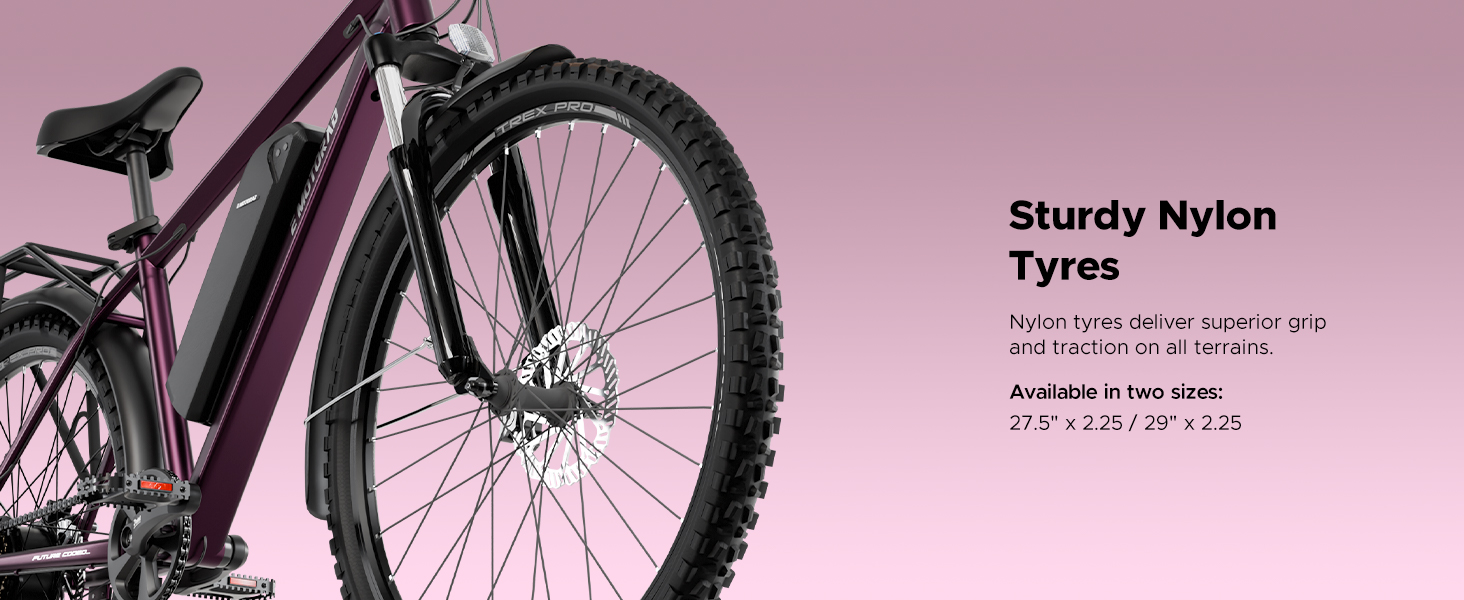
Image: The sturdy nylon tires of the T-Rex Pro, designed for superior grip and traction on various terrains.
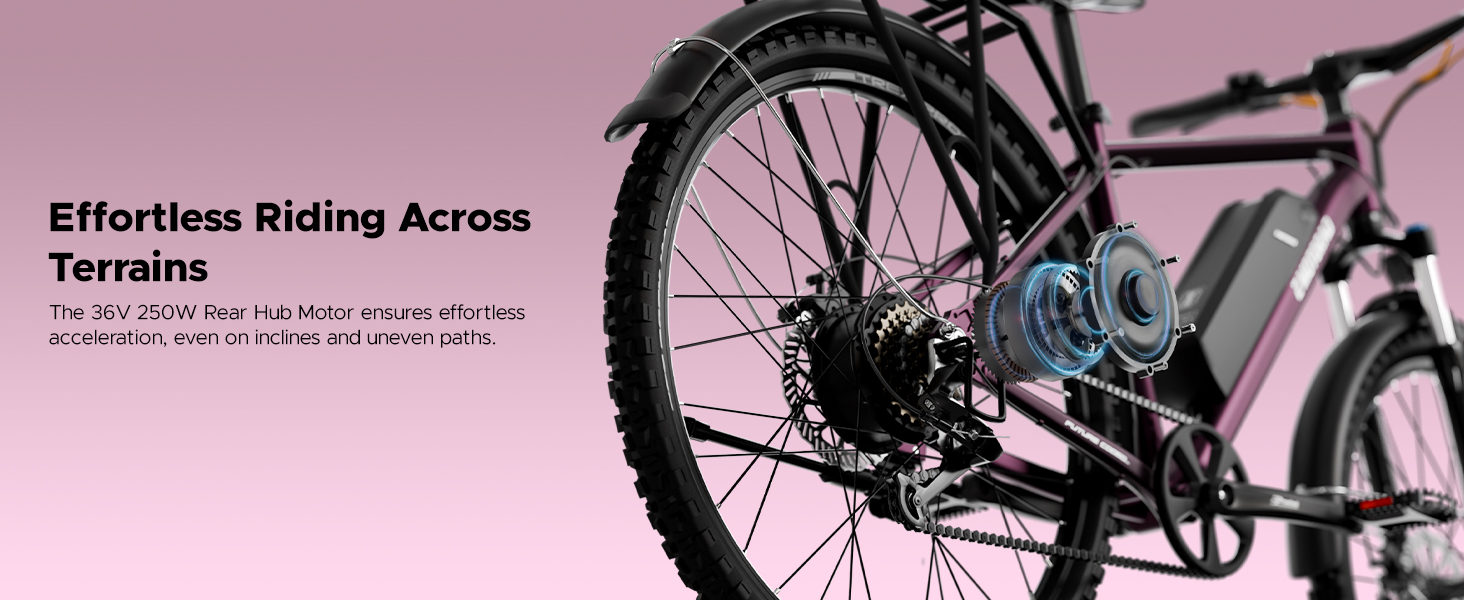
Image: The 36V 250W rear hub motor, providing effortless acceleration and assistance.
Warranty and Support
Warranty Information:
The EMotorad T-Rex Pro E-Bike comes with a 1+1 Year Warranty on the Battery and a 1+1 Year Warranty on the Motor. This provides a total of 2 years of warranty coverage for these key components from the date of purchase. Please retain your proof of purchase for warranty claims.
Customer Support:
For any queries, technical assistance, or warranty claims, please contact EMotorad customer support. They offer:
- Guided Assembly
- Virtual Diagnosis
- Expert Assistance
- 72-Hour Resolution for support requests
Contact Details:
- Phone: +91 8686050590
- Email: contactus@emotorad.com


