1. Introduction
Thank you for choosing the Vieta Pro Silence 4 Hybrid Noise Cancelling Bluetooth Headphones. These headphones are designed to provide a superior audio experience with advanced features such as hybrid active noise cancellation, Bluetooth 5.4 connectivity, and a long-lasting battery. This manual will guide you through the setup, operation, and maintenance of your new headphones.
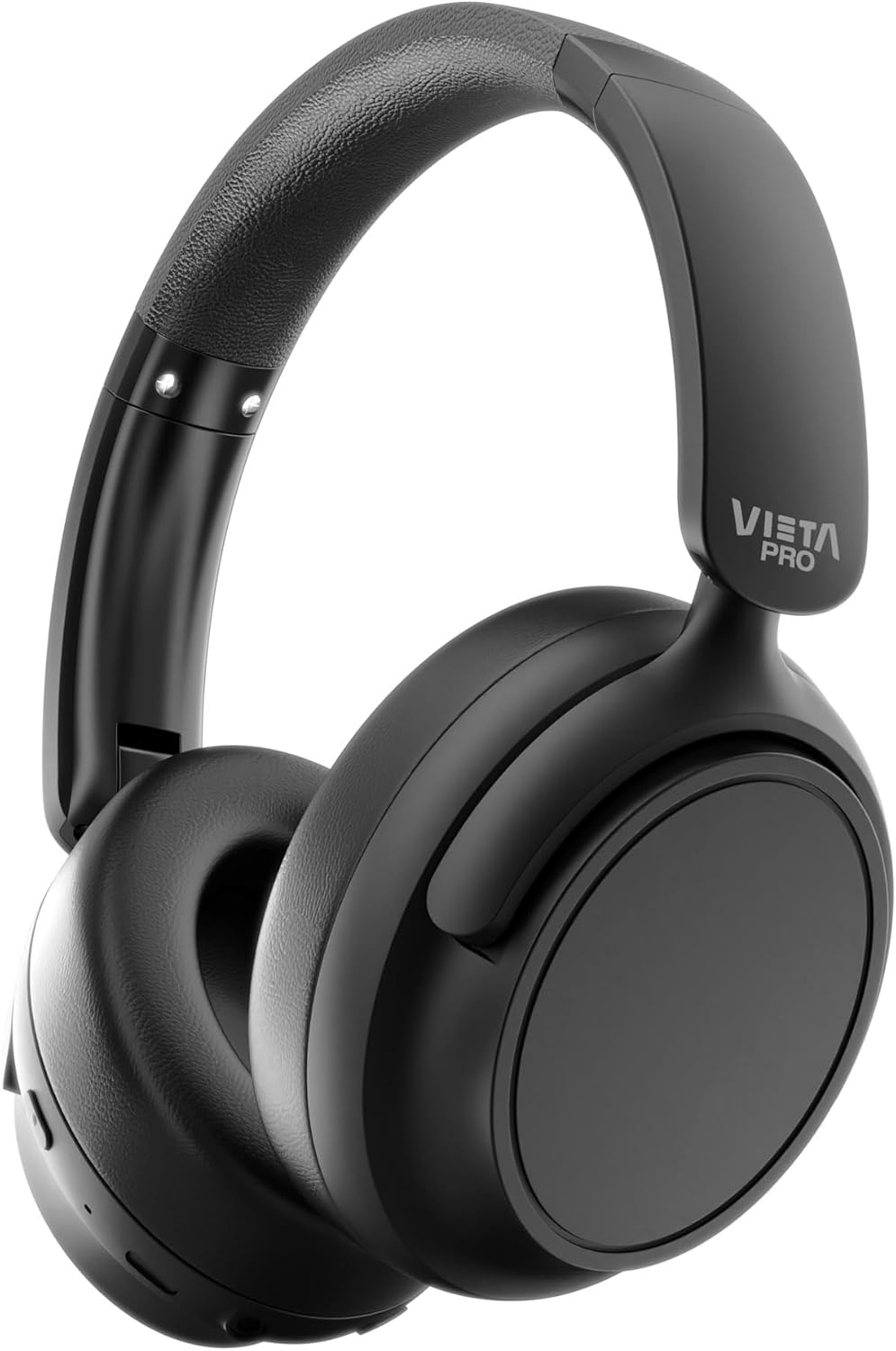
Image: Front view of the Vieta Pro Silence 4 headphones in black, showcasing the over-ear design and adjustable headband.
2. Package Contents
Please check the package for the following items:
- Vieta Pro Silence 4 Headphones
- USB-C Charging Cable
- AUX-IN Audio Cable
- User Manual (this document)
3. Product Overview
Familiarize yourself with the key features and components of your headphones.

Image: Diagram highlighting key features: Bluetooth 5.4, 50h battery, low latency mode, USB-C charging, dual connection, foldable design, microphone, and hybrid ANC -35dB.
3.1 Key Features
- Hybrid Active Noise Cancellation (ANC): Reduces external noise for immersive listening.
- Bluetooth 5.4: Provides stable and fast wireless connectivity.
- 50-Hour Battery Life: Extended playback on a single charge.
- Low Latency Mode: Optimized for gaming and video synchronization.
- Dual Pairing: Connect to two devices simultaneously.
- Foldable and Adjustable Design: For portability and comfortable fit.
- Built-in Microphone: For hands-free calls.
- USB-C Charging: Fast and convenient charging.
- AUX-IN Port: For wired connection.
- Vieta Pro Audio App Compatibility: For additional controls and equalizer settings.
3.2 Headphone Components
(Detailed component diagram not available. Please refer to the product images for general layout.)
- Earcups: Over-ear design with ultra-comfortable cushions.
- Headband: Adjustable for a secure and comfortable fit.
- Control Buttons: (Specific button functions are not detailed in provided data, but implied by "Control táctil" and "Otras características: Micrófono incluido"). Typically include Power, Volume Up/Down, Play/Pause, ANC/Transparency Mode, and Call controls.
- USB-C Port: For charging.
- 3.5mm AUX-IN Port: For wired audio connection.
- Microphone: For voice calls.

Image: Close-up of the earcup highlighting "50h de batería" (50 hours of battery) and "ALMOHADILLAS ULTRA CÓMODAS" (ultra-comfortable earcups).
4. Setup
4.1 Charging the Headphones
- Connect the provided USB-C charging cable to the USB-C port on the headphones.
- Connect the other end of the cable to a USB power adapter (not included) or a computer's USB port.
- The LED indicator on the headphones will show the charging status. It typically turns off or changes color when fully charged.
A full charge provides approximately 50 hours of playback time.

Image: Headphones shown with "50h de batería" (50 hours of battery) and a hand holding a smartphone with a Bluetooth icon, illustrating wireless connectivity and battery life.
4.2 Powering On/Off
- To Power On: Press and hold the Power button (location not specified, refer to product for exact button layout) for approximately 3 seconds until the LED indicator lights up.
- To Power Off: Press and hold the Power button for approximately 5 seconds until the LED indicator turns off.
4.3 Bluetooth Pairing
- Ensure the headphones are powered off.
- Press and hold the Power button for about 5-7 seconds until the LED indicator flashes rapidly (usually blue and red), indicating pairing mode.
- On your device (smartphone, tablet, PC), enable Bluetooth and search for available devices.
- Select "Vieta Pro Silence 4" from the list of found devices.
- Once connected, the LED indicator will typically show a solid blue light or flash slowly.
Dual Pairing: These headphones support connecting to two devices simultaneously. After pairing with the first device, put the headphones back into pairing mode and connect to the second device. The headphones will intelligently switch between the two connected devices.
4.4 Vieta Pro Audio App Connection
Enhance your experience by connecting your headphones to the Vieta Pro Audio App, available for iPhone and Android devices. The app allows for personalized equalizer settings and additional controls.
- Download the "Vieta Pro Audio" app from your device's app store.
- Ensure your headphones are powered on and connected via Bluetooth to your device.
- Open the Vieta Pro Audio app and follow the on-screen instructions to connect to your Silence 4 headphones.

Image: Screenshot of the Vieta Pro Audio app interface, showing controls for equalizer, device finding, and other settings for the Silence 4 headphones.
5. Operating Instructions
5.1 Basic Audio Controls
(Specific button layout and functions are not detailed in provided data. Refer to the product's physical buttons for exact controls.)
- Play/Pause: Press the Multi-function button once.
- Volume Up/Down: Use the Volume + / - buttons.
- Next Track: Press and hold Volume + or double-press the Multi-function button.
- Previous Track: Press and hold Volume - or triple-press the Multi-function button.
5.2 Call Management
- Answer/End Call: Press the Multi-function button once.
- Reject Call: Press and hold the Multi-function button for 2 seconds.
5.3 Active Noise Cancellation (ANC) and Transparency Mode
The headphones feature Hybrid ANC to reduce ambient noise. They may also include a Transparency Mode to allow you to hear your surroundings.
- Activate/Deactivate ANC: Press the ANC button (if available, refer to product for exact button layout) once.
- Switch Modes: Repeatedly press the ANC button to cycle through ANC On, Transparency Mode (if available), and ANC Off.
5.4 Low Latency Mode
For an optimized gaming or video viewing experience, activate the low latency mode.
- Activate Low Latency Mode: This feature is typically controlled via the Vieta Pro Audio App or a dedicated button (refer to product for exact control).
5.5 Wired Connection (AUX-IN)
You can use the headphones with a wired connection even if the battery is depleted.
- Connect one end of the 3.5mm AUX-IN audio cable to the headphone's AUX-IN port.
- Connect the other end to the 3.5mm audio jack of your device.
- Note that some features like ANC or microphone functionality might be limited or unavailable in wired mode, depending on the headphone's design.
6. Maintenance
6.1 Cleaning
- Wipe the headphones with a soft, dry, lint-free cloth.
- Do not use abrasive cleaners, alcohol, or chemical solvents.
- Clean the earpads gently to avoid damage.
6.2 Storage
- Store the headphones in a cool, dry place, away from extreme temperatures and direct sunlight.
- When not in use for extended periods, store them in their folded position (if applicable) to save space and protect them.

Image: Vieta Pro Silence 4 headphones shown in their folded configuration, demonstrating their portability and compact storage design.
6.3 Water Resistance
The headphones are rated as "Resistente al agua" (Water Resistant). This typically means they can withstand splashes or light rain, making them suitable for workouts. However, they are not designed for submersion in water. Avoid exposing them to heavy rain or submerging them.

Image: Features summary for Silence 4 headphones, including "Resistencia al sudor" (Sweat Resistance), "Cancelación de Ruido Híbrida" (Hybrid Noise Cancellation), "Graves poderosos" (Powerful Bass), and "Larga duración de la batería" (Long Battery Life).
7. Troubleshooting
If you encounter any issues, please refer to the following common solutions:
| Problem | Possible Solution |
|---|---|
| Headphones do not power on. | Ensure the headphones are charged. Connect them to a power source using the USB-C cable. |
| Cannot pair with a device. |
|
| No sound or low volume. |
|
| ANC is not effective. |
|
| Audio delay in games/videos. | Activate the Low Latency Mode, either through the app or a dedicated button. |
8. Specifications
| Feature | Detail |
|---|---|
| Model Name | Silence 4 |
| Model Number | VHP-NC420TB |
| Connectivity Technology | Bluetooth 5.4, Wired (3.5mm AUX) |
| Noise Control | Hybrid Active Noise Cancellation (ANC) |
| Battery Life | Up to 50 hours |
| Charging Port | USB-C |
| Audio Output Mode | Stereo |
| Impedance | 32 Ohms |
| Microphone | Included |
| Control Type | Touch Control (App control also available) |
| Water Resistance | Water Resistant |
| Compatible Devices | PC, TV, Android Phones, Game Consoles, iPhone |
| Dimensions (Package) | 57 x 45 x 43 cm |
| Weight (Product) | 1.45 kg |
| Battery Composition | Lithium Ion |
9. Warranty and Support
Vieta Pro products are designed with quality and reliability in mind. For warranty information, technical support, or any questions regarding your Silence 4 headphones, please contact Vieta Pro customer service through their official channels or the retailer where the product was purchased.
You can visit the official Vieta Pro store on Amazon for more information: Vieta Pro Store


