
1. Introduction
This manual provides detailed instructions for the installation, operation, and maintenance of your JESIMAIK R16 Pro Motorcycle Helmet Bluetooth Headset. Please read this manual thoroughly before using the device to ensure proper function and safety. Keep this manual for future reference.

Image 1.1: JESIMAIK R16 Pro main units with included microphones and speakers.
2. Product Overview
2.1. Key Features
- Crystal Clear HD Stereo Audio: Equipped with 44mm HD speakers and 4 customizable sound effects (Direct, Bass, Rock, Pop).
- 10-Way 2KM Live Intercom: Supports communication for up to 10 riders with a range of 2 kilometers (1.24 miles). Cross-brand compatible.
- Multitasking Audio: Dual Qualcomm Bluetooth chips enable simultaneous music listening, GPS navigation, and intercom communication.
- Advanced Noise Reduction: Cancels up to 99% of background noise for clear communication and audio at speeds up to 120 km/h.
- IP67 Waterproof: Provides complete protection against rain, dust, mud, and snow.
- Easy Installation & Glove-Friendly Design: Features dual microphone options (boom and soft mic) and large, easy-to-operate buttons.
- Long Battery Life: 1000mAh battery provides 1.5 hours charging time, 30 hours music time, 35 hours talk time, and 360 hours standby time.
2.2. Package Contents
The JESIMAIK R16 Pro package includes the following items:
- R16 Bluetooth Intercom Unit (x2)
- Type-C Connector Speaker (x2)
- Hard Microphone (x2)
- Soft Microphone (x2)
- Headphone Velcro (x4)
- Microphone Velcro (x4)
- Metal Mounting Bracket (x2)
- Adhesive Back Clip (x2)
- Type-C Charging Cable (x2)
- User Manual (x2)

Image 2.1: Detailed view of all components included in the R16 Pro package.
2.3. Device Layout

Image 2.2: Overview of the R16 Pro unit with labeled controls: Volume +, Volume -, Intercom Button, Power Button, Phone Call Button, LED Indicator, Charging Port, Audio Port.
3. Installation
The R16 Pro offers dual installation methods and is compatible with various helmet types.
3.1. Mounting the Unit
Choose between the metal mounting bracket (clip) or the adhesive back clip for installation.
- Install the bracket (clip or adhesive) on the side of your helmet.
- Insert the R16 Pro unit from above into the installed bracket.
- Plug the speakers and microphone into the host ports on the R16 Pro unit.
3.2. Speaker and Microphone Placement
Use the provided Velcro pads to secure the speakers inside the helmet's ear pockets. For the microphone, select either the boom microphone (for open-face helmets) or the soft microphone (for full-face helmets). Position the microphone close to your mouth for optimal voice clarity.

Image 3.1: Step-by-step guide for installing the R16 Pro, including bracket installation, unit insertion, speaker/microphone connection, and speaker/microphone placement.

Image 3.2: The R16 Pro is compatible with various helmet types including full, retro, uncover, and motocross helmets, and comes with both boom and soft microphones.
3.3. Removing the Unit
To safely remove the R16 Pro from its bracket:
- Use your right hand to press the plastic button located below the [+] button on the unit.
- While holding the button, use your left hand to push the R16 Pro unit in the direction of the arrow to slide it out of the bracket.

Image 3.3: Instructions for safely removing the R16 Pro unit from its mounting bracket.
4. Basic Operation
4.1. Power On/Off
- Power On: Press and hold the Power Button until the LED indicator lights up.
- Power Off: Press and hold the Power Button until the LED indicator turns off.
4.2. Bluetooth Pairing with Mobile Device
- Ensure the R16 Pro is powered off.
- Press and hold the Power Button until the LED indicator flashes red and blue, indicating pairing mode.
- On your mobile device, enable Bluetooth and search for "JESIMAIK R16 Pro".
- Select the device to pair. The LED will turn solid blue once connected.
4.3. Volume Control
Use the Volume + and Volume - buttons to adjust the audio level.
4.4. Phone Call Functions
- Answer Call: Press the Phone Call Button once.
- End Call: Press the Phone Call Button once during a call.
- Reject Call: Press and hold the Phone Call Button.
- Redial Last Number: Double-press the Phone Call Button.
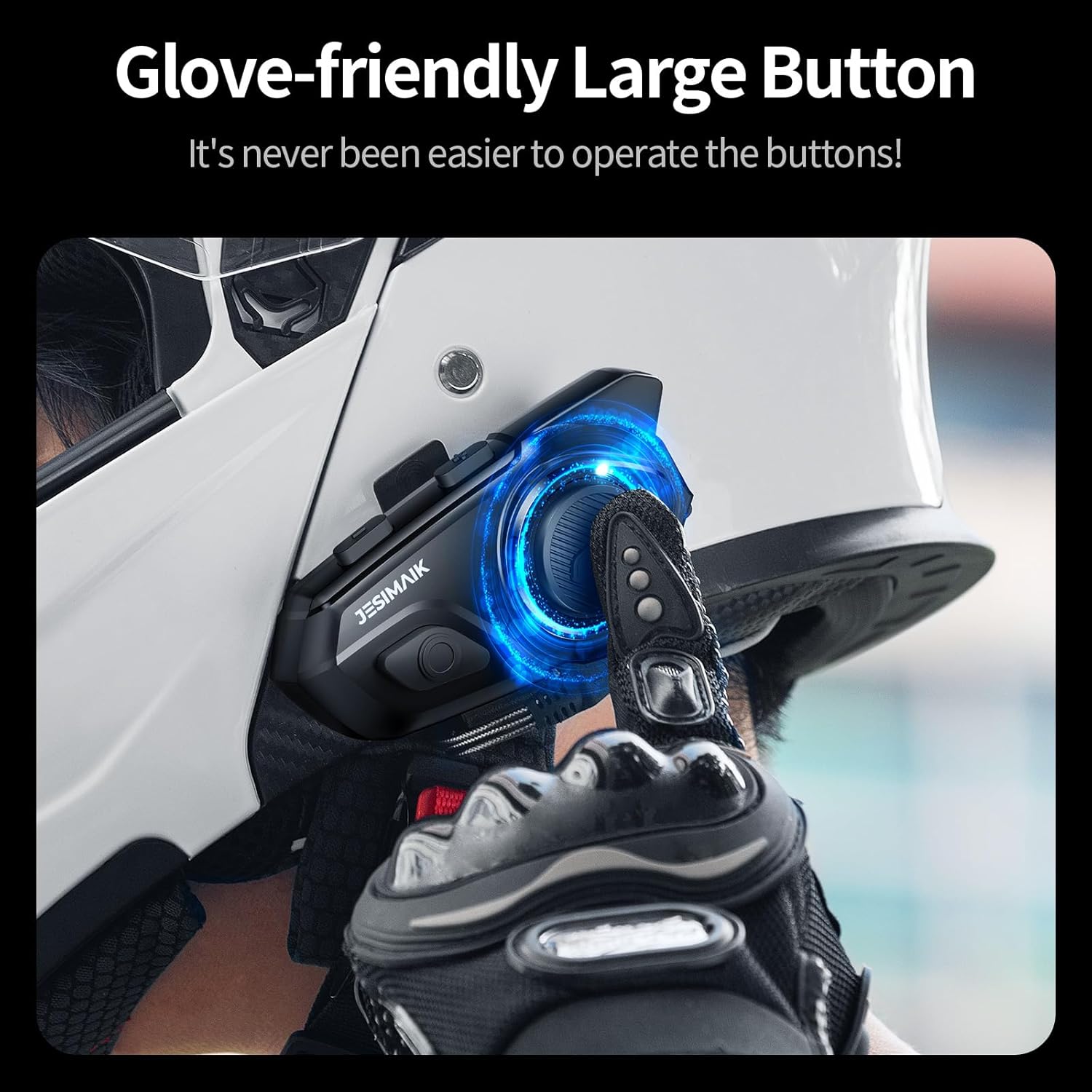
Image 4.1: The R16 Pro features large, glove-friendly buttons for easy operation while riding.
5. Intercom Functions
5.1. Intercom Pairing (Multiple Units)
The R16 Pro supports up to 10 riders for group intercom communication.
- Ensure all R16 Pro units are powered off.
- On two units, press and hold the Intercom Button until the LED flashes red and blue.
- Once paired, one unit's LED will turn solid blue, and the other will flash blue.
- Repeat the process for additional units, pairing each new unit to an already paired unit.
5.2. Initiating/Ending Intercom Calls
- Initiate Intercom: Press the Intercom Button once on any paired unit.
- End Intercom: Press the Intercom Button once during an active intercom call.
5.3. Intercom Range and Compatibility
The R16 Pro offers an intercom range of up to 2 kilometers (1.24 miles) in optimal conditions. It is designed for seamless group rides and is cross-brand compatible with certain popular models. Note that cross-brand connection can only be established with one other brand at a time.

Image 5.1: The R16 Pro supports a 10-way intercom system with a range of up to 2 kilometers.

Image 5.2: The R16 Pro offers seamless pairing with other brands for enhanced communication.
6. Audio Functions
6.1. Music Playback and Sound Effects
Once paired with your mobile device, you can play music. The R16 Pro features 4 customizable sound effects:
- Direct (Default)
- Bass
- Rock
- Pop
Refer to the quick start guide for instructions on switching between sound effects.

Image 6.1: The R16 Pro offers four distinct sound effects for an optimized audio experience.
6.2. Multitasking Audio
The dual Qualcomm Bluetooth chips allow for simultaneous audio functions. You can listen to music or GPS navigation while maintaining an active intercom conversation.

Image 6.2: Multitasking audio allows for simultaneous intercom and music/GPS functions.
6.3. Music Sharing
The R16 Pro supports music sharing, allowing you to share the same audio with a passenger or another rider within a 10-meter range.

Image 6.3: Share music with a passenger or another rider for a synchronized audio experience.
7. Maintenance
7.1. Charging the Battery
Connect the R16 Pro to a power source using the provided Type-C charging cable. A full charge takes approximately 1.5 hours. The LED indicator will show charging status.
- Charging Time: 1.5 hours
- Music Time: 30 hours
- Talk Time: 35 hours
- Standby Time: 360 hours

Image 7.1: The R16 Pro features a 1000mAh battery providing extended usage times.
7.2. Waterproofing and Cleaning
The R16 Pro has an IP67 waterproof rating, protecting it from rain, dust, mud, and snow. To clean the unit, wipe it with a damp cloth. Do not use harsh chemicals or abrasive cleaners.

Image 7.2: The IP67 rating ensures the R16 Pro is protected against various environmental elements.
8. Troubleshooting
If you encounter issues with your R16 Pro, refer to the following common problems and solutions:
| Problem | Possible Cause | Solution |
|---|---|---|
| Device does not power on | Low battery | Charge the device for at least 1.5 hours. |
| Cannot pair with phone | Device not in pairing mode; Bluetooth off on phone | Ensure R16 Pro is in pairing mode (flashing red/blue LED). Enable Bluetooth on your phone and search again. |
| Intercom connection unstable or screeching noise | Interference; improper pairing sequence | Disconnect and re-pair the intercom units. Ensure units are within range and clear of major obstructions. |
| Poor audio quality (music/calls) | Microphone not positioned correctly; volume too low/high; environmental noise | Adjust microphone position closer to mouth. Adjust volume. Ensure noise reduction is active. |
| Water damage | Exposure to water beyond IP67 rating; improper sealing | While IP67 rated, extreme conditions or prolonged submersion can cause damage. Ensure all ports are sealed. If damage occurs, contact support. |
9. Specifications
| Feature | Specification |
|---|---|
| Model Number | R16 Pro |
| Item Weight | 1.59 pounds |
| Package Dimensions | 7.36 x 5.67 x 3.46 inches |
| Batteries | 2 AAA batteries required (included) |
| Water Resistance Level | IP67 Waterproof |
| Manufacturer | Shenzhen Xingyaoda Technology Co., Ltd. |
| Compatible Devices | Motorcycles |
10. Warranty and Support
10.1. Warranty Information
The JESIMAIK R16 Pro comes with a 1-year warranty from the date of purchase. This warranty covers manufacturing defects and malfunctions under normal use. It does not cover damage caused by misuse, accidents, unauthorized modifications, or improper installation.
10.2. Customer Support
For technical assistance, troubleshooting, or warranty claims, please contact JESIMAIK customer support through the retailer where the product was purchased or refer to the contact information provided in the original product packaging.


