
Introduction
This manual provides essential instructions for the safe and efficient operation, installation, and maintenance of your Moiswell Pioneer-XIII 260 Pints Commercial Dehumidifier. Designed for heavy-duty use in large spaces such as basements, warehouses, and industrial environments, this unit effectively removes excess moisture to prevent damage and improve air quality. Please read this manual thoroughly before using the appliance and retain it for future reference.
Safety Information
Always adhere to basic safety precautions when operating electrical appliances to reduce the risk of fire, electric shock, and injury. This dehumidifier is designed for specific applications as outlined in this manual. Any other use may result in fire, electric shock, or injury.
- Ensure the unit is connected to a properly grounded power supply.
- Do not operate the unit with a damaged power cord or plug.
- Keep the air inlet and outlet clear of obstructions to ensure proper airflow.
- Do not use in environments with flammable, explosive, or corrosive materials.
- Regularly clean the washable filter to prevent dust buildup and maintain efficiency.
- The unit operates optimally within a temperature range of 5°C (41°F) to 35°C (95°F).
- Servicing should only be performed by qualified personnel. Do not puncture refrigerant tubing.
Product Overview
The Moiswell Pioneer-XIII is a robust commercial-grade dehumidifier featuring a high dehumidification capacity and user-friendly design for various applications.
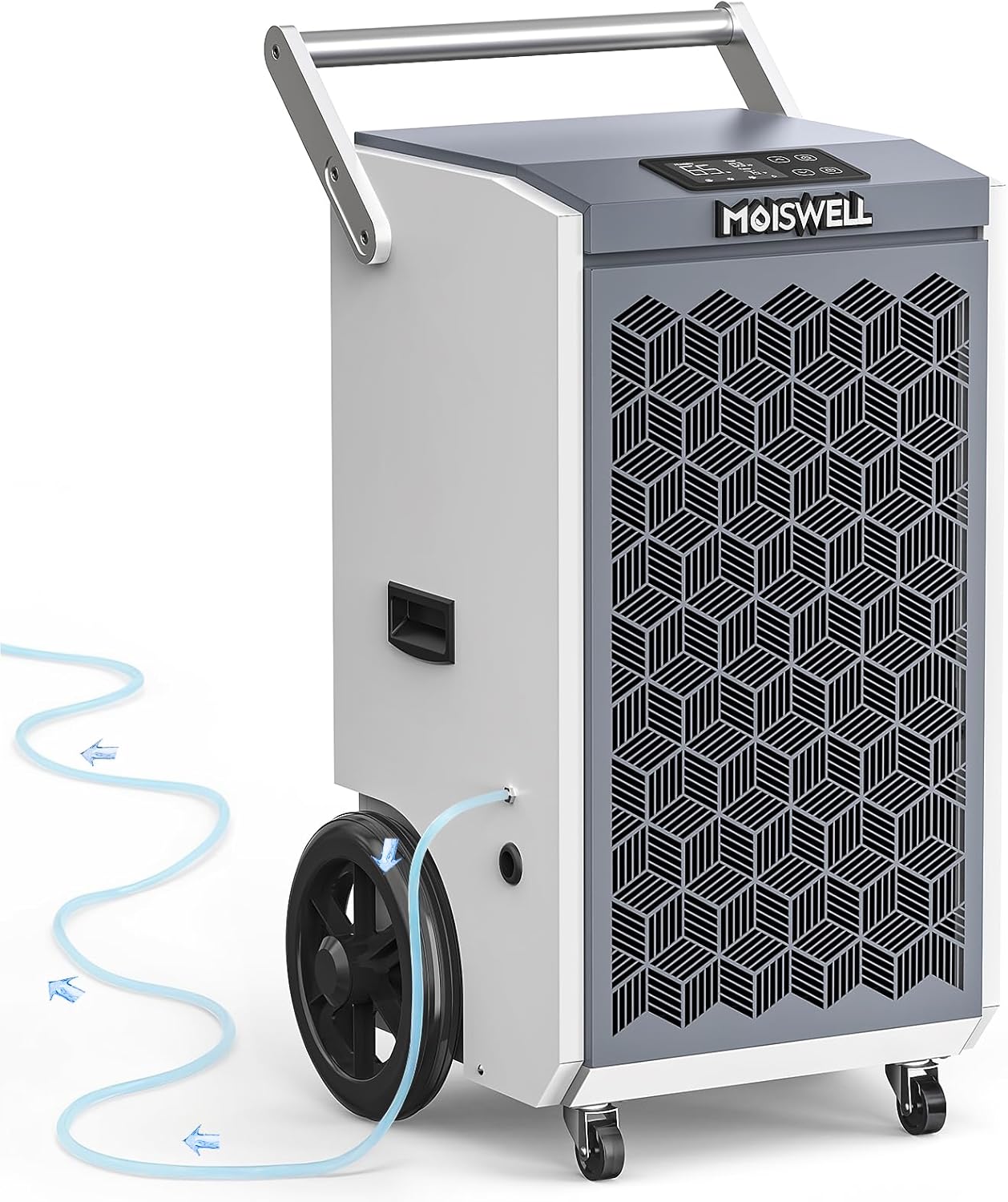
Figure 1: Moiswell Pioneer-XIII 260 Pints Commercial Dehumidifier with drain hose.
Key Features:
- High Dehumidification Capacity: Removes up to 260 pints per day (110 PPD at AHAM standard).
- Built-in Pump: Facilitates automatic drainage, eliminating manual emptying.
- Portability: Equipped with large 10-inch semi-pneumatic wheels and detachable handles for easy transport.
- User-Friendly Control Panel: Intuitive interface for setting humidity, timer, and monitoring operation.
- Durable Construction: Built with high-quality copper components for long-term reliability.
- Automatic Defrost: Prevents ice buildup on coils for continuous operation.
- Power Outage Memory Restart: Resumes operation with previous settings after power restoration.

Figure 2: The Moiswell Pioneer-XIII is suitable for various environments including warehouses, garages, indoor pools, basements, and galleries.
Setup
1. Placement
Place the dehumidifier on a level surface in the desired area. Ensure there is at least 3.28 feet of clear circulation space around the machine at all times to allow for optimal airflow and performance. Avoid placing the unit directly against walls or furniture.
2. Handle Installation
The unit comes with detachable handles for improved portability. Securely attach the handles using the provided screws. Refer to the video for a visual guide on handle installation.
Video 1: This video demonstrates the easy installation and removal of the dehumidifier's handle, showcasing its portability features.
3. Drainage Options
The Moiswell Pioneer-XIII offers two drainage methods:
- Built-in Pump Drainage: For continuous, hassle-free drainage, connect the included 16.4-foot drainage hose to the pump drain outlet. The built-in pump can lift water up to 16.4 feet vertically or horizontally, allowing flexible placement without needing to position the unit on an elevated surface.
- Gravity Drainage: For gravity-fed drainage, connect a hose (not included for gravity drain) to the gravity drain outlet. Ensure the hose is sloped downwards to a suitable drain point.

Figure 3: Illustration of the fully automatic drainage system with the built-in pump and 16.4 ft drain hose, showing both vertical and horizontal drainage capabilities.

Figure 4: Diagram illustrating the flexibility of the built-in condensate pump, allowing drainage to different levels of a building.
Operating Instructions
The control panel is designed for easy operation and monitoring.

Figure 5: The user-friendly control panel with intuitive buttons and a clear display for humidity, timer, and temperature settings.
1. Power On/Off
Plug the unit into a grounded power outlet. Press the Power button to turn the dehumidifier on or off.
2. Setting Target Humidity
Use the Up and Down arrow buttons to adjust the desired humidity level. The unit will operate until the set humidity is reached, then cycle on and off to maintain it.
3. Timer Setting
Press the Timer button to set an auto-on or auto-off time (1-24 hours). Use the Up and Down arrow buttons to adjust the duration.

Figure 6: The auto ON/OFF timer function allows scheduling operation for 1-24 hours.
4. Automatic Defrost
The unit features an automatic defrost function that activates when frost builds up on the evaporator coils, ensuring continuous and efficient operation in cooler conditions.

Figure 7: Visual representation of the automatic defrost function, showing frost buildup and its removal for uninterrupted performance.
5. Power Outage Memory Restart
In the event of a power interruption, the dehumidifier will automatically restart with its previous settings once power is restored.

Figure 8: Illustration of the power outage memory restart feature, showing the unit resuming operation after a power interruption.
Maintenance
1. Cleaning the Washable Filter
Regularly clean the air filter to ensure optimal performance and prevent dust buildup. The filter is easily accessible for cleaning.
- Turn off and unplug the dehumidifier before cleaning.
- Remove the filter from its housing.
- Wash the filter with warm, soapy water or vacuum it to remove dust and debris.
- Allow the filter to dry completely before reinstalling it.

Figure 9: Detailed view of the dehumidifier's washable filter, recessed handles, pump drain outlet, gravity drain outlet, and cord winder.
2. General Cleaning
Wipe the exterior of the unit with a soft, damp cloth. Do not use harsh chemicals or abrasive cleaners.
Troubleshooting
If you encounter issues with your dehumidifier, refer to the following common troubleshooting steps:
- Unit does not turn on: Check if the power cord is securely plugged in and the power outlet is functional. Ensure the unit's power button is pressed.
- Dehumidifier is not collecting water: Verify that the humidity setting is lower than the current room humidity. Check for obstructions in the air inlet/outlet or a dirty air filter. Ensure the drainage hose is not kinked or blocked.
- Unit is noisy: Ensure the unit is placed on a stable, level surface. Check for any loose parts or debris inside the unit.
- Error codes on display: Consult the full product manual (if available) or contact customer support for specific error code interpretations.
Specifications
| Specification | Value |
|---|---|
| Brand | Moiswell |
| Model Name | Pioneer-XIII |
| Dehumidification Capacity | 260 Pints/Day (110 Pints/Day at AHAM) |
| Floor Area Coverage | Up to 8500 Square Feet |
| Product Dimensions (D x W x H) | 15.8"D x 16.7"W x 32.5"H |
| Item Weight | 95 Pounds |
| Material | Metal |
| Wattage | 1300 watts |
| Air Flow Capacity | 442 Cubic Feet Per Minute |
| Upper Temperature Rating | 95 Degrees Fahrenheit |
| Special Features | Adjustable Humidity Control, Automatic Defrost, Automatic Shutoff, Built-In Pump, Timer |
Warranty and Support
For warranty information, please refer to the documentation included with your purchase or contact Moiswell customer support directly. Protection plans may also be available for extended coverage.
Moiswell Customer Support:
- Website: moiswell.com
- Email: service@moiswell.com


