
Introduction
Thank you for choosing the Katalic Automatic Cat Feeder and Water Fountain. This combined system is designed to provide a convenient and reliable feeding and hydration solution for your pets. Please read this manual thoroughly before use to ensure proper setup, operation, and maintenance.
This product features an automatic feeder with a dual-rotor, anti-clogging design and a water fountain with an adjustable filtration system, aiming to provide a healthy and comfortable dining experience for your pet.
Product Overview
The Katalic Automatic Cat Feeder and Water Fountain system includes two main components: an automatic food dispenser and a circulating water fountain.
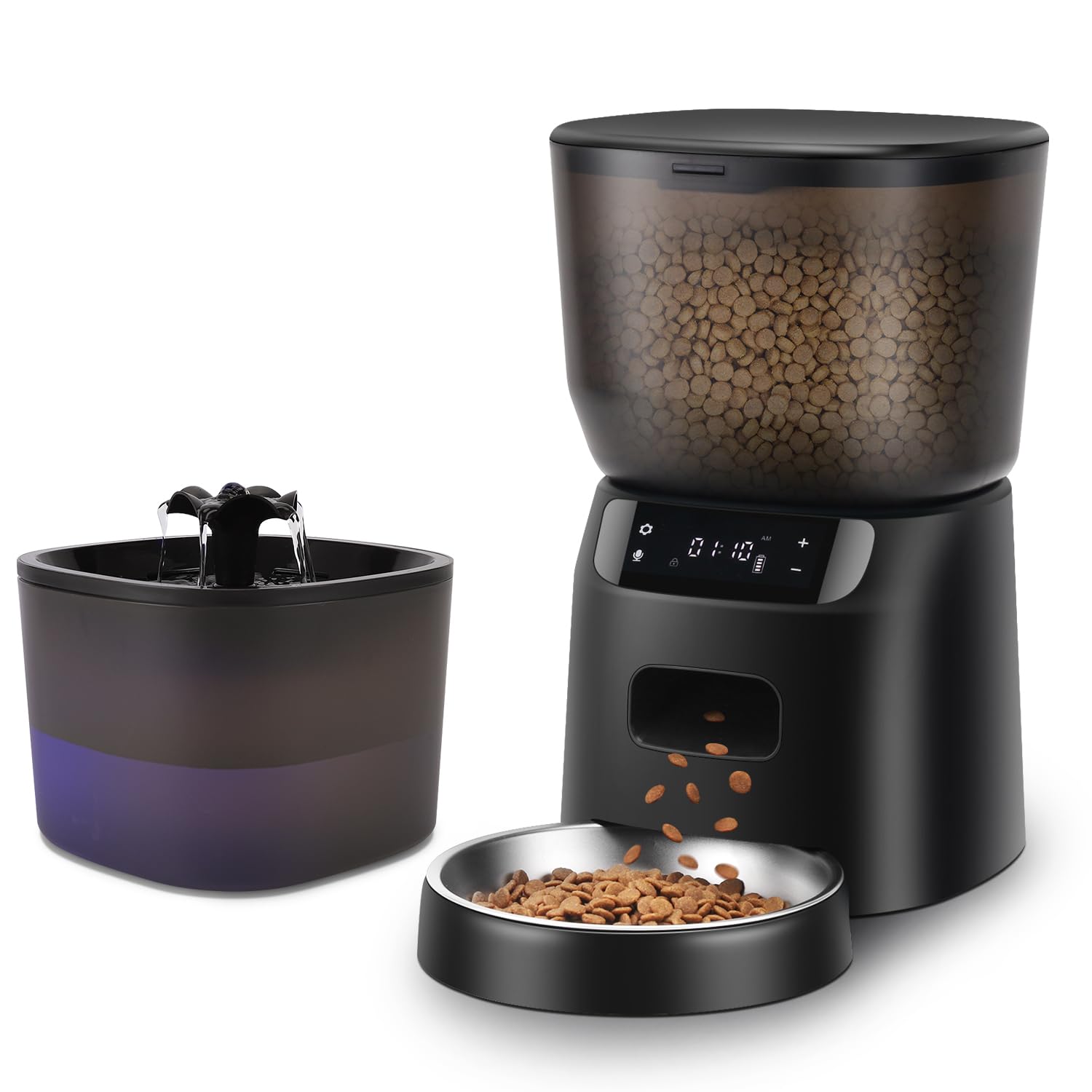
Image: The Katalic Automatic Cat Feeder and Water Fountain system, showing both the food dispenser and the water fountain.
Key Features:
- Feeding and Drinking Set: Integrated automatic feeder with dual-rotor, anti-clogging design and a water fountain with adjustable filtration.
- Programmable Feeding Schedule: Allows setting up to 6 meals per day with customizable portions.
- Dual Power Design: Operates via power adapter and can use backup batteries (not included) to prevent power outage interruptions.
- Healthier Circulating Filtration: The water fountain features triple filtration for fresh water, a low-noise pump, and adjustable water flow strengths.
- Personalized Voice Meal Call: Record a 10-second voice message to call pets for meals. Includes a manual feeding function.
- Detachable Stainless Steel Bowl: Food-grade, odor-free, hypoallergenic, and easy to clean for hygienic feeding.
- Visual Tank: The feeder's transparent food container holds up to 16 cups (4L) of dry pet food.
- Clog-free Design: Engineered to prevent food jams, suitable for various dry and mixed pet foods.
Specifications
| Feature | Detail |
|---|---|
| Model Number | APF02 |
| Brand | Katalic |
| Product Dimensions | 18.29 x 18.77 x 27.43 cm (Feeder) |
| Weight | 1.66 kg |
| Material | Plastic (Feeder body), Stainless Steel (Food bowl) |
| Color | Black |
| Feeder Capacity | 4 Liters / 16 Cups (dry food) |
| Power Supply | AC Adapter (included), D-cell batteries (not included) for backup |
| Target Species | Cats, Small Dogs |
| Special Features | Speaker for voice recording, Anti-clogging mechanism, Triple filtration (water fountain) |
Setup Instructions
1. Unpacking and Assembly:
- Carefully remove all components from the packaging.
- Wash the stainless steel food bowl and water fountain components (excluding electrical parts) with mild soap and water. Rinse thoroughly and dry completely.
- Assemble the water fountain according to its specific instructions, ensuring the filter is correctly placed.
- Place the stainless steel bowl onto the feeder base. Ensure it is securely attached to prevent displacement during feeding.
2. Power Supply:
- Connect the AC power adapter to the feeder and a wall outlet.
- For backup power, insert three D-cell batteries (not included) into the battery compartment at the bottom of the feeder. This ensures continued operation during power outages.

Image: Illustration of the dual power supply option, showing both AC adapter and battery compartment for reliable feeding.
3. Filling the Feeder and Water Fountain:
- Feeder: Open the lid of the food container and fill it with dry pet food. The visual tank holds up to 16 cups (4L). Ensure the lid is securely closed after filling to maintain food freshness.
- Water Fountain: Fill the water reservoir with fresh water up to the maximum fill line.

Image: The transparent food tank of the automatic feeder, demonstrating its 16-cup capacity for dry pet food.
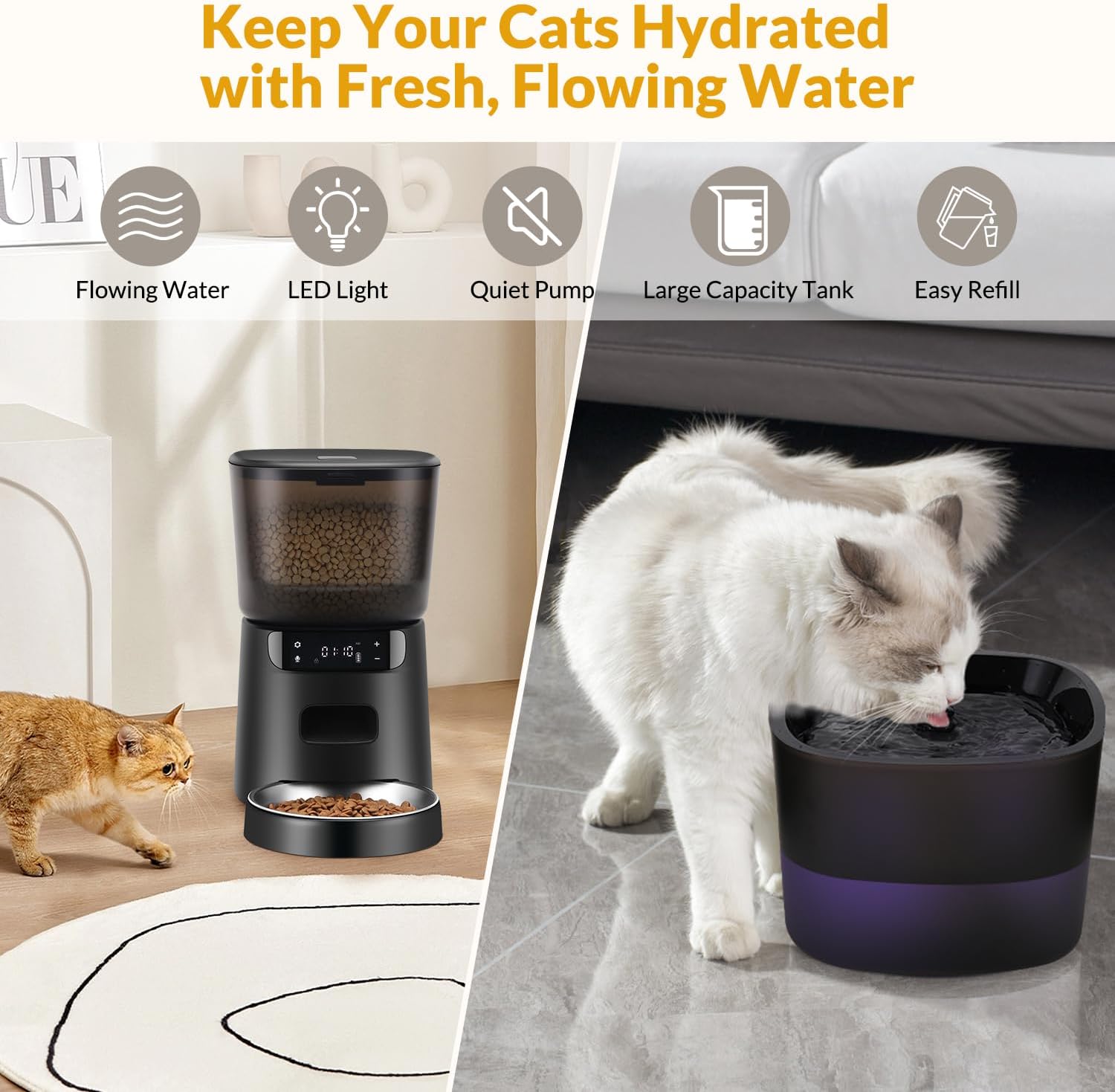
Image: The water fountain component, highlighting its features like flowing water and large capacity tank.
Operating Instructions
1. Setting the Current Time:
Refer to the feeder's display and control buttons. Typically, there is a "SET" or "CLOCK" button. Press and hold to enter time setting mode, then use the "+" and "-" buttons to adjust hours and minutes. Press "SET" or "CLOCK" again to confirm.
2. Programming Feeding Schedule:
The feeder allows up to 6 meals per day. Each meal can have a specific time and portion size (e.g., 1-20 portions).
- Press the "MEAL" button to cycle through Meal 1 to Meal 6 settings.
- When a meal number is displayed, use the "+" and "-" buttons to set the desired feeding time (hour and minute).
- Press the "PORTION" button, then use "+" and "-" to set the number of portions for that meal.
- Repeat for all desired meals. To disable a meal, set its portion size to zero.

Image: Graphic illustrating the scheduled feeding feature, showing options for up to 6 meals per day and portion control.
3. Recording a Voice Message:
The feeder supports a 10-second voice recording to call your pet at meal times.
- Press and hold the "REC" button until you hear a beep.
- Speak clearly into the microphone for up to 10 seconds.
- Release the "REC" button. The recording will play back to confirm.
4. Manual Feeding:
To dispense food manually, press the "MANUAL" or "FEED" button. Each press will dispense one portion. Hold the button for continuous dispensing.
5. Water Fountain Operation:
- Ensure the water fountain is plugged in and filled with water.
- The pump will circulate water through the filtration system.
- Adjust the water flow strength if your model supports it, typically via a switch on the pump or fountain unit.
- Choose between shower and fountain drinking modes if available, by adjusting the nozzle.
Maintenance
1. Cleaning the Feeder:
- Unplug the feeder before cleaning.
- Remove the stainless steel food bowl and wash it with mild soap and water.
- Wipe the food container and dispenser mechanism with a damp cloth. Ensure all parts are completely dry before refilling with food.
- The feeder features an anti-jam design and is easy to clean.

Image: The feeder's internal design, highlighting features like anti-jam mechanism, ease of cleaning, and a desiccant packet for anti-grain spoilage.

Image: The clog-free design of the feeder, showing its compatibility with dry food, mixed food, and freeze-dried food.
2. Cleaning the Water Fountain:
- Unplug the water fountain.
- Disassemble the fountain components. Wash the reservoir, tray, and other non-electrical parts with mild soap and water.
- Clean the pump regularly to prevent mineral buildup. Refer to the pump's specific cleaning instructions.
- Replace the filter according to manufacturer recommendations (typically every 2-4 weeks, depending on usage and water quality).
- Rinse all parts thoroughly and reassemble.
3. Desiccant Packet:
The feeder includes a desiccant packet in the lid to keep food fresh. Replace this packet every 1-2 months for optimal performance.
Troubleshooting
| Problem | Possible Cause | Solution |
|---|---|---|
| Feeder clock loses time or resets. | Inconsistent power supply, internal clock issue, or battery backup not installed/low. |
|
| Food does not dispense at scheduled times. | Incorrect time setting, incorrect meal programming, food jam, or low food level. |
|
| Food bowl detaches or moves. | Bowl not properly secured to the base. |
|
| Feeder makes loud beeping noises. | Alert for low food, error, or normal operation sound. |
|
| Water fountain not flowing or weak flow. | Low water level, clogged pump, or dirty filter. |
|
| Food container is difficult to open or refill. | Lid mechanism stiffness or improper alignment. |
|
Warranty and Support
For warranty information, please refer to the documentation included with your purchase or visit the official Katalic website. If you encounter any issues not covered in this manual or require further assistance, please contact Katalic customer support.
Katalic Customer Support:
- Please refer to your product packaging or the manufacturer's website for the most current contact information.