
Introduction
Thank you for choosing the SODO SD-1101 Wireless Over-Ear Headphones. These headphones are designed to provide a comfortable audio experience with versatile connectivity options, including Bluetooth V5.3, a 3.5mm audio jack, and SD card support. They feature an integrated microphone for hands-free calls and are built for extended wear. Please read this manual carefully to ensure proper use and maintenance of your device.
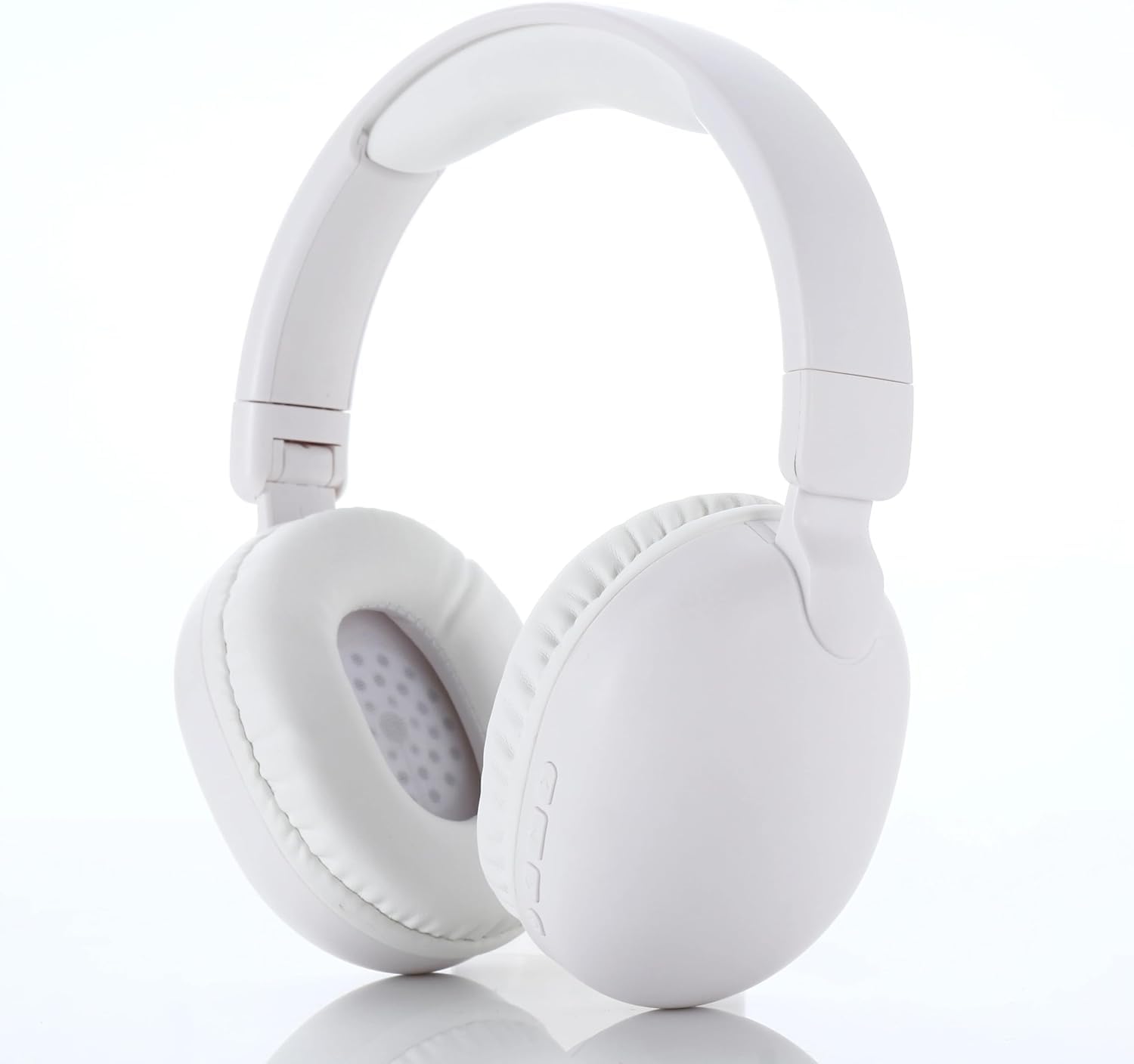
Image: SODO SD-1101 Wireless Over-Ear Headphones, general view.
Package Contents
Ensure all items are present in the package:
- SODO SD-1101 Wireless Over-Ear Headphones (White)
- Type-C Charging Cable
- User Manual

Image: Packaging for SODO SD-1101 Headphones.
Product Overview
Familiarize yourself with the headphone components and controls.

Image: Close-up view of the headphone controls, showing the power button, volume/track controls, TF card socket, 3.5mm jack, and Bluetooth/charging indicator.
Control Layout:
- Power On/Off Button: Also functions as Play/Pause.
- Volume Up / Next Song Button: Short press for volume up, long press for next track.
- Volume Down / Previous Song Button: Short press for volume down, long press for previous track.
- TF Card Socket: For Micro SD card playback.
- 3.5mm Jack: For wired audio connection.
- Bluetooth Indicator / Charging Indicator: Displays connection and charging status.
- Type-C Charging Port: For charging the headphones.
- Integrated Microphone: For hands-free calls.
Setup
1. Charging the Headphones
- Connect the provided Type-C charging cable to the charging port on the headphones.
- Connect the other end of the cable to a USB power source (e.g., wall adapter, computer USB port).
- The charging indicator light will illuminate during charging.
- Charging typically takes approximately 30 minutes for a full charge. The indicator light will change or turn off once fully charged.
2. Bluetooth Pairing
- Ensure the headphones are charged.
- Press and hold the Power On/Off button until the Bluetooth indicator light flashes, indicating pairing mode.
- On your device (smartphone, tablet, computer), enable Bluetooth and search for available devices.
- Select "SODO SD-1101" from the list of found devices.
- Once connected, the Bluetooth indicator light will stop flashing or change color, indicating a successful connection.
3. Wired Connection (Optional)
- Insert one end of a 3.5mm audio cable (not included) into the 3.5mm jack on the headphones.
- Connect the other end of the cable to the audio output port of your device.
- The headphones will automatically switch to wired mode.
4. SD Card Usage (Optional)
- Insert a Micro SD card (TF card) with audio files into the TF Card Socket on the headphones.
- The headphones will automatically detect the SD card and begin playing audio from it.
- Use the Volume/Track buttons to control playback.
Operating Instructions
Power On/Off
- To Power On: Press and hold the Power On/Off button for approximately 3 seconds until the indicator light illuminates.
- To Power Off: Press and hold the Power On/Off button for approximately 3 seconds until the indicator light turns off.
Music Playback
- Play/Pause: Short press the Power On/Off button.
- Next Track: Long press the "Volume Up / Next Song" button.
- Previous Track: Long press the "Volume Down / Previous Song" button.
Volume Control
- Volume Up: Short press the "Volume Up / Next Song" button.
- Volume Down: Short press the "Volume Down / Previous Song" button.
Call Management
The integrated microphone supports hands-free calling with AI-enhanced call clarity and noise cancellation for calls.
- Answer/End Call: Short press the Power On/Off button.
- Reject Call: Long press the Power On/Off button.
Maintenance
- Clean the headphones with a soft, dry cloth. Do not use abrasive cleaners or solvents.
- Avoid exposing the headphones to extreme temperatures, humidity, or direct sunlight.
- Store the headphones in a cool, dry place when not in use. The foldable design allows for compact storage.
- Do not attempt to disassemble or modify the headphones, as this will void the warranty and may cause damage.
- Keep the charging port free of dust and debris.
Troubleshooting
| Problem | Possible Cause | Solution |
|---|---|---|
| Headphones do not power on. | Low battery. | Charge the headphones using the provided Type-C cable. |
| Cannot pair via Bluetooth. | Headphones not in pairing mode; Bluetooth disabled on device; device too far. | Ensure headphones are in pairing mode (flashing indicator). Enable Bluetooth on your device. Move device closer to headphones (within 10 meters). |
| No sound in Bluetooth mode. | Volume too low; not connected; incorrect audio output. | Increase headphone and device volume. Ensure headphones are successfully paired. Check audio output settings on your device. |
| No sound in wired mode. | Cable not fully inserted; faulty cable; incorrect audio output. | Ensure 3.5mm cable is fully inserted into both devices. Try a different 3.5mm cable. Check device audio output settings. |
| SD card audio not playing. | SD card not inserted correctly; unsupported file format; corrupted card. | Reinsert the SD card. Ensure audio files are in a supported format. Try a different SD card. |
| Poor call quality. | Weak signal; environmental noise; microphone obstruction. | Move to an area with better signal. Reduce background noise. Ensure microphone is not obstructed. |
Specifications

Image: Visual representation of SODO SD-1101 performance features, including battery life, Bluetooth version, and wired backup option.
| Feature | Detail |
|---|---|
| Model Name | SODO 1101 |
| Model Number | SD-1101 |
| Connectivity Technology | Wireless (Bluetooth), Wired (3.5mm Jack) |
| Bluetooth Version | V5.3 |
| Bluetooth Range | Up to 10 meters |
| Battery Capacity | 200mAh, 3.7V |
| Continuous Playback Time | 6-8 hours |
| Charging Time | Approx. 30 minutes |
| Charging Port | Type-C |
| Driver Type | Dynamic |
| Impedance | 32 Ohm |
| Frequency Response | 20 Hz - 20 kHz |
| Audio Latency | 1.5 milliseconds |
| Microphone | Integrated, with AI-enhanced calls and noise cancellation for calls |
| Noise Control | Sound Isolation (Passive) |
| Control Type | Button Control |
| Earcup Material | Protein Leather |
| Design | Over-Ear, Foldable |
| Weight | 150 grams |
| Color | White (as per product title, images may show black variant) |
Safety Information
- Do not use the headphones at high volume for extended periods to prevent hearing damage.
- Do not use the headphones while driving, cycling, or in situations where you need to hear ambient sounds.
- Keep the headphones away from water and moisture.
- Dispose of the battery according to local regulations. Do not expose to fire or extreme heat.
- Keep out of reach of children.
Warranty and Support
For warranty information or technical support, please refer to the documentation provided with your purchase or contact your retailer. Keep your proof of purchase for any warranty claims.


