
1. Introduction
This manual provides comprehensive instructions for the safe and effective operation, maintenance, and troubleshooting of your Uharbour Digital Torque Wrench, Model UHXM011. Please read this manual thoroughly before using the tool to ensure proper function and to prevent damage or injury. Keep this manual for future reference.
2. Safety Information
Always observe basic safety precautions when using power tools to reduce the risk of personal injury. Failure to follow these instructions may result in electric shock, fire, and/or serious injury.
- Read all instructions: Familiarize yourself with the tool's functions and operating procedures.
- Wear appropriate safety gear: Always wear eye protection. Gloves are recommended.
- Keep work area clean and well-lit: Cluttered or dark areas invite accidents.
- Do not overreach: Maintain proper footing and balance at all times.
- Secure workpiece: Always secure the item you are working on to prevent movement.
- Do not force the tool: Use the correct tool for the application.
- Store idle tools: When not in use, tools should be stored in a dry, high, or locked-up place, out of reach of children.
- Maintain tools with care: Keep tools clean for better and safer performance. Follow instructions for lubricating and changing accessories.
- Check for damaged parts: Before further use of the tool, a guard or other part that is damaged should be carefully checked to determine that it will operate properly and perform its intended function.
3. Package Contents
Verify that all items listed below are included in your package:
- 1 x Uharbour Digital Torque Wrench (Model UHXM011)
- 1 x Protective Storage Case
- 1 x Calibration Certificate
- 1 x Instruction Manual
- 3 x AAA Batteries
4. Product Overview
The Uharbour Digital Torque Wrench is designed for precise torque measurement and application. It features a clear digital display, multiple measurement units, and various operational modes.
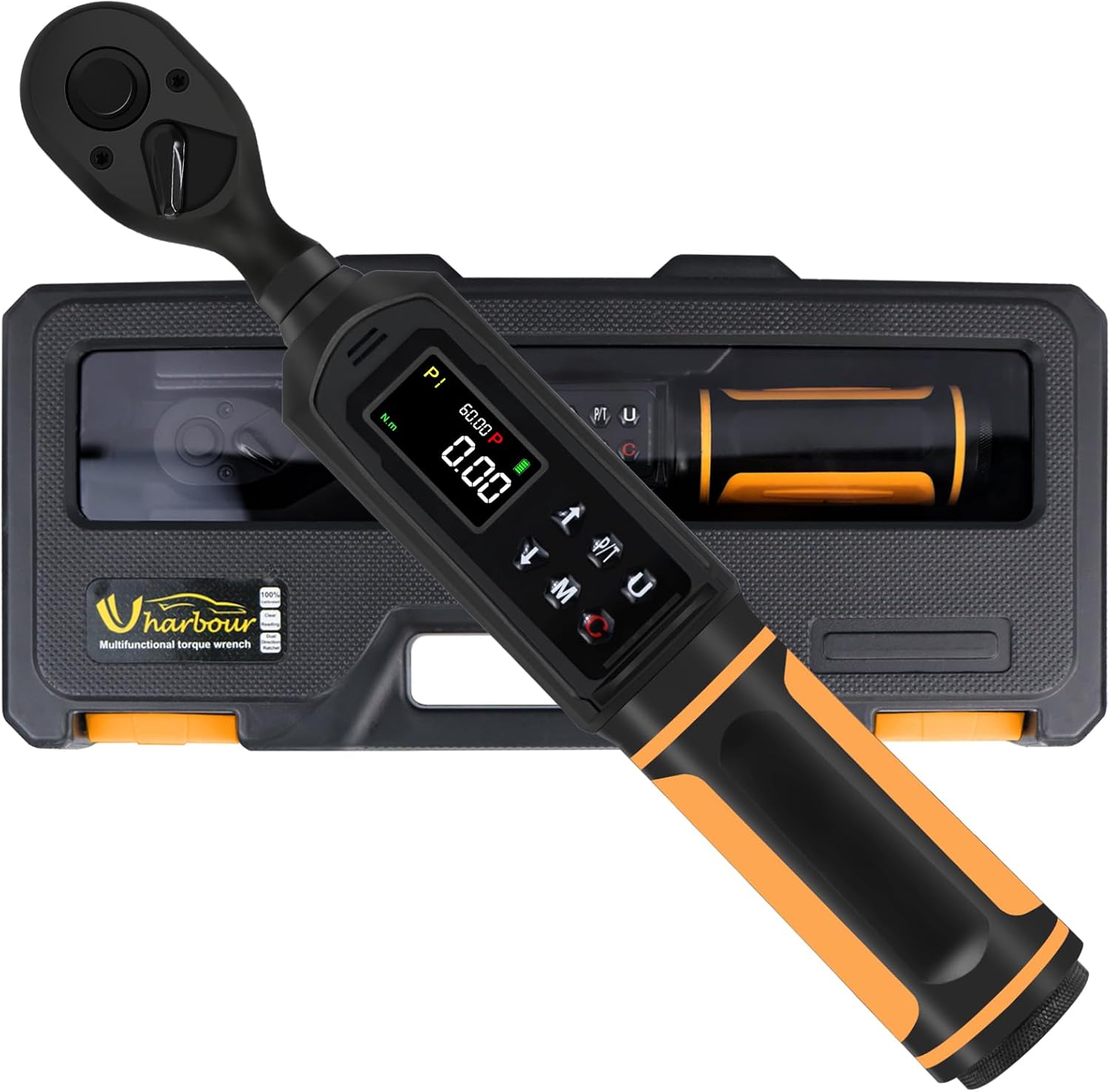
The Uharbour Digital Torque Wrench, model UHXM011, is presented in its durable protective case, ready for storage or transport.

A detailed view of the wrench's display panel, pointing out the clear LCD screen, the audible buzzer, the sequential LED indicators for approaching target torque, and the four selectable measurement units (in.lb, ft.lb, N.m, kg.cm).
Key Components:
- Ratchet Head: Dual-direction for clockwise and counter-clockwise operation.
- LCD Screen: High-definition display with backlight for clear readings.
- Control Buttons: For power, mode selection, unit selection, and value adjustment.
- LED Indicators: Visual alerts that light up as target torque is approached and reached.
- Buzzer: Audible alert that sounds with increasing frequency as target torque is approached and becomes constant when reached.
- Battery Compartment: Located at the base of the handle.
5. Setup
5.1 Battery Installation
- Unscrew the battery cap at the bottom of the wrench handle.
- Insert three (3) AAA batteries, ensuring correct polarity (+/-).
- Replace the battery cap and tighten securely.
5.2 Initial Power-On
Press and hold the Power button (usually marked with Ⓘ) for a few seconds until the LCD screen illuminates. The wrench will perform a self-test and display the current settings.
6. Operating Instructions

This image illustrates the three operational modes of the digital torque wrench: Track mode for real-time torque display, Peak mode for setting a target torque with alerts, and Torque Memory for reviewing past measurements.
6.1 Power On/Off
- To Power On: Press and hold the Power button (Ⓘ) until the display lights up.
- To Power Off: Press and hold the Power button (Ⓘ) until the display turns off. The wrench will automatically power off after a period of inactivity to conserve battery life.
6.2 Unit Selection
Press the 'U' button to cycle through the available measurement units: N-m (Newton-meters), kgf-cm (kilogram-force centimeters), lb-ft (pound-feet), and lb-in (pound-inches). Select the desired unit for your application.
6.3 Mode Selection
Press the 'M' button to switch between the two primary operating modes:
- Track Mode (T): Displays the real-time torque value as it is being applied. This mode is suitable for continuous monitoring of torque.
- Peak Mode (P): Allows you to set a target torque value. When this value is reached, the wrench will provide visual, audible, and vibratory alerts. The display will hold the peak torque value achieved.
6.4 Setting Target Torque (Peak Mode)
In Peak Mode:
- Ensure the wrench is in Peak Mode (P).
- Use the Up (▲) and Down (▼) arrow buttons to adjust the target torque value. Press and hold for faster adjustment.
- The display will show the set target value.
6.5 Applying Torque
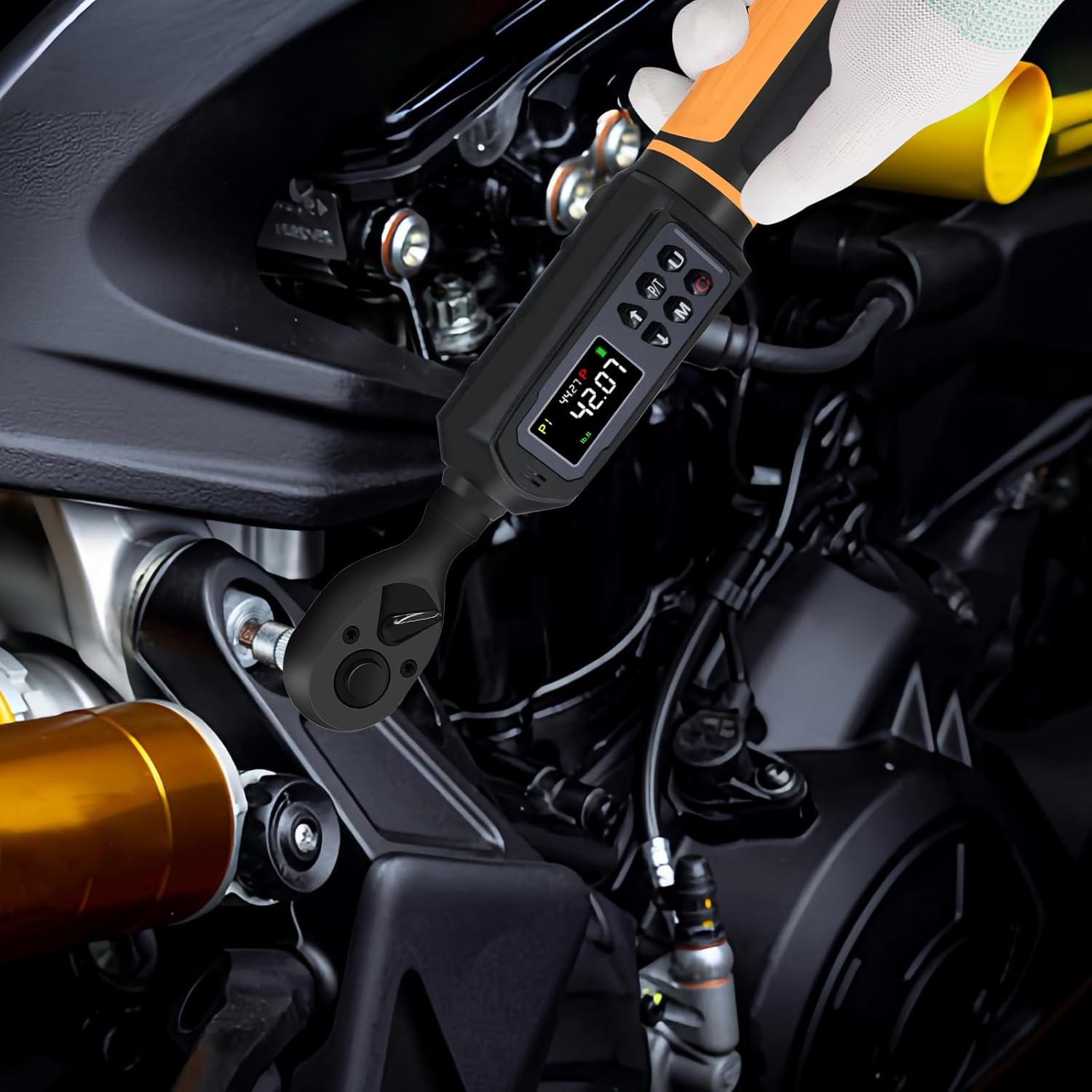
The digital torque wrench in active use, demonstrating its application for precise tightening of fasteners on mechanical components.
- Attach the appropriate socket or bit to the 3/8" drive ratchet head.
- Place the socket onto the fastener.
- Apply steady, smooth force to the wrench handle.
- Observe the LCD display and LED indicators. In Peak Mode, stop applying force when the target torque is reached and the alerts activate.
- The dual-direction ratchet allows for both tightening (clockwise) and loosening (counter-clockwise) operations.
6.6 Alerts (Vibration, Buzzer, LED)
When operating in Peak Mode, the wrench provides multi-sensory feedback:
- LED Indicators: Lights will illuminate sequentially as you approach the target torque. All LEDs will light up when the target is reached.
- Buzzer: An audible beep will increase in frequency as you get closer to the target torque. It will become a continuous tone when the target is achieved.
- Vibration: The handle will vibrate when the target torque is reached, providing tactile feedback.
6.7 Torque Memory
The wrench can store multiple torque values (P1-P9) for quick recall. Refer to the on-screen prompts or the full instruction manual for detailed steps on how to save and recall these presets.
7. Maintenance
7.1 Cleaning
- Wipe the wrench clean with a soft, dry cloth after each use.
- Do not use abrasive cleaners or solvents, as these can damage the finish and electronic components.
- Ensure no liquids enter the display or button areas.
7.2 Storage
- Store the torque wrench in its protective case when not in use.
- Remove batteries if the wrench will not be used for an extended period to prevent leakage.
- Store in a dry environment, away from direct sunlight and extreme temperatures.
7.3 Calibration

The Uharbour Digital Torque Wrench is shown alongside its calibration certificate, confirming its accuracy and providing details for verification.
Your Uharbour Digital Torque Wrench comes with a calibration certificate, confirming its accuracy at the time of manufacture. For continued precision, it is recommended to verify the torque wrench after working for 12 months or after 5000 cycles, whichever comes first. Contact Uharbour customer service for calibration services.
8. Troubleshooting
If you encounter issues with your digital torque wrench, refer to the following common problems and solutions:
| Problem | Possible Cause | Solution |
|---|---|---|
| Wrench does not power on | Dead or incorrectly installed batteries | Check battery polarity; replace with fresh AAA batteries. |
| Inaccurate readings | Wrench needs recalibration; improper usage | Refer to Section 7.3 for calibration. Ensure steady, smooth force is applied. |
| Alerts (buzzer/LED/vibration) not working | Not in Peak Mode; low battery | Ensure wrench is in Peak Mode. Replace batteries. |
| Display is dim or flickering | Low battery power | Replace batteries. |
9. Specifications
| Feature | Detail |
|---|---|
| Brand | Uharbour |
| Model Number | UHXM011 |
| Drive Size | 3/8 inch |
| Torque Range | 0.66-44.29 ft-lbs (0.9-60 Nm) |
| Accuracy | ±1% |
| Measurement Units | N-m, kgf-cm, lb-ft, lb-in |
| Head Style | Square Drive |
| Material | Alloy Aluminum, Chrome Vanadium Steel, Plastic, Rubber |
| Item Weight | 2.2 pounds (1 Kilogram) |
| Power Source | 3 x AAA Alkaline Batteries (Included) |
| Finish Type | Painted |
| Package Dimensions | 12.95 x 5.63 x 2.24 inches |
| UPC | 721545190833 |
10. Warranty and Support
Your Uharbour Digital Torque Wrench comes with a warranty. The calibration certificate included with your product may specify a warranty extension of up to two years. For detailed warranty terms, calibration services, or technical support, please contact Uharbour directly.
- Official Website: www.uharbour.net
- Customer Service Email: support@uharbour.net