
1. Introduction
The BEBANG PM1000 Handheld Digital Microscope is designed to provide an engaging and educational experience for children and students. With its 200x-1000x magnification range and 2.0-inch screen, it allows for detailed observation of various specimens. This portable device is equipped with a rechargeable battery, making it ideal for both indoor and outdoor exploration. This manual provides essential information for the safe and effective use of your microscope.
2. What's in the Box
Carefully unpack your BEBANG PM1000 Handheld Digital Microscope and ensure all components are present:
- BEBANG PM1000 Handheld Digital Microscope
- EVA Case for storage and transport
- Color box and Gift box packaging
- Neckstrap for hands-free carrying
- Slides set with case (includes compound microscope lab-grade glass slides)
- Charging cable
- User manual (this document)
- 32G SD Card for photo and video storage
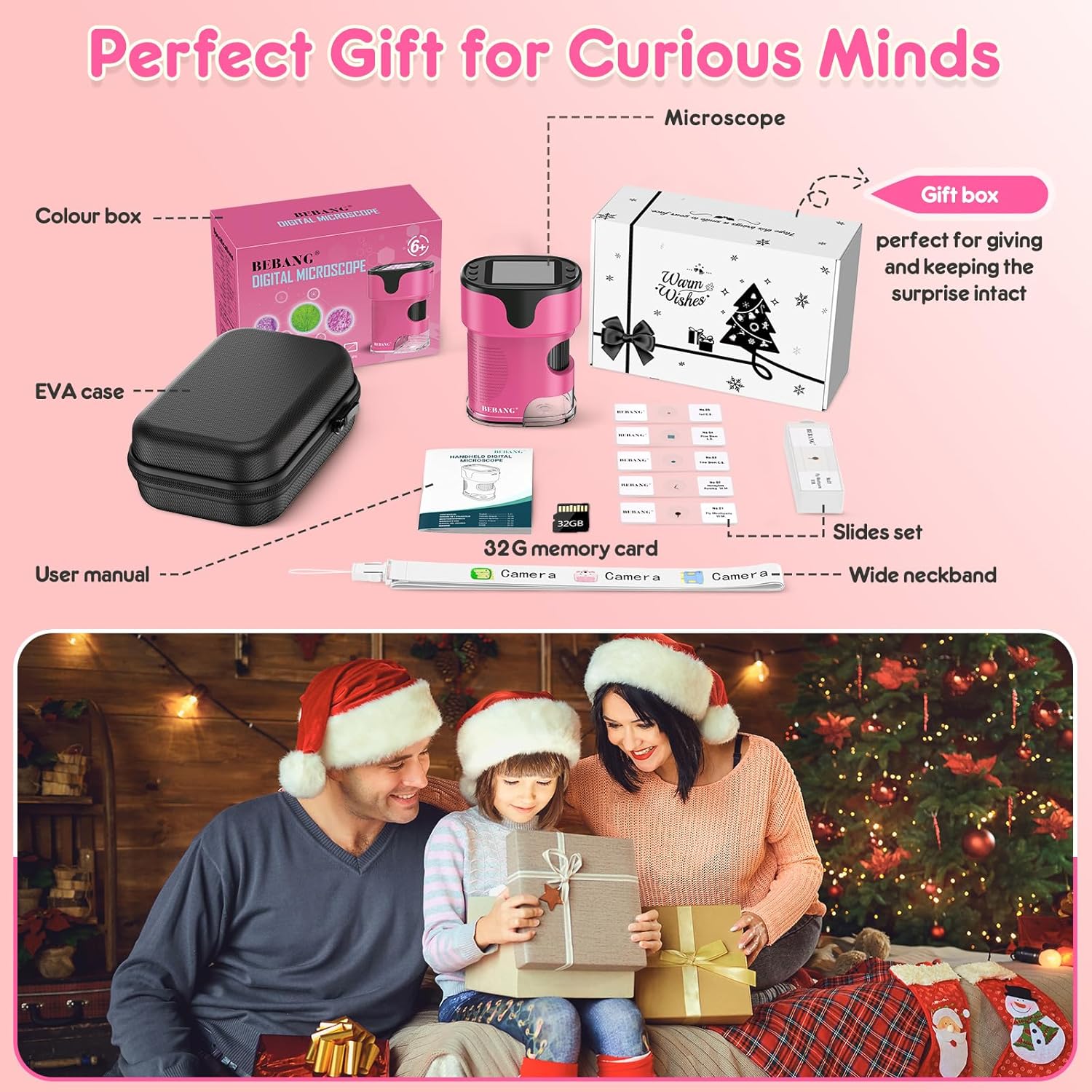
Image: All included accessories and packaging for the BEBANG PM1000 Handheld Digital Microscope.

Image: Example of prepared microscope slides included with the kit, featuring real samples.
3. Setup
3.1 Charging the Battery
The microscope has a built-in rechargeable lithium-ion battery. Before first use, fully charge the device using the provided charging cable. Connect the cable to the microscope's charging port and a USB power source (e.g., laptop, USB adapter, power bank, or car charger). A full charge provides approximately 2.5 hours of continuous use.

Image: Charging options for the BEBANG PM1000 microscope, highlighting its rechargeable battery and PC connectivity.
3.2 Inserting the SD Card
Locate the SD card slot on the side of the microscope. Gently insert the provided 32GB SD card until it clicks into place. This card is essential for saving photos and videos.
3.3 Powering On/Off
To power on the device, press and hold the power button for 3 seconds. To power off, press and hold the power button again for 3 seconds.
4. Operating Instructions
4.1 Adjusting Magnification and Focus
The BEBANG PM1000 offers a 200x-1000x magnification range. The focus wheel on the side of the microscope allows for precise adjustments.
- Initial Focus Setting: Rotate the focus wheel counter-clockwise to its end to ensure the focus wheel is homed to its initial position.
- Low Magnification Focusing: Slowly turn the focus wheel clockwise until the image comes into clear view at a lower magnification.
- High Magnification Focusing: Continue turning the focus wheel clockwise until the image enlarges and becomes clearer, achieving the desired high magnification view.
Note: Ensure the button is facing upright when you are looking at the screen for optimal viewing.

Image: The microscope's controls for zoom and focus, demonstrating the 200x to 1000x magnification capability.

Image: Visual guide for adjusting the focus wheel to achieve different magnification levels.
Video: A demonstration of how to adjust the focus wheel on the BEBANG PM1000 microscope to achieve different magnification levels, from low to high, on a teddy bear's fur.
4.2 Taking Photos and Recording Videos
The microscope allows you to capture images and videos of your observations.
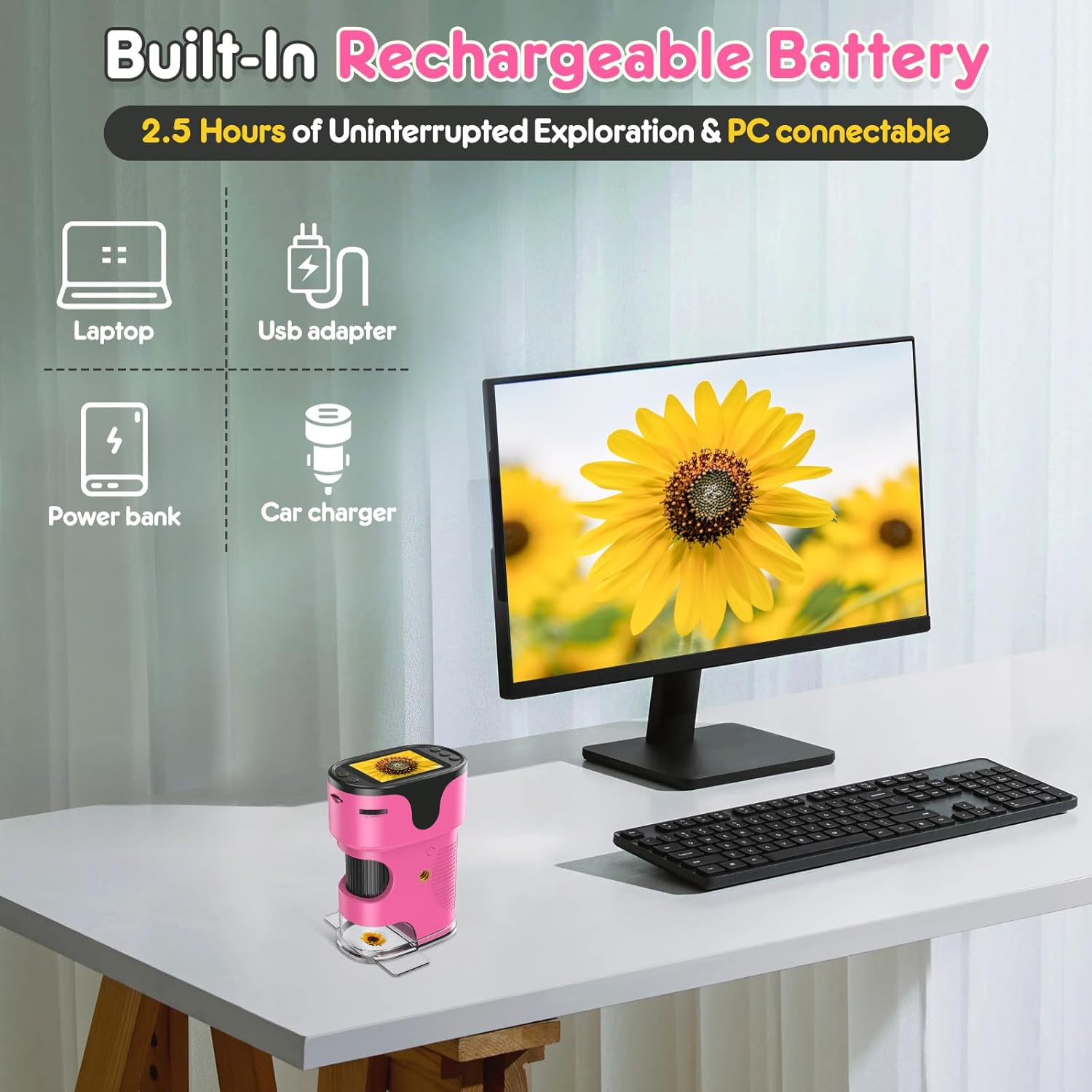
Image: Guide for using the microscope's photography and video functions, including button layout.
- How to Take Photos:
- Press the Home button, select "Photo" icon, and press the Confirm button (OK) to enter photo mode.
- Press the Confirm button (OK) again to capture a photo.
- How to Record Videos:
- Press the Home button, use the Up/Down buttons to switch to "Video" icon, and press the Confirm button (OK) to enter video mode.
- Press the Confirm button (OK) to start recording, and press it (OK) again to stop recording.
- How to View Playback:
- Press the Home button, use the Up/Down buttons to switch to "Playback" mode, and press the Confirm button (OK).
- Use the Up/Down buttons to scroll through different photos and videos.

Image: The microscope's 2.0-inch screen showing a magnified view and options for photo, video, and playback.
5. Exploring with Your Microscope
The BEBANG PM1000 microscope is versatile for observing a wide range of subjects.
5.1 Using Prepared Slides
The included set of lab-grade glass slides provides ready-to-view specimens. Place a slide under the microscope's lens and adjust the focus for clear observation. The widened 1mm slide viewing slots allow for smoother pass-through of slides.

Image: Children engaging in 'Dual Discovery' by observing both prepared slides and natural objects with the microscope.
5.2 Observing Everyday Objects
Remove the cover slot to explore anything, anytime. The microscope can be used to examine various objects around you, such as:
- Coins and currency
- Circuit boards
- Flower buds and plant parts
- Insects
- Blood cells (on prepared slides)
- Textiles and fabrics

Image: Examples of multiple applicable items that can be viewed and captured with the microscope.
6. Maintenance and Care
- Cleaning: Use a soft, dry cloth to clean the microscope's body. For the lens and screen, use a microfiber cloth specifically designed for optics. Avoid abrasive cleaners or solvents.
- Storage: When not in use, store the microscope in its EVA hard case to protect it from dust, scratches, and impacts. Keep it in a cool, dry place away from direct sunlight.
- Battery Care: To prolong battery life, avoid fully discharging the battery frequently. Charge the device regularly, even if not in constant use.
- Handling: Handle the microscope with care. Avoid dropping it or exposing it to extreme temperatures or moisture.
7. Troubleshooting
- Device won't turn on: Ensure the battery is charged. Connect the microscope to a power source and try again.
- Image is blurry: Adjust the focus wheel slowly until the image becomes clear. Ensure the object is positioned correctly under the lens.
- Cannot save photos/videos: Check if the SD card is properly inserted. Ensure the SD card has sufficient free space.
- Screen is blank or frozen: Try restarting the device by holding the power button for 3 seconds to turn it off, then turn it back on.
- Poor image quality: Ensure the lens is clean and free from dust or smudges. Adjust the lighting if necessary.
8. Specifications
| Feature | Specification |
|---|---|
| Product Dimensions | 3 x 1.8 x 4 inches (7.6 x 4.6 x 10.2 cm) |
| Item Weight | 14.9 ounces (422.4 grams) |
| Model Number | PM1000 |
| Magnification Maximum | 1000x |
| Screen Size | 2.0 inches |
| Light Source Type | LED |
| Battery Type | 1 Lithium Ion battery (included) |
| Battery Life | Approx. 2.5 hours continuous use |
| Material | Plastic |
| Compatible Devices | Laptop, Smartphone (for viewing captured media) |
9. Warranty and Support
BEBANG products are manufactured with quality and care. This product comes with a standard manufacturer's warranty against defects in materials and workmanship. Please refer to the product packaging or contact customer support for specific warranty details and duration.
For technical support, troubleshooting assistance, or warranty claims, please contact BEBANG customer service through the retailer where the product was purchased or visit the official BEBANG website.