
1. Introduction
Thank you for choosing the Elalight Wireless HDMI Transmitter and Receiver. This kit is designed to extend 1080P Full HD HDMI signals wirelessly up to 1640ft (500m) in open environments, utilizing dual-antenna 2.4/5.8G high-speed transmission for stable and clear video and audio. It supports 4K decoding and 1080p@60Hz wireless transmission with low latency, making it suitable for various applications from home entertainment to professional camera setups.

Image: Two Elalight Wireless HDMI Transmitter and Receiver units, showcasing their compact design and dual antennas.
2. What's in the Box
Please verify that all items are present in your package:
- 1x Wireless HDMI Transmitter
- 1x Wireless HDMI Receiver
- 2x Power Adapters (5V/2A)
- 2x USB-A to USB-C Power Cables
- 4x Antennas
- 1x User Manual

Image: A visual representation of the transmitter, receiver, antennas, power adapters, USB-C cables, and user guide included in the package.
3. Key Features
- Extended Transmission Range: Up to 1640ft (500m) in open field conditions using 2.4/5.8G dual-band WiFi transmission.
- High-Quality Video: Supports 4K decoding and 1080p@60Hz Full HD wireless transmission for clear and stable images.
- Low Latency: Approximately 0.1 seconds latency, suitable for real-time applications like gaming and live sports.
- HDMI Loop Out: The transmitter features a local HDMI output for connecting a local display, acting as a signal distributor.
- Plug & Play: No software installation required for quick setup.
- Wide Compatibility: Works with various HDMI source devices (DSLR, laptops, Blu-ray players, set-top boxes) and display devices (TVs, monitors, projectors).
- Camera-Friendly Design: Equipped with 1/4 screw holes on top and bottom for seamless camera integration and supports NP-F series batteries for extended use (batteries not included).
- Multiple Power Options: Can be powered by included 5V/2A power adapters, NP-F series batteries (not included), or power banks via USB-C ports.

Image: The wireless HDMI system in a camera setup, illustrating its key features such as low latency and remote transmission.
4. Setup Instructions
Follow these steps to set up your Elalight Wireless HDMI system:
- Connect Antennas: Screw the four antennas onto the transmitter and receiver units. Ensure they are securely fastened.
- Power the Transmitter: Connect the transmitter to a power source using the provided 5V/2A power adapter and USB-C cable, or an NP-F battery (not included), or a power bank.
- Connect HDMI Source to Transmitter: Plug an HDMI cable from your source device (e.g., laptop, DSLR, Blu-ray player) into the HDMI IN port of the transmitter.
- (Optional) Connect Local Display: If you wish to use the HDMI loop-out function, connect an HDMI cable from the HDMI OUT port on the transmitter to a local display (e.g., monitor, TV).
- Power the Receiver: Connect the receiver to a power source using its dedicated 5V/2A power adapter and USB-C cable, or an NP-F battery (not included), or a power bank.
- Connect Receiver to Display: Plug an HDMI cable from the HDMI OUT port of the receiver to the HDMI IN port of your secondary display (e.g., TV, projector).
- Power On Devices: Ensure both the transmitter and receiver are powered on. The units are pre-paired from the factory and should establish a connection automatically.

Image: A visual guide demonstrating how to connect the transmitter to various HDMI sources and the receiver to displays, including details on camera mounting.
5. Operating Instructions
5.1. Automatic Connection
Once both the transmitter and receiver are powered on, they will automatically search for and connect to each other. The STA indicator light on both units will confirm a stable connection.
5.2. Dual-Band Transmission (2.4G/5.8G)
The system automatically utilizes both 2.4GHz and 5.8GHz frequency bands to ensure a strong and stable signal. This dual-band capability helps in maintaining connection quality over long distances and through minor obstacles.
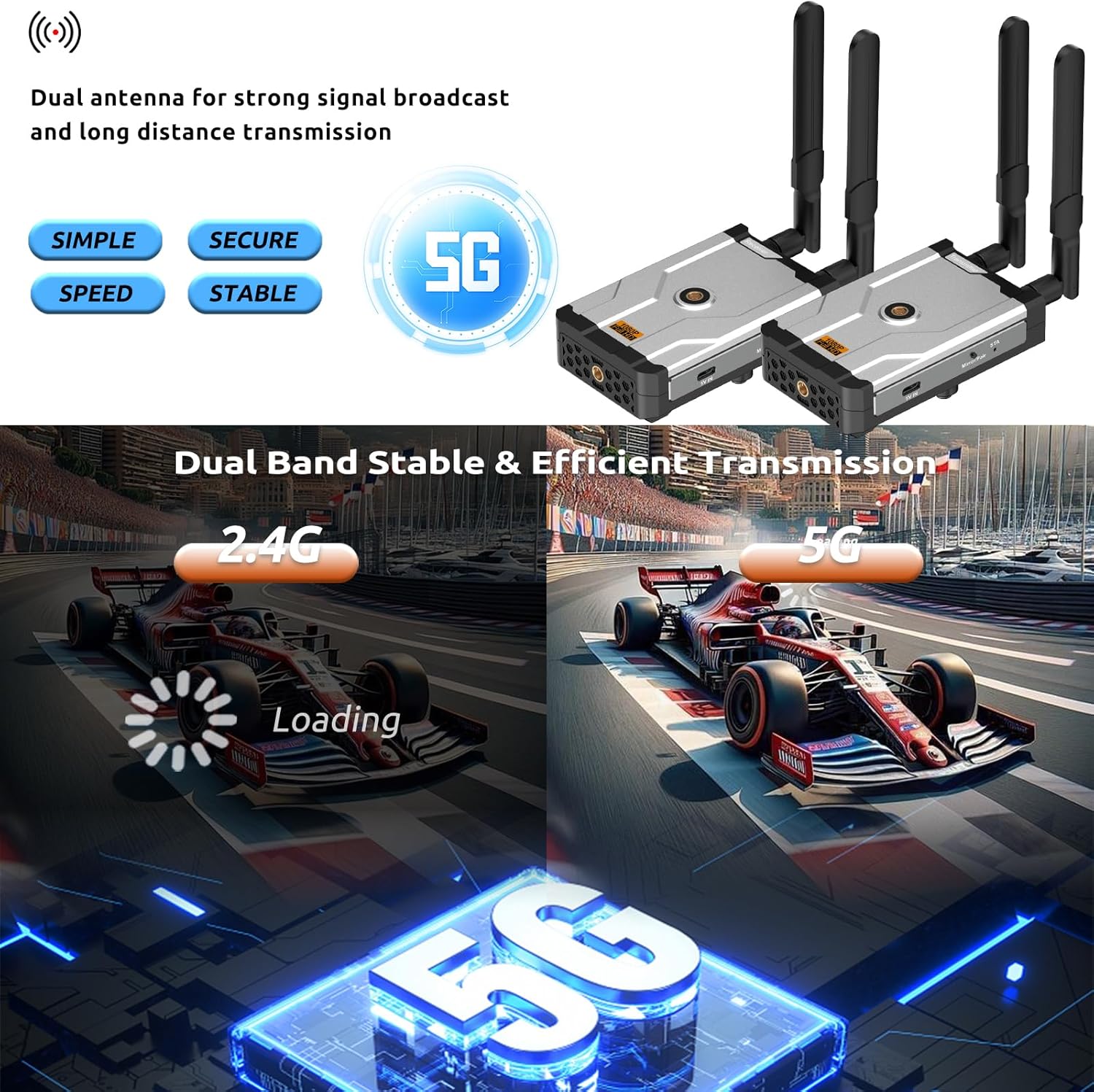
Image: A comparison showing the speed and efficiency benefits of 5G dual-band transmission over 2.4G.
5.3. HDMI Loop Out Function
The transmitter's HDMI OUT port allows you to connect a local display, enabling you to view the source content simultaneously on both the local display and the wirelessly connected remote display. This is useful for monitoring or extending your setup.

Image: A laptop connected to a monitor, illustrating the HDMI loop-out functionality for simultaneous display.
5.4. Low Latency Performance
The system is designed for low latency, with a delay of approximately 0.1 seconds. This ensures that video and audio are synchronized, providing a smooth experience for live events and interactive content.

Image: A visual representation of the 0.1-second low latency, showing a laptop streaming a soccer game wirelessly to a television.
5.5. Mirror/Pair Button
If the image appears sideways or if you need to re-pair the units, press the 'Mirror/Pair' button on the receiver. Refer to the specific instructions in the included user manual for detailed pairing procedures if automatic pairing fails.
6. Power Supply Options
The Elalight Wireless HDMI system offers flexible power options:
- 5V/2A Power Adapter: Use the included power adapters and USB-C cables for standard wall outlet power.
- NP-F Series Batteries: For portable use, especially with cameras, the units support NP-F series batteries (F970, F750, F550). These batteries are not included and must be purchased separately.
- Power Bank: The units can also be powered by a standard power bank via their USB-C ports.

Image: An illustration detailing the three available power supply methods for the wireless HDMI units: wall adapter, NP-F battery, and power bank.
7. Maintenance
To ensure the longevity and optimal performance of your device, follow these maintenance guidelines:
- Keep the devices clean and free from dust. Use a soft, dry cloth for cleaning.
- Avoid exposing the units to extreme temperatures, humidity, or direct sunlight.
- Do not attempt to disassemble or repair the units yourself. Refer to qualified service personnel if issues arise.
- Store the devices in a cool, dry place when not in use.
8. Troubleshooting
If you encounter problems with your Elalight Wireless HDMI system, refer to the following common issues and solutions:
| Problem | Possible Cause | Solution |
|---|---|---|
| Unstable connection or signal loss | Obstacles (walls, bricks, glass), excessive distance, interference. | Ensure line of sight between transmitter and receiver. Reduce distance. Minimize obstacles. Check for other wireless interference. |
| No image or poor image quality | Insufficient power to transmitter, incorrect HDMI connection, display settings. | Ensure transmitter is powered by a 5V/2A adapter if computer USB power is insufficient. Verify all HDMI cables are securely connected. Check display input settings. |
| Image appears sideways | Display orientation issue. | Press the 'Mirror/Pair' button on the receiver to correct image orientation. |
| Units not pairing automatically | Pairing issue. | Press the 'Mirror/Pair' button on the receiver to initiate re-pairing. Refer to the user manual for specific manual pairing instructions if needed. |
9. Specifications
| Feature | Specification |
|---|---|
| Model Number | DT263W-A |
| Product Dimensions | 4.99 x 3 x 1 inches |
| Item Weight | 1.08 pounds |
| Connectivity Technology | Wireless HDMI (2.4G/5.8G Dual Band) |
| Transmission Range | Up to 1640ft (500m) in open field |
| Input/Output Resolution | Supports 4K decoding, up to 1080p@60Hz wireless transmission |
| Latency | 0.1 seconds |
| HDMI Ports | 2 (HDMI IN, HDMI OUT/Loop Out on Transmitter; HDMI OUT on Receiver) |
| Compatible Devices | DSLR, Laptop, Netflix, YouTube, PS4, TVs, Projectors, Monitors |
| Audio Output Mode | Surround |
| Surround Sound Channel Configuration | 5.1 |
| Video Encoding | H.264, H.265/HEVC |
| Special Features | Plug & Play, HDMI Loop Out, 1/4 Screw Holes for Camera, NP-F Battery Support, Low Latency, Mirroring and Extension Mode |
10. Warranty and Customer Support
The Elalight Wireless HDMI Transmitter and Receiver kit is backed by a 1-year limited after-sale warranty. For any questions, concerns, or technical assistance, please contact our customer support. You can typically find contact information by clicking on the seller's name in your purchase platform and selecting "Ask a Question".