
Introduction
Thank you for choosing SNOW DEER Heated Socks. These socks are designed to provide warmth and comfort in cold conditions, ideal for various outdoor activities. This manual provides essential information for the proper setup, operation, and maintenance of your heated socks.

Image: SNOW DEER Heated Socks, showcasing the product design.
What's Included
Your SNOW DEER Heated Socks package includes the following items:
- One Pair of Heated Socks
- One Pair of 7.4V 2200mAh Rechargeable Lithium Batteries
- One 8.4V Dual Battery Charger
- One User Manual

Image: All components included in the SNOW DEER Heated Socks package.
Setup Instructions
1. Charging the Batteries
Before first use, fully charge both batteries. Connect the batteries to the provided dual charger and plug the charger into a power outlet. The charging time is approximately 3.5 hours. Ensure the indicator lights on the charger show a full charge before proceeding.
2. Inserting Batteries into Socks
Locate the battery pocket on the upper cuff of each sock. Connect the battery wire from the sock to the fully charged battery. Carefully place the battery into the pocket and secure it.

Image: Close-up of the battery pocket on the sock cuff.
3. App Download and Pairing (Optional)
For smart control, download the SNOW DEER app from your smartphone's app store. Activate Bluetooth on your phone. The socks will seamlessly pair with your mobile device. The app allows for temperature adjustment, quick heating, and setting a personalized auto power-off time.

Image: Screenshot of the SNOW DEER app interface for controlling the heated socks.
Video: Demonstrates the setup and operation of SNOW DEER Heated Socks, including battery connection and temperature control.
Operating Instructions
1. Powering On/Off
To turn the socks on, long-press the power button located on the cuff of each sock. The indicator lights will illuminate. To turn them off, long-press the power button again.
2. Adjusting Temperature Settings
The socks offer three temperature settings: High, Medium, and Low. Short-press the power button to cycle through the settings. The indicator lights will change to reflect the current heat level:
- High: 122-131°F (approx. 3.5-4 hours battery life)
- Medium: 113-122°F (approx. 5-6 hours battery life)
- Low: 100-113°F (approx. 8-10 hours battery life)
The heating elements provide surround heating in the toe area, delivering warmth where it's most needed.

Image: Diagram illustrating the smart controller with three temperature settings and battery life indicators.

Image: Illustration of the 360-degree toe warming feature.
3. App Control
Once paired, use the app to adjust temperature levels, set timers, and monitor battery status. The app allows for individual control of each sock or simultaneous control of both.
Maintenance
1. Washing Instructions
The heated socks are washable. Before washing, always remove the batteries. Hand wash is recommended to preserve the heating elements and fabric integrity. If machine washing, use a laundry bag, gentle cycle, and cold water. Do not bleach, iron, or dry clean. Air dry only.
2. Battery Care
Store batteries in a cool, dry place when not in use. Avoid exposing batteries to extreme temperatures or direct sunlight. Fully charge batteries every 3-6 months during off-season storage to maintain battery health.
Troubleshooting
- Socks not heating: Ensure batteries are fully charged and correctly connected to the socks. Check if the power button has been long-pressed to turn on the socks.
- Short battery life: Battery life varies with temperature setting. Higher settings consume more power. Ensure batteries are fully charged before each use.
- App connectivity issues: Ensure Bluetooth is enabled on your device and the socks are within range. Try restarting the app and your device.
- Discomfort from wires: The socks are designed with flexible heating elements. If you experience discomfort, adjust the sock position. The internal fleece lining should prevent direct contact with wires.
Specifications
| Model Name | LYSS05C |
| Brand | SNOW DEER |
| Material | CoolMax, Spandex |
| Battery Type | Lithium-Polymer |
| Battery Capacity | 2200 mAh |
| Charging Time | 3.5 Hours |
| Temperature Range | 100°F - 131°F (37.8°C - 55°C) |
| Recommended Uses | Fishing, Hiking, Hunting, Motorcycling, Skiing, Snowboarding |

Image: Detailed size chart for SNOW DEER Heated Socks.
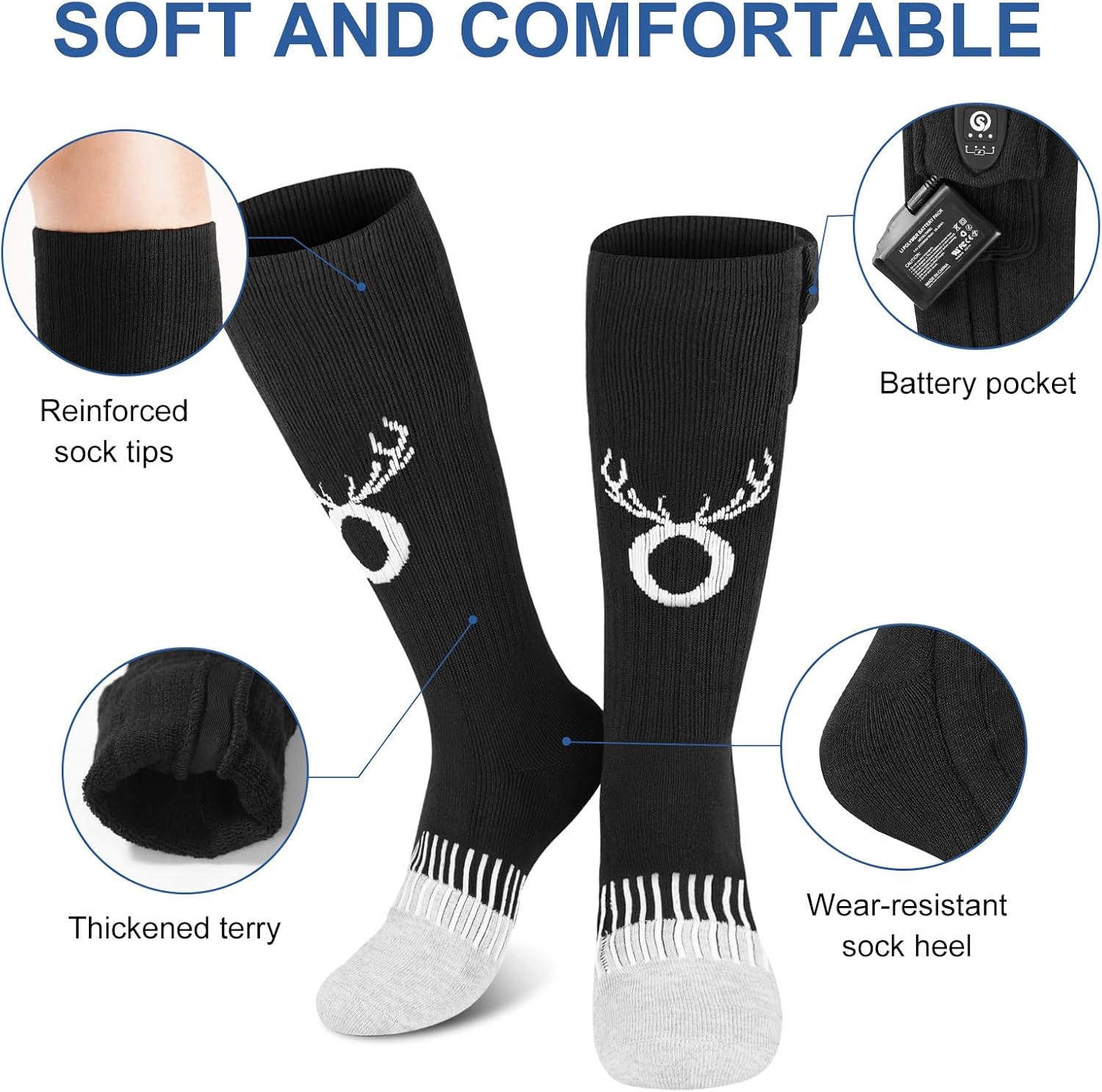
Image: Features highlighting the soft and comfortable design of the socks, including reinforced tips and thickened terry.
Safety Information
- Do not use if socks or batteries are damaged.
- Keep batteries away from water and fire.
- Do not puncture or disassemble batteries.
- Consult a physician before use if you have a medical condition, especially related to circulation or nerve sensitivity.
- Discontinue use if you experience discomfort, burning, or excessive heat.
Warranty and Support
Your SNOW DEER Heated Socks come with a 1-Year Manufacturer Warranty. For any quality or size problems, or if you are not satisfied with your product, please refer to the manual for contact information or reach out to the seller, SNOW DEER HUB, directly through the Amazon platform for assistance.
