
R-MUSIC Party Boost M
R-MUSIC Party Boost M High Power Speaker User Manual
Brand: R-MUSIC | Model: Party Boost M (RM484536)
1. Introduction and Overview
The R-MUSIC Party Boost M speaker is designed to provide an immersive sound experience, ideal for parties and events. With Bluetooth connectivity, RGB lighting effects, a karaoke mode, and impressive battery life, it combines power, functionality, and a portable design to accompany you anywhere.

Figure 1.1: Front view of the R-MUSIC Party Boost M speaker, showcasing its dual speaker design with vibrant, multi-colored LED rings illuminated around the speaker cones.
2. What's in the Box
Please check the package contents to ensure all items are present:
- Wireless Party Boost M Speaker
- Wired Microphone
- Power Adapter
- Detailed User Manual
3. Setup Guide
3.1 Initial Charging
Before first use, fully charge the speaker using the provided power adapter. A full charge takes approximately 4.5 hours.
3.2 Power On/Off
Press and hold the power button, usually located on the top panel, to turn the speaker on or off.
3.3 Bluetooth Pairing
- Activate Bluetooth on your smartphone, tablet, or PC.
- On the Party Boost M speaker, ensure Bluetooth mode is selected. The display will indicate 'BT' or a similar Bluetooth icon.
- Search for 'R-MUSIC Party Boost M' in your device's Bluetooth settings.
- Select the speaker to connect. The speaker will emit an audible confirmation upon successful pairing.
3.4 Microphone Connection
Connect the wired microphone to the 6.35mm jack input on the speaker's rear or side panel.

Figure 3.1: The wired microphone included with the Party Boost M speaker, featuring a standard 6.35mm jack for connection.
3.5 Other Connections
The speaker supports various input methods:
- USB Port: Insert a USB drive containing audio files.
- AUX Input: Connect external audio devices (e.g., MP3 players) using a 3.5mm audio cable.
- Micro SD Card Slot: Insert a Micro SD card with audio files.

Figure 3.2: Detailed view of the speaker's connectivity panel, showing the USB port, Micro SD card slot, and AUX input for versatile audio playback options.
4. Operating Instructions
4.1 Volume Control
Adjust the master volume using the dedicated rotary knob located on the top control panel of the speaker.
4.2 Equalizer Settings
The speaker features an integrated equalizer with 6 preset modes. Press the 'EQ' button to cycle through these modes and optimize the sound for different music genres (e.g., Pop, Rock, Jazz, Classical).

Figure 4.1: Top view of the speaker's control panel, highlighting the knobs for volume, echo, and buttons for equalizer settings and light effects.
4.3 RGB Light Effects
The speaker offers 7 different RGB light animations. Press the dedicated light button to change between these effects or to turn them off. The lights synchronize with the rhythm of the music.
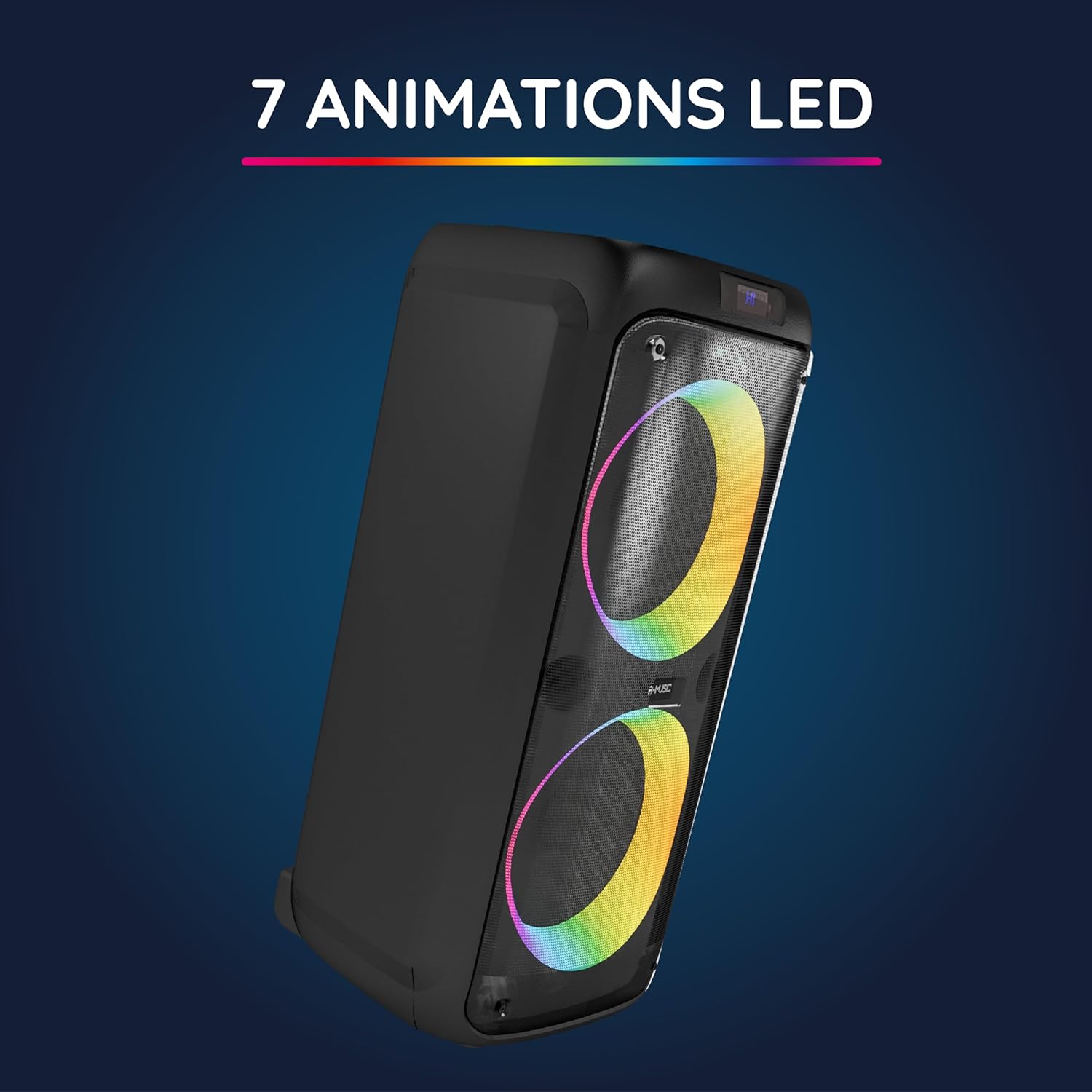
Figure 4.2: The Party Boost M speaker displaying its dynamic RGB lighting effects, which can be customized to enhance the ambiance.
4.4 Karaoke Mode
With the wired microphone connected, activate karaoke mode. You can adjust the microphone volume and echo effects using the dedicated controls on the top panel to enhance your singing experience.
4.5 TWS (True Wireless Stereo) Pairing
To connect two Party Boost M speakers for a true wireless stereo experience:
- Ensure both speakers are powered on and in Bluetooth mode, and not connected to any other device.
- Press the 'TWS' button on one speaker (this will be your primary speaker).
- Then, press the 'TWS' button on the second speaker.
- The speakers will automatically pair with each other, and you can then connect your device to the primary speaker via Bluetooth for stereo sound.
5. Key Features
5.1 Powerful Sound
Enjoy rich and balanced audio with deep bass, suitable for any party or gathering. The speaker is engineered to deliver high-quality sound output.

Figure 5.1: A close-up side view emphasizing the speaker's sturdy build, designed to produce powerful and clear audio.
5.2 Bluetooth 5.3 Connectivity
Experience fast and stable wireless connection with Bluetooth 5.3 technology, offering a range of up to 10 meters. This ensures clear, lag-free audio streaming from your devices.
5.3 Long-Lasting Battery
Equipped with a built-in 3600mAh lithium-ion battery, the speaker provides up to 11 hours of continuous playback at 50% volume, ensuring your party lasts longer.

Figure 5.2: The Party Boost M speaker shown outdoors, symbolizing its extended battery life and suitability for various environments.
5.4 Integrated Karaoke Mode
Transform any evening into an interactive experience with the built-in karaoke mode and the included wired microphone. Perfect for impromptu singing sessions.
5.5 Portable Design
The speaker is designed for easy transport, featuring a convenient integrated handle. Its compact dimensions (29.2 x 62 x 29 cm) and light weight (5.75 kg) make it ideal for both indoor and outdoor use.
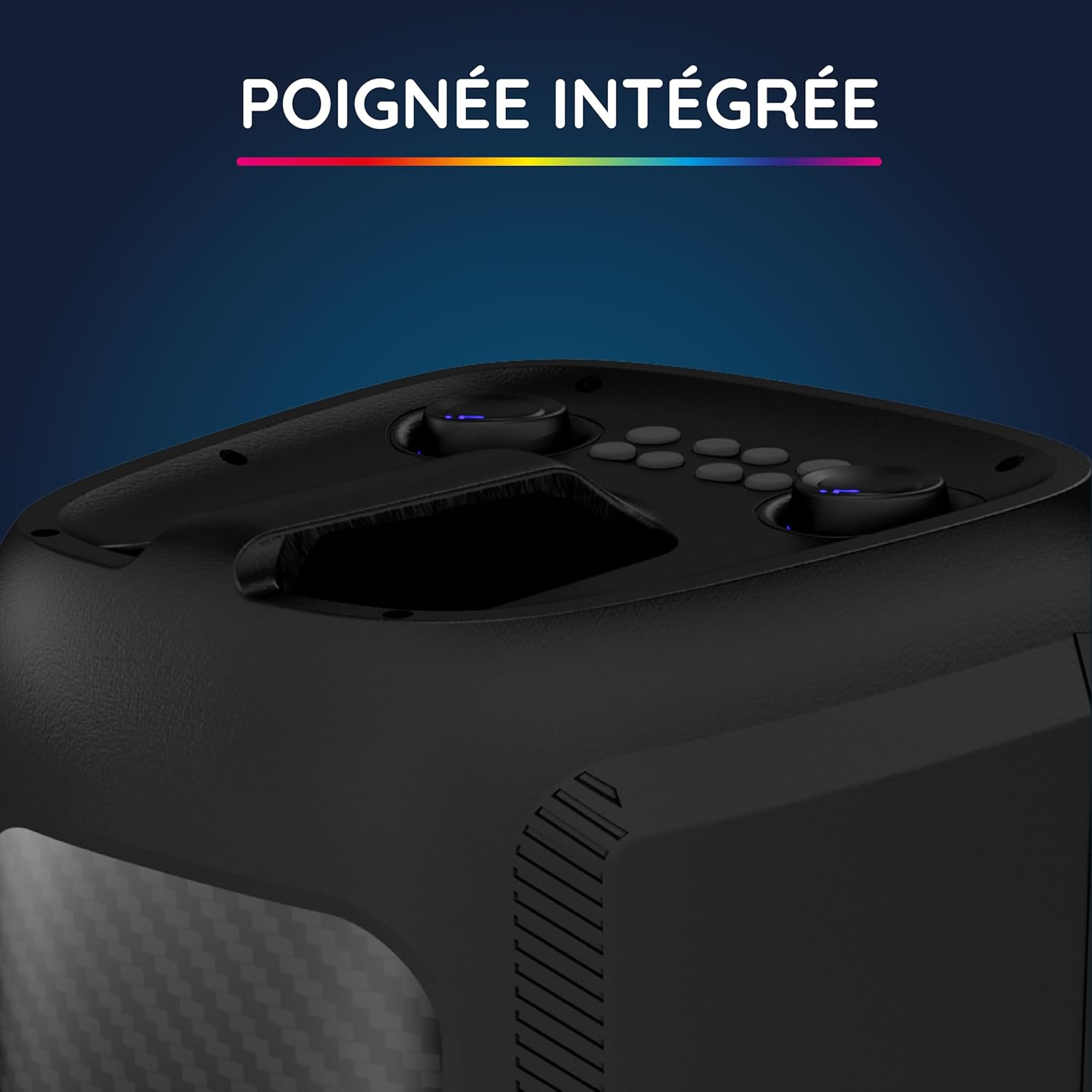
Figure 5.3: A detailed view of the speaker's integrated handle, designed for comfortable and secure portability.
6. Maintenance
6.1 Cleaning
Wipe the speaker with a soft, dry cloth. Do not use abrasive cleaners, solvents, or harsh chemicals, as these may damage the surface.
6.2 Storage
Store the speaker in a cool, dry place away from direct sunlight and extreme temperatures. If storing for an extended period, ensure the battery is partially charged (around 50%) to maintain its health.
6.3 Battery Care
To prolong battery life, avoid fully discharging the battery frequently. Recharge regularly, even if not in use for extended periods, to prevent deep discharge.
7. Troubleshooting
- No Power: Ensure the speaker is charged. Check the power adapter connection to a working power outlet.
- No Sound: Check volume levels on both the speaker and the connected device. Ensure the correct input source (Bluetooth, AUX, USB, Micro SD) is selected. Verify Bluetooth connection or cable connection.
- Bluetooth Disconnection: Ensure the speaker and device are within the 10-meter range. Disconnect and re-pair the device. Avoid physical obstacles between the speaker and the device that might interfere with the signal.
- Microphone Not Working: Ensure the microphone is securely plugged into the 6.35mm jack. Check the microphone volume and echo settings on the speaker's control panel.
- Lights Not Working: Press the dedicated light button to cycle through the RGB modes or to turn them on if they are off.
8. Specifications
| Feature | Description |
|---|---|
| Brand | R-MUSIC |
| Model Number | RM484536 |
| Series | PARTY BOOST M |
| Manufacturer | MOBILITY |
| Connectivity Type | Bluetooth 5.3 |
| Input Audio | Wired Microphone, USB, 6.35mm Jack, AUX |
| Average Battery Life | 11 hours (at 50% volume) |
| Dimensions (L x W x H) | 29.2 x 62 x 29 cm |
| Item Weight | 5.75 Kilograms |
| Color | Black |
| Compatible Devices | Personal Computer, Smartphone, Tablet |
| Mounting Type | Floor Mount |
| Power Source | Rechargeable Battery |
| Connector Type | Aux, USB |
| Number of Channels | 1 |
| Other Features | 7 RGB light shows, TWS pairing, Wired microphone included, Karaoke mode, Integrated handle, Equalizer (6 preset modes) |
9. Warranty and Support
The R-MUSIC Party Boost M speaker comes with a 2-year manufacturer's warranty. For technical support, warranty claims, or further assistance, please refer to the contact information provided in the detailed user manual included in the box or visit the official R-MUSIC website for the most up-to-date support resources.
Ask a question about this manual
Ask about setup, troubleshooting, compatibility, parts, safety, or missing instructions. Manuals+ will review the question and use this page’s manual context to help answer it.