
1. Product Overview
The Waterdrop G2P600 is a tankless, 7-stage reverse osmosis water filtration system designed for under-sink installation. It provides 600 gallons per day (GPD) of filtered water and includes a remineralization filter (WD-MNR35) to enhance water quality by adding beneficial minerals. This system is certified by NSF/ANSI 372 for lead-free materials and tested to NSF/ANSI 53, 58, 42, and 401 standards for contaminant reduction.

Figure 1: Waterdrop G2P600 RO system with included faucet and two WD-MNR35 remineralization filters.
1.1 Key Features
- 7-Stage Filtration: Effectively reduces over 1,000 contaminants including PFAS, rust, sediment, chlorine, lead, TDS, PFOA, PFOS, salt, atrazine, odor, and other matter.
- 600 GPD Fast Flow: Produces 600 gallons of filtered water per day, filling a 200ml cup in approximately 8 seconds.
- Tankless Design: Saves space under the sink and prevents secondary contamination.
- Remineralization Filter (WD-MNR35): Utilizes PCC technology to add essential minerals like Calcium (Ca), Sodium (Na), Magnesium (Mg), and Potassium (K) back into the water, improving taste and health benefits.
- High Efficiency: Features a 1:1 low drain ratio, conserving water.
- NSF/ANSI Certified: Certified by NSF/ANSI 372 for lead-free materials and tested to NSF/ANSI 53, 58, 42, and 401 standards.
- Easy Installation: Designed for straightforward under-sink setup.

Figure 2: Illustration of the 7-stage filtration process, highlighting various contaminants removed by the system.

Figure 3: SGS and CSA test reports demonstrating the system's effectiveness in removing contaminants like PFOS, PFOA, Selenium, Barium, and others, tested against NSF/ANSI standards.

Figure 4: Certification document indicating NSF/ANSI 372 compliance for lead-free materials. Scan the QR code for more details: https://qr10.cn/E43pXS.
2. Specifications
| Feature | Specification |
|---|---|
| Model Number | G2P600 |
| Brand | Waterdrop |
| Installation Type | Under Sink |
| Power Source | Gravity-fed/Water Pressure |
| Maximum Flow Rate | 25 Milliliters Per Second (approx. 600 GPD) |
| Supported Water TDS Level Maximum | 1000 PPM |
| Remineralization Filter Model | WD-MNR35 |
| Drain Ratio | 1:1 |
3. Setup & Installation
The Waterdrop G2P600 system is designed for under-sink installation. While specific steps are detailed in the full installation guide (not provided here), general considerations include:
- Preparation: Ensure you have adequate space under your sink for the main unit and access to a cold water line and a drain.
- Water Supply Connection: Connect the system to your cold water supply using the provided adapter.
- Faucet Installation: Install the dedicated filtered water faucet on your sink or countertop.
- Drain Connection: Connect the drain line from the RO system to your sink's drain pipe.
- Filter Installation: Insert the CF (Composite Filter) and MRO (RO Membrane) filters into their respective slots. The WD-MNR35 remineralization filter connects inline.
- Leak Check: After installation, slowly turn on the water supply and check for any leaks.
- Flushing: Flush the system according to the detailed instructions in the complete manual to remove air and carbon fines before first use.
The WD-MNR35 remineralization filter is compatible with 1/4" quick connect tubing and can be integrated into most reverse osmosis or under-sink filtration systems.
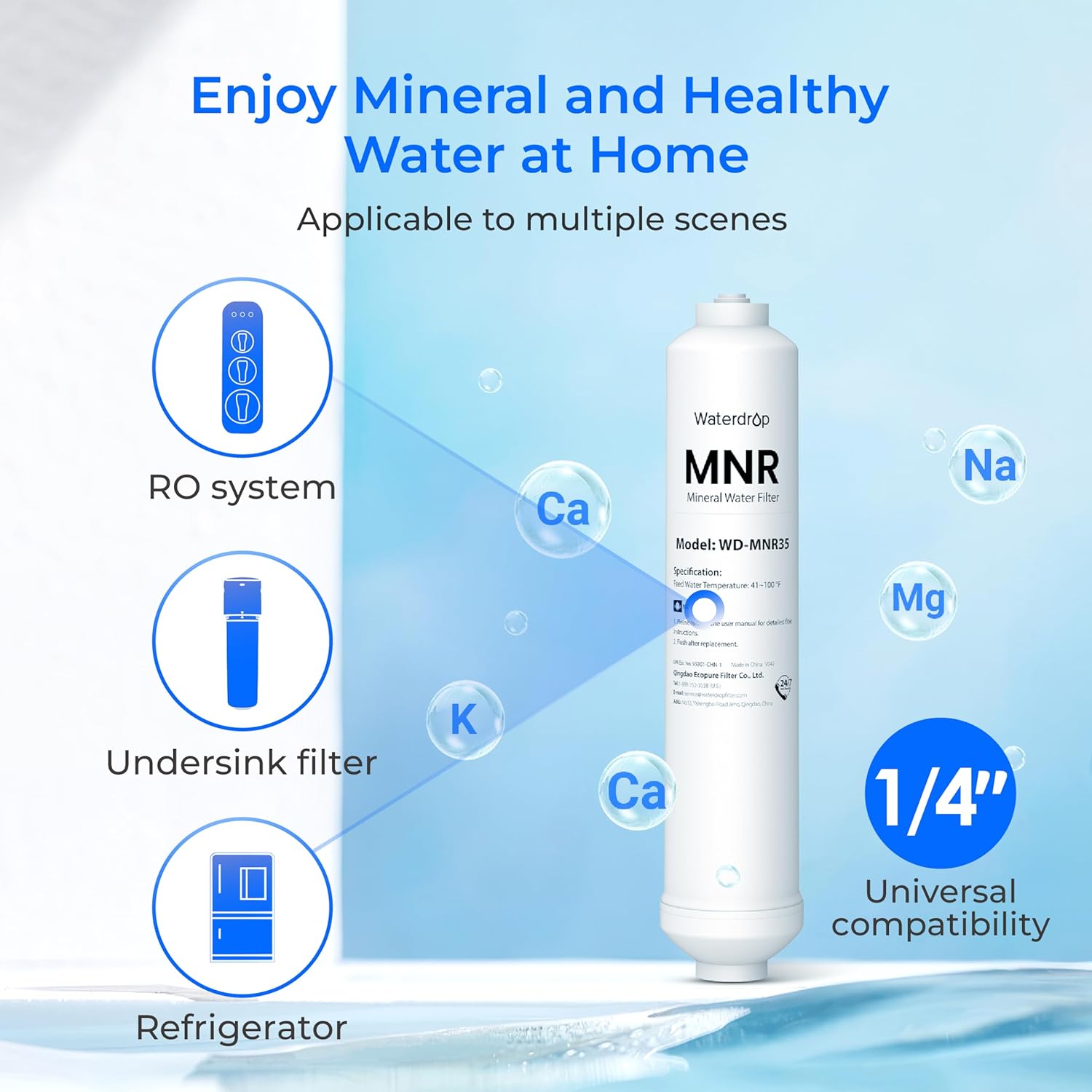
Figure 5: The WD-MNR35 remineralization filter, showing its universal 1/4" compatibility with RO systems, undersink filters, and refrigerators.
4. Operating Instructions
Once installed and flushed, the Waterdrop G2P600 system operates automatically. Simply open the dedicated filtered water faucet to dispense purified and remineralized water.
4.1 Water Dispensing
- Turn the handle of the dedicated faucet to the "on" position to dispense water.
- The system will automatically filter water as needed.
- Close the faucet when finished.
4.2 Mineral Enhancement
The integrated WD-MNR35 remineralization filter adds beneficial minerals such as Calcium, Sodium, Magnesium, and Potassium to the purified water. This process uses PCC (Porous Carbon Composite) Active Mineral Technology to simulate natural mineral spring formation, enhancing both taste and nutritional value.

Figure 6: Diagram illustrating the PCC Active Mineral Technology, showing how minerals like Calcium, Sodium, Magnesium, and Potassium are added back into the water.

Figure 7: The remineralization filter, which also contains natural coconut shell activated carbon to improve water taste by reducing chlorine and odors.

Figure 8: Visual representation of the health benefits associated with the added minerals: Sodium for fluid homeostasis, Potassium for electrolyte balance, Calcium for bones and teeth, and Magnesium for heart health.
5. Maintenance
Regular maintenance, primarily filter replacement, is crucial for the optimal performance and longevity of your Waterdrop G2P600 system.
5.1 Filter Replacement
The system uses two main filters: the Composite Filter (CF) and the RO Membrane (MRO), along with the WD-MNR35 remineralization filter. Replacement frequency depends on water quality and usage, but general guidelines are:
- Composite Filter (CF): Refer to the system's indicator or the full manual for specific replacement intervals.
- RO Membrane (MRO): Refer to the system's indicator or the full manual for specific replacement intervals.
- Remineralization Filter (WD-MNR35): Replace as recommended in the full manual, typically every 6-12 months depending on usage.
To purchase replacement filters, search for "WD-G2P600-W" for the main system filters and "WD-MNR35" for the remineralization filter.
5.2 General Care
- Keep the area around the system clean and dry.
- Avoid exposing the system to direct sunlight or extreme temperatures.
- Do not use abrasive cleaners on the system's exterior.
6. Troubleshooting
This section provides general guidance for common issues. For detailed troubleshooting, consult the comprehensive user manual.
6.1 No Water Flow or Slow Flow
- Check Water Supply: Ensure the cold water supply valve to the system is fully open.
- Filter Clogging: Filters may be clogged and require replacement. Refer to the maintenance section.
- Air Lock: Ensure the system has been properly flushed after installation or filter replacement.
6.2 Leaks
- Check Connections: Inspect all tubing connections and fittings for tightness.
- O-rings: Ensure O-rings on filter housings are properly seated and not damaged.
6.3 Unusual Taste or Odor
- New System/Filter: A slight taste or odor can occur with new filters; flush the system thoroughly.
- Filter Exhaustion: Filters may have reached the end of their lifespan and require replacement.
7. Safety Information
- Read all instructions before installing and using the system.
- Ensure all connections are secure to prevent leaks.
- Do not use with water that is microbiologically unsafe or of unknown quality without adequate disinfection before or after the system.
- Only use genuine Waterdrop replacement filters to ensure proper performance and safety.
- Keep the system away from heat sources and direct sunlight.
- If any damage is observed, discontinue use and contact customer support.
8. Warranty & Support
For specific warranty details and customer support, please refer to the official Waterdrop website or the documentation included with your product. Waterdrop provides support for product inquiries, troubleshooting, and warranty claims.
Contact Information: Please visit the Waterdrop Store on Amazon or their official website for the most up-to-date support information.


