
1. Introduction
This manual provides essential instructions for the safe and efficient operation of your RETLLAS 2.5 Cu Ft Electronic Digital Safe Box, Model MD-45. Please read this manual thoroughly before installation and use, and retain it for future reference. This safe is designed to secure valuables such as money, jewelry, documents, and personal items.
2. Safety Information
- Do not store the emergency keys inside the safe. Keep them in a secure, separate location.
- Ensure the safe is securely mounted to a wall or floor to prevent unauthorized removal.
- This safe is constructed from durable steel for security. While it offers robust protection, it is not certified as fireproof or waterproof. For fire or water protection, additional measures or specialized containers are recommended.
- Keep the safe away from excessive moisture or direct heat sources.
- Do not attempt to force the safe open if the electronic lock malfunctions. Use the emergency key or external power source as instructed.
- Keep children away from the safe to prevent accidental lockout or injury.
3. Package Contents
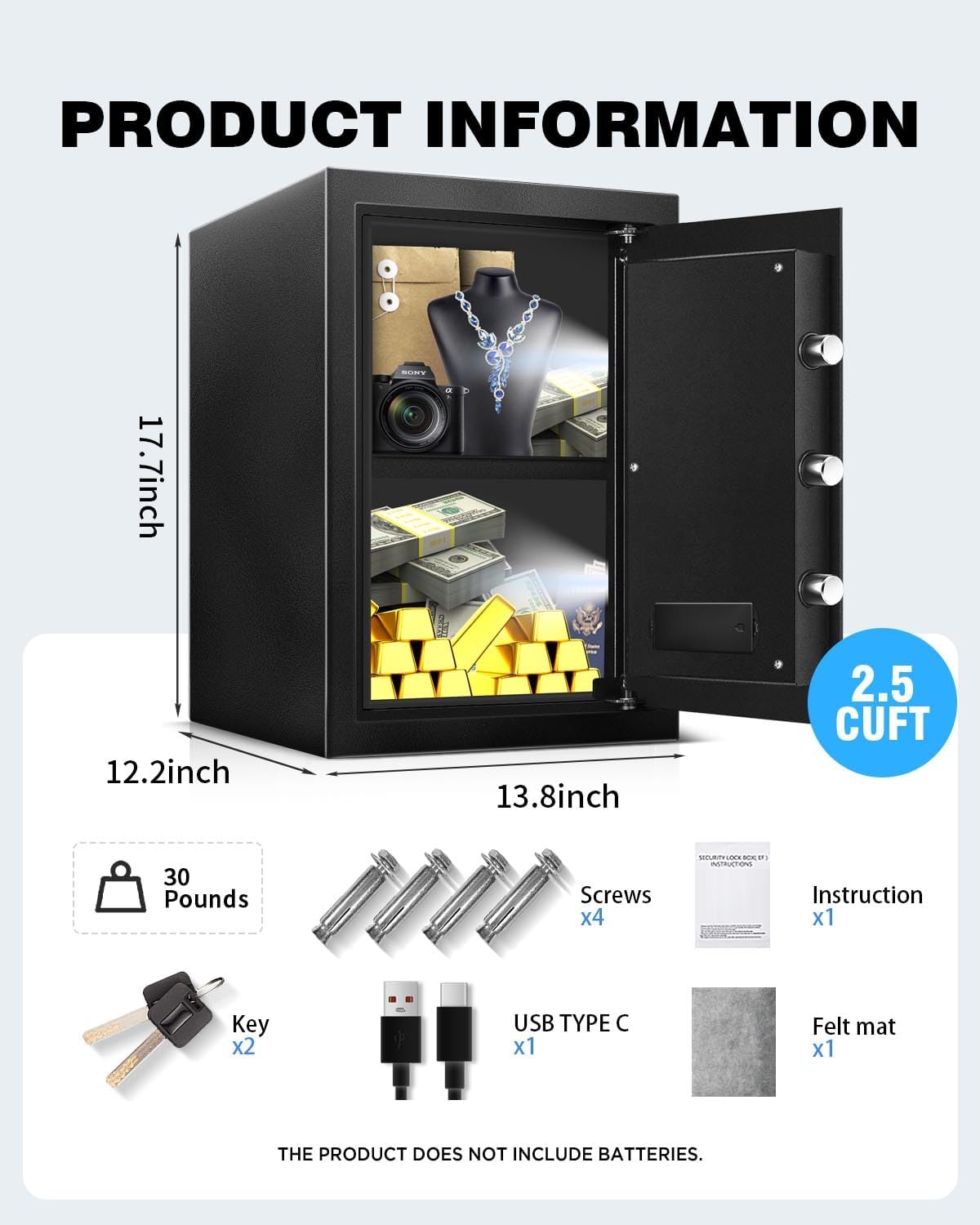
Verify that all components are present in the package:
- RETLLAS 2.5 Cu Ft Electronic Digital Safe Box (1)
- Emergency Keys (2)
- USB Type-C Cable (1)
- External Battery Box (1)
- Mounting Screws/Expansion Bolts (4)
- Instruction Manual (1)
- Felt Mat (1)
- Removable Shelf (1)

4. Setup
4.1 Battery Installation
The safe requires 4 AA batteries (not included) for the electronic keypad. Open the safe using the emergency key (refer to Section 5.2 if needed). Locate the battery compartment on the inside of the door. Insert 4 AA batteries, ensuring correct polarity. Close the compartment cover.
4.2 Initial Password and First Use
The initial factory password is 159#. To open the safe for the first time:
- Enter 159 on the keypad.
- Press the # key.
- Turn the knob clockwise to open the door within 5 seconds.

4.3 Mounting the Safe
The safe can be mounted to a wall or floor using the provided expansion bolts. Pre-drilled holes are located on the back and bottom of the safe.
- Choose a suitable location for mounting.
- Mark the drilling points through the pre-drilled holes on the safe.
- Drill holes in the wall or floor using an appropriate drill bit.
- Insert the expansion bolts into the drilled holes.
- Align the safe with the bolts and secure it tightly.


5. Operating Instructions
5.1 Opening with Passcode
- Enter your 3-8 digit personal password.
- Press the # key.
- Turn the knob clockwise to open the door within 5 seconds.
5.2 Opening with Emergency Key
In case of battery failure or forgotten password:
- Locate the emergency keyhole, usually hidden behind a cover on the keypad panel.
- Insert the emergency key and turn it counter-clockwise.
- Simultaneously turn the main knob clockwise to open the door.
5.3 External Power Supply (Type-C)
If the batteries are completely drained and you do not have the emergency key, you can use an external power source:
- Connect the provided USB Type-C cable to the external battery box.
- Plug the external battery box into the Type-C port on the safe's keypad.
- Enter your passcode and press #.
- Turn the knob clockwise to open the door.

5.4 Changing Your Password
- With the safe door open, press the red reset button located on the inside of the door (usually near the hinge). The indicator light on the keypad will flash.
- Enter your new 3-8 digit password on the keypad.
- Press the # key to confirm. The indicator light will stop flashing, confirming the new password is set.
- Test the new password with the door open before closing it.
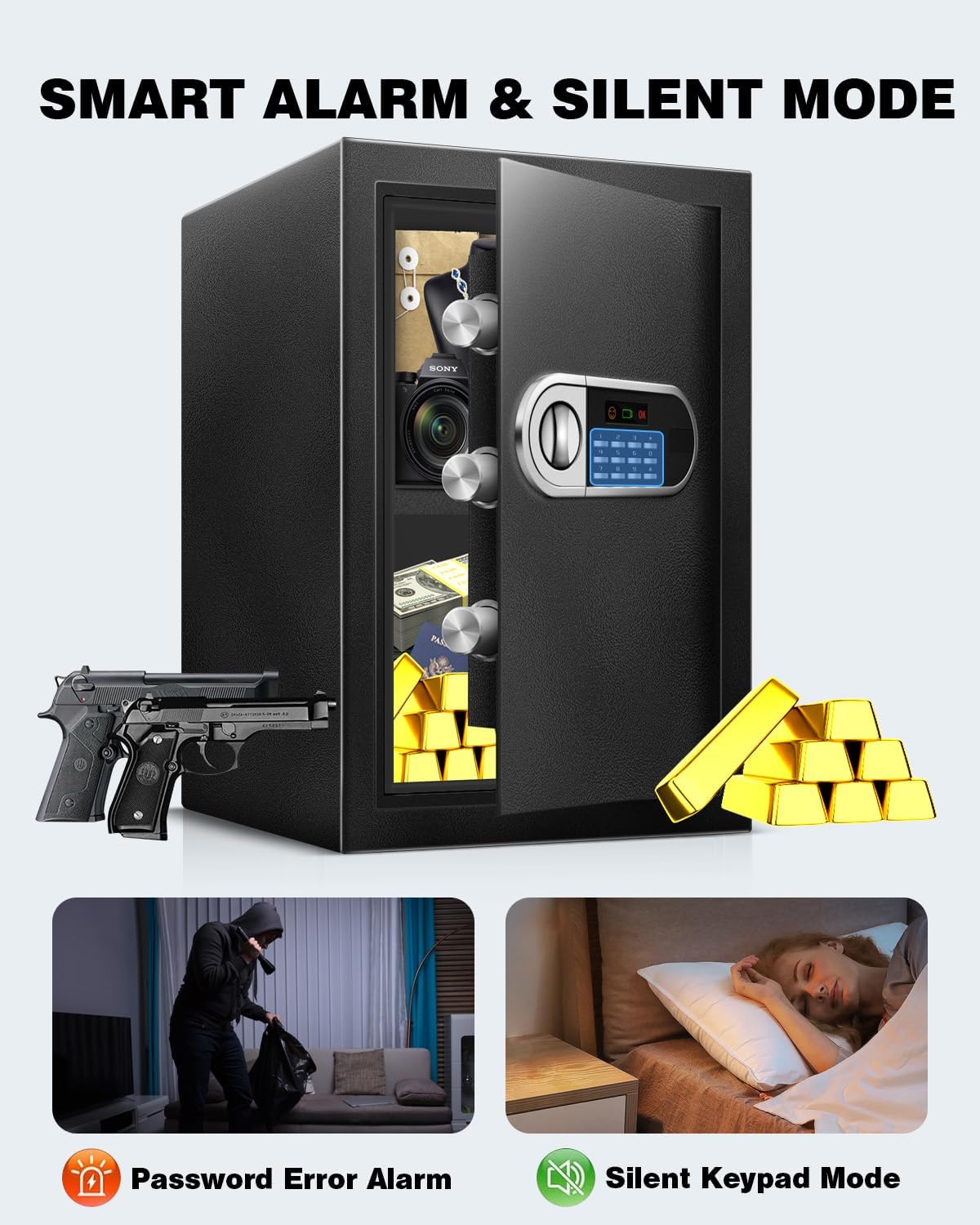
5.5 Silent Mode
To activate or deactivate silent mode (keypad sounds):
- To turn on silent mode: Press and hold *, then press 633.
- To turn off silent mode: Press and hold *, then press 66.

5.6 Alarm System
The safe features an alarm system that activates if incorrect passcodes are entered multiple times or if the safe experiences strong vibrations/impacts. The alarm will sound for a set period and then reset. To stop the alarm, enter the correct password or use the emergency key.

5.7 Interior LED Light
The safe includes a built-in motion sensor LED light to illuminate the interior, making it easier to access items in low-light conditions.

5.8 Removable Shelf
The safe is equipped with a removable shelf for versatile interior organization. You can adjust or remove the shelf to accommodate items of various sizes.


6. Maintenance
- Battery Replacement: When the battery indicator light turns red, replace all 4 AA batteries promptly. Do not mix old and new batteries or different battery types.
- Cleaning: Wipe the safe's exterior with a soft, damp cloth. Avoid abrasive cleaners or solvents that could damage the finish or electronic components.
- Keypad Care: Keep the keypad clean and dry. Avoid pressing keys with excessive force.
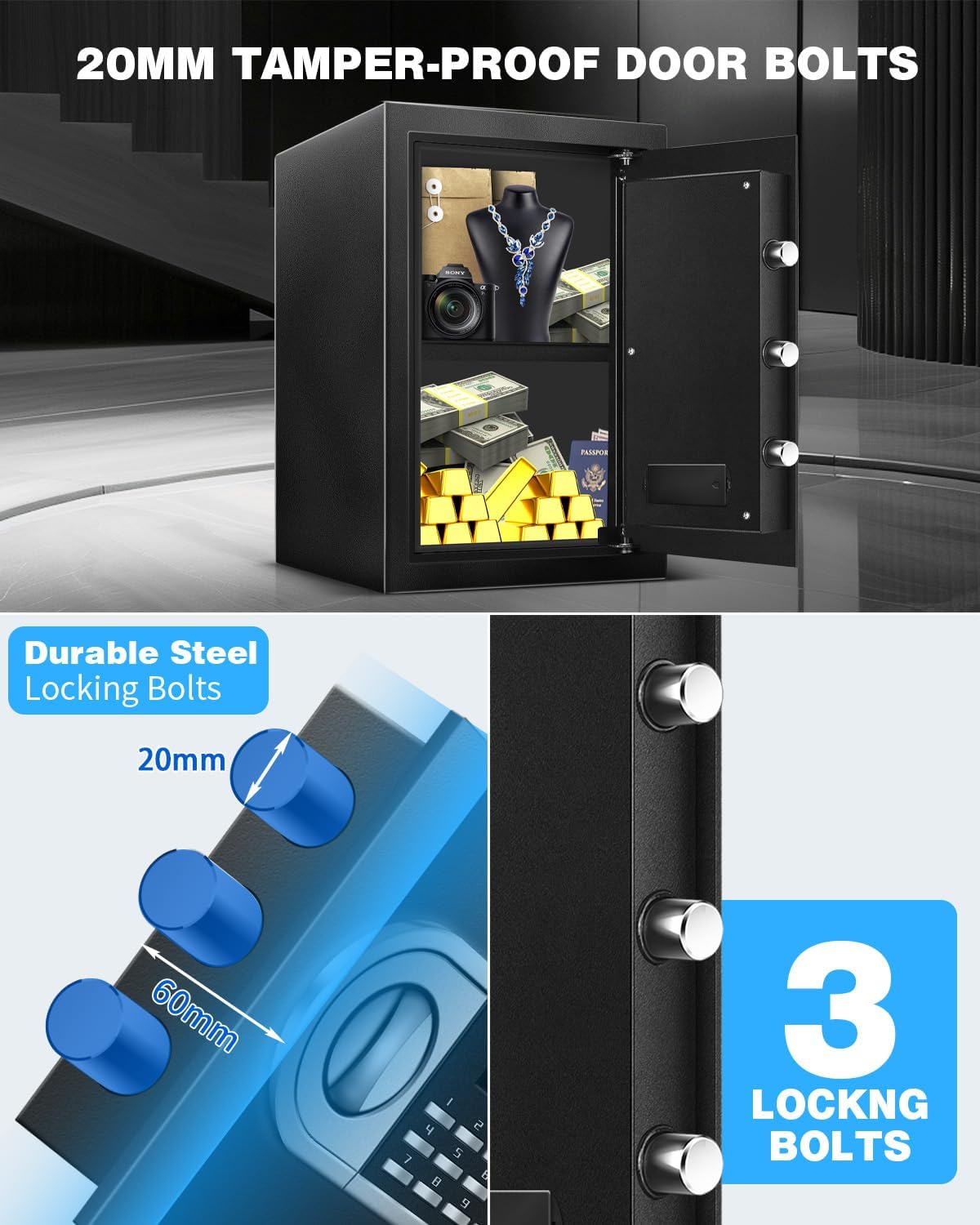
- Door Hinges and Bolts: Periodically check the door hinges and locking bolts for any signs of wear or obstruction. Ensure they move smoothly.
7. Troubleshooting
| Problem | Possible Cause | Solution |
|---|---|---|
| Safe does not open with passcode. | Incorrect password entered; batteries are low or dead. | Re-enter the correct password. Replace batteries or use the external Type-C power supply. Use the emergency key. |
| Keypad does not respond. | Batteries are completely dead; keypad malfunction. | Use the external Type-C power supply or the emergency key. If the issue persists, contact customer support. |
| Alarm sounds unexpectedly. | Incorrect password attempts; safe was moved or impacted. | Enter the correct password to disarm. Ensure the safe is securely mounted and not subject to accidental impacts. |
| Door does not close properly. | Obstruction in the door frame; locking bolts are not retracting fully. | Check for any items blocking the door. Ensure the knob is turned fully to retract bolts before closing. |
| Forgotten password. | Password forgotten. | Use the emergency key to open the safe, then reset the password using the internal reset button (refer to Section 5.4). |
8. Specifications
| Feature | Detail |
|---|---|
| Brand | RETLLAS |
| Model Number | MD-45 |
| Capacity | 2.49 Cubic Feet (2.5 Cu Ft) |
| Product Dimensions (D x W x H) | 12.2" x 13.8" x 17.72" |
| Item Weight | 29 Pounds |
| Material | Carbon Steel |
| Lock Type | Electronic Combination Lock |
| Control Type | Push Button Control |
| Mounting Type | Floor Mount, Wall Mount |
| Special Features | Alarm System, Sensor Light, Combination Lock, Anti-Theft, Removable Shelf |
| Emergency Power | External Battery Box with Type-C Port |
| Locking Bolts | 3 reinforced solid locking bolts (30mm diameter) |


9. Warranty and Support
- Warranty: This product comes with a 1-year unconditional warranty.
- Technical Assistance: Lifetime technical assistance is provided for this product.
- Customer Support: 24/7 customer support is available for any inquiries or issues.
For support, please refer to the contact information provided with your purchase or visit the official RETLLAS website.