
1. Product Overview
The Haylou X1 Plus are True Wireless Stereo (TWS) headphones designed for a superior audio experience. Featuring Bluetooth 5.4 for stable connectivity and Environmental Noise Cancellation (ENC) for clear calls, these headphones offer convenience and quality sound. This manual provides essential information for setup, operation, and maintenance.
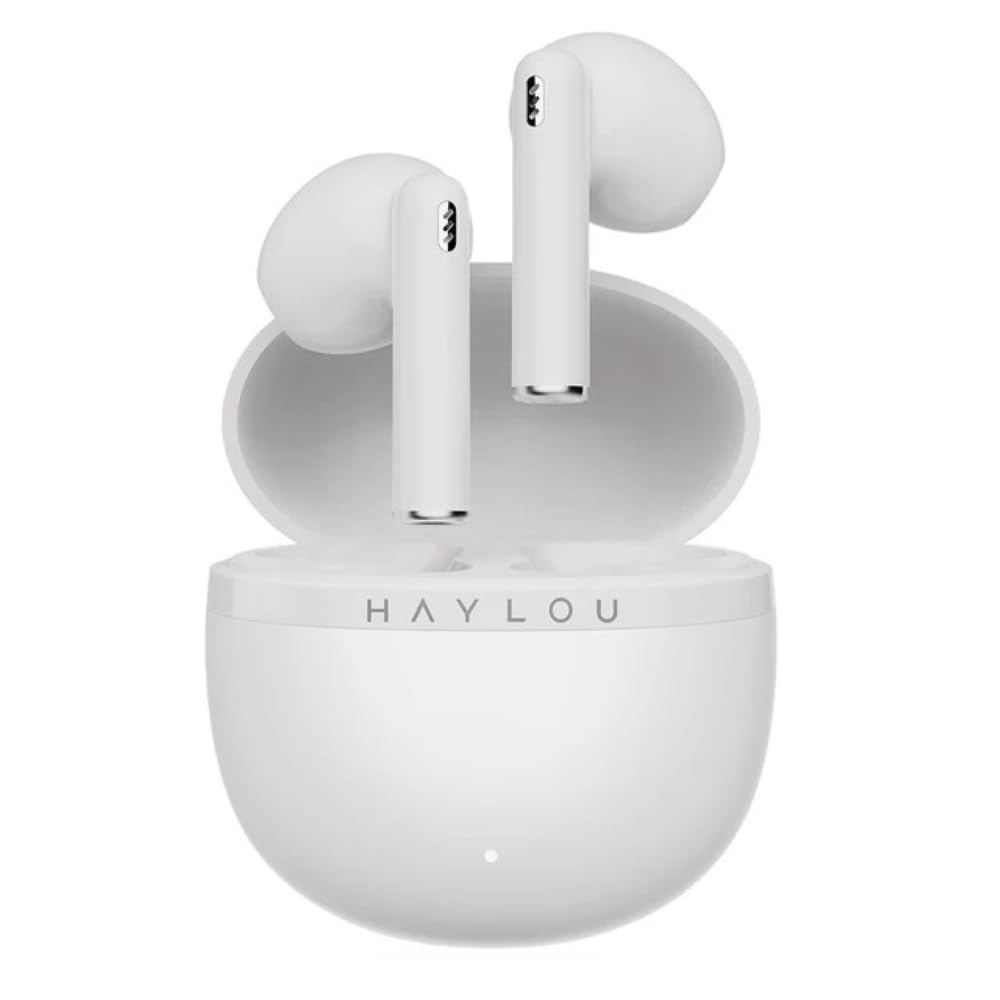
Image: The Haylou X1 Plus TWS earbuds shown in their charging case.
2. What's in the Box
Upon opening your Haylou X1 Plus package, please verify that all components are present:
- Haylou X1 Plus Earbuds
- Charging Case
- USB Charging Cable
- Ear Cushions (various sizes)
- User Manual (this document)

Image: Haylou X1 Plus earbuds and their charging case, typically found within the product packaging.
3. Setup
3.1 Charging the Earbuds and Case
- Place the earbuds into the charging case, ensuring they are correctly seated.
- Connect the USB charging cable to the charging port on the case and a power source (e.g., USB adapter, computer USB port).
- The indicator light on the charging case will show the charging status. A full charge is indicated when the light changes or turns off (refer to specific LED behavior in the quick start guide if available).
3.2 Pairing with a Device
- Ensure the earbuds are fully charged.
- Open the charging case. The earbuds will automatically enter pairing mode, indicated by a flashing light on one or both earbuds.
- On your device (smartphone, tablet, computer), enable Bluetooth.
- Search for available Bluetooth devices and select "Haylou X1 Plus" from the list.
- Once connected, a voice prompt will confirm successful pairing.

Image: The Haylou X1 Plus earbuds resting in their open charging case, ready for pairing or charging.
4. Operating Instructions
4.1 Power On/Off
- Power On: Open the charging case, and the earbuds will automatically power on. Alternatively, press and hold the touch panel on both earbuds for approximately 1.5 seconds.
- Power Off: Place the earbuds back into the charging case and close the lid. They will automatically power off and begin charging. Alternatively, disconnect from Bluetooth and they will power off after a few minutes, or press and hold the touch panel for approximately 4.5 seconds.
4.2 Music Control (Touch Control)
- Play/Pause: Tap the touch panel on either earbud once.
- Next Track: Double-tap the touch panel on the right earbud.
- Previous Track: Double-tap the touch panel on the left earbud.
4.3 Call Control (Touch Control)
- Answer/End Call: Tap the touch panel on either earbud once.
- Reject Call: Press and hold the touch panel on either earbud for approximately 1.5 seconds.
4.4 Voice Assistant
- Activate Voice Assistant: Triple-tap the touch panel on the left earbud.
4.5 Environmental Noise Cancellation (ENC)
The Haylou X1 Plus features ENC technology to reduce ambient noise during calls, ensuring clearer communication. This feature is automatically active during phone calls.

Image: A person wearing the Haylou X1 Plus earbuds, demonstrating typical usage.
5. Maintenance
Proper maintenance ensures the longevity and optimal performance of your Haylou X1 Plus headphones.
- Cleaning: Regularly clean the earbuds and charging case with a soft, dry, lint-free cloth. Avoid using abrasive materials, solvents, or harsh chemicals.
- Ear Cushions: Remove and clean ear cushions periodically. Ensure they are completely dry before reattaching.
- Storage: When not in use, store the earbuds in their charging case to protect them and keep them charged. Store in a cool, dry place away from extreme temperatures.
- Battery Care: Avoid fully discharging the battery frequently. Charge the earbuds and case regularly, even if not in constant use, to maintain battery health.
- Water Exposure: The earbuds are not waterproof. Avoid exposure to water, sweat, or moisture.
6. Troubleshooting
If you encounter issues with your Haylou X1 Plus headphones, try the following solutions:
- Earbuds not pairing:
- Ensure both earbuds are charged.
- Place earbuds back in the case, close the lid, then open again to re-enter pairing mode.
- Delete "Haylou X1 Plus" from your device's Bluetooth list and attempt to pair again.
- No sound from one earbud:
- Ensure both earbuds are charged.
- Try resetting the earbuds (see below).
- Charging issues:
- Check the charging cable and power adapter.
- Ensure the charging contacts on the earbuds and case are clean and free of debris.
- Resetting the Earbuds:
- Place both earbuds into the charging case.
- Press and hold the function button on the charging case (if available, otherwise refer to specific model instructions) for approximately 10-15 seconds until the indicator light flashes. This usually clears pairing records.
- Remove earbuds and attempt to pair again.
7. Specifications
Key technical specifications for the Haylou X1 Plus TWS Bluetooth 5.4 ENC Wireless Headphones:
| Feature | Specification |
|---|---|
| Brand | HAYLOU |
| Model Name | Haylou X1 Plus |
| Model Number | Haylou X1 PLus T013 |
| Connectivity Technology | Wireless (Bluetooth 5.4) |
| Form Factor | True Wireless |
| Colour | White |
| Product Features | Microphone Included, Rechargeable Battery, Touch Control, ENC Noise Cancellation |
| Item Weight | 95 Grams (approximate, including case) |
| Box Contents | Cable, Ear Cushions, User Manual |
8. Warranty and Support
The Haylou X1 Plus headphones come with a Haylou Turkey Guarantee, ensuring product quality and support. For warranty claims or technical assistance, please retain your proof of purchase and contact the authorized Haylou service center or your retailer.
For further support, please refer to the official Haylou website or contact their customer service channels.
