
1. Introduction
This manual provides detailed instructions for the safe and effective use of your Gaciron Kiwi Front Bike Light, model KIWI-800. Please read this manual thoroughly before operating the device and retain it for future reference.
2. Product Overview
2.1 Key Features
- Anti-Glare Cut Beam: Designed to prevent blinding oncoming pedestrians and cyclists.
- High Power LED: Up to 800 lumens for powerful illumination.
- Mobile Power Function: Built-in 2500 mAh battery can charge other devices via USB-C.
- Durable Construction: Aluminium alloy housing with CNC machining for optimal durability.
- IPX6 Waterproof: Resistant to heavy rain and foggy conditions.
- Versatile Installation: Can be installed on top or under the handlebar.
- Wired Remote Control Compatibility: Supports R03 wired remote control (sold separately).
2.2 Package Contents
- 1 x Gaciron KIWI-800 Bike Front Light
- 1 x H07P Bicycle Light Holder & Bracket Mounting Base (for suspended mounted)
- 1 x 15cm USB-C Charging Cable
- 1 x Silicone Anti-slip Bottom Sheet
- 1 x Wrench and Small Screwdriver
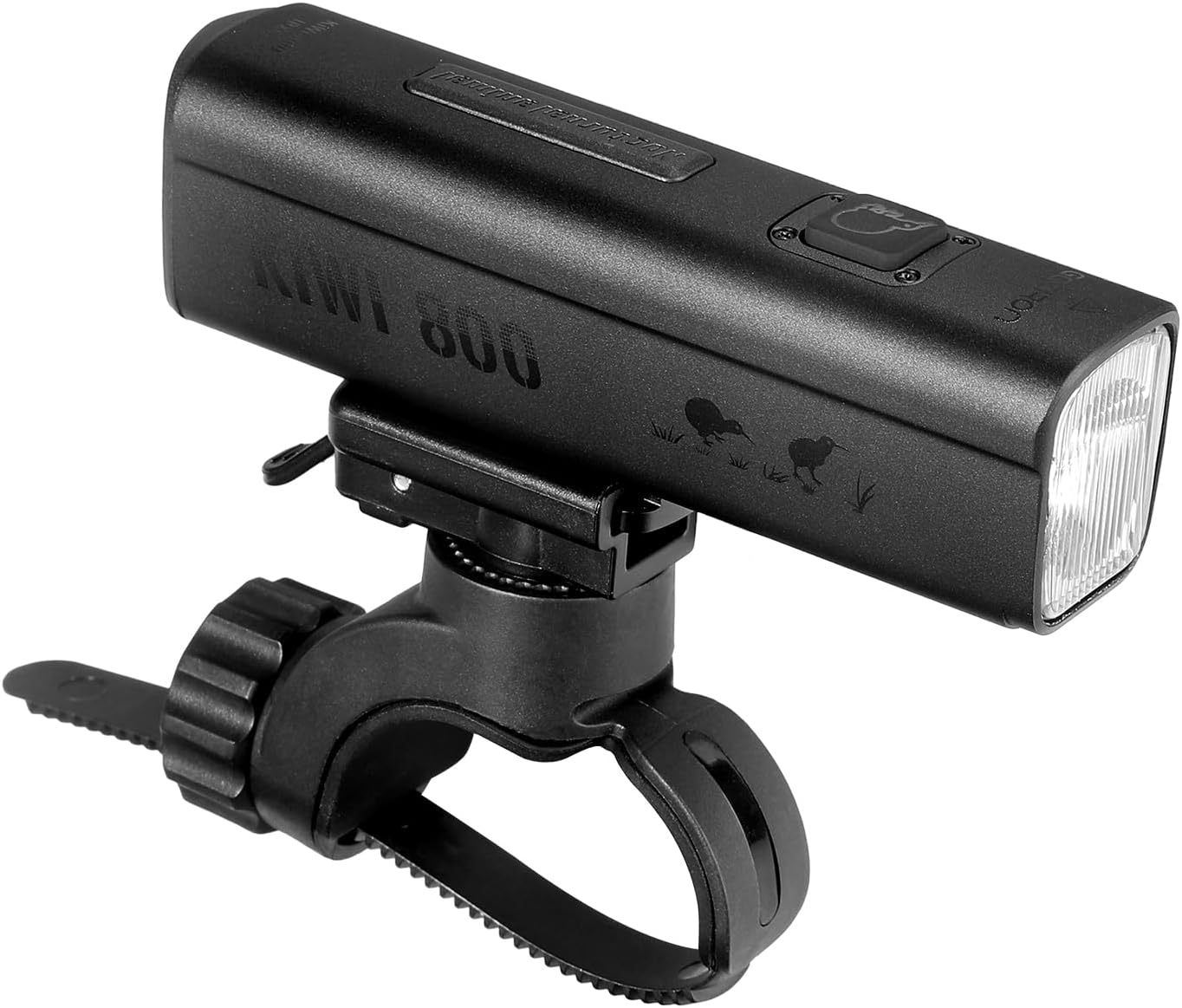
Figure 1: Gaciron Kiwi-800 Front Bike Light shown with its handlebar mount.
3. Safety Information
- Do not look directly into the light beam to avoid temporary vision impairment.
- Keep the device away from children.
- Ensure the light is securely mounted before riding.
- Do not disassemble or modify the light, as this may void the warranty and cause damage.
- Use only the provided USB-C cable for charging.
- While the light is IPX6 waterproof, avoid prolonged submersion in water.
4. Setup and Installation
4.1 Mounting the Bike Light
- Attach the H07P Bicycle Light Holder to your handlebar using the provided wrench and screwdriver. Ensure it is tightened securely.
- The KIWI-800 offers two installation options: on top of the handlebar or suspended underneath. Adjust the mounting base as needed to achieve your preferred orientation. The anti-glare cut line remains effective in both positions.
- Slide the KIWI-800 bike light onto the mounting base until it clicks into place.
- For enhanced grip and to prevent slippage, place the silicone anti-slip bottom sheet between the light and the mount if necessary.

Figure 2: The Gaciron Kiwi-800 bike light held in hand, demonstrating its compact form factor.

Figure 3: The Gaciron Kiwi-800 bike light securely mounted on a handlebar, with a user pressing the power button.
5. Operating Instructions
5.1 Power On/Off and Mode Selection
- Power On: Press and hold the power button located on the top of the light for approximately 2 seconds.
- Change Modes: Briefly press the power button to cycle through the 5 available brightness modes.
- Power Off: Press and hold the power button for approximately 2 seconds.
5.2 Wired Remote Control (Optional)
The KIWI-800 is compatible with the Gaciron R03 wired remote control (sold separately). Connect the R03 remote to the designated port on the light to control functions without removing your hands from the handlebar.

Figure 4: The Gaciron Kiwi-800 bike light actively illuminating the path from its handlebar position.
6. Charging
The KIWI-800 features a built-in 2500 mAh battery and is rechargeable via a USB-C port. It also functions as a mobile power bank to charge other devices.
- Locate the USB-C charging port at the rear of the light, protected by a rubber cover.
- Open the rubber cover and connect the provided USB-C cable to the light and a power source (e.g., laptop, wall adapter, car charger).
- The indicator lights will show the charging status.
- To use as a power bank, connect your device to the USB-C port on the KIWI-800.
- Ensure the rubber cover is securely closed after charging to maintain water resistance.

Figure 5: Close-up of the Gaciron Kiwi-800 bike light's USB-C charging port with its protective cover opened.
7. Maintenance
- Cleaning: Wipe the light with a soft, damp cloth. Do not use abrasive cleaners or solvents.
- Storage: Store the light in a cool, dry place when not in use. Avoid extreme temperatures.
- Battery Care: For optimal battery life, charge the light at least once every three months if not used regularly.
- Water Resistance: Always ensure the USB-C port cover is fully sealed to maintain IPX6 water resistance.
8. Troubleshooting
| Problem | Possible Cause | Solution |
|---|---|---|
| Light does not turn on | Low battery; Power button not pressed correctly | Charge the battery; Press and hold the power button for 2 seconds |
| Light does not charge | Faulty cable or power source; USB-C port obstructed | Try a different USB-C cable or power source; Check and clean the USB-C port |
| Light beam is weak | Low battery; Light lens is dirty | Charge the battery; Clean the light lens with a soft cloth |
| Light slips on handlebar | Mount not tight enough; No anti-slip sheet used | Re-tighten the mounting bracket; Use the provided silicone anti-slip bottom sheet |
9. Specifications
| Feature | Detail |
|---|---|
| Model Number | KIWI-800 |
| Brightness | 800 Lumens (Max) |
| Battery | 2500 mAh Lithium Ion (included) |
| Power Source | Battery Powered, USB-C Rechargeable |
| Material | Aluminum Alloy |
| Water Resistance Level | IPX6 (Water Resistant) |
| Mounting Type | Handlebar Mount |
| Product Dimensions (L x W x H) | 24 x 35 x 99 mm |
| Item Weight | 124 g |
| Colour | White |
10. Warranty and Support
For warranty information and customer support, please refer to the documentation provided with your purchase or contact the seller directly. Keep your proof of purchase for any warranty claims.

