1. Introduction
This manual provides essential information for setting up, operating, and maintaining your OnePlus 12 Unlocked Android Phone. Please read this guide thoroughly to ensure optimal performance and longevity of your device.
The OnePlus 12 features a Snapdragon 8 Gen 3 processor, 16GB RAM, a Hasselblad Camera system, a 2K 120Hz ProXDR Display, and a 5400mAh battery, running on OxygenOS.
2. What's in the Box
- OnePlus 12 Unlocked Android Phone
- USB Cable

3. Device Overview
3.1 Physical Features


3.2 Camera System

4. Setup
4.1 Inserting the SIM Card
- Locate the SIM card tray on the side of your device.
- Insert the SIM ejector tool into the small hole next to the tray and push gently until the tray pops out.
- Place your Nano-SIM card(s) into the tray with the gold contacts facing down. This device supports Dual SIM.
- Carefully reinsert the SIM card tray into the phone.
4.2 Powering On/Off
- To power on: Press and hold the Power button until the OnePlus logo appears.
- To power off: Press and hold the Power button, then tap 'Power off' on the screen.
4.3 Initial Device Configuration
Follow the on-screen prompts to complete the initial setup, including language selection, Wi-Fi connection, Google account setup, and fingerprint/face unlock configuration.
5. Operating Your Device
5.1 Display and Navigation
- The OnePlus 12 features a 2K 120Hz ProXDR Display for smooth visuals and vibrant colors.
- Navigate using gestures or on-screen navigation buttons (configurable in Settings).
- OxygenOS provides a clean and customizable Android experience.
5.2 Basic Camera Operation
- Open the Camera app from your home screen or lock screen.
- Tap the shutter button to take a photo.
- Swipe left or right to switch between different camera modes (Photo, Video, Portrait, Night, etc.).
6. Camera Features
The OnePlus 12 is equipped with a Hasselblad Camera system, offering advanced photography capabilities:
- Main Camera: High-resolution sensor for detailed photos.
- Ultra-Wide Lens: Capture broader scenes with a 48MP sensor.
- Telephoto Lens: 64MP periscopic sensor for optical zoom.
- Hasselblad Color Calibration: Ensures natural and accurate color reproduction.
- Pro Mode: Manual controls for ISO, shutter speed, white balance, and more.
7. Charging and Battery
Your OnePlus 12 is powered by a large 5400mAh battery, supporting fast charging technologies.
- Wired Charging: Supports 100W Smart Rapid Charge Mode, achieving a full charge in approximately 26 minutes.
- Wireless Charging: Supports 50W Smart Rapid Charge Mode, achieving a full charge in approximately 55 minutes.

8. Performance
The OnePlus 12 is equipped with top-tier hardware for smooth and efficient performance:
- Processor: Snapdragon 8 Gen 3 CPU, clocked at 3.2 GHz.
- RAM: 16 GB.
- Internal Storage: 512 GB.
- Operating System: Android 14 with OxygenOS.
9. Connectivity
- Cellular Technology: 5G for high-speed mobile data.
- Wireless Carrier: Unlocked, compatible with GSM networks. (Not compatible with Verizon/Sprint).
- Dual SIM: Supports two Nano-SIM cards simultaneously.
- GPS: True.
10. Maintenance
- Cleaning: Use a soft, lint-free cloth to clean the screen and body. Avoid harsh chemicals.
- Software Updates: Regularly check for and install system updates to ensure optimal performance and security.
- Battery Care: Avoid extreme temperatures and prolonged exposure to direct sunlight.
11. Troubleshooting
- Device not responding: Press and hold the Power button for about 10 seconds to force restart.
- App crashes: Clear the app's cache and data in Settings > Apps, or reinstall the app.
- Network issues: Check SIM card insertion, toggle Airplane Mode, or reset network settings.
12. Specifications
| Feature | Specification |
|---|---|
| Model Name | OnePlus 12 |
| Operating System | Android 14 |
| CPU Model | Snapdragon 8 Gen 3 |
| CPU Speed | 3.2 GHz |
| RAM | 16 GB |
| Memory Storage Capacity | 512 GB |
| Display | 2K 120Hz ProXDR Display |
| Resolution | 1080 x 2340 |
| Battery Capacity | 5400 Milliamp Hours |
| Connectivity Technologies | 5G |
| Wireless Carrier | Unlocked (GSM Only) |
| Product Dimensions | 2.98 x 0.36 x 6.47 inches |
| Weight | 220 Milligrams |
| Color | Black |
13. Warranty and Support
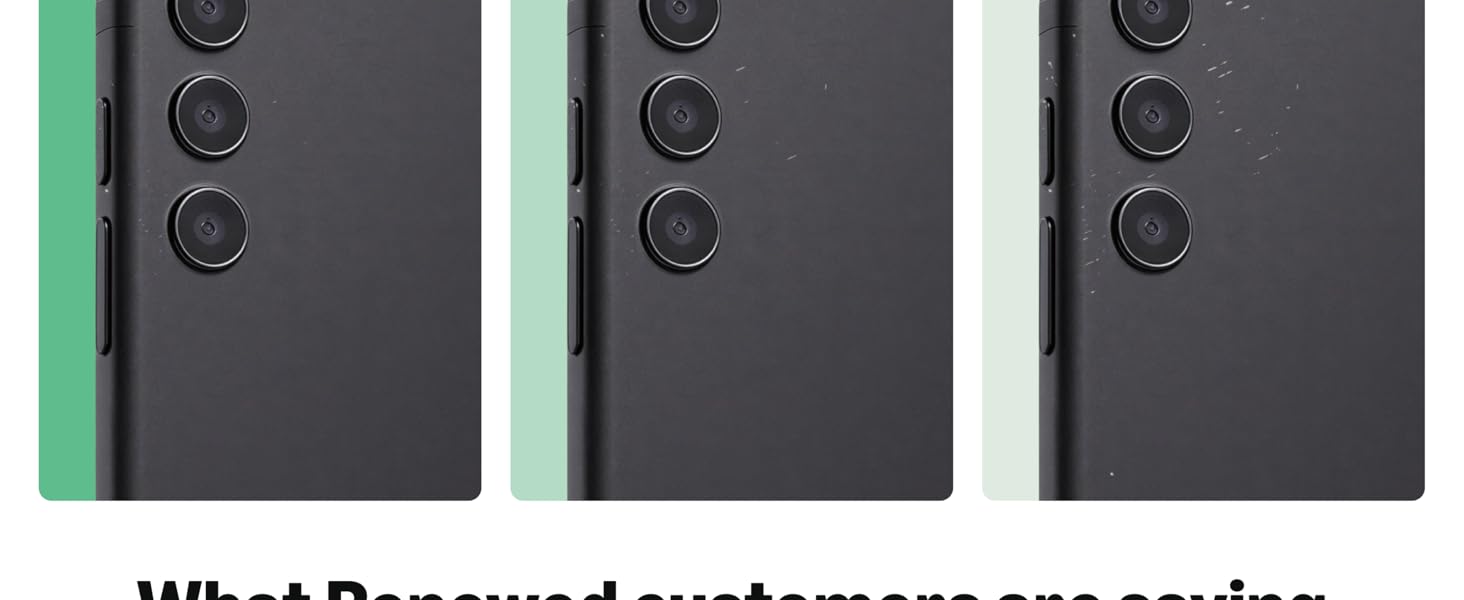
This product is sold as an Amazon Renewed item. All Amazon Renewed products are fully functional and come with generic or original accessories and packaging. They are backed by the Amazon Renewed Guarantee.
13.1 Amazon Renewed Guarantee
Your purchase is eligible for a replacement or refund within 90 days of receipt if it does not work as expected. For further details, please refer to the Amazon Renewed program terms and conditions.