
1. Introduction
Thank you for purchasing the Yoidesu Outdoor Portable Speaker. This manual provides essential information for the safe and efficient use of your device, including setup, operation, maintenance, and troubleshooting.
1.1 Package Contents
- 1 x Yoidesu Outdoor Portable Speaker
- 1 x USB Type-C Charging Cable
- 1 x User Manual
2. Product Overview
Familiarize yourself with the speaker's components and controls before operation.

Figure 2.1: Front and side view of the Yoidesu Outdoor Portable Speaker, showcasing its fabric finish and integrated carrying strap.
2.1 Controls and Ports
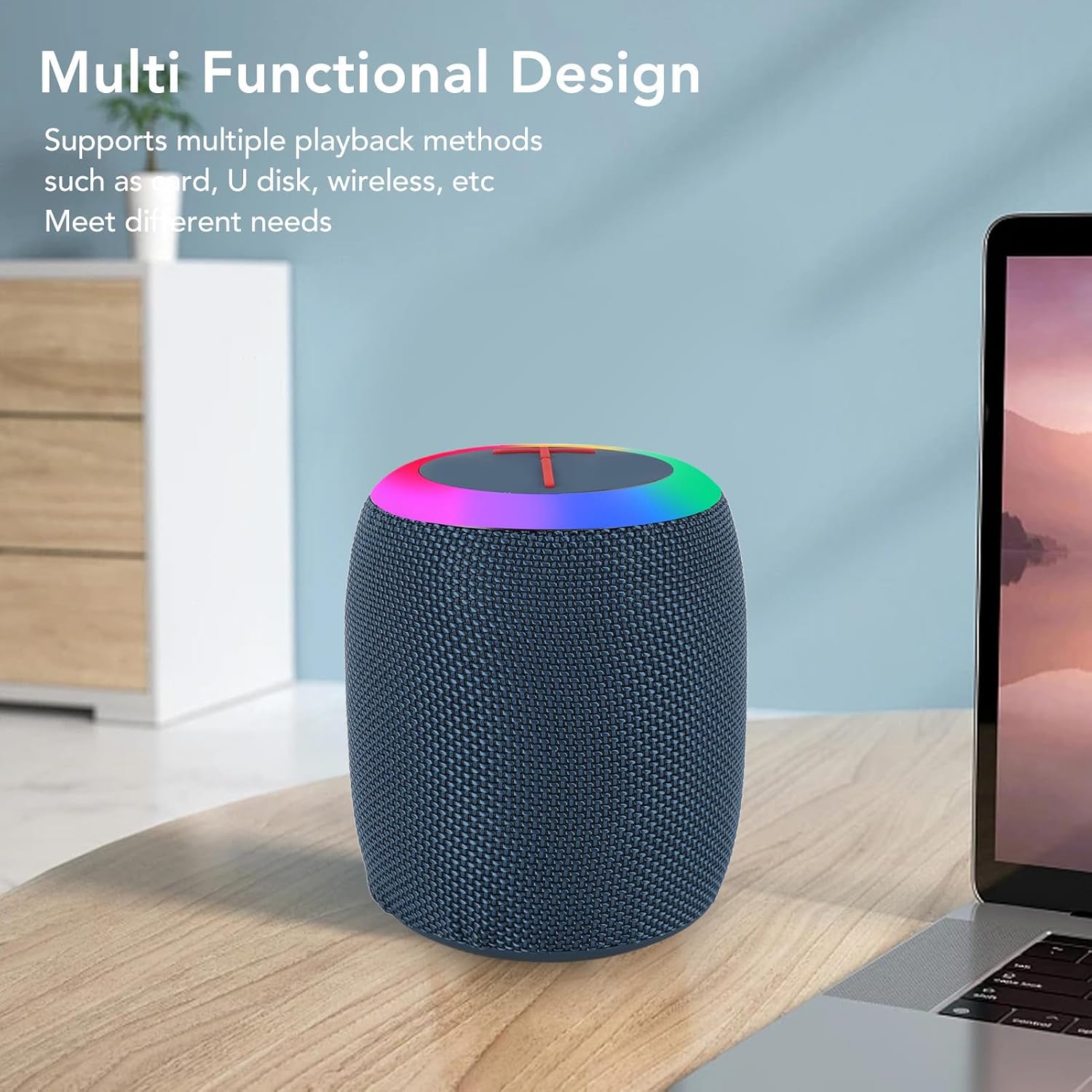
Figure 2.2: Detailed view of the speaker's control panel and various input ports (USB, TF Card, Type-C).
- Power Button: Press and hold to turn the speaker ON or OFF.
- Play/Pause Button: Press to play or pause audio. Press to answer or end a call.
- Volume Up / Next Track Button: Press to increase volume. Hold to skip to the next track.
- Volume Down / Previous Track Button: Press to decrease volume. Hold to go to the previous track.
- RGB Light Button: Press to cycle through different RGB lighting modes or turn the lights off.
- USB Port: Insert a USB flash drive for audio playback.
- TF Card Slot: Insert a TF (MicroSD) card for audio playback.
- Type-C Charging Port: Connect the provided USB Type-C cable for charging.
- AUX Input: Connect an external audio device using a 3.5mm audio cable (not included).
3. Setup
3.1 Initial Charging
Before first use, ensure the speaker is fully charged to optimize battery performance.
- Connect the provided USB Type-C charging cable to the speaker's Type-C port.
- Connect the other end of the cable to a USB power adapter (5V/1A recommended) or a computer's USB port.
- The charging indicator light will illuminate. Once fully charged (approximately 3-4 hours), the indicator light will change or turn off.

Figure 3.1: The Yoidesu speaker shown alongside its USB Type-C charging cable.
3.2 Bluetooth Pairing
Follow these steps to connect your speaker to a Bluetooth-enabled device.
- Press and hold the Power button on the speaker to turn it ON. The speaker will enter Bluetooth pairing mode, indicated by a flashing LED light.
- On your mobile device (smartphone, tablet, etc.), navigate to the Bluetooth settings.
- Search for available devices and select "BOOMS320" from the list.
- Once connected, the speaker will emit an audible confirmation, and the LED light will stop flashing and remain solid.
- The speaker will automatically attempt to reconnect to the last paired device when powered on.

Figure 3.2: The speaker positioned near a smartphone, demonstrating the wireless connection process.
4. Operating Instructions
4.1 Power On/Off
- To turn ON: Press and hold the Power button for approximately 3 seconds.
- To turn OFF: Press and hold the Power button for approximately 3 seconds.
4.2 Playback Modes
The speaker supports multiple audio input sources:
- Bluetooth Mode: After successful pairing, audio from your connected device will play through the speaker.
- USB Drive Mode: Insert a USB flash drive into the USB port. The speaker will automatically switch to USB mode and begin playing audio files.
- TF Card Mode: Insert a TF (MicroSD) card into the TF card slot. The speaker will automatically switch to TF card mode and begin playing audio files.
- AUX Mode: Connect an external audio source (e.g., MP3 player) to the AUX input using a 3.5mm audio cable. The speaker will switch to AUX mode.
4.3 RGB Light Control
The speaker features an integrated RGB lighting system.
- Press the RGB Light button to cycle through various lighting effects and colors.
- Continue pressing the button to turn the lights off.

Figure 4.1: The speaker displaying its vibrant RGB lighting feature in an indoor setting.
4.4 Call Handling
When connected via Bluetooth to a smartphone, the speaker can manage phone calls.
- Answer Call: Press the Play/Pause button once to answer an incoming call.
- End Call: Press the Play/Pause button once during a call to end it.
- Reject Call: Press and hold the Play/Pause button for 2 seconds to reject an incoming call.
5. Maintenance
5.1 Cleaning
- Ensure the speaker is turned off and disconnected from any power source before cleaning.
- Wipe the exterior with a soft, damp cloth. Do not use abrasive cleaners, alcohol, or chemical solvents.
- Avoid getting water into the ports, despite its IPX6 rating, to prevent potential damage.
5.2 Storage
- Store the speaker in a cool, dry place away from direct sunlight and extreme temperatures.
- If storing for an extended period, charge the battery to approximately 50% every few months to prolong battery life.
6. Troubleshooting
Refer to this section for solutions to common issues.
- Speaker does not turn on:
- Ensure the battery is charged. Connect the speaker to a power source using the Type-C cable.
- Press and hold the Power button for at least 3 seconds.
- Cannot pair via Bluetooth:
- Ensure the speaker is in pairing mode (flashing LED).
- Make sure Bluetooth is enabled on your device and it is within 10 meters of the speaker.
- Forget "BOOMS320" from your device's Bluetooth list and try pairing again.
- Restart both the speaker and your device.
- No sound:
- Check the volume levels on both the speaker and your connected device.
- Ensure the correct playback mode (Bluetooth, USB, TF, AUX) is selected.
- If using AUX, ensure the cable is fully inserted and functional.
- RGB lights not working:
- Press the RGB Light button to cycle through modes. The lights might be turned off.
7. Specifications
| Model Name | Yoidesu6hfnmyg8xk |
| Item Type | Speaker |
| Material | Fabric + ABS + Silicone |
| Power Output | 7W |
| Bluetooth Version | 5.1 |
| Charging Port | Type-C |
| Battery Information | 1200mAh Lithium-ion Battery (built-in) |
| Battery Life | 3-4 hours (approximate) |
| Waterproof Rating | IPX6 |
| Connectivity Technology | Bluetooth |
| Product Dimensions | 5.11"D x 3.93"W x 3.93"H |
| Item Weight | 1.08 pounds |
| Recommended Uses | Indoor/Outdoor |
8. Warranty and Support
8.1 Warranty Information
This product is covered by a standard manufacturer's warranty. Please refer to the warranty card included in your package or contact customer support for detailed information regarding warranty terms and conditions.
8.2 Customer Support
For technical assistance, troubleshooting, or any inquiries regarding your Yoidesu Outdoor Portable Speaker, please contact our customer support team. Contact details can typically be found on the product packaging or the official Yoidesu website.