Introduction
This manual provides comprehensive instructions for the setup, operation, and maintenance of your MOZA CS V2P Racing Wheel. Please read this manual thoroughly before using the product to ensure optimal performance and safety.
The MOZA CS V2P Racing Wheel is designed for PC gaming, offering a realistic sim racing experience with its 13-inch aviation-grade aluminum alloy rim, carbon fiber paddles, RGB indicator, and customizable controls.
What's in the Box
Upon unboxing your MOZA CS V2P Racing Wheel, please verify that all components listed below are present and in good condition:
- CS V2P Steering Wheel
- Hexagon Wrench
- Shifter Silence Pad x 4
- Shifter Booster block x 2

Image: Front view of the MOZA CS V2P Racing Wheel, showcasing its design and button layout.
Product Features
- 13 Inch Standard Racing Rim: The wheel features a 13-inch diameter, matching the size of real racing car steering wheels for an authentic sim racing experience.
- Aviation Grade Aluminum Alloy Frame: Constructed with aviation-grade aluminum alloy for the rim, operation board, and base plate, ensuring exceptional quality and rigidity.
- Forged Carbon Fiber Magnetic Shifter: Equipped with magnetic shifters that provide a firm tactile feeling and are made from forged carbon fiber. Contactless photoelectric technology ensures stable and precise gear shifts.
- RGB LED Sequential Shift Lights and Customizable Controls: Features 10 RGB LED sequential shift lights with 7 adjustable colors for customizable rev speed lighting. Includes 6 programmable key buttons with tactile feedback and 2 pressable universal joysticks.
- MOZA Invisible Connect Wireless Technology: Utilizes MOZA's 2.4G wireless signal technology for easy, hassle-free racing, offering longer service life and greater stability compared to wired transmission.
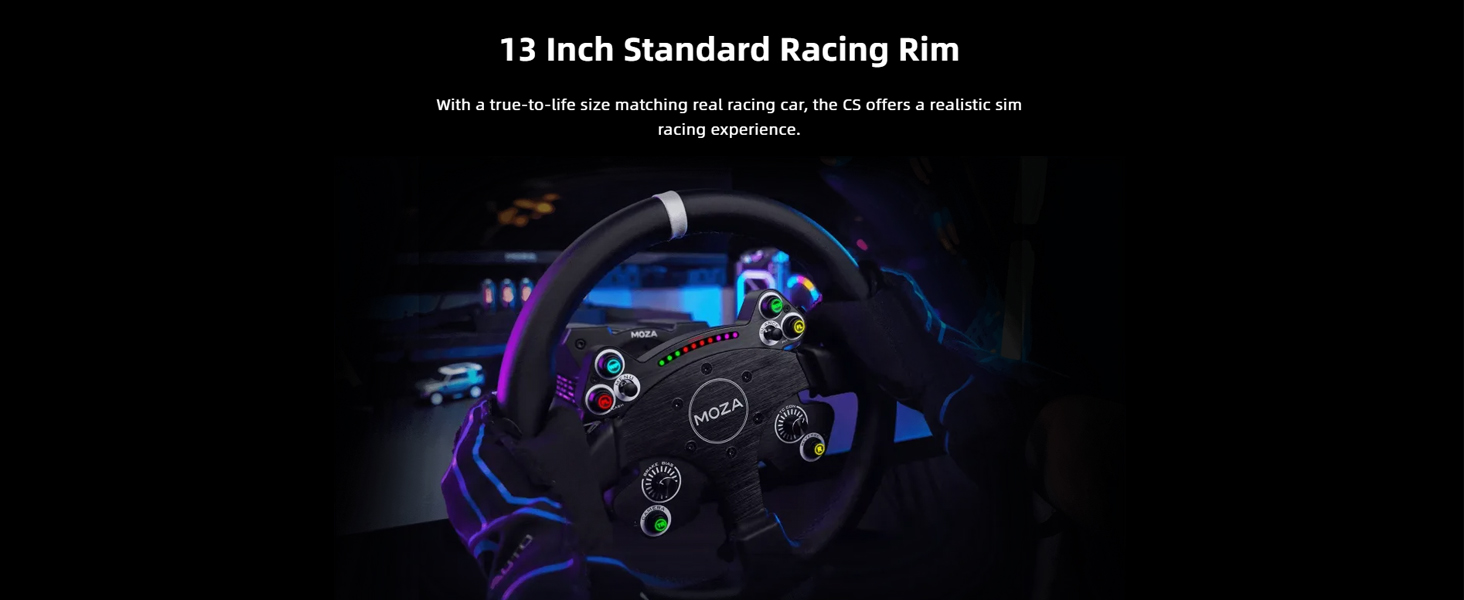
Image: The MOZA CS V2P Racing Wheel highlighting its aviation-grade aluminum alloy construction.

Image: Rear view of the MOZA CS V2P Racing Wheel, showing the carbon fiber magnetic shifters.
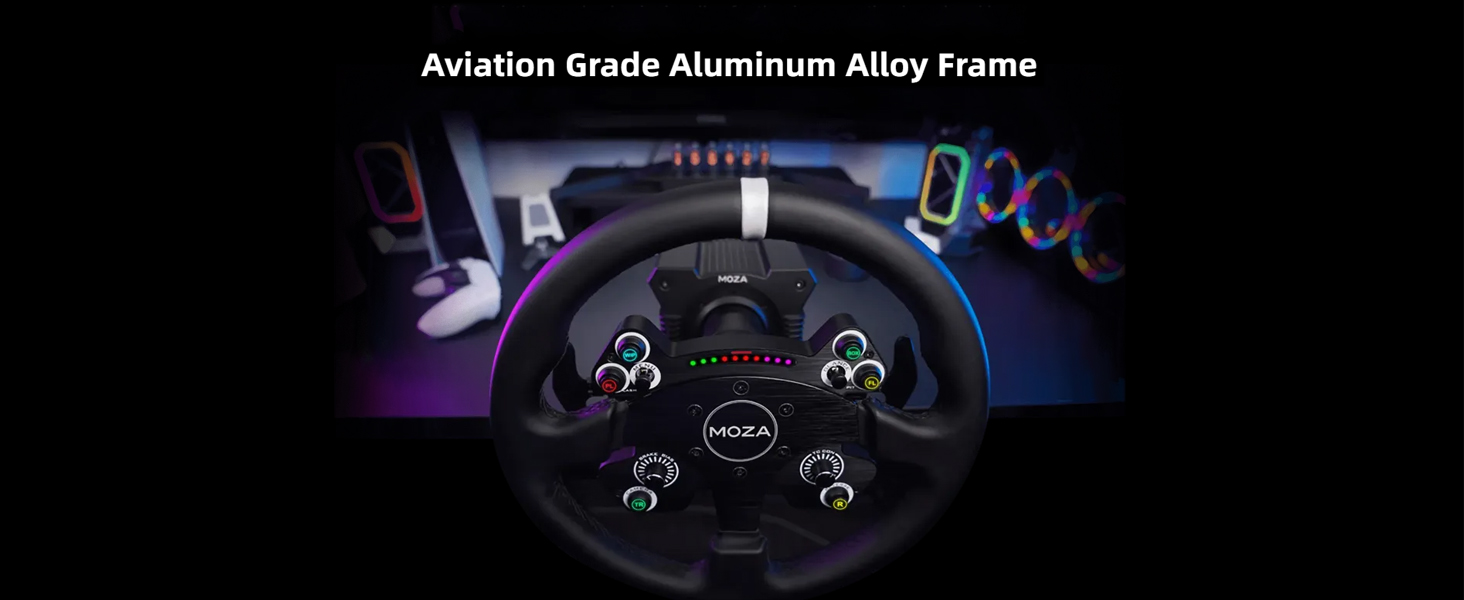
Image: Close-up of the MOZA CS V2P Racing Wheel's RGB LED sequential shift lights and control buttons.
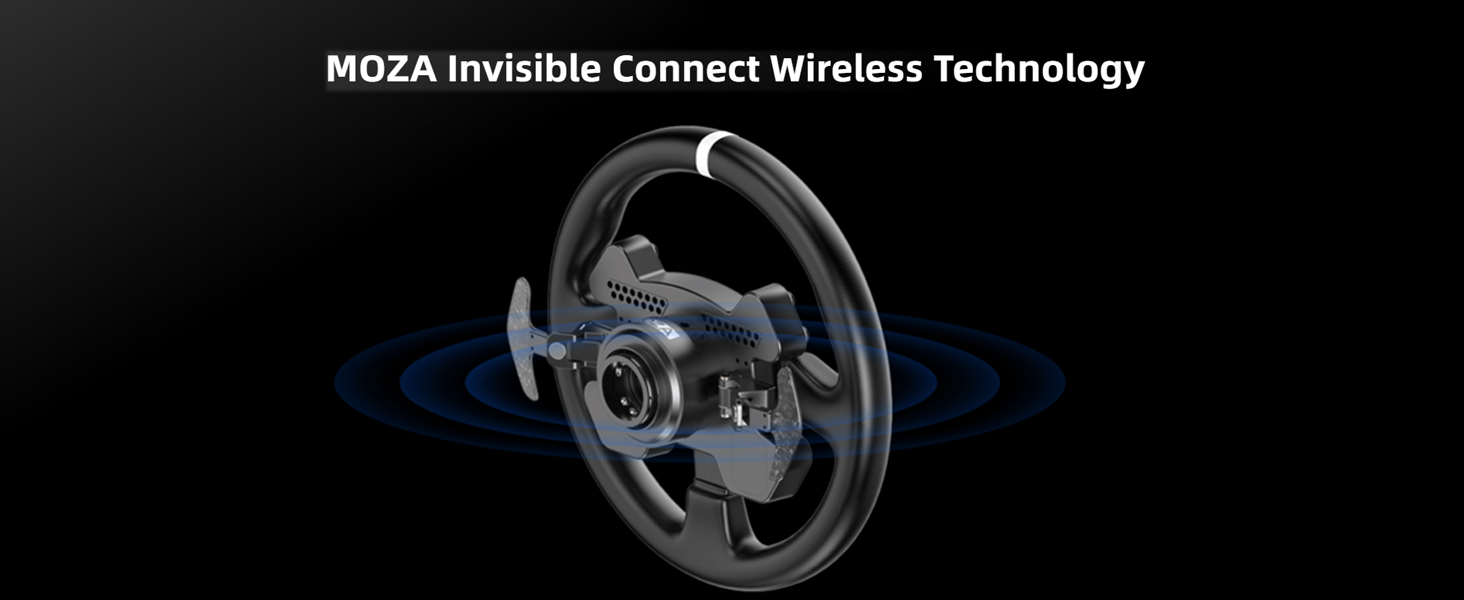
Image: Diagram illustrating the MOZA Invisible Connect Wireless Technology with the racing wheel.
Setup
1. Unpacking and Inspection
Carefully remove all components from the packaging. Inspect each item for any signs of damage. If any components are missing or damaged, please contact MOZA support immediately.
2. Attaching the Steering Wheel
The MOZA CS V2P Racing Wheel connects to a compatible MOZA wheelbase (sold separately) using its quick-release mechanism. Align the wheel with the wheelbase shaft and push firmly until it clicks into place. Ensure the connection is secure before use.
3. Software Installation
Download and install the latest MOZA Pit House software from the official MOZA Racing website. This software is essential for configuring your wheel, updating firmware, and customizing settings.
- Visit mozaracing.com/downloads.
- Download the MOZA Pit House software compatible with your operating system.
- Follow the on-screen instructions to complete the installation.
- Connect your wheelbase (with the CS V2P wheel attached) to your PC via USB.
- Launch MOZA Pit House to detect your device and perform any necessary firmware updates.
Operating Instructions
1. Powering On
Ensure your MOZA wheelbase is connected to power and your PC. The wheelbase will power on, and the CS V2P wheel will automatically connect via MOZA Invisible Connect Wireless Technology.
2. Button and Joystick Functions
The CS V2P wheel features 6 programmable key buttons and 2 pressable universal joysticks. These can be assigned to various in-game functions using the MOZA Pit House software or directly within your racing simulator's control settings.
- Programmable Buttons: Use MOZA Pit House to map these buttons to functions like DRS, KERS, pit limiter, or menu navigation.
- Pressable Joysticks: These can be used for camera control, menu scrolling, or other customizable inputs.

Image: Close-up of the programmable buttons and joysticks on the MOZA CS V2P Racing Wheel.
3. RGB LED Shift Lights
The 10 RGB LED sequential shift lights indicate engine RPM and optimal shift points. You can customize their colors and behavior through the MOZA Pit House software to match your preferences or specific game telemetry.

Image: The RGB LED sequential shift lights illuminated on the MOZA CS V2P Racing Wheel.
4. Magnetic Shifters
The forged carbon fiber magnetic shifters provide crisp and responsive gear changes. Ensure they are clean and free of debris for optimal performance. The included shifter silence pads and booster blocks can be used to adjust the feel and sound of the shifts.

Image: Detailed view of the magnetic shifter mechanism on the MOZA CS V2P Racing Wheel.
Maintenance
Regular maintenance will help prolong the life and performance of your MOZA CS V2P Racing Wheel.
- Cleaning: Use a soft, dry cloth to wipe down the wheel rim and control panel. Avoid abrasive cleaners or solvents that could damage the finish or electronics.
- Shifters: Periodically check the magnetic shifters for any dust or debris that might affect their operation. Clean gently with compressed air if necessary.
- Storage: When not in use, store the racing wheel in a clean, dry environment away from direct sunlight and extreme temperatures.
- Firmware Updates: Regularly check the MOZA Pit House software for available firmware updates. Keeping your device's firmware up-to-date ensures optimal performance, compatibility, and access to new features.
Troubleshooting
| Problem | Possible Cause | Solution |
|---|---|---|
| Wheel not detected by PC/Pit House | Loose USB connection; Outdated drivers/firmware; Wheel not properly attached to wheelbase. | Ensure USB cable is securely connected to both PC and wheelbase. Check for and install latest drivers/firmware via MOZA Pit House. Re-attach the wheel to the wheelbase, ensuring it clicks into place. Try a different USB port. |
| Buttons/Shifters unresponsive | Incorrect button mapping; Software glitch; Physical obstruction. | Verify button assignments in MOZA Pit House and in-game settings. Restart MOZA Pit House and the racing simulator. Check for any physical debris around the buttons or shifters. |
| RGB LEDs not functioning | Settings in Pit House; Firmware issue. | Check RGB LED settings in MOZA Pit House. Ensure firmware is up-to-date. |
| Wireless connection issues | Interference; Distance from wheelbase. | Ensure no strong wireless interference sources are nearby. Keep the wheel within optimal range of the wheelbase. Restart the wheelbase. |
If you encounter issues not listed here or if the suggested solutions do not resolve your problem, please contact MOZA customer support for further assistance.
Specifications
| Feature | Detail |
|---|---|
| Model Number | AZRS057 |
| Product Dimensions | 13 x 13 x 2 inches |
| Item Weight | 6.29 pounds |
| Rim Material | Aviation Grade Aluminum Alloy |
| Shifter Material | Forged Carbon Fiber |
| LEDs | 10 RGB LED Sequential Shift Lights (7 adjustable colors) |
| Buttons | 6 Programmable Key Buttons |
| Joysticks | 2 Pressable Universal Joysticks |
| Connectivity | MOZA Invisible Connect Wireless Technology (2.4G) |
| Compatibility | PC (requires MOZA wheelbase) |
Warranty and Support
MOZA products are designed for durability and performance. For information regarding warranty coverage, please refer to the warranty card included with your product or visit the official MOZA Racing website.
For technical support, troubleshooting assistance, or spare parts, please contact MOZA customer service:
- Website: mozaracing.com/support
- Email: Refer to the support section on the MOZA Racing website for contact email.
Please have your product model number (AZRS057) and purchase information ready when contacting support.


