
Introduction
Thank you for choosing the IKIFLY Full Size Bed Frame. This manual provides essential instructions for the safe assembly, operation, and maintenance of your new bed frame. Please read this manual thoroughly before beginning assembly and retain it for future reference.

Image: The IKIFLY Full Size Bed Frame, showcasing its integrated LED lighting, hidden storage headboard with charging station, and pull-out dustproof storage drawers.
Important Safety Information
WARNING: Failure to follow these safety instructions could result in injury or damage to the product.
- Always follow the assembly instructions carefully to prevent instability or collapse.
- Do not exceed the maximum weight capacity of 1000 Lbs.
- Be cautious of sharp edges and pinch points during assembly and use.
- Keep the bed frame away from heat sources to prevent damage to the LED lights and charging station.
- Ensure all connections for the charging station and LED lights are securely fastened before use.
Package Contents
Before assembly, please verify that all components listed below are present and undamaged. If any parts are missing or damaged, do not proceed with assembly. Contact customer support for assistance.
- LED Bed Frame Components
- Storage Drawers (2 units)
- Instruction Manual
- Necessary Accessories (screws, bolts, tools, etc.)
Specifications
| Feature | Detail |
|---|---|
| Size | Full |
| Product Dimensions | 82.9"L x 54"W x 45.3"H |
| Weight Capacity | Up to 1000 Lbs |
| Special Features | Heavy Duty Metal Slats, Hidden Storage Headboard, Large Dustproof Drawers, Modern RGB LED Lights, Practical Charging Station |
| Color | Black |
| Material | Faux Leather, Metal, LED Lights, Charging Station |
| Recommended Mattress Thickness | 8-10 inches |
| Charging Station | 2 AC Outlets (125V/12A), 1 USB Port (5V/2.1A), 1 Type C Port (5V/2.1A) |

Image: Detailed dimensions of the bed frame, headboard, and storage drawers.
Setup and Assembly
Assembly of the IKIFLY Full Size Bed Frame is designed to be straightforward. All necessary parts and tools are included in one box. Please follow the step-by-step instructions provided in the physical manual that came with your product. Below is a general overview of the assembly process:
- Unpack and Identify Parts: Carefully unpack all components and lay them out. Compare them with the parts list in your physical manual to ensure everything is present.
- Assemble the Bed Frame Base: Connect the side rails and support beams using the provided hardware. Ensure all connections are tight and secure.
- Install Metal Slats: Place the heavy-duty metal slats onto the frame. These slats are designed for noise-free support and eliminate the need for a box spring.
- Attach the Headboard: Secure the headboard to the bed frame. The headboard features an ergonomic 100° tilt for comfortable reclining.
- Integrate Storage Drawers: Insert the metal-framed dustproof storage drawers into their designated slots under the bed frame. The drawers are equipped with wheels for easy access.
- Connect LED Lights and Charging Station: Follow the wiring instructions to connect the LED light strips and the charging station. Ensure all cables are neatly managed and secured.

Image: Details of the bed frame's sturdy, noise-free metal slat construction, designed to support a mattress without a box spring.
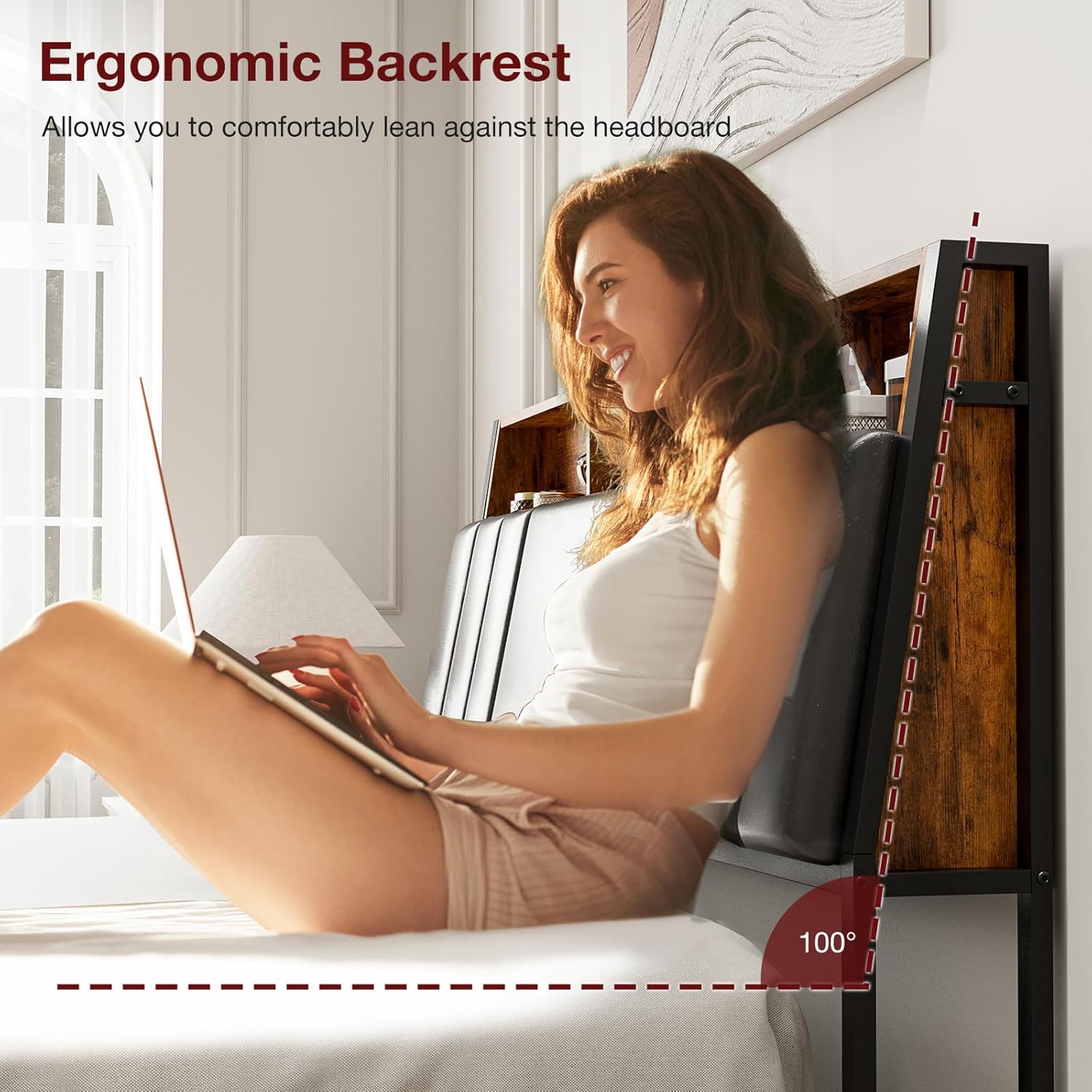
Image: The ergonomic backrest of the headboard, demonstrating its 100-degree tilt for comfortable lounging.
Operating Instructions
LED Lights
Your IKIFLY bed frame is equipped with dual smart LED lights on both the headboard and footboard. These lights can be controlled via a remote control or a dedicated smartphone application.
- Power On/Off: Use the power button on the remote or in the app to turn the lights on or off.
- Color Selection: Choose from over 60,000 DIY color options using the remote or app.
- Brightness Adjustment: Adjust the intensity of the lights to your preference.
- Music Sync Mode: Activate the music sync feature to make the lights change in rhythm with music.
- Timing Function: Set timers for the lights to automatically turn on or off.

Image: The various control options for the LED lights, including remote and app functionality for color, music sync, and timing.

Image: The bed frame with its LED lights activated, showcasing the illumination from both the headboard and the under-bed area.
Charging Station
The hidden storage headboard includes a convenient charging station to power your electronic devices.
- AC Outlets: Two 125V/12A AC outlets are available for standard plugs.
- USB Ports: One 5V/2.1A USB-A port and one 5V/2.1A Type-C port are provided for charging compatible devices.
- Usage: Simply plug your device's charger into the appropriate port. Ensure the bed frame is connected to a power source for the charging station to function.

Image: The hidden storage headboard with its integrated charging station, featuring AC outlets, a USB-A port, and a USB-C port, actively charging electronic devices.
Dustproof Storage Drawers
The bed frame includes two large, dustproof storage drawers on wheels for easy access and organization.
- Access: Gently pull the drawers out from under the bed frame using the handles.
- Dust Protection: Each drawer features a fabric storage bag with a dustproof cover to keep your items clean.
- Capacity: Utilize the generous space for storing clothes, bedding, or other personal items.

Image: A close-up of one of the large, dustproof storage drawers, highlighting its wheels and the protective cover as it is pulled out from under the bed.
Maintenance
Proper maintenance will extend the life and appearance of your bed frame.
- Frame Cleaning: Wipe the metal frame with a soft, damp cloth. Avoid abrasive cleaners.
- Upholstery Care: For the faux leather headboard, wipe with a soft, damp cloth. For tougher stains, use a mild soap solution and dry immediately. Do not use harsh chemicals.
- Dustproof Drawers: The fabric storage bags can be spot cleaned. Ensure they are completely dry before storing items.
- LED Lights & Charging Station: Keep these components dry and free from dust. Do not attempt to disassemble or repair electrical components yourself.
- Hardware Check: Periodically check all bolts and screws to ensure they remain tight. Retighten if necessary to maintain stability.
Troubleshooting
If you encounter any issues with your bed frame, refer to the following common problems and solutions:
| Problem | Possible Cause | Solution |
|---|---|---|
| LED lights not working | Power cable disconnected, remote battery low, app not connected. | Check power connections. Replace remote battery. Re-pair app with LED controller. |
| Charging station not providing power | Bed frame not plugged into wall outlet, loose connection. | Ensure the bed frame's main power cord is securely plugged into a functional wall outlet. Check all internal connections. |
| Bed frame is squeaking | Loose bolts, uneven floor, mattress movement. | Tighten all assembly bolts. Ensure the bed is on a level surface. Check if the mattress is causing friction. |
| Drawers are difficult to pull out/push in | Obstruction, damaged wheels, overloaded drawer. | Check for items blocking the drawer path. Inspect wheels for damage. Reduce the weight in the drawer. |
Warranty and Support
For any questions, concerns, or issues not covered in this manual, please contact IKIFLY customer support. Refer to your purchase documentation for specific warranty details and contact information. Do not attempt to modify or repair the product yourself, as this may void your warranty and pose safety risks.
You can typically find support contact information on the retailer's website where you purchased the product or on the official IKIFLY brand website.