
1. Introduction
This manual provides essential instructions for the safe and efficient operation of your Dabbsson DBS2100 Pro Solar Generator and DBS210S Solar Panels. Please read this manual thoroughly before using the product and retain it for future reference. The Dabbsson DBS2100 Pro is a high-capacity portable power station designed to provide reliable power for various applications, from home backup to outdoor activities, featuring a 2150Wh capacity and 2400W output, expandable up to 12.9kWh and 4600W with additional units.
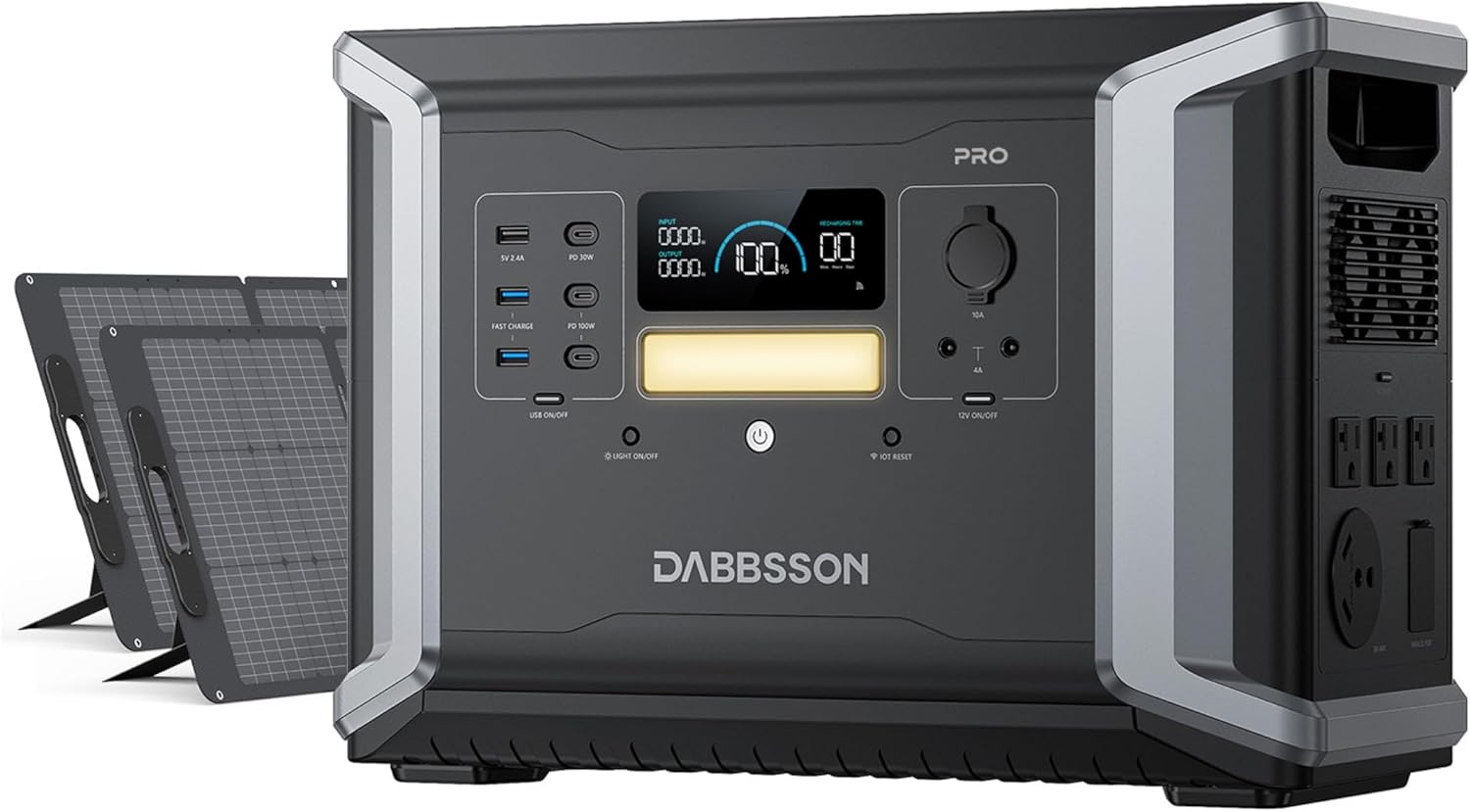
Image 1.1: Dabbsson DBS2100 Pro Solar Generator with two DBS210S Solar Panels.
2. Safety Information
Always adhere to the following safety guidelines to prevent injury or damage to the product:
- Do not disassemble, repair, or modify the unit.
- Avoid exposure to rain or moisture.
- Keep away from heat sources, open flames, and flammable materials.
- Ensure proper ventilation during use and charging.
- Store in a cool, dry place, away from direct sunlight.
- Keep out of reach of children and pets.
- Use only Dabbsson-approved accessories and charging cables.
- In case of fire, use a dry powder fire extinguisher. Water may cause electric shock.

Image 2.1: Internal components and safety certifications of the Dabbsson DBS2100 Pro.
3. Package Contents
Verify that all items are present in your package:
- DBS2100 Pro Portable Power Station x 1
- DBS210S Solar Panel x 2
- AC Charging Cable x 1
- Solar Charging Cable x 1
- Car Charging Cable x 1
- User Manual x 1

Image 3.1: Contents of the Dabbsson DBS2100 Pro package.
4. Product Features
- High Power Output: Provides 2400W rated power, expandable up to 4600W with P-Boost mode and additional units.
- Large Capacity: 2150Wh battery capacity, expandable up to 12.9kWh with additional battery packs.
- Long-Life Battery: Equipped with Semi-Solid LiFePO4 battery cells, offering over 4500 charge cycles to 80% capacity, equivalent to approximately 15 years of use.
- Multiple Output Ports: Features AC outlets, NEMA TT-30, USB-C (100W), USB-A, Car Port, and DC5521 ports to power up to 17 devices simultaneously.
- Fast Recharging: Supports 1800W AC input for rapid charging (0-80% in 1.5 hours) and up to 1200W solar input (0-100% in 2.4 hours under ideal conditions).
- Uninterrupted Power Supply (EPS): Provides 15ms emergency power delivery for critical equipment.
- Smart App Control: Monitor, manage, and schedule charging/discharging via the Dabbsson mobile application.
- Quiet Operation: Designed for low noise levels, operating at under 30dB.

Image 4.1: The DBS2100 Pro powering multiple household appliances.

Image 4.2: Illustration of the expandable capacity of the DBS2100 Pro.
5. Setup
5.1 Initial Inspection
Upon receiving your Dabbsson DBS2100 Pro, carefully unbox all components and inspect for any signs of damage. If any items are missing or damaged, contact customer support immediately.
5.2 Placement
Place the power station on a flat, stable surface in a well-ventilated area. Ensure there is adequate space around the unit for heat dissipation. Avoid placing it near water, heat sources, or in direct sunlight for prolonged periods.
5.3 First Use
It is recommended to fully charge the DBS2100 Pro before its first use. Connect the AC charging cable to the power station and then to a wall outlet. The display will indicate the charging status.
6. Operating Instructions
6.1 Charging the Power Station
The DBS2100 Pro can be charged via AC wall outlet, solar panels, or a car charger.
- AC Charging: Connect the AC charging cable to the AC input port on the power station and then to a standard wall outlet. The unit supports up to 1800W AC input.
- Solar Charging: Connect the DBS210S solar panels to the solar input port using the provided solar charging cable. Position the solar panels in direct sunlight for optimal charging efficiency. The unit supports up to 1200W solar input.
- Car Charging: Use the car charging cable to connect the power station to your vehicle's 12V auxiliary power outlet.

Image 6.1: Charging methods for the DBS2100 Pro: AC wall charging and solar panel charging.
6.2 Discharging (Powering Devices)
To power your devices, ensure the power station is turned on. Press the respective output button (AC, USB, DC) for the port you wish to use. Connect your devices to the appropriate ports.
- AC Outlets: For household appliances requiring 120V AC power.
- NEMA TT-30: For RVs and other heavy-duty 30A appliances.
- USB Ports: For charging smartphones, tablets, laptops, and other USB-powered devices.
- DC Ports: For 12V DC devices.

Image 6.2: The DBS2100 Pro providing power for an RV using the NEMA TT-30 outlet.
6.3 App Control
Download the Dabbsson app from your device's app store to monitor and control your power station remotely. The app allows you to:
- View real-time battery status and power consumption.
- Turn output ports on/off.
- Set charging and discharging schedules to optimize energy usage and save on electricity bills during off-peak hours.
- Receive low battery reminders.
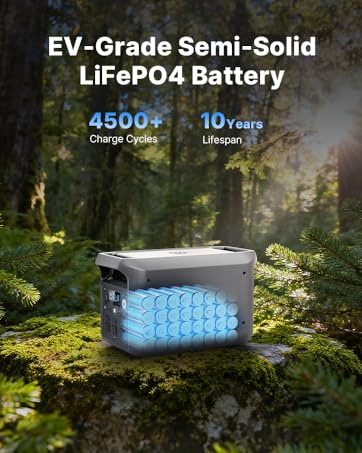
Image 6.3: Dabbsson mobile application interface for smart power management.
6.4 Expanding Capacity
The DBS2100 Pro's capacity can be expanded by connecting additional DBS2100 Pro units or DBS2100B battery packs (sold separately). Refer to the expansion kit's manual for detailed connection instructions.
7. Maintenance
- Cleaning: Use a dry, soft cloth to clean the exterior of the power station. Do not use liquid cleaners or immerse the unit in water.
- Storage: If storing for an extended period, charge the unit to approximately 50-80% every 3-6 months to prolong battery life. Store in a cool, dry environment.
- Battery Care: Avoid fully discharging the battery frequently. Optimal battery health is maintained by keeping the charge level between 20% and 80% during regular use.
8. Troubleshooting
If you encounter issues, refer to the following common problems and solutions:
| Problem | Possible Cause | Solution |
|---|---|---|
| Unit not turning on | Low battery; Power button not pressed correctly | Charge the unit; Press and hold the power button for 3 seconds. |
| No output from ports | Output port not activated; Overload protection triggered | Press the corresponding output button; Reduce connected load and restart. |
| Slow solar charging | Insufficient sunlight; Panels not angled correctly; Dirty panels | Reposition panels for direct sunlight; Adjust angle; Clean panels. |
| App not connecting | Bluetooth/Wi-Fi off; App not updated; Unit too far | Ensure Bluetooth/Wi-Fi is on; Update app; Move closer to unit. |
If the problem persists, contact Dabbsson customer support.
9. Specifications
| Feature | Specification |
|---|---|
| Brand | Dabbsson |
| Model Name | DBS2100Pro |
| Battery Type | Semi-Solid LiFePO4 |
| Capacity | 2150Wh |
| Rated AC Output | 2400W (Pure Sine Wave) |
| Peak AC Output | 4800W |
| P-Boost Mode | Up to 3600W |
| Expandable Capacity | Up to 12.9kWh |
| AC Input Power | 1800W Max |
| Solar Input Power | 1200W Max |
| USB-C Output | 2x 100W, 1x 30W |
| USB-A Output | 2x 18W, 1x 12W |
| NEMA TT-30 Output | 20A Power-Boost 3600W |
| EPS Switching Time | 15ms |
| Dimensions (L x W x H) | 17" x 10" x 11.9" |
| Weight | 54 pounds |

Image 9.1: Detailed specifications of the DBS2100 Pro.
10. Warranty and Support
Dabbsson provides a 5-year warranty for the DBS2100 Pro Solar Generator. For any inquiries, technical assistance, or warranty claims, please contact Dabbsson customer support. Our support team is available 24/7 to provide lifetime technical help.
For support, visit the official Dabbsson website or refer to the contact information provided in your warranty card.


