
Introduction
This manual provides detailed instructions for the safe and efficient operation of your G Keni CD Cassette Player Radio, Model 9225. Please read this manual thoroughly before using the product and retain it for future reference.

Image: Front view of the G Keni CD Cassette Player Radio, Model 9225, showing the CD compartment, cassette deck, control buttons, and extendable antenna.
Product Overview
Key Features
- Multi-function playback: Supports CD, CD-R, CD-RW, cassette tapes, USB, SD/MMC/TF cards, and AUX input.
- AM/FM Stereo Radio: Features a high-sensitivity tuner with an extendable antenna and a backlit LCD display for clear frequency indication.
- High-Quality Stereo Speakers: Integrated dual speakers provide clear audio output.
- Headphone Jack: A 3.5mm headphone jack allows for private listening.
- Dual Power Options: Operates via AC power cord or 8 D-size batteries (not included) for portable use.
- Compact Design: Lightweight and portable.
- Recording Function: Record FM radio broadcasts directly to a blank cassette tape.

Image: Overview of the G Keni portable speaker's multi-functional capabilities, including AM/FM radio, LCD display, AUX, headphone jack, AC/battery power, USB/SD/MMC, top-loading CD, and cassette.
Dimensions

Image: The G Keni CD Cassette Player Radio displayed with its approximate dimensions: 29cm length, 22cm width, and 16.5cm height.
Components and Controls
Familiarize yourself with the various parts and controls of your device.

Image: Diagram illustrating the main controls and components of the G Keni CD Cassette Player Radio, including the function switch, band switch, display, and power lamp.
- Function Switch: Selects between CD, Radio, Tape, USB/SD, and AUX modes.
- Volume Knob: Adjusts the audio output level.
- Tuning Knob: Used to tune into radio stations.
- LCD Display: Shows current mode, radio frequency, and track information.
- CD Compartment: Top-loading tray for CDs.
- Cassette Deck: Front-loading slot for cassette tapes.
- Playback Controls: Play, Pause, Stop, Fast Forward, Rewind, Skip Track (for CD/USB/SD).
- AM/FM Band Switch: Selects between AM and FM radio bands.
- Extendable Antenna: For improved FM radio reception.
- USB Port: For USB flash drives.
- SD/MMC/TF Card Slot: For memory cards.
- AUX Input: 3.5mm jack for external audio devices.
- Headphone Jack: 3.5mm jack for private listening.
Setup
Power Supply
The unit can be powered by either AC power or batteries.
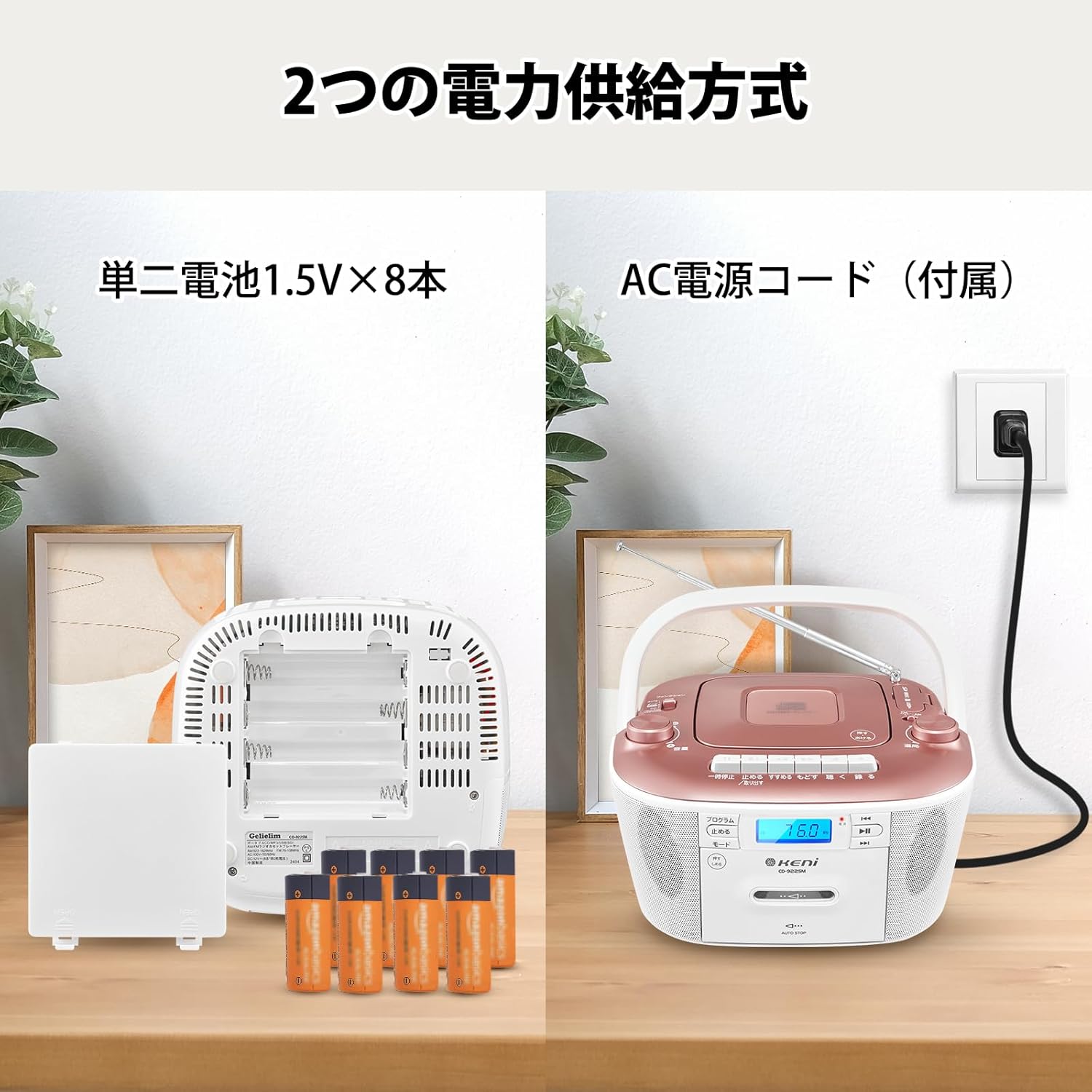
Image: Illustration showing the two power supply methods: AC power cord connection and battery compartment with 8 D-size batteries.
AC Power Operation:
- Ensure the unit is turned off.
- Connect the supplied AC power cord to the AC IN jack on the back of the unit.
- Plug the other end of the power cord into a standard AC wall outlet (AC 100V, 50/60Hz).
Battery Operation:
- Ensure the unit is turned off and disconnected from AC power.
- Open the battery compartment cover located on the bottom of the unit.
- Insert 8 D-size (UM-1) batteries (not included) according to the polarity markings (+/-) inside the compartment.
- Close the battery compartment cover securely.
Note: Remove batteries if the unit will not be used for an extended period to prevent leakage and damage.
Operating Instructions
Radio Operation (AM/FM)
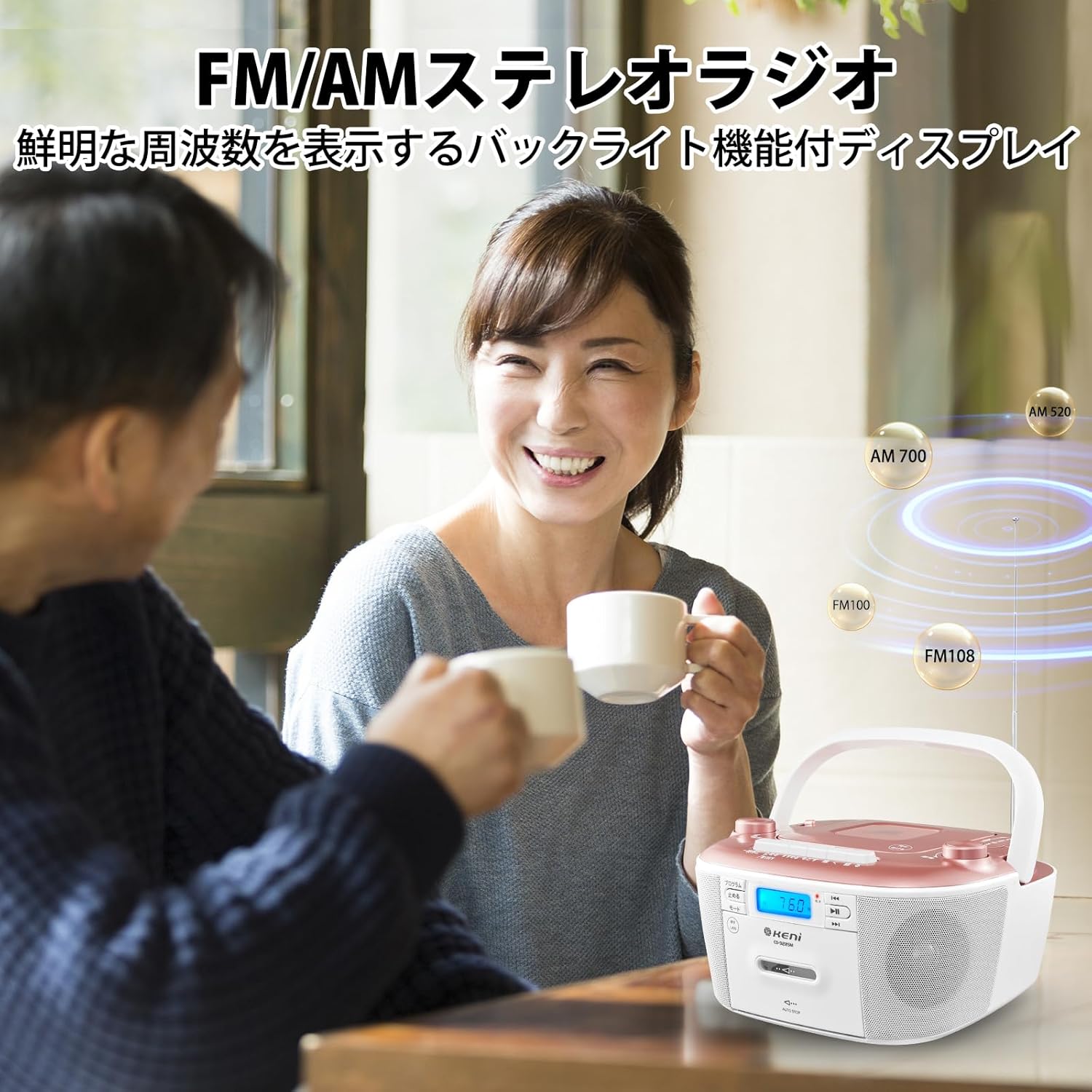
Image: A person enjoying the G Keni CD Cassette Player Radio, highlighting its FM/AM stereo radio capabilities with a backlit display.
- Set the Function Switch to [RADIO]. The power lamp will illuminate.
- Use the AM/FM Band Switch to select either [FM STEREO] or [AM].
- Extend the telescopic antenna for FM reception. For AM reception, rotate the unit for best signal.
- Turn the Tuning Knob to select your desired radio station. The frequency will be displayed on the LCD.
- Adjust the Volume Knob to your preferred listening level.
Tip: If reception is poor, adjust the position of the antenna or the unit itself to minimize static.
CD Playback

Image: Close-up view of the top-loading CD player compartment on the G Keni CD Cassette Player Radio, showing a CD being placed inside.
- Set the Function Switch to [CD].
- Open the CD compartment cover.
- Place a CD (CD, CD-R, CD-RW) onto the spindle with the label side facing up.
- Close the CD compartment cover.
- Press the Play/Pause button to start playback.
- Use the Skip Forward/Backward buttons to navigate between tracks.
- Press the Stop button to end playback.
Cassette Tape Playback and Recording

Image: A hand inserting a cassette tape into the front-loading cassette deck of the G Keni CD Cassette Player Radio.
Playback:
- Set the Function Switch to [TAPE].
- Open the cassette deck door.
- Insert a cassette tape with the open edge facing upwards.
- Close the cassette deck door.
- Press the Play button to start playback.
- Use the Fast Forward and Rewind buttons to quickly navigate the tape.
- Press the Stop/Eject button to stop playback and eject the tape.
Recording from FM Radio to Cassette:
- Insert a blank cassette tape into the cassette deck.
- Set the Function Switch to [RADIO] and tune to your desired FM station.
- Press the Record button (usually red) on the cassette deck. The Play button will also engage.
- To stop recording, press the Stop/Eject button.
USB/SD/AUX Playback

Image: Detailed view of the AUX input, headphone jack, USB port, and SD/MMC card slot on the G Keni CD Cassette Player Radio.
USB/SD/MMC/TF Playback:
- Set the Function Switch to [USB/SD].
- Insert a USB flash drive into the USB port or an SD/MMC/TF card into the card slot.
- The unit will automatically detect and begin playing compatible audio files (e.g., MP3).
- Use the playback controls (Play/Pause, Skip Forward/Backward) to manage your music.
AUX Input:
- Set the Function Switch to [AUX].
- Connect an external audio device (e.g., smartphone, MP3 player) to the 3.5mm AUX IN jack using an audio cable (not included).
- Start playback on your external device. The audio will be routed through the G Keni unit's speakers.
- Adjust the volume using the unit's Volume Knob and/or the external device's volume control.
Headphone Use
For private listening, connect 3.5mm headphones (not included) to the headphone jack. The speakers will automatically mute when headphones are connected.
Maintenance
- Cleaning: Use a soft, dry cloth to clean the exterior of the unit. Do not use abrasive cleaners or solvents.
- CD Lens Care: If CD playback issues occur, use a commercially available CD lens cleaner.
- Cassette Head Cleaning: Regularly clean the cassette heads with a cotton swab lightly dampened with isopropyl alcohol to ensure optimal sound quality.
- Storage: When not in use for extended periods, store the unit in a cool, dry place, away from direct sunlight and extreme temperatures. Remove batteries if storing for a long time.
Troubleshooting
| Problem | Possible Cause | Solution |
|---|---|---|
| No power |
|
|
| No sound |
|
|
| Poor radio reception |
|
|
| CD skipping or not playing |
|
|
| Cassette tape issues |
|
|
Specifications
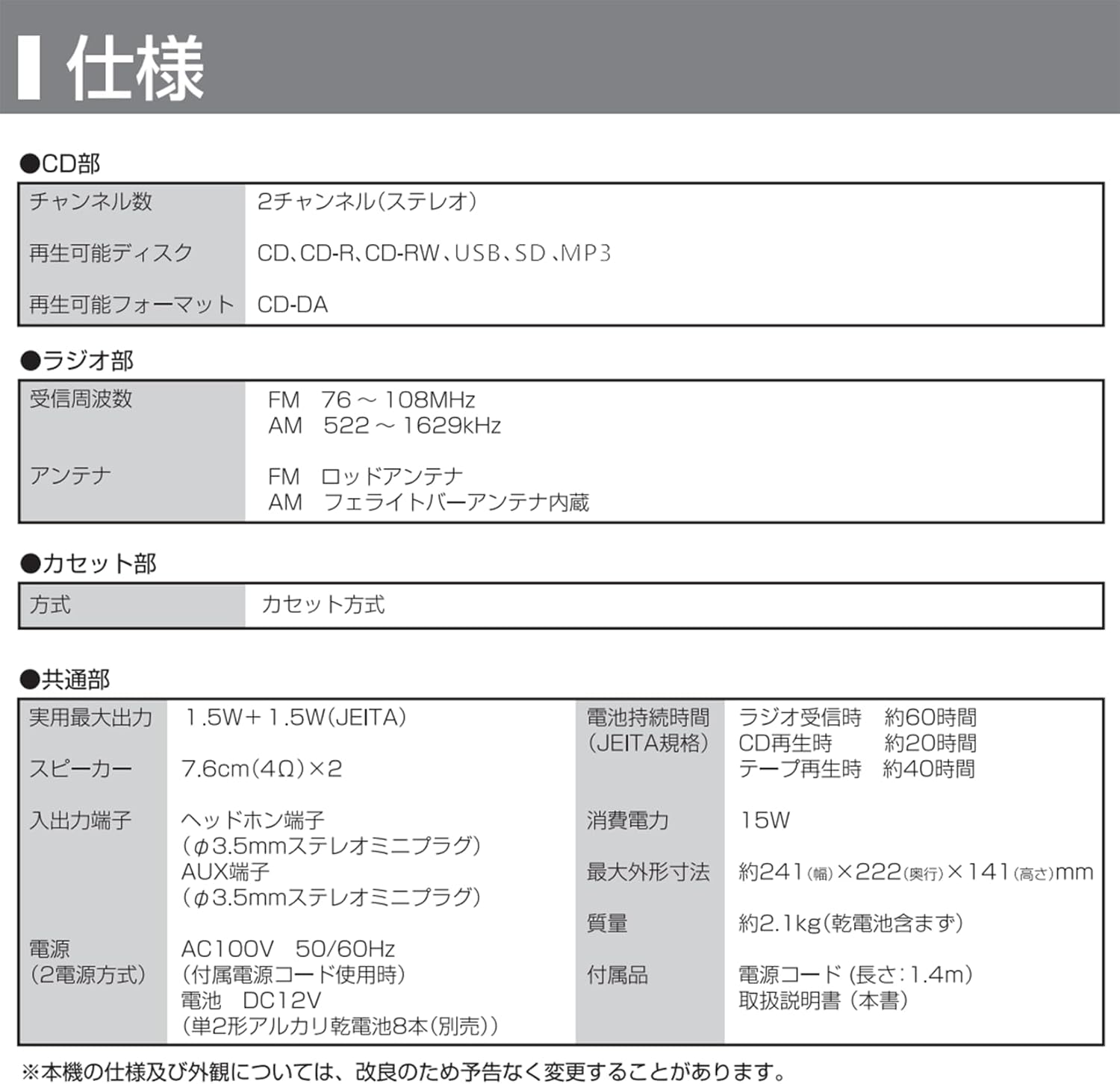
Image: A table detailing the technical specifications of the G Keni CD Cassette Player Radio, including CD, radio, cassette, and general features.
| Feature | Detail |
|---|---|
| Model Number | 9225 |
| CD Section |
|
| Radio Section |
|
| Cassette Section | Cassette Type |
| Audio Output |
|
| Input Terminals |
|
| Power Supply |
|
| Power Consumption | 15W |
| Battery Life (Approx.) |
|
| Dimensions (W x D x H) | Approx. 241 x 222 x 141 mm |
| Weight | Approx. 2.1 kg (excluding dry cell batteries) |
| Included Accessories | CD Radio Cassette Unit, Instruction Manual, AC Power Adapter |
Note: Specifications are subject to change without notice for product improvement.
Warranty and Support
For warranty information and customer support, please refer to the warranty card included with your product or contact the retailer where you purchased the unit. Keep your proof of purchase for warranty claims.
Manufacturer: K&K INTERNATIONAL CO.,LIMITED