1. Introduction
Thank you for choosing the Generic W-912r Rechargeable Meridian Energy Massage Pen. This device is designed to provide targeted massage and stimulation to acupuncture points, utilizing meridian energy principles and laser therapy for full body physiotherapy. It aims to offer relief from various discomforts and promote overall well-being.
This manual provides essential information for the safe and effective use of your massage pen. Please read it thoroughly before operation and retain it for future reference.
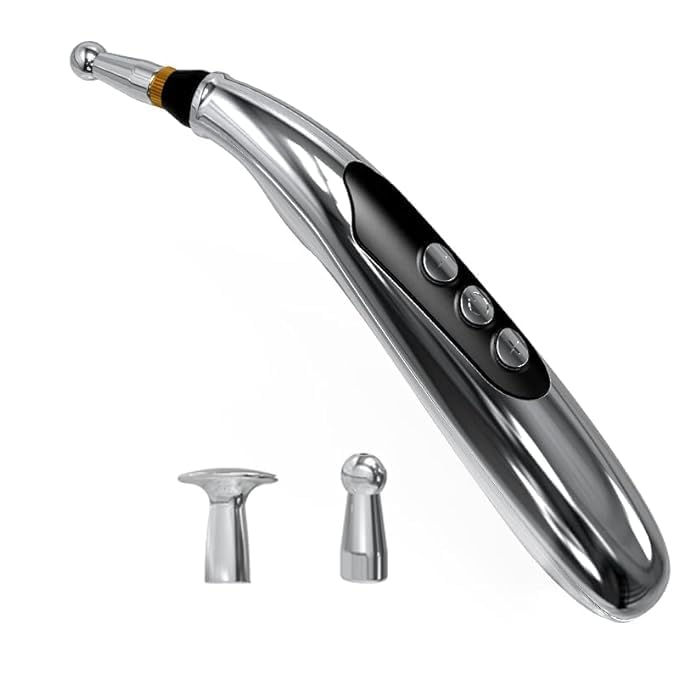
Image 1.1: The W-912r Meridian Energy Massage Pen, showcasing its sleek design and interchangeable massage heads.
2. Safety Information
To ensure safe operation and prevent injury or damage to the device, please observe the following safety precautions:
- Consult a healthcare professional before use if you have any pre-existing medical conditions, are pregnant, have a pacemaker, or are undergoing medical treatment.
- Do not use on open wounds, inflamed areas, skin rashes, or sensitive skin.
- Avoid using the device near the eyes, mouth, or other highly sensitive areas.
- Keep out of reach of children and pets.
- Do not immerse the device in water or use it in excessively humid environments.
- Discontinue use immediately if you experience any discomfort, pain, or adverse reactions.
- Use only the provided charging cable and adapter (if included) to charge the device.
- Do not attempt to disassemble or repair the device yourself. Contact customer support for assistance.
- This device is intended for personal, non-medical use as a massage and stimulation tool. It is not a substitute for professional medical advice or treatment.
3. Package Contents
Please check the package contents upon receipt:
- 1 x Generic W-912r Meridian Energy Massage Pen
- 2 x Interchangeable Massage Heads (e.g., Dome Type, Node Type)
- 1 x USB Charging Cable
- 1 x User Manual
4. Product Features
The W-912r Meridian Energy Massage Pen offers several features designed for effective and comfortable use:
- Rechargeable Design: Convenient USB charging for portability.
- Meridian Energy Stimulation: Applies gentle electrical pulses to stimulate acupuncture points.
- Laser Therapy: Integrated low-level laser for enhanced therapeutic effects.
- Nine-Speed Adjustment: Offers 9 intensity levels to customize your massage experience.
- Ergonomic Shape: Designed for comfortable grip and ease of use on various body parts.
- Interchangeable Heads: Includes different massage heads for varied application and sensation.
- Benefits: Aids in pain relief, muscle therapy, tissue therapy, and stress reduction.
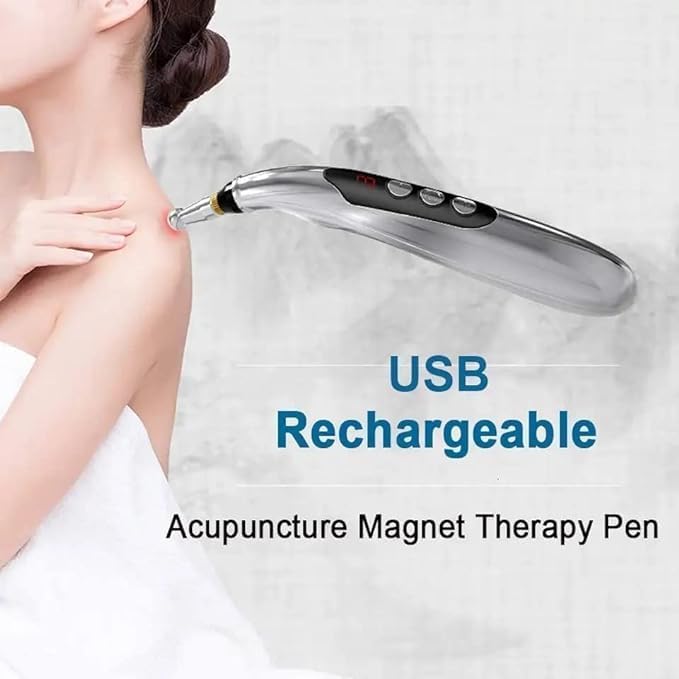
Image 4.1: The device is USB rechargeable, highlighting its convenience.
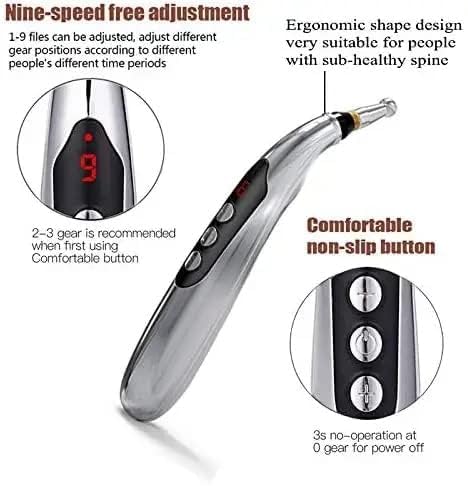
Image 4.2: Close-up of the pen demonstrating the nine-speed adjustment display and comfortable non-slip control buttons.
5. Setup
5.1 Charging the Device
- Connect the USB charging cable to the charging port on the massage pen.
- Plug the other end of the USB cable into a compatible USB power adapter (not included) or a computer's USB port.
- The indicator light on the pen will illuminate during charging and typically change color or turn off when fully charged.
- A full charge usually takes 2-3 hours. Avoid overcharging to prolong battery life.
5.2 Attaching Massage Heads
- Ensure the device is turned off before attaching or detaching heads.
- Gently twist or pull the current head off the pen.
- Select the desired massage head (e.g., dome for general massage, node for targeted pressure).
- Align the new head with the pen's connector and push or twist it firmly into place until secure.
6. Operating Instructions
6.1 Power On/Off and Intensity Adjustment
- Power On: Press and hold the power button (usually the top button) for a few seconds until the display illuminates.
- Adjust Intensity: Use the '+' and '-' buttons to increase or decrease the intensity level. The display will show the current level (1-9). It is recommended to start at a lower level (e.g., 2-3) and gradually increase as comfortable.
- Power Off: Press and hold the power button again for a few seconds until the display turns off. The device may also have an automatic shut-off feature after a period of inactivity.
6.2 Application on Body Parts and Acupoints
The massage pen can be used on various parts of the body to stimulate meridian points and relieve discomfort. Ensure direct contact with the skin for optimal effect.
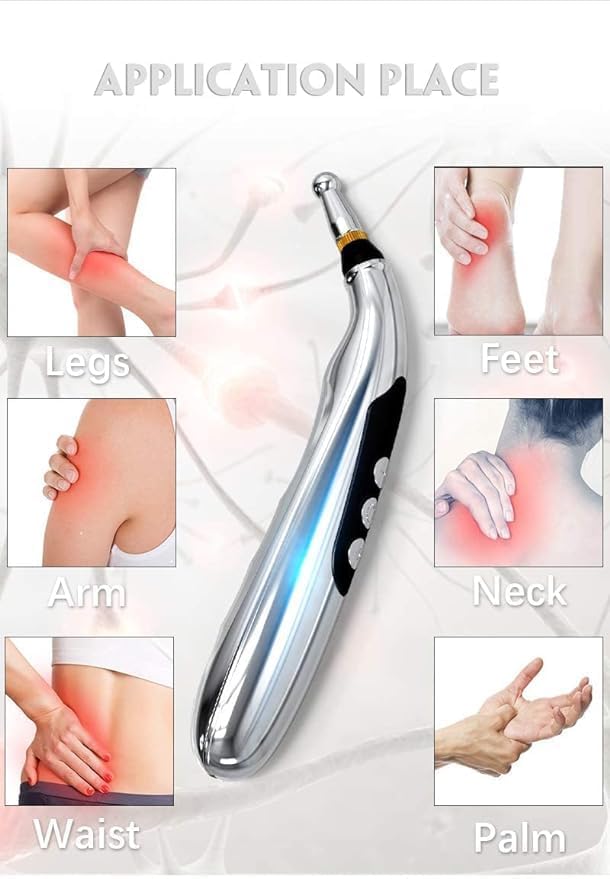
Image 6.1: Common application areas for the Meridian Energy Massage Pen.
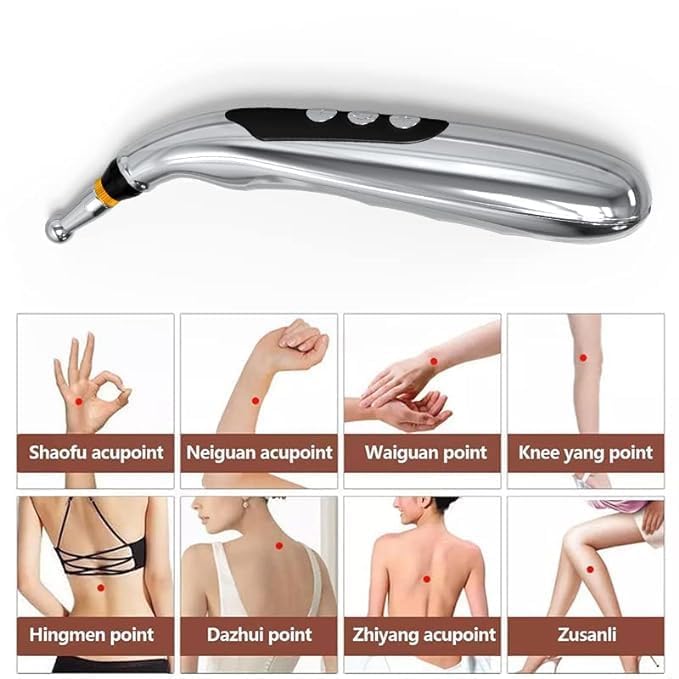
Image 6.2: Examples of specific acupoints that can be targeted with the device.
- General Massage: Gently move the pen over the desired area, applying light pressure.
- Acupoint Stimulation: Locate specific acupoints (refer to Image 6.2 or an acupoint chart) and apply the pen directly to the point for 30 seconds to 2 minutes.
- Recommended Duration: Use for 10-15 minutes per session, 1-2 times a day. Do not exceed 30 minutes per session on a single area.
6.3 Addressing Common Discomforts
The device can help alleviate discomforts such as sub-healthy body sensations, stressful irritability, waist/back pain, and insomnia by targeting relevant areas like the shoulder, neck, back, waist, arm, leg, and foot.
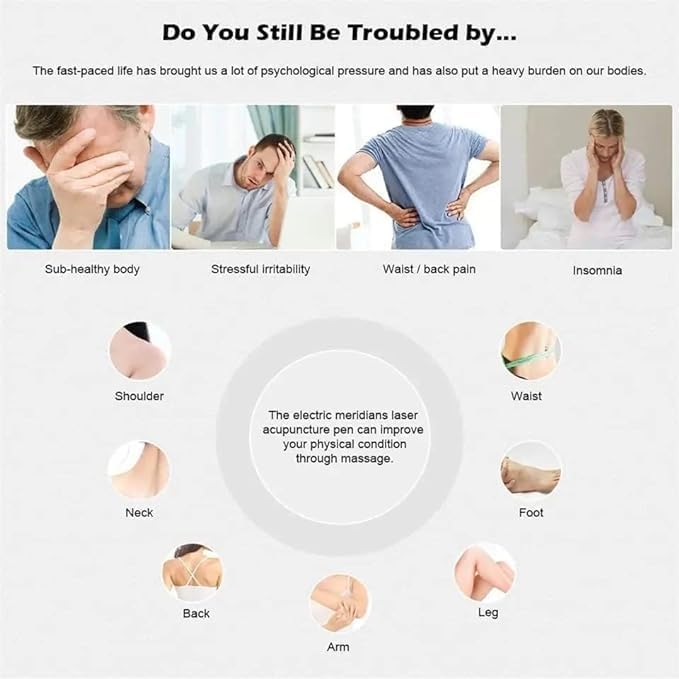
Image 6.3: The electric meridians laser acupuncture pen can improve physical condition through massage on various body parts.
7. Maintenance
7.1 Cleaning
- Ensure the device is turned off and unplugged before cleaning.
- Wipe the body of the pen with a soft, damp cloth. Do not use abrasive cleaners or immerse in water.
- The massage heads can be gently wiped with an alcohol swab for disinfection. Ensure they are completely dry before reattaching.
7.2 Storage
- Store the device in a cool, dry place, away from direct sunlight and extreme temperatures.
- Keep it in its original packaging or a protective case to prevent damage.
- If storing for an extended period, charge the battery periodically (e.g., every 3 months) to maintain battery health.
8. Troubleshooting
| Problem | Possible Cause | Solution |
|---|---|---|
| Device does not turn on | Battery is low or depleted | Charge the device fully. |
| No sensation or weak sensation | Intensity level is too low; Poor skin contact; Dry skin | Increase intensity; Ensure full contact with skin; Apply a small amount of conductive gel or water to the skin. |
| Device not charging | Faulty cable or adapter; Loose connection | Check cable and adapter; Ensure secure connection; Try a different USB port or adapter. |
| Discomfort during use | Intensity too high; Improper application | Reduce intensity; Adjust position or pressure; Discontinue use if discomfort persists. |
If troubleshooting steps do not resolve the issue, please contact customer support.
9. Specifications
| Model | W-912r |
| Power Source | Rechargeable Battery (USB Powered) |
| Material | Metal |
| Item Weight | 220 Grams |
| Product Dimensions | 10L x 5W x 15H Centimeters |
| Intensity Levels | 9 |
| Application Area | Full Body |
| Product Benefits | Pain Relief, Muscle Therapy, Tissue Therapy, Stress Relief |
10. Warranty and Support
Specific warranty information for the Generic W-912r Meridian Energy Massage Pen is not provided in this manual. Please refer to your purchase documentation or contact the retailer/seller for details regarding warranty coverage and customer support.
For any questions, technical assistance, or service inquiries, please reach out to the point of purchase or the manufacturer's customer service channels.


