
1. Important Safety Instructions
Please read all instructions carefully before operating the Milex Nordic Ice Machine. Retain this manual for future reference.
- Ensure the appliance is placed on a stable, level surface away from direct sunlight and heat sources.
- Do not immerse the power cord, plug, or any part of the appliance in water or other liquids.
- This appliance is for household use only. Do not use outdoors.
- Supervise children when the appliance is in use.
- Unplug the ice machine from the power outlet before cleaning or when not in use.
- Do not operate any appliance with a damaged cord or plug, or after the appliance malfunctions or has been damaged in any manner.
- Allow the unit to stand upright for at least 2 hours before first use if it has been transported horizontally. This allows the refrigerant to settle.
- Use only potable water in the water tank.
- Do not block ventilation openings. Ensure adequate air circulation around the unit.
2. Product Overview
Familiarize yourself with the components of your Milex Nordic Ice Machine.
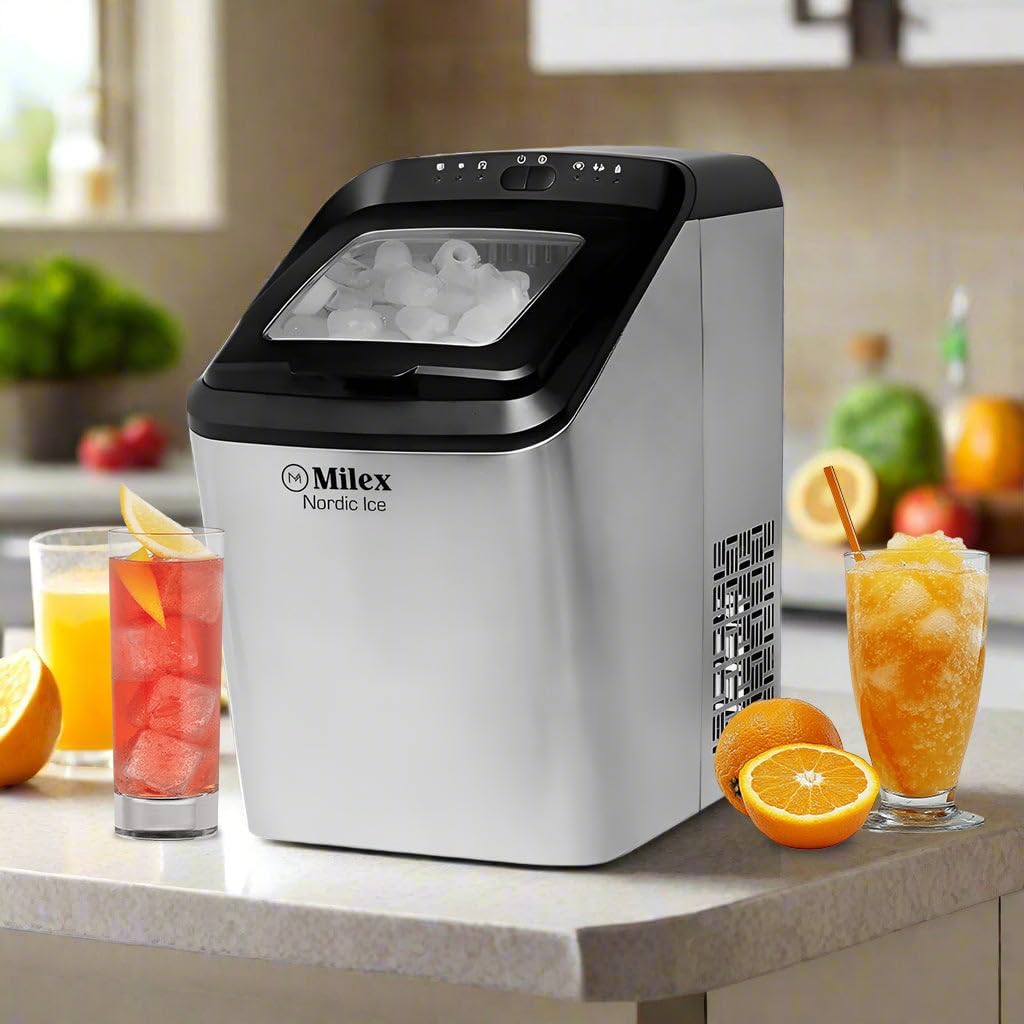
Figure 2.1: Front view of the Milex Nordic Ice Machine, showcasing its sleek stainless steel housing and transparent lid.
Main Components:
- Control Panel: Located on the top, with indicator lights and buttons for operation.
- Transparent Lid: Allows viewing of the ice-making process and ice level.
- Ice Basket: Removable basket for collecting and storing ice.
- Water Tank: Reservoir for water, located beneath the ice basket.
- Ice Scoop: Included for hygienic ice retrieval.
- Drain Plug: Located at the bottom for draining water.
3. Setup
Follow these steps to set up your ice machine for the first time.
- Unpack: Carefully remove the ice machine from its packaging. Remove all packing materials, tape, and labels.
- Position: Place the ice machine on a flat, stable, and heat-resistant surface. Ensure there is at least 15 cm (6 inches) of space around the unit for proper ventilation.
- Stand Upright: If the unit was transported horizontally, allow it to stand upright for at least 2 hours before plugging it in. This ensures the compressor oil settles correctly.
- Clean: Before first use, clean the interior of the ice machine as described in the 'Maintenance and Cleaning' section.
- Connect Power: Plug the power cord into a grounded electrical outlet.
4. Operating Instructions
Operating your Milex Nordic Ice Machine is straightforward.

Figure 4.1: Visual guide showing the three main steps: adding water, selecting ice size, and the ice production process.
4.1 Initial Ice Production
- Add Water: Open the lid and fill the water tank with potable water up to the 'MAX' fill line. Do not overfill.
- Power On: Press the 'POWER' button on the control panel. The power indicator light will illuminate.
- Select Ice Size: Press the 'SELECT' button to choose between small or large ice cubes. The corresponding indicator light will illuminate.
- Start Cycle: The machine will automatically begin the ice-making cycle. The first batch of ice may take approximately 8-15 minutes, depending on the selected size and ambient temperature.
- Monitor: The 'ICE FULL' indicator light will illuminate when the ice basket is full. The machine will pause operation. The 'ADD WATER' indicator light will illuminate when the water tank needs refilling.
- Retrieve Ice: Use the provided ice scoop to remove ice from the basket. Once ice is removed, the machine will resume operation if water is present.
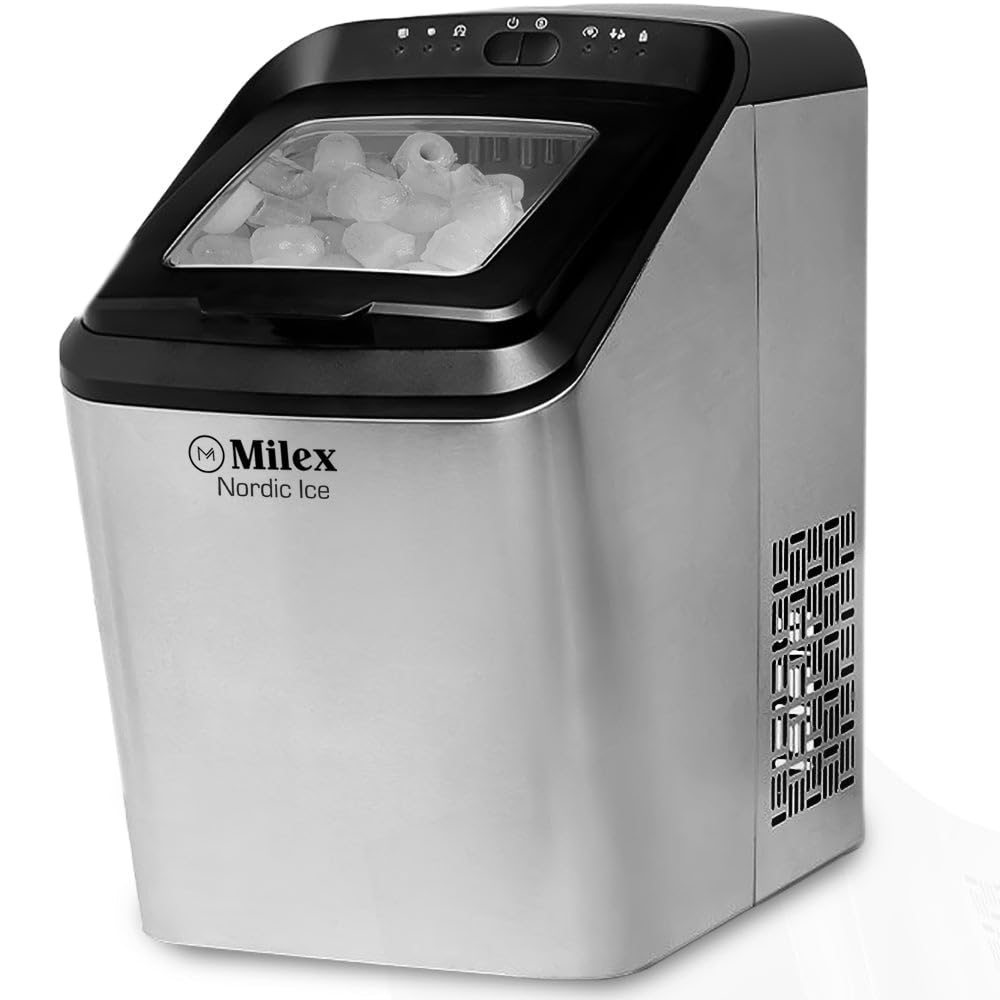
Figure 4.2: Detailed view of the control panel with indicator lights and freshly made bullet-shaped ice cubes.
4.2 Smart Alerts
- Add Water Indicator: When this light illuminates, the water level in the tank is low. Refill the water tank to continue ice production.
- Ice Full Indicator: When this light illuminates, the ice basket is full. Remove ice to allow the machine to resume operation.
5. Maintenance and Cleaning
Regular cleaning ensures optimal performance and extends the life of your ice machine.
5.1 Daily Cleaning
- After each use, unplug the unit.
- Drain any remaining water from the water tank by removing the drain plug at the bottom of the unit.
- Wipe the interior with a soft cloth and a mild detergent solution. Rinse thoroughly.
- Dry all surfaces completely before storing.
5.2 Monthly Cleaning
- Prepare a cleaning solution of water and white vinegar (1:1 ratio) or a commercial ice machine cleaner.
- Pour the solution into the water tank.
- Run a few ice-making cycles (discard the ice produced during this cleaning process).
- Drain the solution completely and rinse the water tank thoroughly with clean water several times.
- Wipe down the exterior with a damp cloth.
Caution: Do not use abrasive cleaners or sharp objects to clean the ice machine, as this may damage the surfaces.
6. Troubleshooting
Refer to this section for common issues and their solutions.
| Problem | Possible Cause | Solution |
|---|---|---|
| Ice machine not turning on | No power supply | Check if the power cord is securely plugged into a working outlet. |
| 'ADD WATER' indicator is on | Water tank is empty or low | Refill the water tank with potable water up to the 'MAX' line. |
| 'ICE FULL' indicator is on | Ice basket is full | Remove ice from the basket. The machine will resume operation. |
| No ice production | Insufficient water, high ambient temperature, or air blockage | Ensure water tank is full. Place the machine in a cooler environment. Check for proper ventilation. |
| Ice cubes are too small or clumpy | Water temperature too high, or first cycle | Use colder water. The first few cycles may produce smaller ice. Ensure the machine has proper ventilation. |
7. Specifications
Technical details for the Milex Nordic Ice Machine MIM003.
- Model: MIM003
- Power: 220-240V, 50Hz
- Water Tank Capacity: 2.8 Litres
- Ice Production Capacity: Up to 15kg per day
- Ice Storage Capacity: Up to 1.5kg
- Ice Cycle Time: 8-10 minutes per cycle (9 ice bullets)
- Ice Options: Large or Small bullet-shaped ice
- Material: Stainless Steel housing
- Dimensions (Box): 458mm x 290mm x 462mm
- Item Weight: 12 kg
8. Warranty and Customer Support
For warranty information, technical assistance, or customer support, please contact Milex customer service. Refer to your purchase documentation for specific warranty terms and contact details.
You can typically find support contact information on the manufacturer's official website or through your retailer.