
1. Important Safety Instructions
Please read all instructions carefully before using the Uten Mini Portable Dryer. Retain this manual for future reference.
- Electrical Safety: Ensure the power supply matches the dryer's requirements. Do not operate with a damaged cord or plug. Avoid overloading electrical outlets.
- Overheat Protection: The unit features automatic overheat protection. If the unit shuts off unexpectedly, unplug it and allow it to cool before restarting.
- Flammable Materials: Do not dry items that have been soiled with cooking oil, gasoline, dry-cleaning solvents, or other flammable substances.
- Ventilation: Ensure adequate ventilation around the dryer during operation. Do not block air inlets or outlets.
- Children and Pets: Keep children and pets away from the dryer during operation. This appliance is not intended for use by persons with reduced physical, sensory, or mental capabilities unless supervised.
- Water Exposure: The Oxford fabric cover is waterproof, but the main unit is an electrical appliance. Do not immerse the main unit in water or expose it to excessive moisture.
- Material Compatibility: The main unit is made of flame-retardant material for safety. Avoid placing plastic hangers directly in contact with the heating element as high temperatures can cause deformation.
2. Package Contents
Verify that all components are present in the package:
- Uten Mini Portable Dryer Main Unit
- Oxford Fabric Cover (105cm length)
3. Product Overview
The Uten Mini Portable Dryer is a compact and efficient solution for drying clothes. It features a 600W heat pump system with 360° hot air circulation for gentle, constant temperature drying. The main unit includes a touch screen for timer settings and is designed for portability and ease of use.

Image: Overview of the Uten Mini Portable Dryer's features, including 360° constant temperature cycle, 30-300 minute timer, 600W power, PTC heating panel, waterproof Oxford fabric cover, touch screen controls, and low noise operation.
Key Features:
- Efficient Drying: 600W power with 360° hot air circulation for gentle and effective drying.
- Safety First: Flame-retardant main unit, overheat protection, and automatic shut-off function.
- Durable Cover: High-temperature resistant, encrypted Oxford fabric cover, which is safe and waterproof.
- Optimized Design: Wavy hook design ensures even spacing between clothes for faster drying.
- Portable: Lightweight (0.98 kg) and foldable (23 x 10 cm when folded) for easy transport and storage.
- Customizable Timer: Touch screen control allows setting drying times from 30 to 300 minutes.
4. Setup
The Uten Mini Portable Dryer is designed for easy setup without complex installation.
4.1 Unpacking
- Carefully remove all components from the packaging.
- Inspect the dryer unit and fabric cover for any signs of damage. If damaged, do not use and contact customer support.
4.2 Assembly and Placement
- Unfold the Oxford fabric cover.
- Attach the main dryer unit to the top opening of the fabric cover. Ensure it is securely fastened.
- Locate a suitable hanging point, such as a sturdy clothes rail or hook. The dryer unit has a universal hook for easy hanging.
- Hang the assembled dryer unit and cover. Ensure there is enough space around the dryer for proper air circulation and that the bottom of the cover is clear of the floor.

Image: Step-by-step diagram illustrating the simple installation process of the Uten Mini Portable Dryer, from attaching the main unit to the fabric cover to hanging it securely.

Image: The Uten Mini Portable Dryer in an operational setting, demonstrating how it hangs with clothes inside its beige fabric cover, positioned conveniently near a standard clothes rack.
5. Operating Instructions
Follow these steps to operate your Uten Mini Portable Dryer:
5.1 Preparing Clothes for Drying
- Ensure clothes are spin-dried to remove excess water.
- Hang individual garments on hangers. The dryer's wavy hook design helps maintain even spacing for optimal drying.
- Place the hangers with clothes inside the fabric cover. Do not overload the dryer; ensure clothes have enough space to allow hot air to circulate freely.
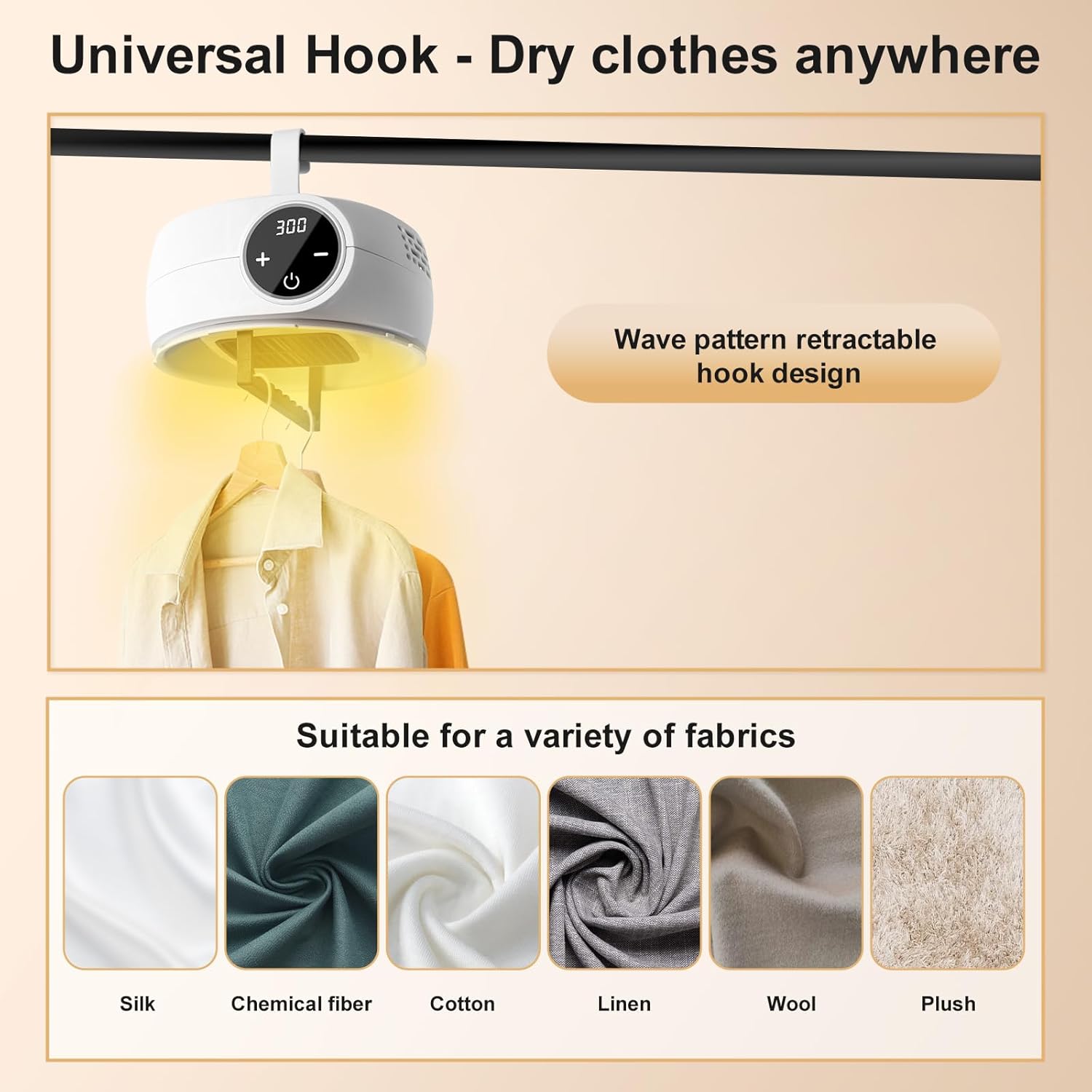
Image: The universal hook design of the Uten Mini Portable Dryer, highlighting its adaptability for various fabrics including silk, chemical fiber, cotton, linen, wool, and plush materials.
5.2 Powering On and Setting the Timer
- Plug the dryer into a suitable electrical outlet.
- Press the power button on the touch screen to turn on the unit.
- Use the '+' and '-' buttons on the touch screen to set the desired drying time. The timer can be set from 30 to 300 minutes.
- The dryer will begin operating once the timer is set.

Image: The dryer's touch screen control panel, featuring a timer dial that can be set from 30 to 300 minutes, with visual cues for different garment types like silk, t-shirts, cotton clothes, towels, denim, and coats.
5.3 Drying Tips
- The specific drying time will vary depending on the humidity of the clothes and their thickness. Thicker garments or those with higher moisture content will require longer drying times.
- For best results, do not overfill the dryer. Allow sufficient space for air circulation.
- The dryer will automatically shut off once the set time has elapsed.
6. Maintenance
Regular maintenance ensures the longevity and optimal performance of your Uten Mini Portable Dryer.
6.1 Cleaning
- Always unplug the dryer from the power outlet before cleaning.
- Allow the unit to cool completely.
- Wipe the main dryer unit with a soft, damp cloth. Do not use abrasive cleaners or solvents.
- The Oxford fabric cover can be wiped clean with a damp cloth. Ensure it is completely dry before folding or storing.
6.2 Storage
The Uten Mini Portable Dryer is designed to be compact and easy to store.
- Once the unit is clean and dry, detach the main dryer unit from the fabric cover.
- Fold the fabric cover neatly.
- The main unit (folded dimensions: 23 x 10 cm) and the folded cover can be stored in drawers, luggage, or wardrobes.

Image: Demonstrates the compact and easy storage of the Uten Mini Portable Dryer, showing it fitting into drawers, luggage, and a wardrobe, emphasizing its portability.
7. Troubleshooting
If you encounter issues with your Uten Mini Portable Dryer, refer to the following common problems and solutions:
| Problem | Possible Cause | Solution |
|---|---|---|
| Dryer does not turn on. | No power supply; Power cord not properly connected; Unit overheated. | Check if the power cord is securely plugged into a working outlet. Allow the unit to cool down if it recently shut off due to overheating. |
| Clothes are not drying effectively or take too long. | Dryer is overloaded; Clothes are too wet; Insufficient air circulation; Timer set too short. | Reduce the amount of clothes. Ensure clothes are adequately spin-dried before placing them in the dryer. Check that clothes are spaced evenly using the wavy hook design. Increase the drying time. |
| Unit shuts off unexpectedly during operation. | Overheat protection activated. | This is a safety feature. Unplug the unit and allow it to cool for at least 30 minutes before attempting to restart. Ensure air vents are not blocked. |
| Unusual noise during operation. | Obstruction in the fan; Unit not stable. | Unplug the unit and inspect for any foreign objects. Ensure the dryer is hanging stably and not swinging. |
If the problem persists after attempting these solutions, please contact Uten customer service for further assistance.
8. Specifications
| Feature | Specification |
|---|---|
| Brand | Uten |
| Model Name | Mini Portable Dryer |
| Model Number | E2476 |
| Product Type | Heat Pump Dryer |
| Power | 600W |
| Drying Method | 360° Hot Air Circulation, Constant Temperature |
| Timer Range | 30 - 300 minutes (Touch Screen Control) |
| Safety Features | Overheat Protection, Automatic Shut-off, Flame-retardant Material |
| Cover Material | High-temperature Resistant, Encrypted Oxford Fabric (Waterproof) |
| Item Dimensions (DxWxH) | 25 cm x 50 cm x 105 cm |
| Folded Dimensions (Main Unit) | Approx. 23 cm x 10 cm (9.05 x 3.94 inches) |
| Weight | Approx. 0.98 kg |
| Included Components | Dryer Main Unit, Oxford Fabric Cover |
| UPC | 841834143675 |
| Country of Origin | China |

Image: Detailed dimensions of the Uten Mini Portable Dryer, including its full assembled size (105cm H x 50cm W x 25cm D) and its compact folded main unit size (23cm W x 10cm H).
9. Warranty and Support
9.1 Product Warranty
The Uten Mini Portable Dryer is covered by the Uten brand customer service warranty. For specific warranty terms and conditions, please refer to the documentation provided with your purchase or contact Uten customer service directly.
9.2 Customer Support
If you have any questions, require assistance, or need to report an issue with your Uten Mini Portable Dryer, please contact Uten customer service. Our team is committed to resolving your concerns within 24 hours.
- Online Support: Visit the official Uten brand store on Amazon for contact information: Uten Brand Store
- Email Support: Refer to your product packaging or purchase confirmation for the dedicated customer service email address.
