
Monster MH22210
Monster Wireless Earbuds User Manual
Brand: Monster | Model: MH22210
1. Product Overview
The Monster Wireless Earbuds are designed for an immersive audio experience with advanced features like Environmental Noise Cancellation (ENC), IPX5 waterproofing, and intuitive touch controls. These open-ear earbuds are ideal for sport and daily use, offering comfort and high-fidelity sound.

Figure 1: Monster Wireless Earbuds and Charging Case. The image displays the two white open-ear earbuds alongside their translucent purple charging case, showcasing the sleek design.
2. What's in the Box
Upon unboxing your Monster Wireless Earbuds, you should find the following components:
- Monster Wireless Earbuds (Left and Right)
- Charging Case
- USB Charging Cable
- User Manual (this document)
3. Charging the Earbuds and Case
Before first use, fully charge the earbuds and the charging case.
- Place the earbuds into the charging case, ensuring they are correctly seated.
- Connect the USB charging cable to the charging port on the case and the other end to a compatible USB power source (e.g., computer USB port, wall adapter).
- The indicator lights on the charging case will show the charging status. Refer to the case for specific light patterns.
- A full charge for the earbuds takes approximately 1 hour, providing up to 8 hours of playtime. The charging case provides an additional 24 hours, totaling 32 hours of overall playtime.

Figure 2: Battery Life and Charging Overview. This image illustrates the total playtime of 32 hours, with 8 hours from the earbuds and 24 hours from the charging case, and indicates a 1-hour fast charging time.
4. Pairing and Setup
The Monster Wireless Earbuds utilize advanced Bluetooth 5.4 technology for a stable and efficient connection.
- Initial Pairing: Open the charging case. The earbuds will automatically enter pairing mode, indicated by a flashing light (refer to the specific light pattern in the quick start guide if available).
- Enable Bluetooth: On your device (smartphone, tablet, laptop), go to the Bluetooth settings and ensure Bluetooth is turned on.
- Select Device: In the list of available Bluetooth devices, select "Monster Earbuds" (or similar name).
- Connection Confirmation: Once connected, the earbuds will provide an audio prompt, and the indicator light will change (e.g., solid blue).
- Automatic Reconnection: After the initial pairing, the earbuds will automatically connect to the last paired device when taken out of the case, provided Bluetooth is enabled on the device.
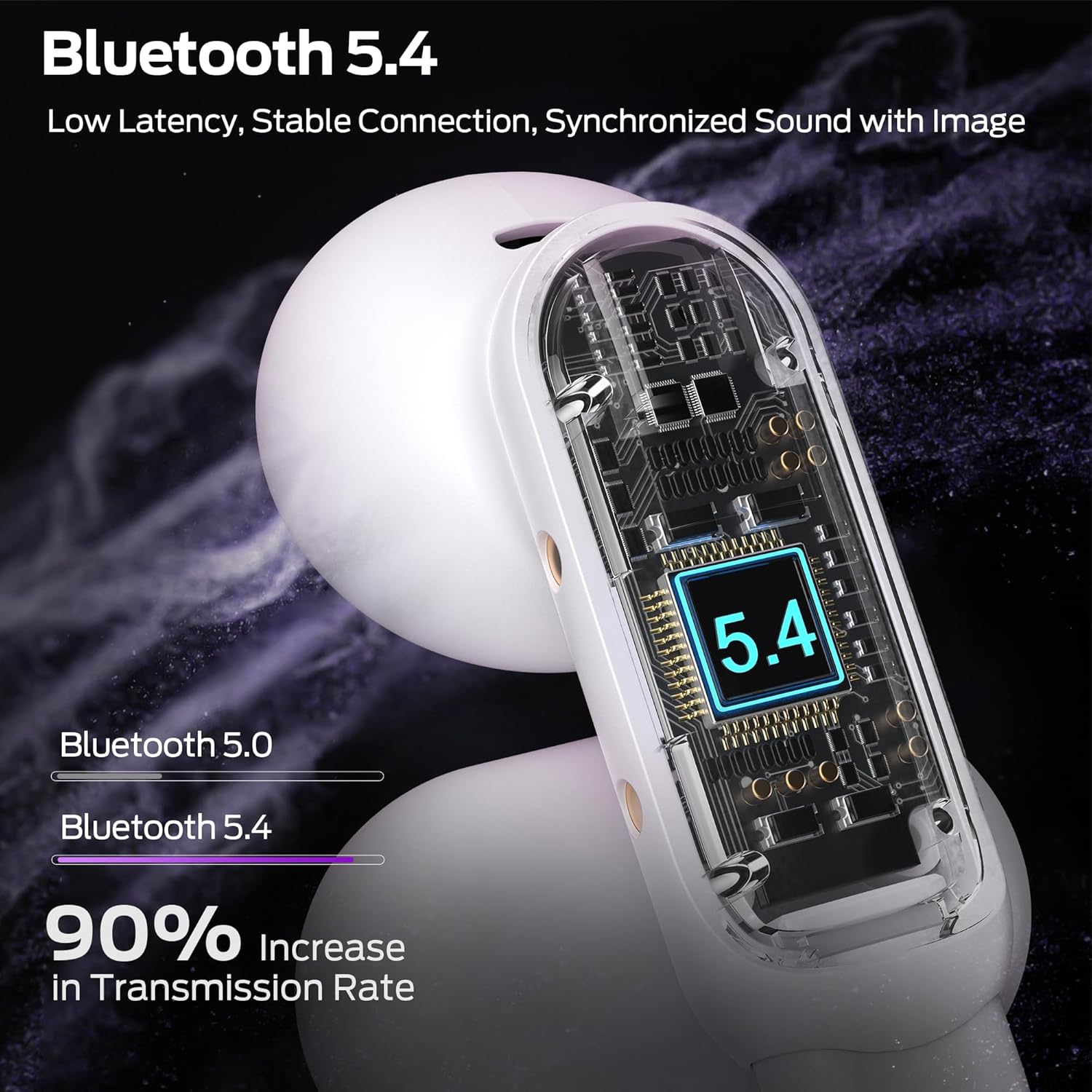
Figure 3: Bluetooth 5.4 Connectivity. This image highlights the upgraded Bluetooth 5.4 technology, emphasizing low latency, stable connection, and synchronized sound with visuals, showing a 90% increase in transmission rate compared to Bluetooth 5.0.
5. Operating Instructions
5.1. Smart Touch Controls
The earbuds feature sensitive touch controls for easy management of audio playback and calls. Specific touch functions may vary slightly, but common controls include:
- Play/Pause: Single tap on either earbud.
- Next Track: Double tap on the right earbud.
- Previous Track: Double tap on the left earbud.
- Answer/End Call: Single tap on either earbud during an incoming call.
- Reject Call: Press and hold on either earbud during an incoming call.
- Volume Up/Down: Specific gestures (e.g., triple tap or press and hold) may be assigned. Refer to the quick start guide for precise volume control gestures.
- Activate Voice Assistant: Press and hold for a few seconds on either earbud.
5.2. Environmental Noise Cancellation (ENC) for Calls
The Monster Wireless Earbuds are equipped with advanced ENC technology to reduce ambient noise during phone calls, providing clear, face-to-face communication quality.

Figure 4: ENC Call Noise Reduction. This image illustrates the Environmental Noise Cancellation feature, showing sound waves being processed to provide clear calls with intelligent noise reduction technology.
5.3. Pure Monster Sound Quality
Experience HI-FI level sound quality with the advanced 13mm PVK composite sound film. These open headphones function like a portable "mini speaker," delivering powerful low frequencies and crystal-clear highs for an immersive listening experience.

Figure 5: 13mm Speaker Dynamic Audio. This image provides a cutaway view of an earbud, highlighting the 13mm speaker dynamic audio driver and the acoustic cavity structure, which contribute to upgraded Hi-Fi level sound quality.
6. Maintenance and Care
To ensure the longevity and optimal performance of your Monster Wireless Earbuds, follow these maintenance guidelines:
- Cleaning: Regularly clean the earbuds and charging case with a soft, dry, lint-free cloth. Avoid using abrasive materials or harsh chemicals.
- IPX5 Waterproof Rating: The earbuds are IPX5 waterproof, meaning they are protected against low-pressure water jets from any direction. They are resistant to sweat and light rain, making them suitable for workouts. Do not submerge the earbuds in water. The charging case is not waterproof.
- Storage: When not in use, store the earbuds in their charging case to protect them and keep them charged. Store in a cool, dry place away from extreme temperatures.
- Charging: Use only the provided charging cable and a certified power adapter.
7. Wearing Comfort
The Monster Wireless Earbuds are designed for comfortable wear, featuring high elasticity and a lightweight, soft construction. This design ensures a secure fit during various activities, including sports, without causing discomfort.
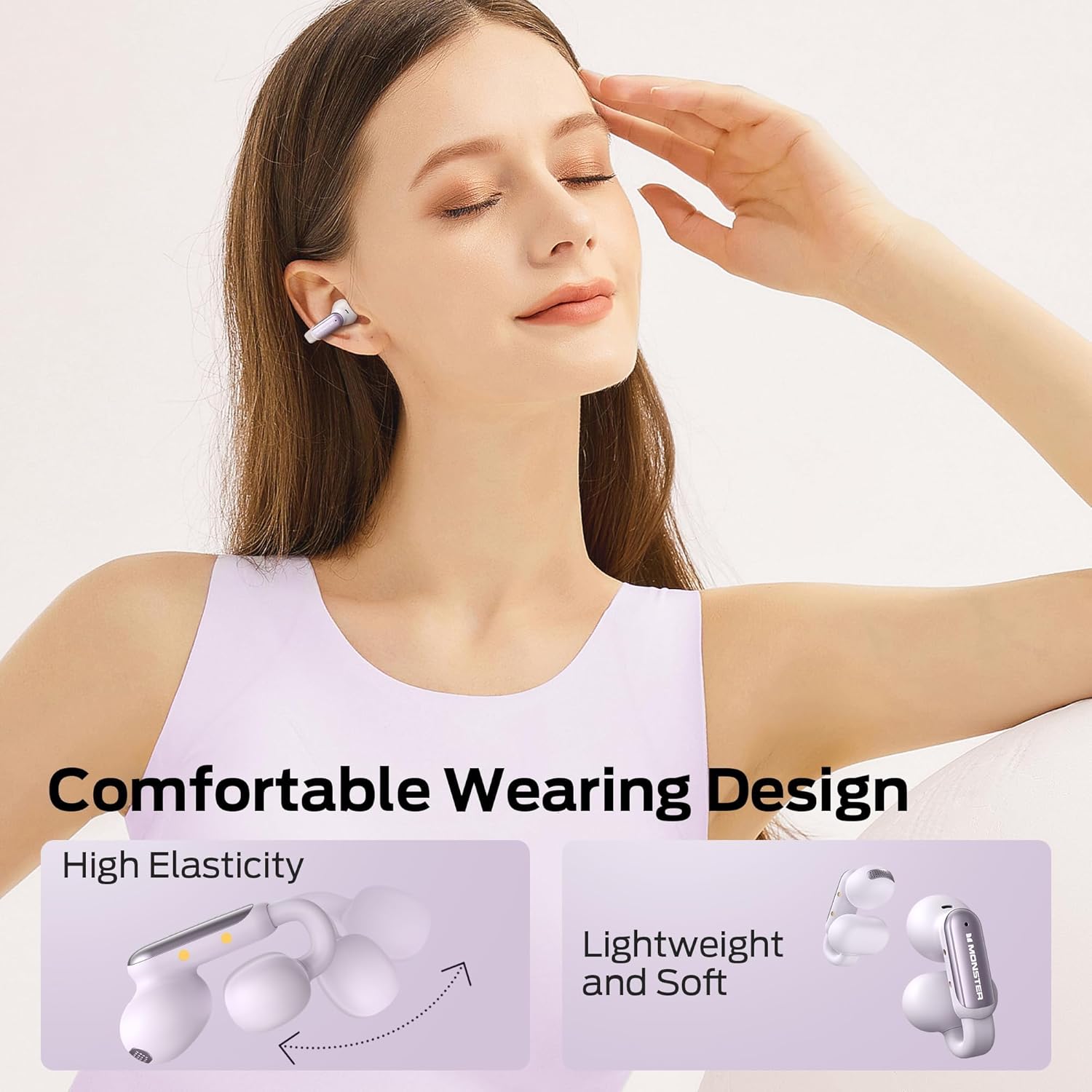
Figure 6: Comfortable Wearing Design. This image shows a person wearing the earbuds, emphasizing their lightweight and soft design, along with an illustration highlighting the high elasticity for a comfortable fit.
8. Troubleshooting
If you encounter issues with your Monster Wireless Earbuds, try the following solutions:
| Problem | Possible Solution |
|---|---|
| Earbuds not pairing | Ensure earbuds are charged. Turn off and on your device's Bluetooth. Forget the device in Bluetooth settings and re-pair. |
| No sound from one earbud | Check if both earbuds are charged. Try placing both earbuds back in the case and taking them out again. Re-pair the earbuds. |
| Low volume | Adjust volume on both the earbuds (via touch controls) and your connected device. |
| Charging issues | Ensure the charging cable is securely connected. Try a different USB port or power adapter. Clean charging contacts on earbuds and case. |
| Poor call quality | Ensure earbuds are properly worn. Move closer to your connected device. Check for environmental interference. |
9. Specifications
| Feature | Detail |
|---|---|
| Model Name | MH22210 |
| Connectivity Technology | Wireless (Bluetooth) |
| Bluetooth Version | 5.4 |
| Ear Placement | Open Ear |
| Form Factor | In Ear |
| Noise Control | Environmental Noise Cancellation (ENC) |
| Waterproof Rating | IPX5 |
| Control Method | Touch |
| Audio Driver Type | Dynamic Driver (13mm PVK composite sound film) |
| Battery Life (Earbuds) | Up to 8 hours |
| Total Playtime (with Case) | Up to 32 hours |
| Compatible Devices | Smartphones, Tablets, Laptops, Desktops |
10. Warranty and Support
For information regarding product warranty, technical support, or service inquiries, please refer to the warranty card included with your product or visit the official Monster website. You may also contact Monster customer service directly for assistance.
Official Monster Website: www.monsterproducts.com
Related documentsMH22210


Ask a question about this manual
Ask about setup, troubleshooting, compatibility, parts, safety, or missing instructions. Manuals+ will review the question and use this page’s manual context to help answer it.