
1. Introduction
Thank you for choosing the DEATTI 4K 64MP Digital Camera, Model CV01. This compact camera is designed to capture high-quality photos and videos, offering features like dual screens for easy selfies, 18X digital zoom, and various shooting modes. This manual provides essential information for setting up, operating, maintaining, and troubleshooting your camera to ensure optimal performance.
2. Setup
2.1 Package Contents
Please check the package contents to ensure all items are present:
- DEATTI Digital Camera
- Rechargeable Battery (x2)
- 64GB SD Card
- Type-C USB Cable
- Camera Bag
- Wrist Strap
- User Manual
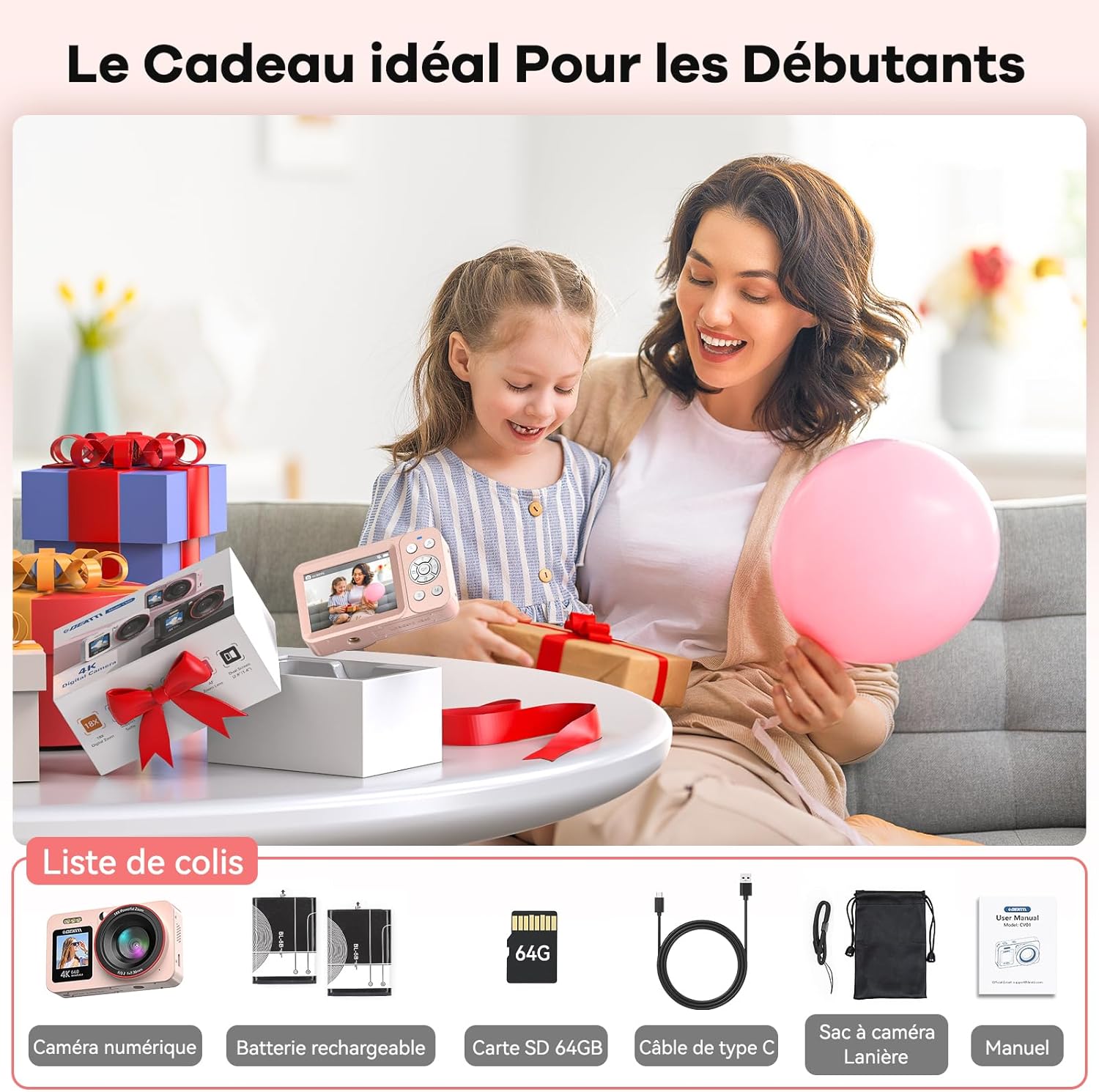
Image: Contents of the DEATTI camera package, including the camera, two batteries, a 64GB SD card, USB-C cable, camera bag, wrist strap, and user manual.
2.2 Battery and SD Card Installation
Follow these steps to install the battery and SD card:
- Open the Battery Compartment: Locate the battery compartment cover on the bottom of the camera. Slide the latch to open the cover.
- Insert Battery: Insert the rechargeable battery into the compartment, ensuring the contacts align correctly.
- Insert SD Card: Insert the 64GB SD card into the designated slot next to the battery, with the metal contacts facing the correct direction. Push until it clicks into place.
- Close the Compartment: Close the battery compartment cover securely until it latches.

Image: A four-step visual guide demonstrating how to open the battery compartment, insert the battery and SD card, close the compartment, and use the locking lever to remove the battery.
2.3 Charging the Camera
Before first use, fully charge the camera battery. Connect the camera to a power source using the provided Type-C USB cable. The charging indicator light will show the charging status.
3. Operating Instructions
3.1 Camera Layout and Basic Controls
Familiarize yourself with the camera's buttons and controls:
- Power Button: Turns the camera on or off.
- Shutter Button: Press halfway to focus, fully to take a photo or start/stop video recording.
- OK Button: Confirms selections. Long press (3 seconds) to switch to selfie mode.
- Zoom In/Out Buttons (Up/Down): Adjusts digital zoom.
- Flash/Fill Light Button (Up): Activates or deactivates the integrated fill light.
- Menu/Return Button: Accesses the menu or returns to the previous screen.
- Mode Button: Switches between photo, video, and playback modes.
- Delete Button (Down): Deletes selected files in playback mode.
Image: Diagram showing the front and back of the DEATTI camera with labels for the power button, shutter button, zoom controls, OK button, menu button, mode button, and integrated fill light.
3.2 Taking Photos
To take a photo:
- Turn on the camera using the Power Button.
- Ensure the camera is in Photo Mode (indicated on the screen).
- Frame your shot using the rear display.
- Press the Shutter Button halfway to allow the camera to autofocus.
- Once focused, press the Shutter Button fully to capture the 64MP image.

Image: A collage demonstrating the camera's capability to capture 64MP photos and 4K videos, showing clear images of children playing in a pool.
3.3 Recording Videos
To record a video:
- Turn on the camera.
- Switch to Video Mode using the Mode Button.
- Frame your scene.
- Press the Shutter Button fully to start recording 4K video. A red 'REC' indicator will appear.
- Press the Shutter Button fully again to stop recording.
3.4 Selfie Mode (Dual Screen)
The camera features a front screen for easy selfies:
- From any mode, press and hold the OK Button for 3 seconds.
- The front 1.4-inch HD screen will activate, allowing you to frame yourself.
- Press the Shutter Button to take a selfie photo or start/stop video recording.
- Long press the OK Button again to switch back to the rear screen.

Image: A hand holding the DEATTI camera, showcasing its front screen displaying a live view for taking selfies.
3.5 Digital Zoom
The camera supports up to 18X digital zoom. Use the Zoom In/Out buttons to adjust the magnification. Note that digital zoom may reduce image quality at higher magnifications.

Image: A demonstration of the 18X digital zoom capability, showing a snowboarder at 2X, 4X, 8X, and 18X magnification. Also highlights the anti-shake feature.
3.6 Integrated Fill Light
For low-light conditions, the camera includes an integrated fill light. Press the Flash/Fill Light button (Up direction on the directional pad) to toggle it on or off.

Image: A comparison showing a person's face with the integrated fill light off and on, demonstrating its effect in illuminating the subject.
3.7 Special Features
The DEATTI CV01 camera offers several advanced features:
- Anti-Shake: Digital image stabilization to reduce blur from camera movement.
- Continuous Shooting: Captures a rapid sequence of photos.
- Self-Timer: Delays the shutter release by 2, 5, or 10 seconds.
- Loop Recording: Records video in segments, overwriting the oldest footage when the memory card is full.
- Slow Motion: Records video at a higher frame rate for slow-motion playback.
- Macro Photography: Allows close-up shots of small subjects.

Image: A collage showcasing various special shooting modes including self-timer, continuous shooting, loop recording, slow motion, and macro photography.
3.8 Webcam and Vlogging Functionality
Connect the camera to your computer via the USB-C cable to use it as a webcam for video calls or for live streaming and vlogging.
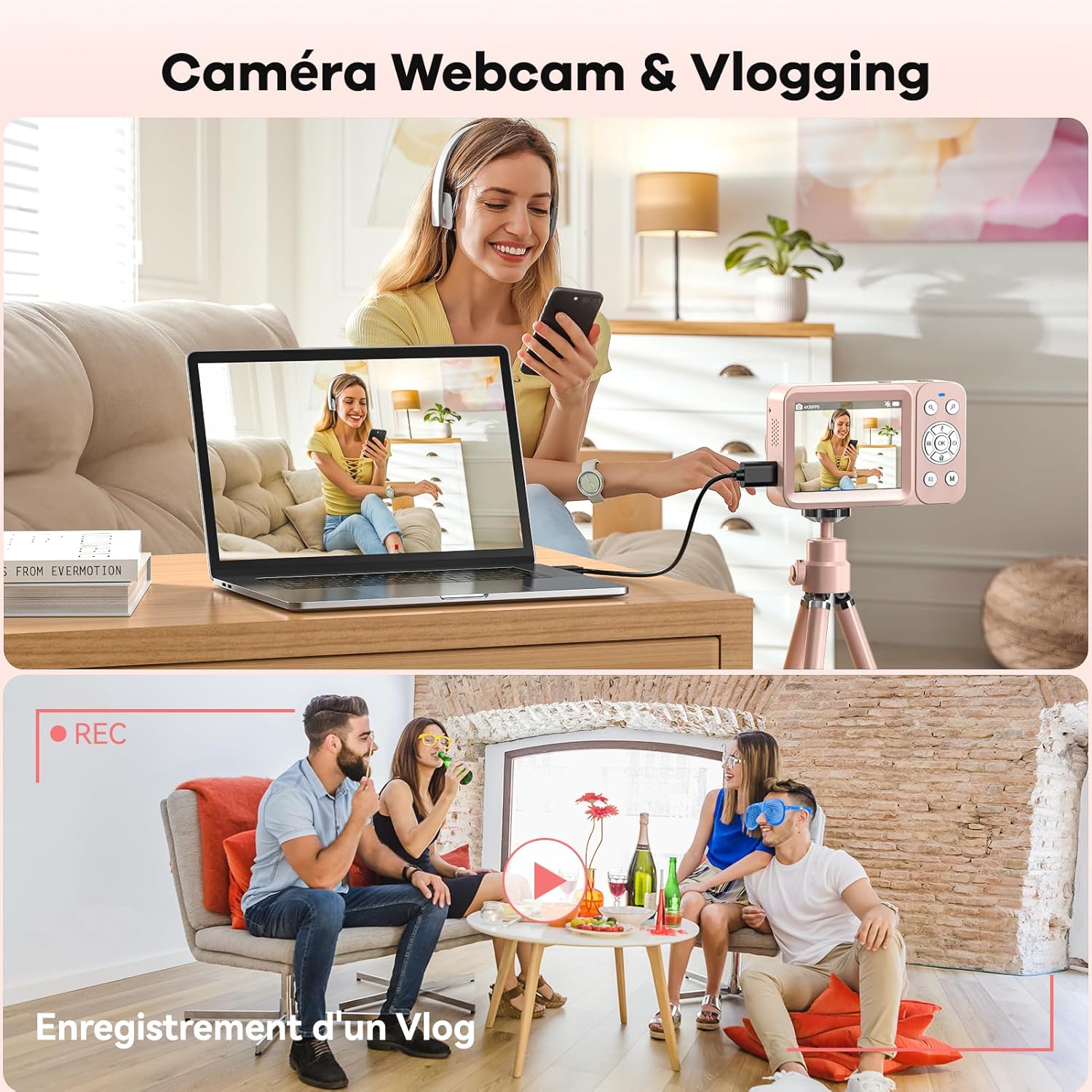
Image: A setup showing the DEATTI camera connected to a laptop, illustrating its use as a webcam for video calls and for recording vlogs.
4. Maintenance
4.1 Cleaning the Camera
- Lens: Use a soft, lint-free cloth specifically designed for camera lenses. Gently wipe the lens to remove dust or smudges. Avoid using harsh chemicals.
- Screen: Wipe the LCD screens with a soft, dry cloth. For stubborn smudges, a slightly damp cloth can be used, followed by a dry wipe.
- Body: Clean the camera body with a soft, dry cloth. Do not use solvents or abrasive cleaners.
4.2 Storage
When not in use, store the camera in a cool, dry place, away from direct sunlight and extreme temperatures. Remove the battery if the camera will not be used for an extended period.
5. Troubleshooting
If you encounter issues with your DEATTI CV01 camera, refer to the following common problems and solutions:
| Problem | Possible Cause | Solution |
|---|---|---|
| Camera does not turn on | Low or depleted battery; improperly inserted battery. | Charge the battery fully. Ensure the battery is inserted correctly. |
| Poor image/video quality | Insufficient lighting; camera shake; digital zoom used excessively. | Ensure adequate lighting. Use the anti-shake feature. Avoid excessive digital zoom. |
| Cannot enter selfie mode | Incorrect button press. | Press and hold the OK button for 3 seconds. |
| Camera not charging | Faulty cable or adapter; dirty USB port. | Try a different USB-C cable and power adapter. Clean the camera's USB port gently. |
| SD card error | Improperly inserted card; incompatible card; corrupted card. | Reinsert the SD card. Ensure it is a compatible SD card (up to 64GB). Try formatting the card (this will erase all data). |
6. Specifications
Detailed technical specifications for the DEATTI CV01 Digital Camera:
| Feature | Specification |
|---|---|
| Brand | DEATTI |
| Model Name | CV01 |
| Image Format | 16:9 |
| Photo Sensor Technology | CMOS |
| Supported File Formats | JPEG, MP4 |
| Image Stabilization | Digital |
| Maximum Aperture | 2.8 Millimeters |
| Metering Description | Matrix Metering |
| Maximum Webcam Image Resolution | 64 Megapixels |
| Photo Sensor Size | 1/3.2 inch |
| Optical Sensor Technology | CMOS |
| Rear Webcam Resolution | 64 Megapixels |
| Maximum Shutter Speed | 1/200 seconds |
| Minimum Shutter Speed | 1/200 seconds |
| Exposure Control Type | Automatic |
| Form Factor | Compact |
| Effective Capture Resolution | 800 Megapixels |
| Special Features | Webcam |
| Color | Pink |
| Screen Size | 2.8 Inches |
| Shooting Modes | Automatic, Easy |
| Screen Capture Resolution | 3840p |
| Viewfinder Type | Electronic |
| Flash Modes Description | Slow Synchronization |
| Device Flash | Integrated |
| Skill Level | Novice |
| Specific Product Uses | Vlogging, Travel |
| Compatible Devices | Computer, Smartphone |
| Aperture Modes | F2.8 |
| Flash Sync Speed | 1/200 Sec. |
| Video Capture Format | MP4 |
| Battery Weight | 2.5 Grams |
| Battery Type | Lithium-ion |
| Self-Timer | 20 seconds |
| Connectivity Technology | USB |
| Video Output | USB |
| Total USB 3.0 Ports | 1 |
| Total USB Ports | 1 |
| Total Output Ports | 1 |
| Display Type | LED |
| Pixels per Screen | 921600 |
| Display Media Type | Attached |
| Maximum Screen Resolution | 64 Megapixels |
| Screen Color | Yes |
| Flash Memory Type | SD |
| Memory Storage Capacity | 64 GB |
| Recording Capacity | 60 Minutes |
| Flash Memory Speed Class | C4 or C6 |
| Flash Memory UHS Speed Class | U1 or U3 |
| Flash Memory Bus Interface Type | SD |
| Installed Flash Memory Size | 64 GB |
| Compatible Flash Memory Type | SD |
| JPEG Quality Level | Fine |
| Supported Image Format | JPEG |
| Bit Depth | 10 bit |
| Total Still Resolution | 64 Megapixels |
| Lens Type | Fisheye |
| Zoom Type | Digital Zoom |
| Lens Description | Compact lens with 18x digital zoom |
| Minimum Focal Length | 18 Millimeters |
| Lens | 18x |
| Digital Zoom | 18 x |
| Lens Construction | Wide Angle |
| White Balance Settings | Auto |
| Batteries Included | Yes |
| Included Memory Card Size | 64 GB |
| Remote Control Included | No |
| Model Series | CV |
| Part Number | CV01 |
| Manufacturer | DEATTI |
| Age Range Description | Teenager |
| Digital Scene Transition | False |
| Digital | Yes |
| Movie Mode | Yes |
| Image Capture Type | Photos and Video |
| Night Vision | Yes |
| Auto Recall | Contrast Detection |
| Focus Description | Active |
| Focus Type | Autofocus |
| Focus Mode | Single-servo AF (AF-S) |
| Autofocus | Yes |
7. Warranty and Support
The DEATTI CV01 Digital Camera comes with a standard manufacturer's warranty. For specific warranty details, please refer to the warranty card included in your package or contact DEATTI customer support. If you require technical assistance or have questions not covered in this manual, please reach out to our support team through the contact information provided on the DEATTI official website or your purchase platform.