
1. Introduction
This manual provides detailed instructions for the setup, operation, maintenance, and troubleshooting of your BOSGAME AG40 Mini PC. Please read this manual thoroughly before using the device to ensure proper functionality and safety.
The BOSGAME AG40 is a compact and efficient mini PC powered by an Intel Celeron N4020 processor, designed for various applications from office tasks to industrial control programs. Its fanless design ensures quiet operation, and its small footprint makes it highly portable.
2. Safety Information
- Always use the provided power adapter. Using an incorrect adapter may damage the device and void the warranty.
- Do not expose the device to water, moisture, or extreme temperatures.
- Avoid dropping or subjecting the device to severe impacts.
- Do not attempt to open or repair the device yourself. Refer to qualified service personnel for any repairs.
- Ensure proper ventilation around the device, even with its fanless design, to prevent overheating.
3. Package Contents
Please check the box for the following items:
- BOSGAME AG40 Mini PC
- Power Adapter (12V/2A)
- User Manual (this document)
- HDMI Cable (may vary by region/package)
- VESA Mount (may vary by region/package)
4. Product Overview
The BOSGAME AG40 Mini PC is designed for portability and efficiency. Its compact dimensions are approximately 120mm x 120mm x 25mm, weighing less than 250g.

Image 4.1: The BOSGAME AG40 Mini PC, demonstrating its compact form factor and front-facing ports including USB and an SD card slot.
4.1. Ports and Connectors
The AG40 Mini PC features a comprehensive set of ports for connectivity:

Image 4.2: Detailed view of the BOSGAME AG40 Mini PC's input/output ports, highlighting DC power, multiple USB 3.0 ports, HDMI, RJ45 LAN, audio jack, and VGA output.
- USB 3.2 Gen1: 3 ports for connecting peripherals like keyboards, mice, and external storage.
- HDMI: 1 port for video output, supporting up to 4K@60Hz.
- VGA: 1 port for video output, supporting dual display configurations.
- RJ45 LAN: 1 Gigabit Ethernet port for wired network connectivity.
- SD Card Reader: 1 slot for memory card expansion.
- Audio Connector: For headphones or speakers.
- DC Power Input: For connecting the power adapter.
- Power Button: To turn the device on/off.
4.2. Internal Components

Image 4.3: Visual representation of the Intel Celeron N4020 processor, detailing its core count, clock speed, and thermal design power.

Image 4.4: Illustration of the internal memory and storage configuration, featuring 4GB DDR4 RAM and 64GB eMMC, which contribute to smooth system operation.
The AG40 is equipped with an Intel Celeron N4020 processor, 4GB DDR4 2133MHz onboard memory, and 64GB eMMC storage. It also supports expansion via an M.2 SATA 2242 SSD.
5. Setup Guide
5.1. Connecting Peripherals
- Connect Display: Connect your monitor or TV to the Mini PC using an HDMI or VGA cable. For optimal resolution, use HDMI.
- Connect Input Devices: Plug your USB keyboard and mouse into the available USB 3.2 Gen1 ports.
- Connect Network (Optional): For a wired connection, plug an Ethernet cable into the RJ45 LAN port. For wireless, ensure your Wi-Fi network is available.
- Connect Power: Insert the power adapter into the DC power input port and then plug it into a power outlet.
5.2. Initial Power On
- Press the power button located on the front of the Mini PC. The power indicator light will illuminate.
- The device will boot up, and the operating system (Windows 10 Pro or Linux, depending on your model) will start.
- Follow the on-screen instructions for the initial setup of your operating system, including language, region, and network settings.
6. Operating Instructions
6.1. Basic Operation
Once the operating system is set up, you can use the Mini PC like any standard desktop computer. Navigate using your mouse and keyboard, launch applications, and browse the internet.
6.2. Dual Display Setup
The AG40 supports dual display output via its HDMI and VGA ports. To set up dual monitors:
- Connect two monitors, one to the HDMI port and one to the VGA port.
- Power on the Mini PC and both monitors.
- In Windows, right-click on the desktop and select "Display settings."
- You can then detect, arrange, and extend or duplicate your displays as needed.
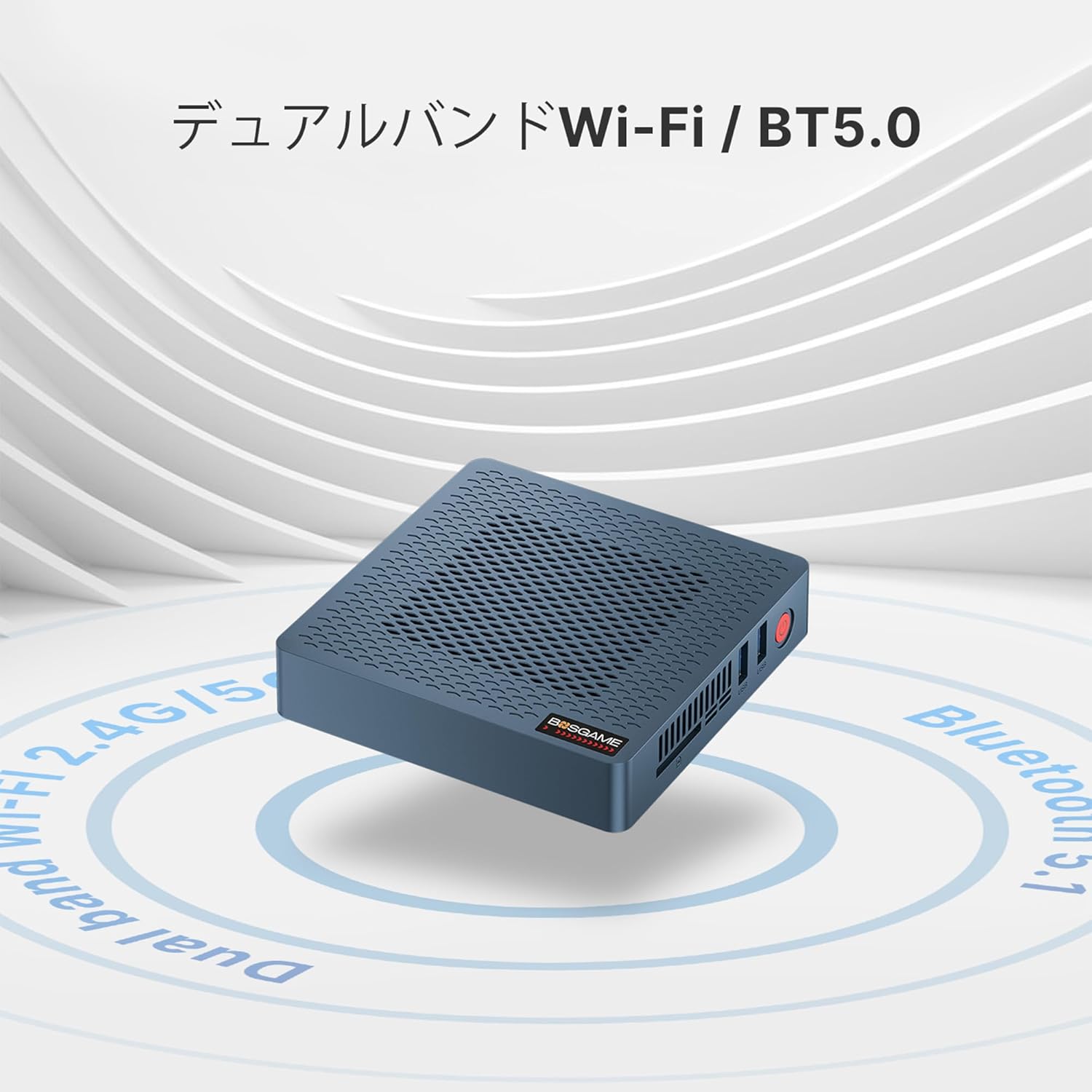
Image 6.1: Overview of the AG40's fanless cooling and key features, emphasizing its support for dual displays and integrated wireless technologies.
6.3. Wireless Connectivity
The Mini PC is equipped with an Intel 9560D2W wireless network card, supporting Wi-Fi 5 and Bluetooth 5.1.
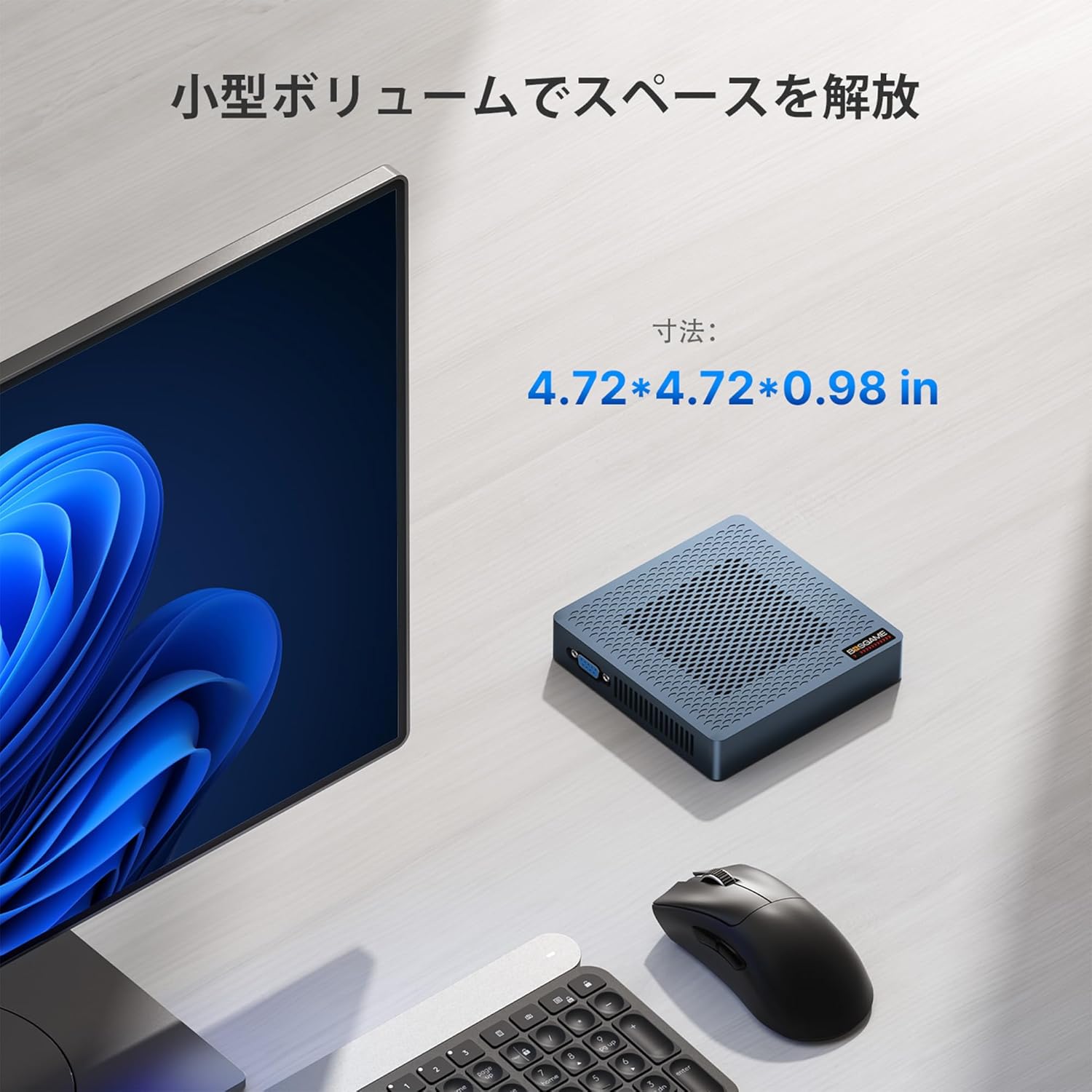
Image 6.2: The Mini PC's wireless capabilities, including dual-band Wi-Fi and Bluetooth 5.0, for seamless connection to networks and peripherals.
- Wi-Fi: To connect to a wireless network, click the Wi-Fi icon in the system tray, select your network, and enter the password.
- Bluetooth: To pair Bluetooth devices, go to your operating system's Bluetooth settings, enable Bluetooth, and search for devices.
6.4. Storage Expansion
The AG40 Mini PC's storage can be expanded:
- M.2 SATA 2242 SSD: An additional M.2 SATA 2242 SSD can be installed for increased storage capacity. Refer to the detailed installation guide (if provided separately) or consult professional assistance.
- SD Card: Insert an SD card into the front-facing SD card reader slot for portable storage.
6.5. 4K UHD Output
The Mini PC supports 4K@60Hz UHD resolution output via the HDMI port, providing a high-quality visual experience for compatible displays.

Image 6.3: The Mini PC demonstrating its ability to output stunning 4K UHD content at 60Hz to a compatible display.
7. Maintenance
7.1. Cleaning
Due to its fanless design, the AG40 Mini PC accumulates less dust internally compared to fan-cooled systems. However, regular external cleaning is recommended:
- Use a soft, dry cloth to wipe the exterior of the device.
- For stubborn dirt, slightly dampen the cloth with water or a mild cleaning solution, then wipe dry immediately.
- Do not use harsh chemicals or abrasive cleaners.
7.2. Software Updates
Regularly update your operating system and drivers to ensure optimal performance, security, and compatibility.
- Windows: Go to Settings > Update & Security > Windows Update.
- Drivers: Check the BOSGAME official website or Intel's website for the latest driver updates for your Celeron N4020 processor and integrated graphics.
8. Troubleshooting
If you encounter issues with your BOSGAME AG40 Mini PC, refer to the following common troubleshooting steps:
| Problem | Possible Cause | Solution |
|---|---|---|
| No power / Device does not turn on | Power adapter not connected or faulty; Power outlet issue. | Ensure the power adapter is securely connected to both the Mini PC and a working power outlet. Try a different outlet. |
| No display on monitor | Monitor not connected or faulty; Incorrect input source selected on monitor. | Check HDMI/VGA cable connections. Ensure the monitor is powered on and set to the correct input source (HDMI/VGA). Try a different cable or monitor if possible. |
| No internet connection (wired) | Ethernet cable disconnected or faulty; Router/modem issue. | Check Ethernet cable connection. Restart your router/modem. Verify network settings in the operating system. |
| No internet connection (Wi-Fi) | Wi-Fi disabled; Incorrect password; Router too far. | Ensure Wi-Fi is enabled in OS settings. Re-enter Wi-Fi password. Move closer to the router or check router status. |
| Cannot access BIOS | Incorrect key pressed during boot. | Repeatedly press the Del key immediately after powering on the device. In some cases, F10 might also work. |
9. Specifications
Below are the technical specifications for the BOSGAME AG40 Mini PC:
| Feature | Specification |
|---|---|
| Brand | BOSGAME |
| Model | AG40 |
| Processor | Intel Celeron N4020 (1.1 GHz base, up to 2.80 GHz boost) |
| Graphics | Intel UHD Graphics 600 (Integrated) |
| Memory (RAM) | 4GB DDR4 LPDDR4 |
| Storage | 64GB eMMC (Expandable with M.2 SATA 2242 SSD) |
| Operating System | Windows 10 Pro, Linux |
| Video Output | 1x HDMI (up to 3840x2160), 1x VGA (Dual Display Support) |
| USB Ports | 3x USB 3.2 Gen1 |
| Network | 1x RJ45 LAN (1000M), Wi-Fi 5 (Intel 9560D2W) |
| Bluetooth | Bluetooth 5.1 |
| Other Ports | SD Card Reader, Audio Connector |
| Dimensions | 120mm x 120mm x 25mm (approx. 4.72 x 4.72 x 0.98 inches) |
| Weight | Less than 250g (device only), 540g (packaged) |
| Power Supply | 12V/2A |
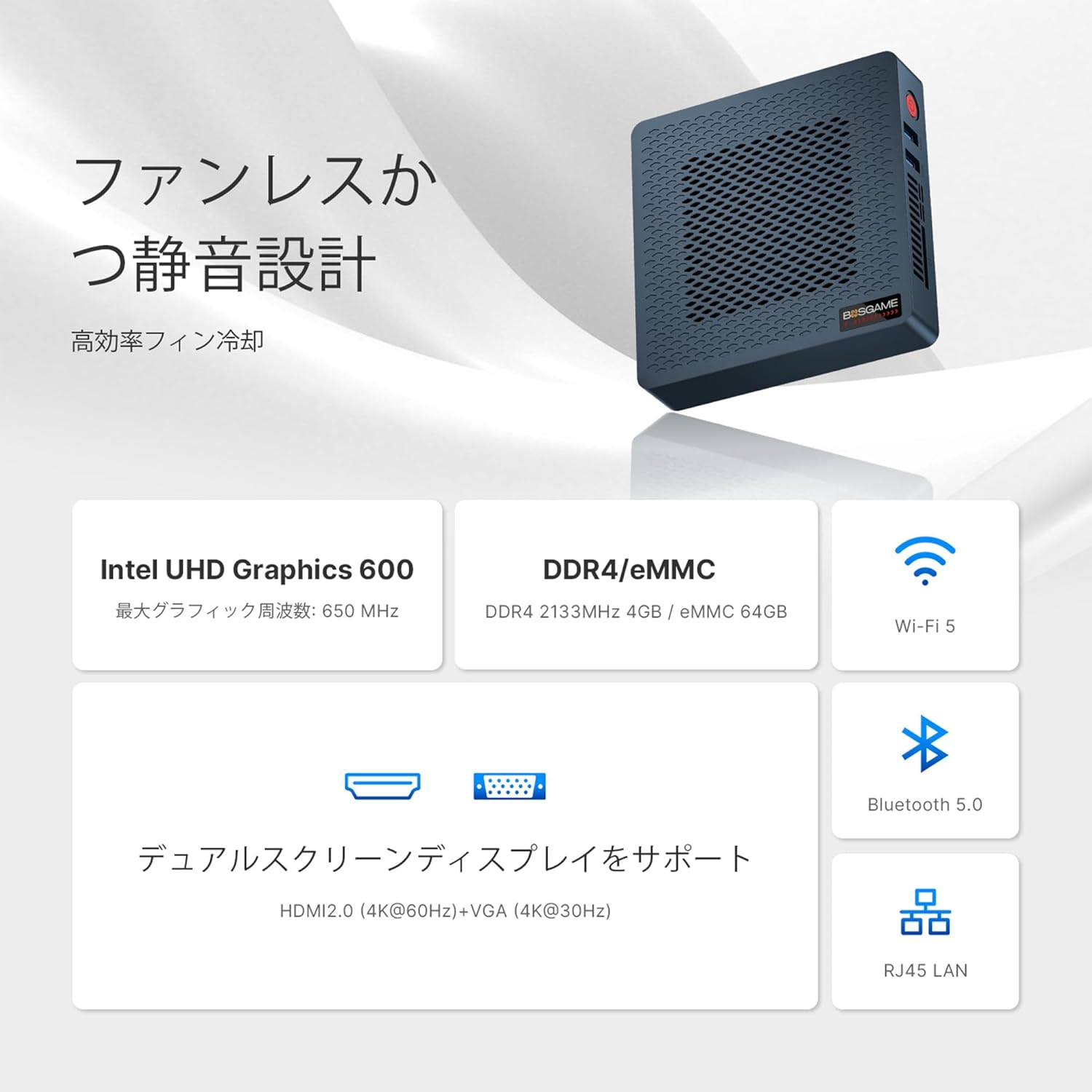
Image 9.1: The compact size of the Mini PC, designed to save space on your desk.
10. Warranty and Support
All BOSGAME Mini PCs undergo rigorous testing before leaving the factory to ensure product stability and reliability. The AG40 complies with Japanese certifications such as PSE and TELEC.
- Warranty: Your BOSGAME AG40 Mini PC comes with a 2-year warranty from the date of purchase.
- Customer Support: If you have any questions or require assistance, please contact our professional support staff. Refer to your purchase documentation or the BOSGAME official website for contact details.

Image 10.1: Diverse applications of the BOSGAME AG40 Mini PC, showcasing its versatility in different professional and personal settings.


