
Bewinner Bewinnersh5u97vx8o-12
Bewinner 2G Unlocked Flip Phone for Seniors User Manual
Model: Bewinnersh5u97vx8o-12
Introduction
This manual provides comprehensive instructions for the Bewinner 2G Unlocked Flip Phone, designed for ease of use, especially for seniors. It covers setup, operation, maintenance, troubleshooting, and detailed specifications to help you get the most out of your device.

Image: The Bewinner 2G Unlocked Flip Phone in its open position, displaying the main screen with time and date, and the large, clearly labeled keypad.
Setup
1. Package Contents
Before starting, ensure all items are present in the package:
- Bewinner 2G Unlocked Flip Phone
- USB Charging Cable
- SIM Card Ejector Tool
- Lanyard
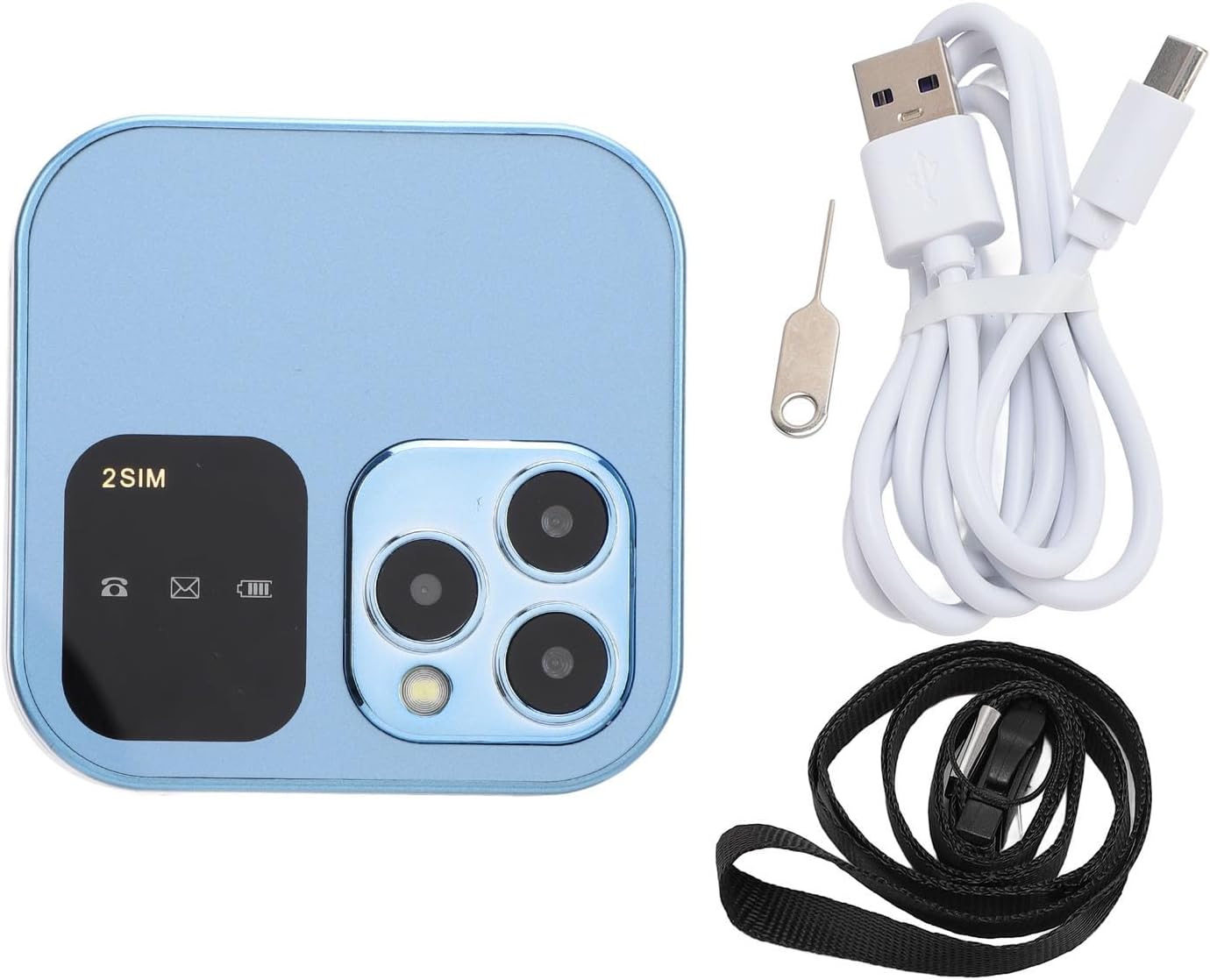
Image: The Bewinner flip phone alongside its included accessories, which are a USB charging cable, a SIM card ejector tool, and a black lanyard.
2. Inserting SIM Cards and Memory Card
This phone supports dual nano SIM cards and a memory card up to 16GB (not included).
- Locate the SIM card slot(s) on the phone.
- Use the provided SIM ejector tool to open the tray.
- Carefully place your nano SIM card(s) and/or memory card into the designated slots.
- Gently push the tray back into the phone until it clicks into place.

Image: The Bewinner flip phone with an overlay describing its 1.77-inch display, support for dual nano SIM cards, and a maximum memory card capacity of 16GB.
3. Charging the Battery
The phone comes with a 1000mAh rechargeable battery. For first use, fully charge the phone.
- Connect the USB charging cable to the phone's charging port (located at the bottom).
- Connect the other end of the cable to a compatible USB power adapter (not included) or a computer USB port.
- The charging indicator on the screen will show the charging status.
- Once fully charged, disconnect the cable.
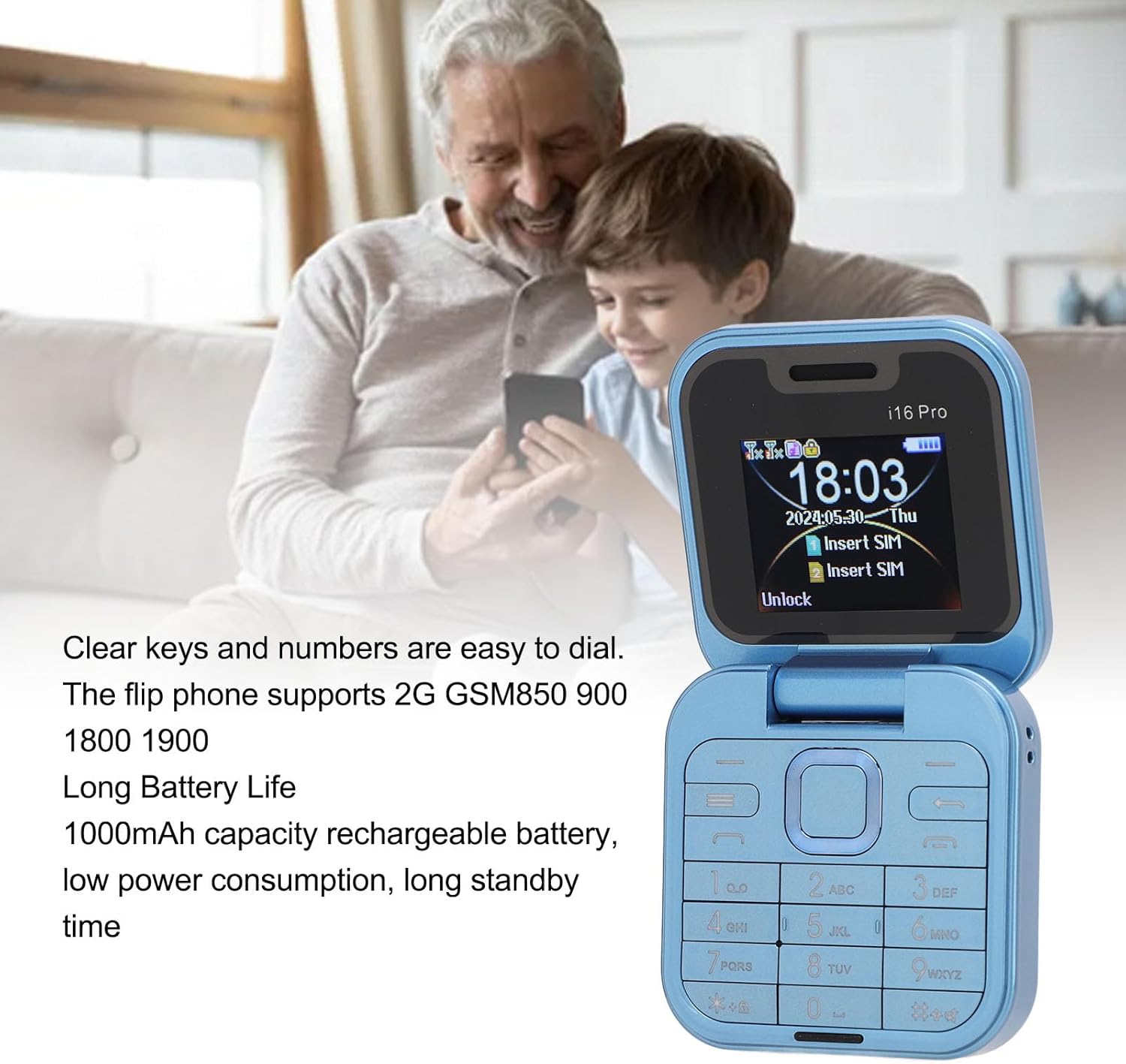
Image: The Bewinner flip phone with text emphasizing its clear keys and numbers for easy dialing, 2G GSM850/900/1800/1900 support, and a 1000mAh rechargeable battery for long standby time.
Operating Instructions
1. Power On/Off
- To power on: Press and hold the Power/End Call button until the screen lights up.
- To power off: Press and hold the Power/End Call button until the power off options appear, then select "Power off".
2. Making Calls
- Dial the number using the large keypad.
- Press the Call button (green button) to initiate the call.
- To end a call, press the Power/End Call button (red button).

Image: A detailed close-up view of the Bewinner flip phone's keypad, highlighting the large, easy-to-read buttons, and the charging port located at the bottom.
3. Sending and Receiving Messages
- Navigate to the Messages menu.
- Select New Message to compose.
- Enter the recipient's number and your message.
- Press Send.
- Received messages will appear in the Inbox.
4. Contacts
- To add a new contact: Go to Contacts, select Add New, enter name and number, then save.
- To call a contact: Go to Contacts, select the desired contact, and press the Call button.
5. LED Flashlight
The phone features a built-in LED flashlight for convenience.
- To turn on/off: Locate the dedicated flashlight button or access it through the phone's menu.
6. HD Rear Camera
The phone is equipped with a 0.08MP rear camera.
- To access the camera: Navigate to the Camera application from the main menu.
- Press the appropriate button to take a photo.

Image: The Bewinner flip phone with a graphic overlay detailing its internal specifications, including a 0.08MP rear camera, MTK6261D CPU, 32MB device memory, and 32MB RAM.
7. Magic Voice
The Magic Voice feature allows you to change your voice during calls.
- Access this feature through the phone's settings or call options.
- Select your desired voice effect.
8. Quick Dial
Set up quick dial numbers for frequently called contacts.
- Go to Settings > Quick Dial.
- Assign a contact to a numeric key (e.g., 2-9).
- To use, press and hold the assigned numeric key from the idle screen.
Maintenance
- Keep the phone dry. Liquids can corrode electronic circuits.
- Do not expose the phone to extreme temperatures.
- Clean the phone with a soft, dry cloth. Avoid harsh chemicals.
- Handle the phone gently. Avoid dropping or strong impacts.
- Do not attempt to disassemble the phone. This will void the warranty.
Troubleshooting
| Problem | Possible Cause / Solution |
|---|---|
| Phone does not power on. | Battery is drained. Charge the phone for at least 30 minutes. |
| Cannot make or receive calls. |
|
| Poor call quality. |
|
| Screen is unresponsive. | Restart the phone by powering it off and on again. |
| Battery drains quickly. |
|
Specifications
| Feature | Detail |
|---|---|
| Model Number | Bewinnersh5u97vx8o-12 |
| Display Size | 1.77 Inches |
| Resolution | 128 x 160 |
| Cellular Technology | 2G (GSM) |
| Wireless Carrier | Unlocked |
| SIM Card Slot Count | Dual SIM (Nano SIM) |
| Memory Storage Capacity | 16 GB (expandable via memory card, not included) |
| RAM Memory Installed Size | 32 MB |
| Battery Capacity | 1000 mAh |
| Rear Camera | 0.08 MP |
| Audio Jack | 3.5 mm |
| Form Factor | Flip |
| Item Weight | 6.7 ounces |
| Package Dimensions | 3.58 x 3.58 x 2.24 inches |

Image: Diagram illustrating the dimensions of the Bewinner flip phone, indicating a width and length of 63mm (2.5 inches) and a thickness of 18.8mm (0.7 inches).
Warranty and Support
For warranty information and technical support, please refer to the documentation included with your purchase or contact Bewinner customer service. Keep your proof of purchase for warranty claims.
Manufacturer: Bewinner
Date First Available: September 2, 2024
Ask a question about this manual
Ask about setup, troubleshooting, compatibility, parts, safety, or missing instructions. Manuals+ will review the question and use this page’s manual context to help answer it.