Introduction
Thank you for choosing the OLIGHT Baton4 Premium Edition and Perun 3 Headlamp bundle. This manual provides detailed instructions for the safe and effective use, setup, operation, and maintenance of your new lighting products. Please read this manual thoroughly before use and retain it for future reference.
Product Overview
OLIGHT Baton4 Premium Edition Flashlight
The Baton4 is a compact EDC (Everyday Carry) flashlight featuring a high-performance LED and TIR lens. It delivers a maximum output of 1,300 lumens and a beam distance of 170 meters, making it a powerful tool for various lighting needs.
Baton4 Charging Case
The customized charging case for the Baton4 has a built-in battery, allowing you to fully charge the Baton4 up to five times. This provides an impressive maximum runtime of up to 190 days for the Baton4 flashlight. The case also features a universal USB-C port for convenient charging of the case itself or other mobile devices.

The Baton4 charging case is designed to keep your flashlight powered. It can provide up to 5 full charges for the Baton4 flashlight, offering up to 190 days of maximum runtime. The case also features a 42% increased battery capacity compared to the Baton3 charging case.

This image illustrates the extended runtime capabilities. The Baton4 Premium Edition offers up to 190 days of runtime, significantly longer than previous models, ensuring prolonged use without frequent recharging.

The Baton4 charging case features a universal USB-C port for both input and output. This allows you to easily charge the case itself or use it to charge other mobile devices in emergencies.

Monitor the battery level of your charging case at a glance with the integrated LED digital display, showing the exact percentage of remaining power.
OLIGHT Perun 3 Rechargeable Headlamp
The Perun 3 is a high-performance headlamp designed for hands-free illumination. It features premium LEDs with a maximum output of 3,000 lumens, instantly illuminating large areas. The headlamp also includes a red light mode with two brightness levels and a flashing mode for signaling, suitable for working in low-light conditions or preserving night vision.

The Perun 3 headlamp offers versatile lighting options, functioning as both a headlamp and a handheld light. It provides high-performance white and red light modes for various tasks.

Experience unmatched lighting for wide spaces with the Perun 3 headlamp. Its powerful 3000-lumen floodlight beam instantly illuminates vast areas, providing excellent visibility in dark environments.
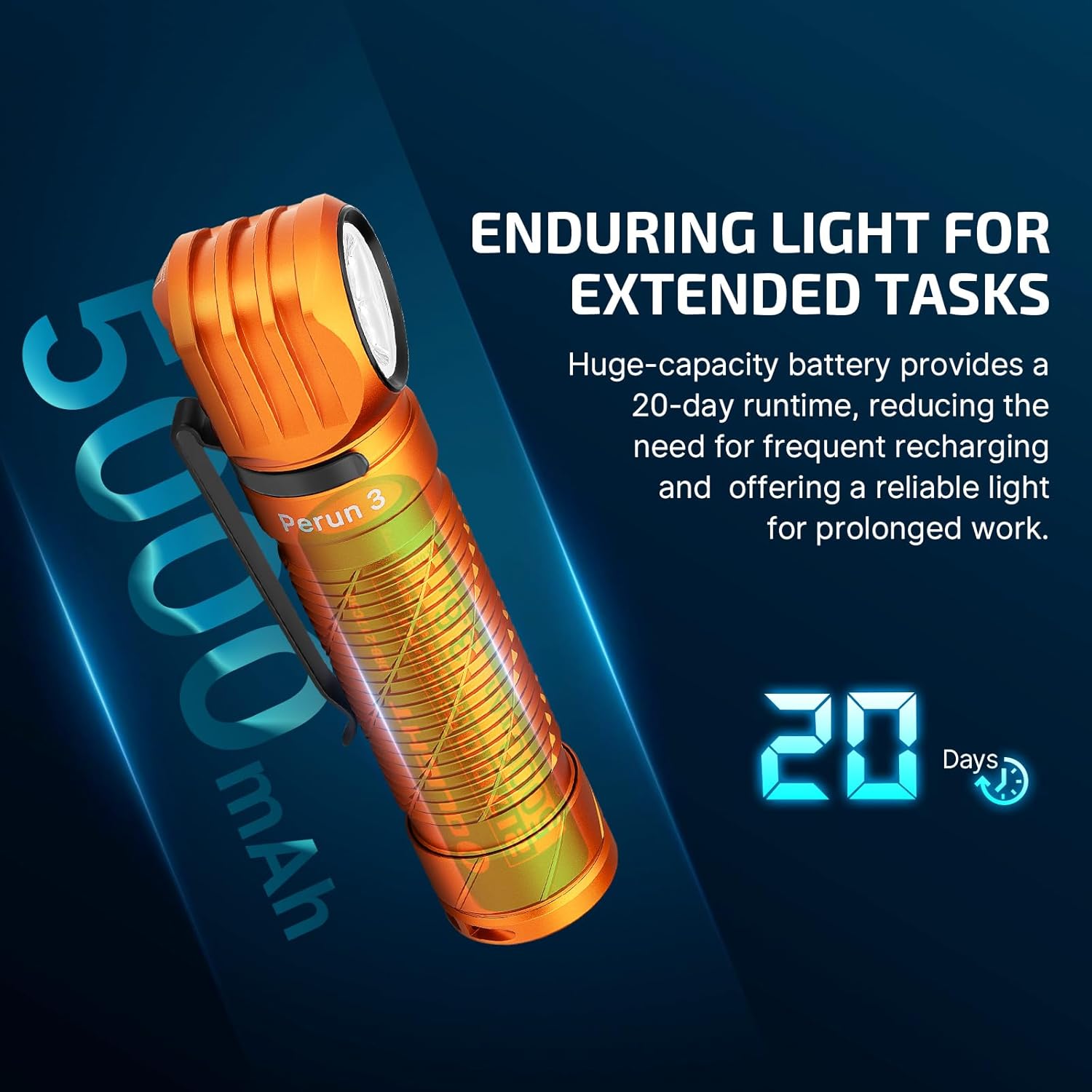
The Perun 3 headlamp is equipped with a large-capacity 5000 mAh battery, providing an enduring runtime of up to 20 days. This reduces the need for frequent recharging, offering reliable light for prolonged work or activities.

The Perun 3 features a steady red light mode, which helps preserve night vision and minimizes glare. This enhances visual comfort when reading or working in low-light conditions, making it ideal for tasks where maintaining night adaptation is crucial.
Setup
Initial Charging
- Baton4: Insert the Baton4 flashlight into its charging case. Connect the USB-C cable to the charging case and a power source. The LED display on the case will show the charging status.
- Perun 3: The Perun 3 headlamp typically charges via its magnetic charging port. Connect the magnetic charging cable to the tailcap of the Perun 3 and a USB power source. The indicator light on the cable will show charging status.
Attaching the Clip and Lanyard
- Baton4: The Baton4 features a sturdy two-way clip. Attach it to your belt, pocket, or backpack strap as desired. The built-in magnet allows for attachment to metal surfaces.
- Perun 3: Attach the Perun 3 to the included headlamp strap for hands-free use. Ensure it is securely fastened.
- Charging Case: Utilize the safety lanyard on the charging case to prevent accidental drops.
Operating Instructions
Baton4 Flashlight Operation
- Turn On/Off: Single click the side switch.
- Change Brightness: When on, press and hold the side switch to cycle through brightness levels (Low, Medium, High). Release to select.
- Turbo Mode: Double click the side switch. Double click again to return to the previous mode.
- Strobe Mode: Triple click the side switch.
- Moonlight Mode: When off, press and hold the side switch for over one second.
- Lockout/Unlock: When off, press and hold the side switch for approximately two seconds until the light briefly flashes. Repeat to unlock.
Perun 3 Headlamp Operation
- Turn On/Off: Single click the main switch.
- Change White Light Brightness: When on, press and hold the main switch to cycle through brightness levels.
- Red Light Mode: Double click the main switch to activate red light. Press and hold to cycle between red light brightness levels.
- Red Light Flashing: Triple click the main switch in red light mode.
- Turbo Mode: Double click the main switch from white light mode.
- SOS Mode: Triple click the main switch from white light mode.
Charging Case Usage
- Charging Baton4: Place the Baton4 into the charging slot. The case will automatically begin charging.
- Charging the Case: Connect a USB-C cable to the case's port and a power adapter.
- Charging External Devices: Connect a USB-C cable from the case's port to your mobile device.
- Battery Level Check: The LED digital display on the case shows the current battery percentage.
Maintenance
Cleaning
- Regularly clean the threads and O-rings of the flashlights with a clean cloth.
- Apply a thin layer of silicone grease to O-rings periodically to maintain water resistance.
- Keep the charging contacts on both the flashlights and the charging case clean and free of debris.
Battery Care
- Avoid fully depleting the batteries for extended periods. Recharge them regularly.
- Store the devices with a partial charge (around 50%) if not used for a long time.
- Do not expose batteries to extreme temperatures.
Storage
- Store the flashlights and charging case in a cool, dry place.
- Remove batteries if storing for very long periods (if applicable and removable).
Troubleshooting
Common Issues and Solutions
- Light not turning on:
Solution: Check battery charge level. Ensure the battery is inserted correctly. Unlock the device if it is in lockout mode. - Light flickering or dimming:
Solution: Recharge the battery. Clean the battery contacts and threads. - Charging not working:
Solution: Ensure the USB-C cable is properly connected to both the charging case/Perun 3 and the power source. Check if the power source is active. Clean charging contacts. - Water ingress:
Solution: Ensure O-rings are intact and properly seated. Do not operate if water is suspected inside. Contact support.
Specifications
| Feature | Baton4 Premium Edition | Perun 3 Headlamp |
|---|---|---|
| Power Source | Battery Powered (Lithium Ion) | Battery Powered (Lithium Ion) |
| Light Source Type | LED | LED |
| Material | Metal, Plastic, Rubber | Metal, Plastic, Rubber |
| Max White Brightness | 1300 Lumens | 3000 Lumens |
| Max Beam Distance | 170 Meters | Not specified (wide flood) |
| Max Runtime | 190 Days (with charging case) | 20 Days |
| Water Resistance Level | Waterproof | Waterproof |
| Special Features | Magnetic base, Two-way clip, Charging case with USB-C output | Red light mode, Magnetic charging, Hands-free operation |
Warranty and Support
OLIGHT products are backed by a comprehensive warranty. For detailed warranty information, product registration, and customer support, please visit the official OLIGHT website or contact their customer service directly. Keep your purchase receipt for warranty claims.
Official OLIGHT Website: www.olightstore.com


