
Introduction
This manual provides detailed instructions for the safe and efficient use of your Bell+Howell The Lenox Cordless LED Table Lamp. This lamp is designed for versatility, offering touch-activated control, multiple light modes, and dimmable brightness in a portable, rechargeable design. Please read this manual thoroughly before operating the device.
Package Contents
- 2 x Bell+Howell The Lenox Cordless LED Table Lamps
- USB-C Charging Cable (quantity may vary, typically one per lamp or one for the pack)
- Instruction Manual (this document)
Product Overview

Figure 1: Bell+Howell The Lenox Cordless LED Table Lamp (2-pack)
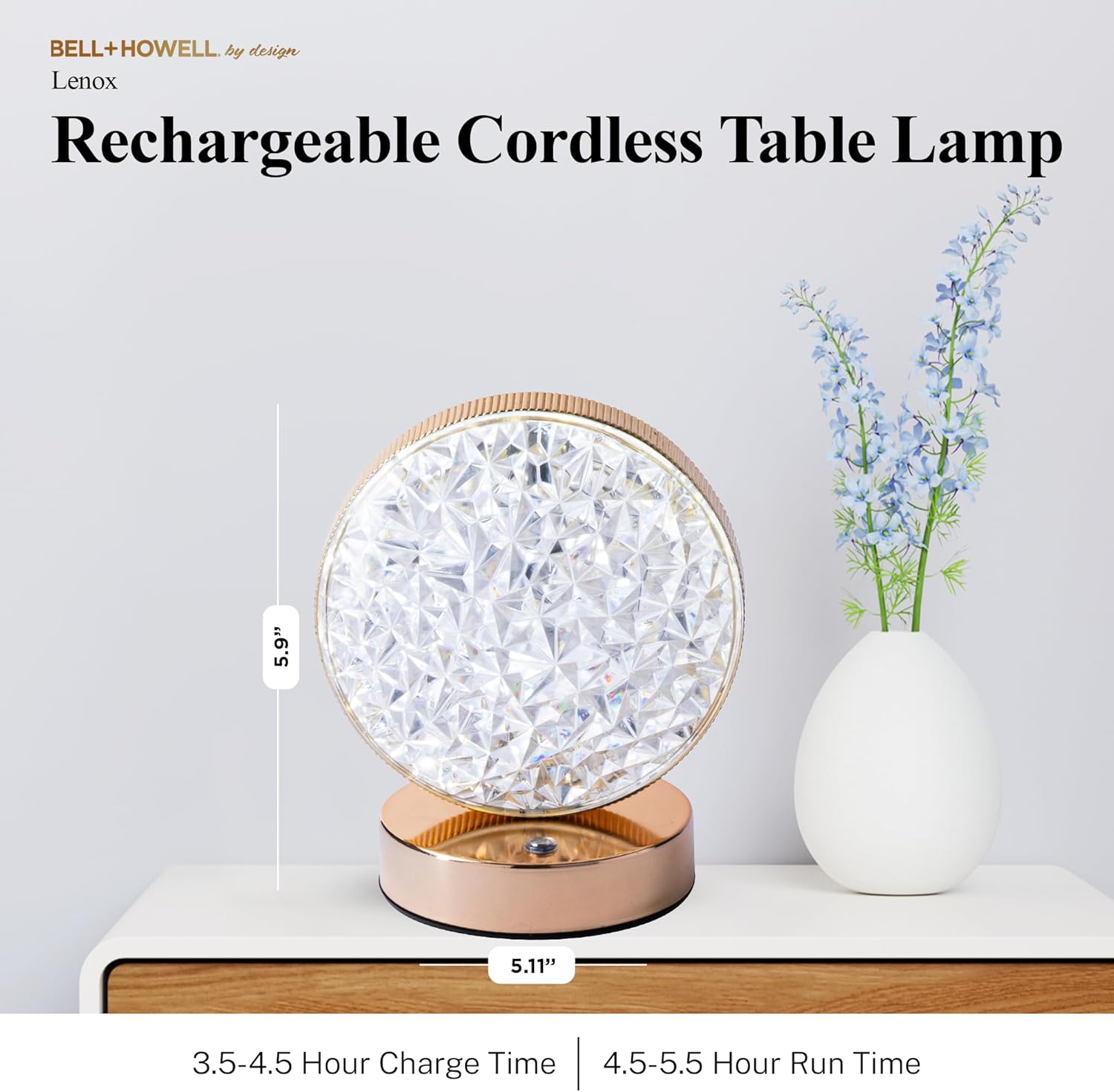
Figure 2: Product Dimensions and Charge/Run Times
The Lenox lamp measures approximately 5.9 inches in height and 5.11 inches in width. It features a charge time of 3.5-4.5 hours and provides a run time of 4.5-5.5 hours on a full charge.
Setup
1. Initial Charging
Before first use, fully charge your Bell+Howell The Lenox lamp.
- Locate the USB-C charging port on the base of the lamp.
- Connect the provided USB-C cable to the lamp's charging port.
- Connect the other end of the USB-C cable to a compatible USB power adapter (not included) or a powered USB port.
- Allow 3.5 to 4.5 hours for a full charge. The charging indicator light (if present, usually red for charging, green for full) will provide status.
2. Placement
Due to its cordless and lightweight design, the lamp can be placed almost anywhere.
- Ensure the lamp is placed on a stable, flat surface.
- Avoid placing the lamp in direct sunlight or near heat sources to prevent damage to the battery and electronics.
- While portable, this lamp is designed for indoor use. Avoid exposure to water or extreme weather conditions.

Figure 3: Versatile Placement Options
The lamp's portability allows for use in various indoor environments such as bedrooms, dining tables, living rooms, and even covered outdoor areas.
Operating Instructions
1. Power On/Off and Light Mode Selection
The lamp features a touch-activated control system.
- To turn the lamp ON, gently tap the touch sensor located on the top of the lamp.
- Each subsequent tap will cycle through the three available light modes:
- Warm Light: Ideal for creating a cozy or intimate atmosphere.
- White Light: Provides bright illumination suitable for tasks.
- Daylight: Mimics natural outdoor light for general use.
- To turn the lamp OFF, continue tapping until the lamp switches off after cycling through all modes.
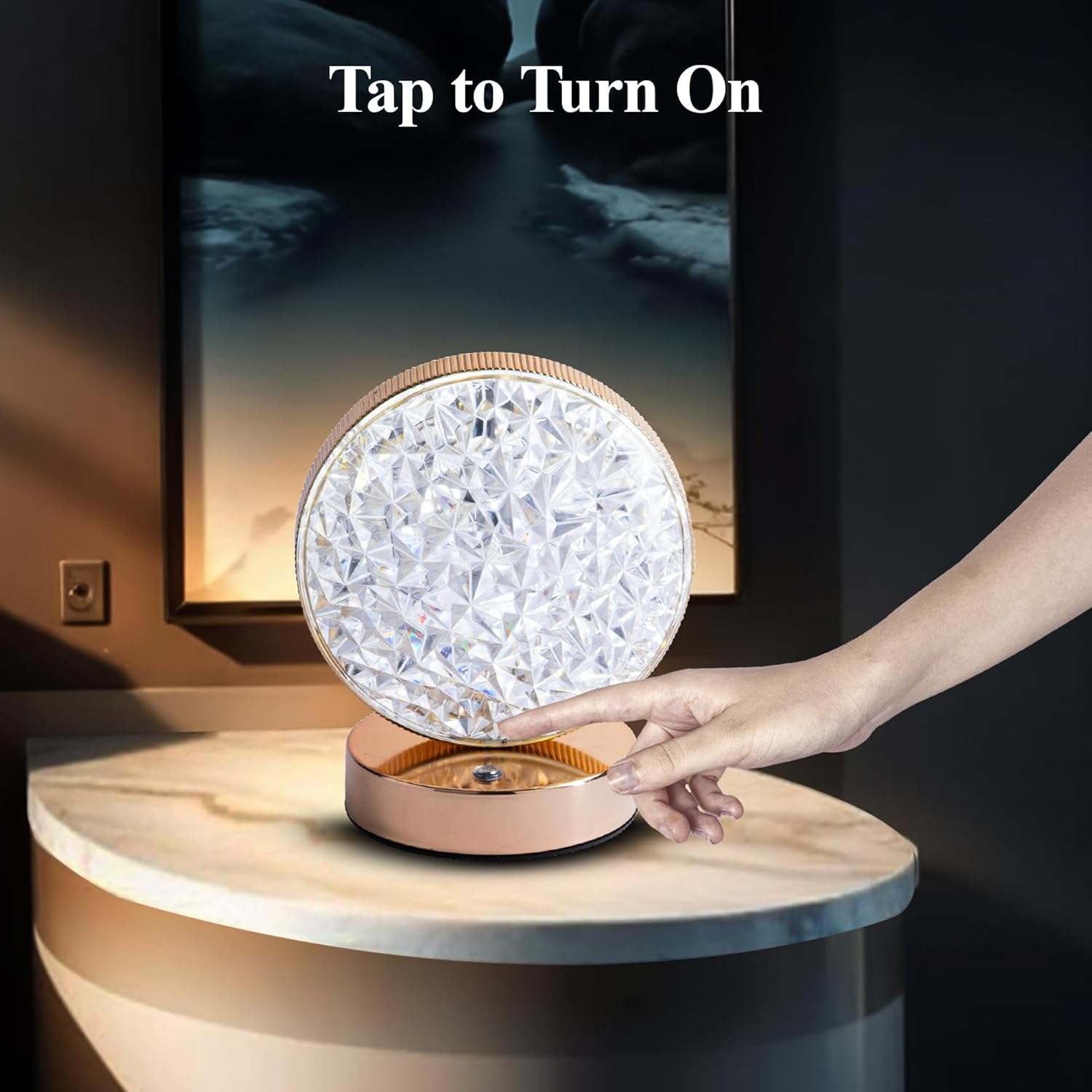
Figure 4: Touch Activation
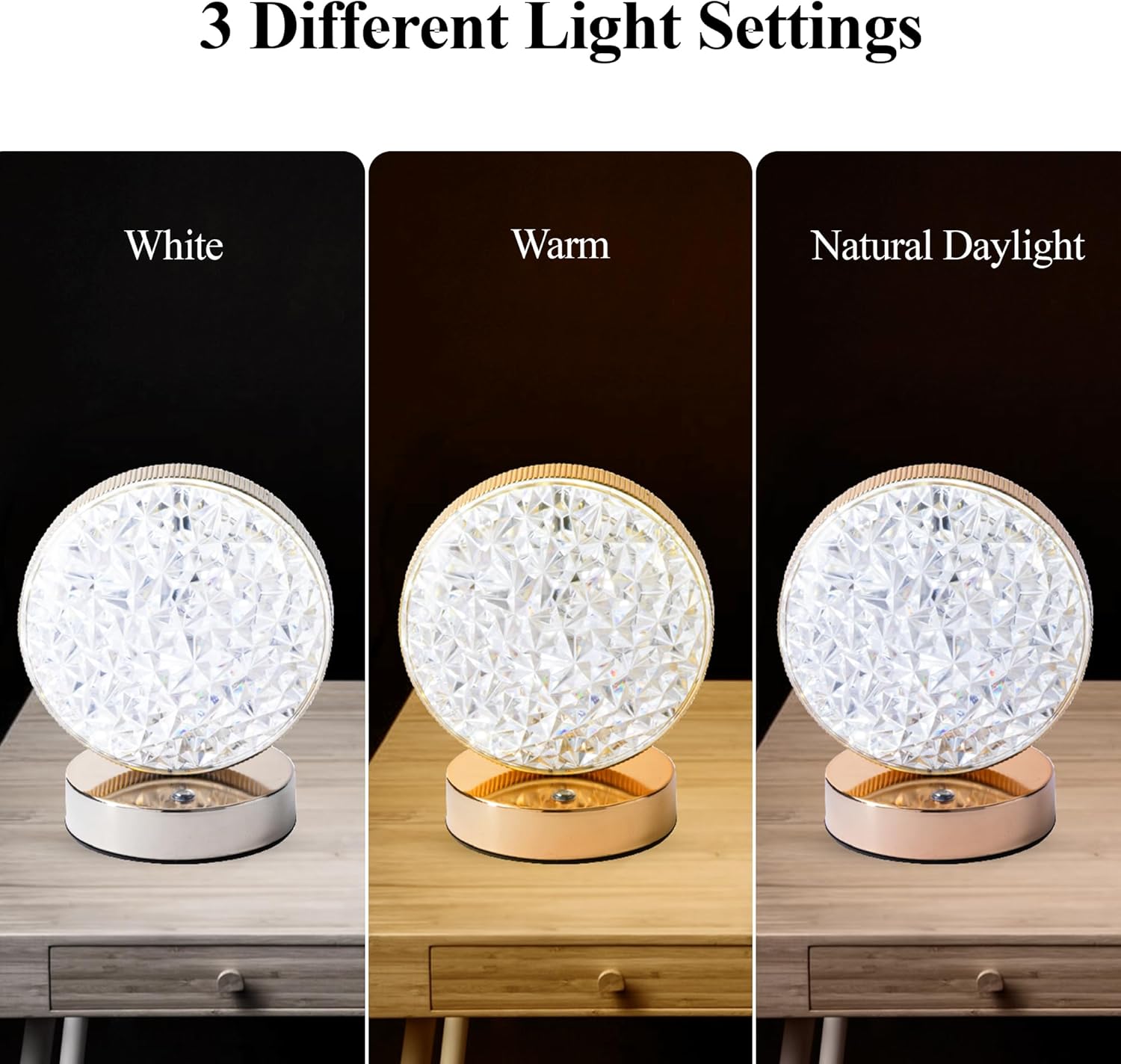
Figure 5: Three Different Light Settings
2. Dimmable Brightness
The lamp's brightness can be adjusted for each light mode.
- While the lamp is on, press and hold your finger on the touch sensor.
- The brightness will gradually increase or decrease. Release your finger when the desired brightness level is reached.
- Repeat the press and hold action to adjust the brightness in the opposite direction.

Figure 6: Brighten and Dim Functionality
Maintenance
- Cleaning: Use a soft, dry cloth to wipe the lamp's surface. Avoid abrasive cleaners or solvents that could damage the finish.
- Battery Care: To prolong battery life, avoid fully discharging the lamp frequently. Recharge the lamp when the light begins to dim noticeably. If storing for an extended period, charge the lamp to about 50% every few months.
- Storage: Store the lamp in a cool, dry place away from direct sunlight and extreme temperatures.
Troubleshooting
| Problem | Possible Cause | Solution |
|---|---|---|
| Lamp does not turn on. | Battery is depleted. | Charge the lamp fully using the provided USB-C cable. |
| Lamp does not charge. | Faulty cable or power adapter. Charging port obstruction. | Try a different USB-C cable and power adapter. Ensure the charging port is clean and free of debris. |
| Light is too dim or too bright. | Brightness setting needs adjustment. | Press and hold the touch sensor to adjust brightness to your preference. |
| Lamp cycles through modes unexpectedly. | Accidental touch or sensor issue. | Ensure no objects are resting on the touch sensor. If the issue persists, try fully discharging and recharging the lamp. |
Specifications
| Feature | Detail |
|---|---|
| Model Name | The Lenox |
| Model Number | 6441 |
| Brand | Bell+Howell |
| Product Dimensions | 5.12"D x 3.9"W x 5.9"H |
| Item Weight | 2.35 pounds (for 2 lamps) |
| Light Source Type | LED |
| Light Colors | Warm, White, Daylight |
| Special Features | Dimmable, Lightweight, Rechargeable, Touch Activated |
| Power Source | Battery Powered |
| Base Material | Iron |
| Shade Material | Plastic |
| Indoor/Outdoor Usage | Indoor |
| UPC | 080313064418 |
Official Product Video
Video 1: Bell+Howell By Design Cordless Lamp. This video demonstrates the features and usage of the Bell+Howell cordless lamp, including its touch activation and various light modes.
Warranty and Support
For warranty information and customer support, please refer to the contact details provided with your purchase or visit the official Bell+Howell website. Keep your proof of purchase for any warranty claims.